AIVA is an AI music composition platform built for people who need original music without spending hours starting every track from an empty timeline. It can generate music in more than 250 styles and gives creators more control than a simple text-to-song generator.
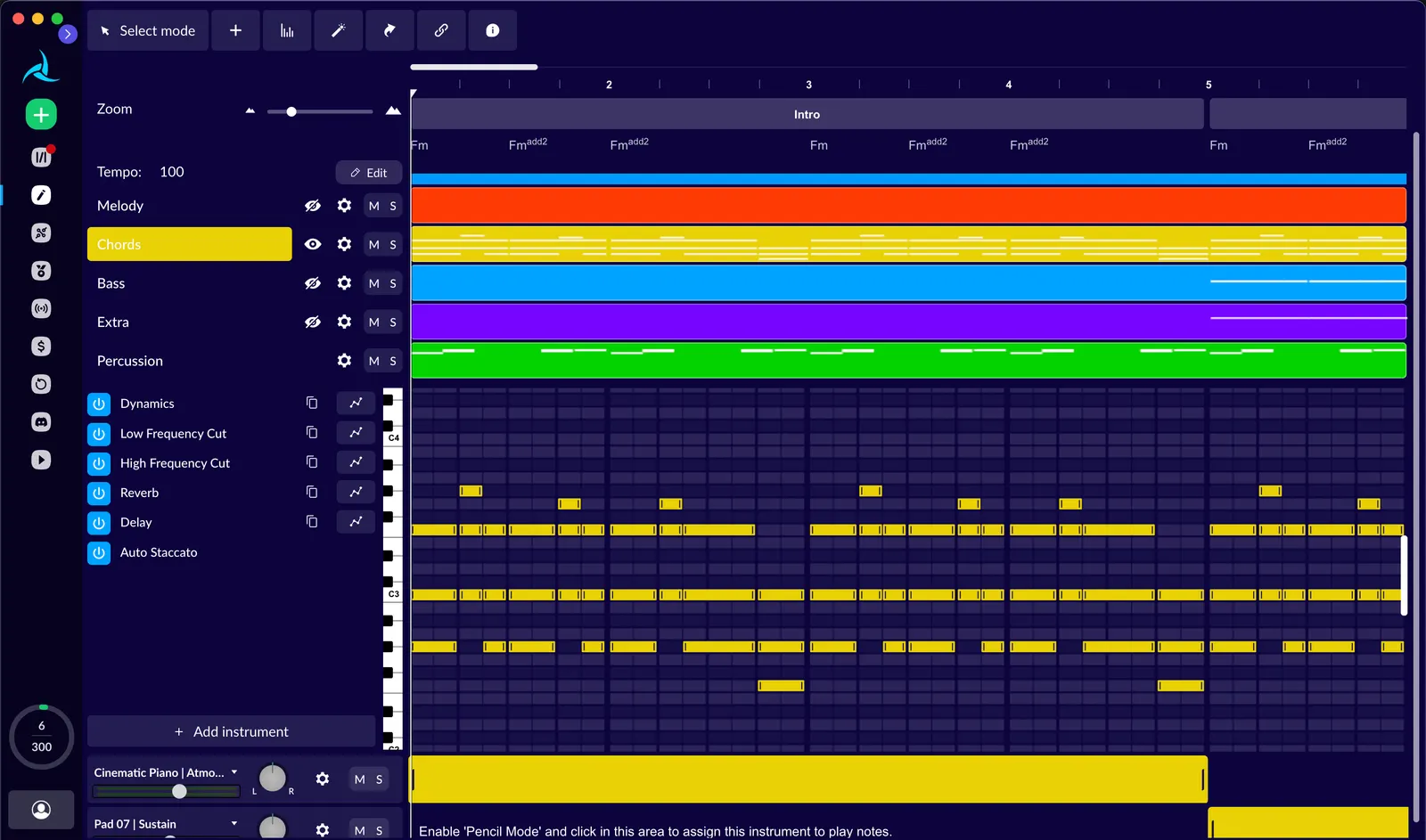
That distinction matters. AIVA is designed around composition rather than just producing a finished audio clip. You can generate a track, edit it, change musical characteristics, work with MIDI, upload an audio or MIDI influence, and export the result in different formats depending on your plan.AIVA
🔎 What Is AIVA?
AIVA stands for Artificial Intelligence Virtual Artist. The company describes it as an AI music generation assistant designed to help users create personalized soundtracks. Its roots are in algorithmic composition and music technology rather than being built solely as a consumer-facing chatbot-style music generator.
AIVA is useful for both beginners and experienced creators. A beginner can generate a soundtrack without knowing music theory, while a more experienced composer can use the generated material as a starting point and continue editing it.
The platform supports different music styles and gives users access to generated compositions in formats such as MP3 and MIDI. Higher-tier plans add more downloads, longer tracks, additional export formats, and broader commercial rights.
✨ Main Features and Highlights
🎼 AI Music Generation: Generate original musical compositions based on selected styles and creative requirements. AIVA supports more than 250 different styles according to its official product information.
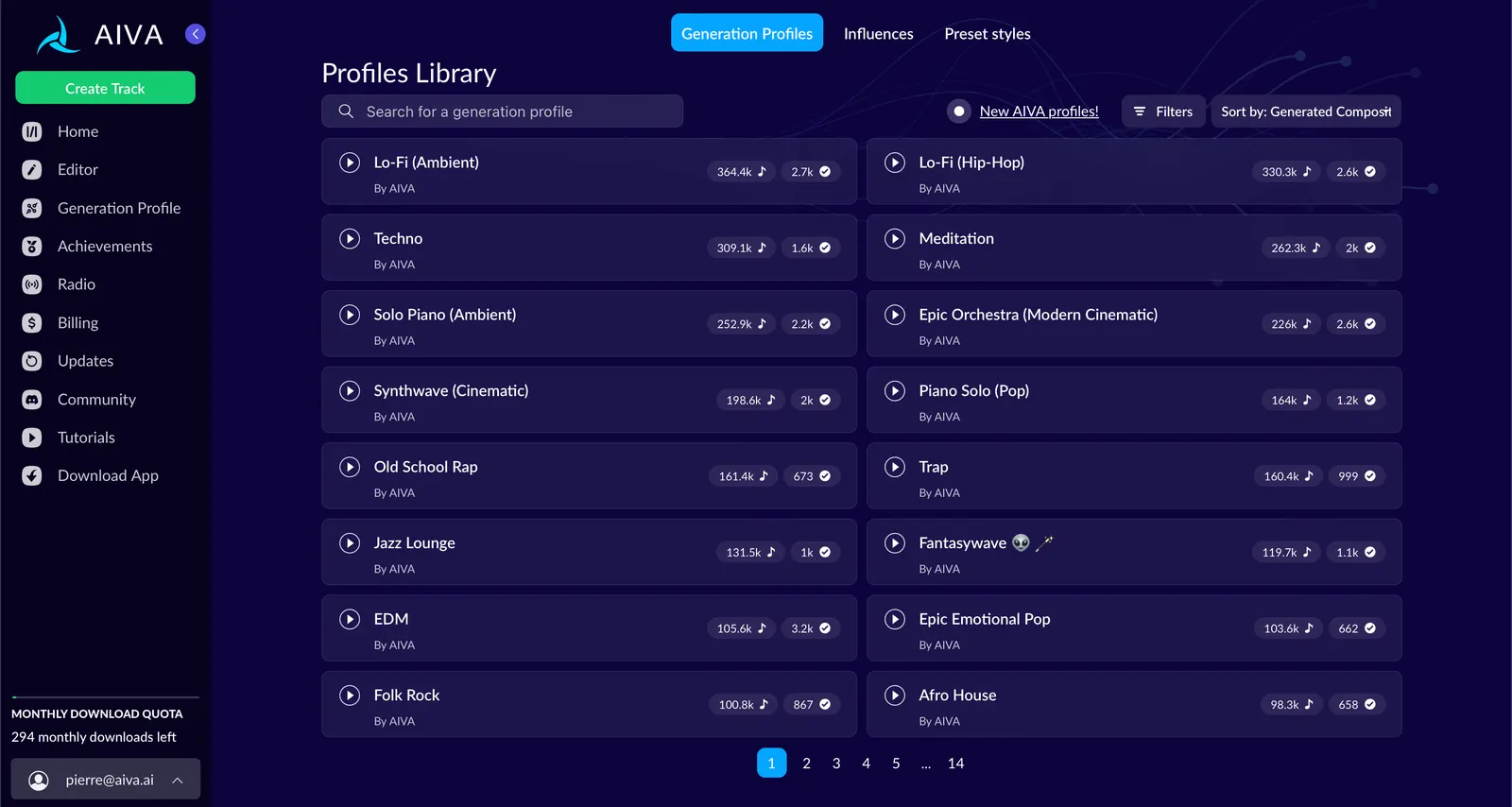
🎛️ Style Customization: One of AIVA's more useful features is the ability to work with style models. Instead of treating every generation as a completely separate experiment, creators can develop a more consistent musical direction.
🎹 MIDI Generation: AIVA can provide MIDI output, which is particularly useful for producers and composers who want to continue editing notes, instruments, arrangement, or harmony inside a DAW.
🎧 Audio Influence: Users can upload an audio or MIDI reference and use it as an influence for a new composition. This is useful when you already know the kind of musical direction you want but do not want to reproduce the original recording.
✂️ Track Editing: Generated compositions can be edited rather than simply downloaded as finished files. This makes AIVA more suitable for people who actually want to work on the music.
📤 Multiple Export Formats: Available export options depend on the subscription. The Pro plan includes high-quality WAV export and additional file formats.
🌎 How AIVA Is Used Around the World
AIVA has been around since the early wave of AI music tools, and its official examples show applications ranging from film and games to branded content and corporate projects. The company has published examples involving NVIDIA, Vodafone, Luxembourg national projects, games, and other audiovisual work.
That history is important because AIVA is not simply a recent experiment in generative AI. Its product has been built around music composition for years, with a team that includes composers, engineers and researchers working on computer-assisted composition.
For today's creators, the practical use is straightforward: use AIVA when you need a custom soundtrack but do not want to license stock music repeatedly or spend hours composing the first draft yourself.
🚀 How to Use AIVA for the First Time
Step 1 — Create an account: Go to AIVA and create a free account. You can start with the Free plan without entering a credit card.
Step 2 — Decide where the music will be used: This is more important than it sounds. Before generating anything, decide whether the music is for personal experimentation, YouTube, TikTok, a client project, a game, or another commercial project. Your intended use affects which license you need.
Step 3 — Choose the musical direction: Select a style that fits the project. Think about whether you need cinematic music, ambient music, electronic music, piano, orchestral music, rock, jazz, or another direction.
Step 4 — Generate your first composition: Start with a relatively simple musical idea. Do not try to control every detail immediately. The first generation is mainly useful for discovering whether the overall direction works.
Step 5 — Listen critically: Ask whether the structure fits your project, whether the energy is right, and whether the ending works. A track can sound good by itself but still be unsuitable for a video or game.
Step 6 — Edit rather than restart: If the core idea is good, modify the composition instead of generating another completely unrelated track.
Step 7 — Export: Download the appropriate version. If you plan to continue production inside a DAW, MIDI can be much more useful than simply downloading MP3.
💡 Practical Tips for Better Results
Start with the use case: “Cinematic background music for a technology documentary” is a better creative target than simply “cinematic music.”
Keep the first attempt simple: Generate a basic composition first. Once you understand the direction, add complexity.
Use MIDI when you want control: If you are a producer, MIDI gives you much more room to change instruments, notes, tempo, and arrangement in your own DAW.
Use an influence when you already have a reference: If you have a melody or musical reference that captures the mood you want, the influence workflow can be more effective than trying to describe everything with words.
Do not confuse generation with finishing: AIVA can give you the musical foundation, but professional work may still require mixing, mastering, arrangement changes, and synchronization with video.
💻 How to Install AIVA
You do not have to install AIVA to use its main service. The web application can be accessed through a browser, which is the easiest way to test the platform.
For users who prefer a desktop environment, AIVA currently provides desktop applications for macOS, Windows, and Linux on its official download page. This makes it more convenient for creators who want a dedicated application rather than keeping the service inside a browser tab.
If you are working on a professional music-production computer, check the current desktop requirements before installation because operating-system compatibility can change as new versions are released.AIVA
💰 Is AIVA Free?
AIVA has a Free plan as well as paid Standard and Pro plans. The important point is that the difference is not simply “more generations.” Licensing and copyright ownership are also part of the pricing structure.
🆓 Free — €0: The Free plan is designed for non-commercial use. It currently allows up to 3 downloads per month, tracks up to 3 minutes, and MP3/MIDI downloads. AIVA retains copyright and users must credit AIVA.
⭐ Standard Annual — €11/month: The annual Standard plan is currently listed at €11 per month plus VAT when billed annually. It allows 15 downloads per month and tracks up to 5 minutes. Commercial monetization is limited to platforms including YouTube, Twitch, TikTok and Instagram.
🚀 Pro Annual — €33/month: The annual Pro plan is currently listed at €33 per month plus VAT. It provides up to 300 downloads per month, tracks up to 5 minutes 30 seconds, all available file formats and high-quality WAV export. Most importantly for commercial creators, AIVA states that the user owns the full copyright of compositions created under the Pro plan.
AIVA also lists monthly versions of its Standard and Pro plans. Enterprise users have separate custom arrangements. Prices and plan conditions can change, so commercial users should check the current pricing page before subscribing.
⚖️ Copyright and Commercial Use
This is one of the areas where AIVA deserves more attention than many casual AI music tools. The plan you choose affects the rights attached to downloaded compositions.
The Free plan provides a non-commercial license and requires attribution. The Standard plan provides limited commercial rights for selected platforms. The Pro plan provides full copyright ownership of the compositions according to AIVA's current licensing terms.
If you are producing music for a client, advertising campaign, paid video channel, game, app, or other commercial product, do not assume that a free generation automatically gives you unrestricted commercial rights. Check the license attached to the plan before publishing the music.
👥 Who Should Use AIVA?
🎬 Video creators: A good fit when you need original background music without searching through stock libraries for hours.
🎮 Game developers: Useful for prototypes, background scores, menus, environments, and other game-music concepts.
🎹 Composers: Useful as a creative assistant for exploring arrangements and musical directions.
🎧 Producers: MIDI export makes AIVA more interesting for users who want to continue working inside a DAW.
📱 Social media creators: Standard and Pro plans provide commercial options that can be useful for monetized content, subject to the plan's current license terms.
🏢 Businesses: Useful for branded videos, presentations, campaigns and other projects where custom music is required.
⚠️ Common Problems and Things to Watch
The first generation may not be perfect: AI composition is still an iterative process. You may need several generations before finding something that fits your project.
Music can sound generic: If you accept the first output without editing, the result may feel less distinctive. Customizing the style and continuing the arrangement is where AIVA becomes more useful.
Licensing can be misunderstood: Free, Standard and Pro do not provide the same rights. Always check the license before commercial publication.
Uploaded references require care: AIVA's current terms state that users uploading audio or MIDI as an influence grant AIVA a worldwide, non-exclusive, commercial and transferable license to train its AI systems on that uploaded influence in perpetuity. Do not upload material unless you have the necessary rights and are comfortable with those terms.
Refunds are restricted: AIVA's terms state that refunds are available only if premium features have not been used.
👍 Advantages and 👎 Disadvantages
Advantages: Long-standing focus on AI composition, more than 250 styles, MIDI export, style customization, audio/MIDI influence, editing capabilities, desktop apps for macOS/Windows/Linux, and a clear licensing structure across Free, Standard and Pro plans.
Disadvantages: The best commercial rights require the more expensive Pro plan, generated music may still need manual editing, the Free plan is restricted to non-commercial use, and users need to pay attention to licensing when uploading reference material or publishing generated music.
🏁 Final Verdict
AIVA is not the AI music tool I would recommend only because it can “make a song.” Its real strength is that it sits closer to a composition assistant: you can generate an idea, modify it, work with MIDI, use musical influences and continue the production instead of treating the generated file as untouchable.
For casual experimentation, the Free plan is enough to understand the product. For YouTube and social creators, Standard may make more sense. For professionals who need ownership and unrestricted monetization, Pro is the plan that deserves serious consideration.
If your goal is to create music quickly while still retaining some control over the composition process, AIVA remains one of the more interesting AI music platforms to test.
Free & Pricing
Free plan· Unverified
Payment
Free + paid
Prices and free policies can change. Confirm on the official page before purchasing.


Comments