

🧭 What Is Amazon Q Developer?
Amazon Q Developer is AWS's AI assistant for software development. It is designed for developers who work with code, cloud infrastructure, AWS services, and large software projects. Rather than functioning as a simple chatbot that generates snippets of code, Q Developer is integrated into the development workflow and can work with an existing codebase, answer technical questions, generate code, suggest changes, investigate problems, and assist with modernization.
It is available through supported IDEs, the command line, the AWS Management Console, AWS documentation, and other AWS development environments. The exact capabilities depend on where you use it and which account or subscription type you have.
One of its biggest advantages is its connection to the AWS ecosystem. If you are building applications with services such as Amazon EC2, Lambda, S3, RDS, IAM, CloudFormation, or other AWS services, Q Developer can provide assistance that is much more closely tied to AWS development than a general-purpose coding chatbot.
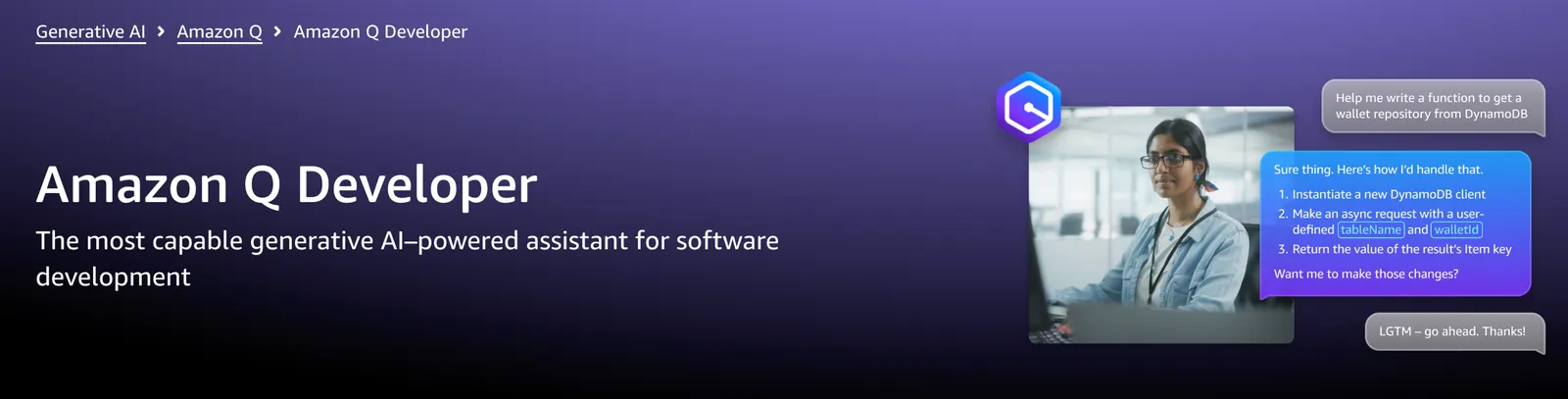
⚙️ What Can Amazon Q Developer Actually Do?
Amazon Q Developer covers a fairly broad part of the software development lifecycle. Its usefulness becomes clearer when you look at the individual tasks it can handle.
- Code generation: Generate functions, classes, tests, configuration files, scripts, and other code from natural-language instructions.
- Code completion: Suggest code while you type inside supported development environments.
- Code explanation: Explain unfamiliar functions, files, classes, dependencies, or sections of a project.
- Debugging: Help investigate errors, exceptions, failed builds, and unexpected application behavior.
- Code refactoring: Suggest cleaner structures and modifications to existing code.
- Security scanning: Identify potential security problems and recommend fixes.
- Testing: Help generate unit tests and test cases for existing code.
- AWS assistance: Answer questions about AWS services, architecture, configuration, and common cloud-development problems.
- Modernization: Assist with larger transformation projects, including supported Java application upgrades.
- Agentic coding: Work through multi-step development tasks instead of responding with only a single code snippet.
- CLI assistance: Help developers work from the command line rather than requiring them to stay inside a graphical IDE.
🤖 Agentic Coding: Where Q Developer Becomes More Interesting
The most important distinction between Q Developer and a basic autocomplete tool is its ability to handle more complicated development tasks.
Instead of asking, "Write a Python function that validates an email address," you can give it a larger task such as reviewing an existing module, identifying the affected files, proposing a solution, and helping implement the changes.
This is closer to an AI development agent than traditional autocomplete. It can reason across a development task and work through multiple steps. That makes it particularly useful when the problem is not "I need 20 lines of code" but "I need to change this part of an existing application without breaking everything around it."
That said, agentic coding should not be treated as fully autonomous software engineering. Generated changes still need to be reviewed, tested, and checked against the project's architecture and security requirements.
💻 Using Amazon Q Inside Your IDE
Amazon Q Developer supports major development environments including Visual Studio Code, JetBrains IDEs, Eclipse, and Visual Studio on Windows through the AWS Toolkit.
Once installed, Q Developer can appear directly inside the IDE. You can ask questions about the current project, request code generation, explain selected code, investigate errors, or work on development tasks without constantly switching to a browser.
For everyday development, this is probably the most practical way to use Q Developer. The assistant becomes part of the coding environment rather than another website you have to keep open.
AWS currently supports Builder ID authentication for free personal use. You do not need an AWS account simply to start using Q Developer in the IDE with a Builder ID.
☁️ Why AWS Integration Matters
Amazon Q Developer makes the most sense when your work involves AWS.
For example, a developer might ask how to configure a Lambda function with API Gateway, troubleshoot an IAM permission problem, understand an AWS error message, or compare different AWS services for a particular workload.
A general AI coding assistant can often answer these questions, but Q Developer has a natural advantage for AWS-specific development because AWS documentation, services, terminology, and cloud workflows are central to the product.
This does not mean every AWS answer will automatically be correct. AWS configurations can depend on account permissions, regions, service versions, networking, policies, and application architecture. Treat Q Developer as an engineering assistant, not as an authority that can replace testing or AWS documentation.
🔐 Security Scanning and Code Quality
Security is another area where Amazon Q Developer goes beyond simple code generation.
It can analyze code for potential security issues and suggest changes. This is useful when developers are working quickly and want an additional layer of automated review before code reaches production.
It can also help with refactoring, debugging, optimization, and test generation. These features are especially useful in older projects where the developer may understand what the application does but not necessarily understand every part of the existing implementation.
For serious production systems, however, Q Developer should be one part of a larger security process that includes automated testing, dependency scanning, code review, CI/CD checks, and dedicated security tools.
🔄 Code Modernization and Legacy Applications
One of the less obvious uses for Amazon Q Developer is modernization.
Large organizations often have applications that are years or even decades old. The problem is not always creating new code; it is upgrading existing systems without spending months rewriting everything manually.
Amazon Q Developer provides transformation capabilities for supported modernization workflows, including Java upgrades. The service can analyze code and generate suggested upgraded versions, allowing developers to review the resulting changes instead of manually modifying every file.
This is more relevant to enterprise development teams than to someone building a small personal website, but it is one of the areas where an AI development assistant can potentially save significant engineering time.
🌎 Global Availability and AWS Coverage
Amazon Q Developer is designed as a global AWS service rather than a tool limited to the United States.
AWS currently lists supported regions across North America, Europe, and Asia-Pacific, including Singapore, Tokyo, Seoul, Sydney, Mumbai, Frankfurt, Ireland, London, Paris, Stockholm, and several U.S. regions. Additional opt-in regions are also supported under specific conditions.
For developers in Asia, the Singapore region is particularly relevant because it is one of the supported AWS regions. However, availability of individual Q Developer features can differ by region, so companies with strict data-residency requirements should check the applicable AWS documentation before deploying it in production.
Another important consideration is cross-region processing. Some Amazon Q requests may involve calls between AWS regions, depending on the feature and request. Organizations with regulatory or data-governance requirements should therefore examine AWS's current data-processing documentation rather than assuming that every request remains inside the region selected by the user.
🛠️ How to Start Using Amazon Q Developer
- Choose a supported IDE such as Visual Studio Code, JetBrains, Eclipse, or Visual Studio.
- Install the Amazon Q Developer extension or plugin.
- Open the Amazon Q panel inside the IDE.
- Sign in with an AWS Builder ID for personal use or use IAM Identity Center for an organization-managed account.
- Open an existing project or create a new project.
- Start with simple questions before moving to larger coding tasks.
AWS also supports Amazon Q Developer through the command line, which is useful for developers who spend most of their time working in terminals.
🧩 How to Install Amazon Q Developer in VS Code
For many developers, Visual Studio Code is the easiest place to try Amazon Q Developer.
- Open Visual Studio Code.
- Open the Extensions marketplace.
- Search for Amazon Q.
- Install the official Amazon Q extension.
- Click the Amazon Q icon inside VS Code.
- Choose the personal or company sign-in option.
- Complete authentication in your browser.
- Return to VS Code and open the Amazon Q panel.
AWS currently lists Visual Studio Code 1.85.0 or later among the supported versions. JetBrains, Eclipse, and Visual Studio also have their own supported-version requirements.
🆓 Is Amazon Q Developer Free?
Yes. Amazon Q Developer has a permanent Free tier rather than a short trial that expires after a few days.
The current Free tier includes 50 agentic requests per month and includes access to features such as IDE and CLI usage, AWS console questions, and other capabilities subject to the applicable limits.
The free tier is enough to evaluate the product and determine whether it fits your workflow. Developers who use an AI coding assistant heavily may reach the limits fairly quickly, particularly when using agentic workflows.
💳 Amazon Q Developer Pricing
The current Amazon Q Developer pricing structure is relatively straightforward:
- Free: $0 per user, with 50 agentic requests per month and defined limits for other capabilities.
- Pro: $19 per user per month, with higher usage limits and additional organizational features.
The Pro tier also includes 4,000 lines of code per user per month for supported Java transformation workloads, pooled at the AWS payer-account level. Additional transformation usage is currently charged at $0.003 per line of code submitted.
Pro also adds features such as IAM Identity Center support, administrative controls, dashboards, and IP indemnity.
One useful detail is that simply installing Amazon Q or signing in does not automatically trigger the Pro subscription charge. AWS states that certain activities, such as agentic coding, transformation-agent requests, or code completions, activate the subscription.
Because AWS pricing and service limits can change, organizations should verify the current pricing page before making purchasing decisions.
👨💻 Who Should Use Amazon Q Developer?
AWS developers are the clearest target audience. If most of your infrastructure runs on AWS, Q Developer can reduce the amount of time spent searching through AWS documentation and troubleshooting common configuration problems.
Software engineers can use it for code generation, debugging, refactoring, testing, and understanding unfamiliar repositories.
DevOps and cloud engineers can benefit from its AWS-oriented assistance when working with infrastructure, deployments, configuration, and cloud services.
Enterprise development teams may find the Pro tier more interesting because of centralized identity management, administration, and modernization capabilities.
Students and beginners can also use the free tier as a learning assistant. It can explain unfamiliar code and AWS concepts, although beginners should avoid copying generated code without understanding what it does.
🎯 Practical Tips for Getting Better Results
The quality of the answer depends heavily on the quality of the task you give it. Short prompts such as "fix this" usually produce less useful results than a request that describes the problem and constraints.
1. Give Q Developer the actual goal
Instead of asking "optimize this code," explain what is slow, what behavior must remain unchanged, and what performance target you are trying to reach.
2. Mention the environment
Include the programming language, framework, runtime version, AWS service, database, or operating system when it matters.
3. Work in smaller units
For large repositories, start with a specific module or feature. Once the assistant understands the task, expand the scope gradually.
4. Ask for an explanation before accepting major changes
If Q Developer proposes a large architectural modification, ask why the change is necessary and what files or services it affects.
5. Review generated code yourself
AI-generated code can contain incorrect assumptions, unnecessary dependencies, insecure configurations, or subtle edge cases. Always run tests and review important changes before merging them.
6. Give errors exactly as they appear
When troubleshooting AWS problems, provide the complete error message, relevant configuration, and the operation that produced the error. Removing important context can make debugging much harder.
⚠️ Common Problems and Limitations
Incorrect or incomplete code
Amazon Q Developer can generate plausible-looking code that is technically wrong. This is a normal limitation of generative AI, not something unique to AWS.
AWS permissions can complicate troubleshooting
A solution may look correct but fail because the IAM policy, resource policy, networking configuration, or account permissions are different from what the assistant assumes.
Large projects require good context
An AI assistant cannot automatically understand every architectural decision ever made in a large enterprise repository. Clear project structure and focused tasks generally produce better results.
Regional differences matter
AWS services and Amazon Q features are not necessarily identical across every region. If a feature appears unavailable, check the current regional availability before assuming that your account is misconfigured.
Usage limits matter on the Free tier
Heavy agentic development can consume the monthly Free-tier allowance quickly. Developers who use AI throughout the day may need the Pro tier.
🔒 Privacy, Security, and Enterprise Considerations
For professional development teams, security should be considered before connecting AI tools to private repositories or production infrastructure.
Amazon Q Developer provides AWS-specific controls for organizations, including IAM Identity Center integration and administrative management in the Pro tier. AWS also provides controls related to code-reference tracking and public-code suggestions.
Companies should still establish their own rules for what source code, credentials, customer data, secrets, logs, and production information employees are allowed to expose to AI development tools.
Never paste AWS access keys, passwords, private tokens, database credentials, or other secrets into an AI chat simply to make troubleshooting easier.
🔧 A Better Way to Use Q Developer in Real Projects
A practical workflow is to use Amazon Q Developer as a second engineer rather than as an automatic code-writing machine.
- Understand: Ask Q Developer to explain the existing implementation.
- Plan: Describe the desired change and ask for a proposed approach.
- Review: Check the proposed files, dependencies, risks, and assumptions.
- Implement: Let Q Developer generate or modify the relevant code.
- Test: Run the project's tests and reproduce the original problem.
- Inspect: Review the actual diff instead of accepting every change blindly.
- Deploy carefully: Use your normal CI/CD and review process before production deployment.
This workflow tends to produce better results than giving an AI agent a vague instruction and accepting a large batch of changes at once.
🆚 Amazon Q Developer vs. General AI Coding Assistants
Amazon Q Developer's biggest strength is not that it can generate code. Most modern AI coding assistants can do that.
The more important distinction is its relationship with AWS.
If you primarily build frontend applications, work across many cloud providers, or rarely touch AWS, another coding assistant may fit your workflow just as well or better.
If your day-to-day work involves AWS infrastructure, Lambda, IAM, containers, databases, cloud deployments, and AWS application architecture, Q Developer becomes considerably more compelling.
For enterprise teams, its identity management and AWS-native administration can also be more important than small differences in code-generation quality.
📅 An Important Change to Know About Before Choosing It
There is an important roadmap issue for developers considering Amazon Q Developer's current IDE plugins.
AWS currently states that support for the existing Amazon Q Developer IDE plugins will end on April 30, 2027. AWS is directing users toward Kiro for newer capabilities such as agentic coding, chat, and MCP support.
This does not make Amazon Q Developer useless today, but it is worth considering if you are choosing a development tool for a long-term workflow. Developers starting a new setup in 2026 should pay attention to AWS's migration guidance rather than assuming that today's IDE plugin experience will remain unchanged indefinitely.
🏁 Final Verdict: Is Amazon Q Developer Worth Using?
Amazon Q Developer is one of the more logical AI coding assistants for developers already invested in AWS. Its strongest advantage is the combination of AI-assisted programming and AWS-specific development knowledge.
The Free tier makes it easy to test without committing to a subscription, while the $19-per-user Pro tier is aimed at developers and organizations that need higher limits and administrative capabilities.
For a developer building a small React application with no AWS infrastructure, Q Developer may not offer a decisive advantage over other coding assistants. For an engineer managing Lambda functions, IAM policies, cloud infrastructure, databases, deployments, and large AWS-based applications, the situation is different.
My practical recommendation is to start with the Free tier and use it on a real project rather than judging it from a few code-generation demos. Give it actual debugging tasks, AWS configuration questions, refactoring work, and code-review jobs. That will quickly show whether it genuinely saves you time.
Comments