

🎨 What Is Artbreeder?
Artbreeder is an AI-powered creative platform for generating, mixing, and exploring images through a combination of artificial intelligence, visual editing, and community-driven experimentation. Unlike many AI image generators that rely mainly on text prompts, Artbreeder allows users to adjust visual attributes, combine existing images, and gradually develop new creative results.
Artbreeder was created by artist and programmer Joel Simon and originally launched as Ganbreeder in 2018. The project initially focused on exploring how generative adversarial networks could create evolving images. It later developed into Artbreeder, a broader platform for creating portraits, characters, landscapes, artwork, and other visual concepts.
The platform is designed for people who want to explore visual possibilities without having to master professional image-editing software. It is particularly useful for concept development, character creation, experimental artwork, mood boards, and discovering unexpected combinations of visual elements.
Artbreeder’s main appeal is its interactive approach to image generation. Instead of simply entering a prompt and accepting the result, users can influence the creative direction by mixing images, adjusting attributes, editing compositions, and exploring variations.
🧩 Core Features of Artbreeder
1. AI Image Mixing
Artbreeder’s image-mixing functions allow users to combine visual characteristics from multiple images. By blending different sources, users can create new faces, characters, environments, and artistic styles.
This approach is useful when users have a general visual direction but cannot fully describe the desired result with words. Mixing provides a more visual and intuitive way to guide the generation process.
2. Portrait and Character Generation
Artbreeder is widely associated with AI-generated portraits and character faces. Users can explore different facial structures, ages, hairstyles, expressions, skin tones, and other visual characteristics.
This feature is useful for character designers, game developers, writers, illustrators, and creators who need reference images for fictional people.
3. Attribute-Based Editing
Rather than editing every detail manually, users can adjust selected visual attributes to influence the appearance of an image. Depending on the available creation tool, these adjustments may include facial features, colors, composition, age, expression, or artistic characteristics.
This makes the creative process more accessible to users who do not have advanced Photoshop or digital painting skills.
4. Text-to-Image Generation
Artbreeder has introduced text-based generation tools that allow users to describe an idea and create an image from a written prompt. This makes the platform more flexible for users who prefer prompt-based workflows.
Text generation can be useful for creating initial concepts, exploring visual themes, and producing images that are difficult to create through image mixing alone.
5. Image Composition and Collage Creation
Artbreeder includes tools for combining visual elements into more structured compositions. Users can experiment with layouts, backgrounds, objects, and different image components to create scenes or concept artwork.
This is helpful for mood boards, story concepts, visual presentations, poster ideas, and early-stage design exploration.
6. Image Editing and Expansion
Some Artbreeder workflows support editing or extending existing images. These functions can help users change parts of an image, expand the visual canvas, or develop a concept beyond its original boundaries.
Such features are useful when the initial generation is interesting but requires additional adjustments before it can be used in a project.
7. Animation and Motion Experiments
Artbreeder has also explored animation-related creative tools. These features allow users to experiment with motion, image sequences, and animated visual concepts.
Although Artbreeder is not a complete replacement for professional video-production software, these capabilities can be useful for early animation ideas, social media experiments, and visual storytelling.
8. Community Sharing and Remixing
Artbreeder has a community-oriented structure where users can explore images created by others and use existing work as inspiration for new creations.
This encourages experimentation and makes it easier for beginners to learn by studying how other users develop their images.
✨ What Makes Artbreeder Different?
Visual Exploration Instead of Prompt-Only Generation
Many AI image generators are built around a prompt-first workflow: users describe an image, generate several results, and refine the prompt. Artbreeder offers a different approach by allowing users to work directly with visual references and adjustable characteristics.
This can be especially valuable when users know what something should feel like visually but struggle to describe it accurately in text.
Strong Focus on Variation and Discovery
Artbreeder is designed around exploring possibilities rather than producing one perfectly specified image immediately. Users can create variations, combine different results, and follow unexpected creative directions.
The process often feels closer to visual experimentation than traditional image generation.
Accessible Creative Controls
Professional image-editing applications can require considerable knowledge of layers, masks, brushes, color correction, and composition. Artbreeder simplifies many of these processes through AI-assisted controls and visual interfaces.
This makes the platform approachable for users who want to create images without learning a complex editing workflow.
Useful for Character and Concept Development
Artbreeder is particularly useful for developing fictional characters, portrait references, fantasy concepts, and visual identities. Users can create multiple variations of a character and explore how small changes affect the overall appearance.
Community-Based Creative Inspiration
Because users can explore and remix visual ideas, Artbreeder also functions as a source of creative inspiration. It can help users overcome creative blocks and discover combinations they might not have considered independently.
🛠️ Practical Use Cases for Artbreeder
1. Character Design
Writers, game developers, comic creators, and illustrators can use Artbreeder to develop character references. It can help generate different faces, appearances, ages, and visual styles before the character is finalized.
2. Game Development
Indie game developers can use Artbreeder for early concept development, NPC references, fantasy characters, environmental inspiration, and visual direction.
The generated images may not always be ready to use directly in a finished game, but they can reduce the time required to explore possible art directions.
3. Fiction and Storytelling
Authors can create visual references for fictional characters, locations, creatures, and story settings. These images can make a fictional world easier to imagine and help maintain consistency during the writing process.
4. Concept Art
Artbreeder can support early-stage concept art for films, games, advertisements, books, and creative campaigns. Users can quickly test different styles before investing time in detailed production work.
5. Social Media Content
Creators can use Artbreeder to produce unusual portraits, surreal artwork, fantasy visuals, and experimental images for social media posts, thumbnails, and creative campaigns.
6. Mood Boards and Creative Direction
Designers can use generated images to explore color palettes, visual moods, character styles, and atmosphere. These images can serve as references during discussions with clients or creative teams.
7. Education and AI Art Research
Artbreeder is also useful for students, educators, and researchers interested in generative art, machine learning, visual variation, and the relationship between human creativity and AI systems.
8. Personal Creative Experiments
Users do not need a commercial project to benefit from Artbreeder. It can be used simply to experiment with faces, landscapes, abstract visuals, and unexpected image combinations.
🚀 How to Use Artbreeder
Step 1: Create an Account
Visit the Artbreeder platform and create an account using the available registration options. Some features may require users to sign in before they can generate, save, or manage images.
Step 2: Choose a Creation Tool
Depending on the current platform interface, users may be able to choose from different creative tools, such as image mixing, portrait generation, text-based generation, collage creation, or animation-related features.
Select the tool that best matches the intended result. Portrait tools are suitable for faces and characters, while composition tools are more useful for scenes and visual layouts.
Step 3: Start With an Existing Image or Prompt
Some workflows begin with an existing image, while others allow users to enter a written description. If you already have a visual reference, image-based creation can provide more control over the direction.
If you are exploring an idea from scratch, begin with a short and clear prompt or a basic visual concept.
Step 4: Adjust the Main Attributes
Experiment with the available controls to change visual characteristics. Avoid changing too many attributes at once, especially when you are trying to understand how each setting affects the result.
Make small adjustments and compare the results. This usually produces a more controlled workflow than making several major changes simultaneously.
Step 5: Generate Variations
Create multiple versions of the same concept. The first result may not be the most useful one, and Artbreeder is designed to encourage exploration through variations.
Save interesting results even if they are not yet perfect. A partially successful image may become a useful starting point for another generation.
Step 6: Refine and Combine Results
Use the strongest image as a new reference or combine it with another visual source. This allows you to gradually move toward a more specific style or composition.
Step 7: Save and Organize Your Work
Save images that may be useful later and organize them by project, character, style, or purpose. This is especially helpful when working on a larger creative project with many visual variations.
💡 Tips for Getting Better Results
Start With a Clear Creative Goal
Before generating an image, decide what you actually need. A character reference, a social media image, a game concept, and a realistic portrait require different creative decisions.
Use Visual References Whenever Possible
If you already have an image that captures the desired mood or appearance, use it as a starting point. Visual references can communicate details that are difficult to explain with text alone.
Make Small Changes
Changing too many attributes at the same time can make it difficult to understand why the image changed. Adjust one or two important characteristics, compare the result, and continue from there.
Generate Several Variations
Do not judge the platform based on a single generation. AI image tools often produce different results from similar inputs, and Artbreeder’s creative workflow is especially suited to comparison and iteration.
Keep Useful Intermediate Results
An image that is not suitable as a final result may still contain a useful face, color palette, pose, or atmosphere. Save intermediate versions instead of deleting everything that is imperfect.
Use Artbreeder for Exploration, Not Always Final Production
Artbreeder is often most valuable during the concept stage. For final commercial artwork, users may still need additional editing, retouching, compositing, typography, or design work in tools such as Photoshop, Illustrator, or other professional applications.
Review Usage Rights Before Commercial Publication
Before using an image in a commercial project, check the current licensing terms, account restrictions, image ownership rules, and any conditions connected to the specific creation tool.
Platform policies may change, and different features may have different rules. Do not assume that every image has identical commercial-use permissions.
💻 Installation and Access
Web Access
Artbreeder is primarily known as a browser-based creative platform. Users can access its main features through a modern web browser without installing a traditional desktop application.
Windows and macOS
There is no need for a dedicated Windows or macOS installation for the main web experience. Users can generally access the platform through browsers such as Chrome, Firefox, Safari, or Edge.
iOS and Android
Users should distinguish between the official Artbreeder web platform and third-party mobile applications that use similar names. A mobile app listing does not automatically confirm that it is developed or operated by Artbreeder.
For the most reliable experience, users should verify the developer information, official branding, privacy policy, and relationship with the Artbreeder platform before installing a mobile application.
Browser Requirements
A stable internet connection and an up-to-date browser are recommended. Since image generation and processing may take place online, performance can depend on server availability, account limits, and network conditions.
💰 Artbreeder Pricing
Artbreeder uses a freemium-style model in which users can access selected creative features for free, while paid plans provide additional credits, higher usage limits, and other account benefits.
Pricing and included benefits may change over time, so users should verify the current plan details before subscribing.
Free Access
The free experience is suitable for users who want to explore the platform, test its creative tools, and learn how image mixing and AI generation work.
Free accounts may have restrictions involving credits, generation frequency, storage, privacy options, or access to certain features.
Starter Plan
The Starter tier is designed for users who need more creative capacity than the free plan provides but do not generate images at a high volume.
Depending on the current pricing structure, benefits may include additional credits, increased generation limits, and improved account functionality.
Advanced Plan
The Advanced tier is more suitable for active creators who use Artbreeder regularly for personal projects, content production, or concept development.
It may provide a larger credit allowance and more flexibility for frequent image experimentation.
Champion Plan
The Champion tier is intended for heavier users who generate images frequently and want more capacity for ongoing creative work.
This type of plan may be useful for professional creators, designers, or users managing multiple visual projects.
Enterprise Pricing
Artbreeder does not appear to promote a widely standardized enterprise package in the same way as major business-focused AI platforms. Organizations with specific requirements should contact the company directly to confirm whether custom arrangements, licensing options, or commercial support are available.
For commercial projects, pricing should not be the only consideration. Users should also examine licensing, privacy, ownership, export options, and whether the platform fits the organization’s workflow.
🌍 Global Usage and Market Presence
Artbreeder has attracted an international audience interested in AI art, generative design, character creation, and experimental image generation. Its visual interface and community-driven model make it accessible to users who may not have a technical background in machine learning.
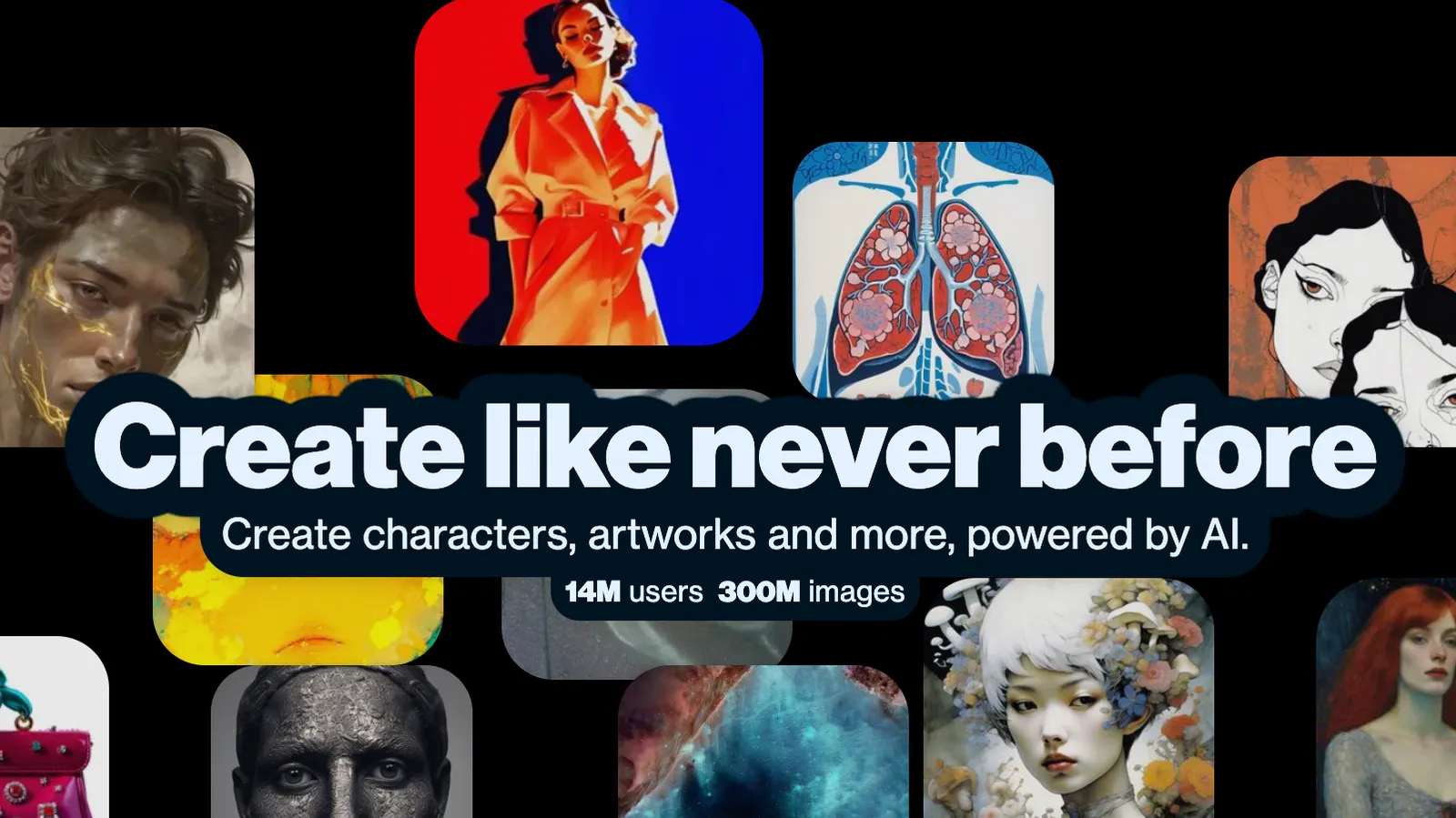
The platform has publicly highlighted a large user base and a substantial volume of generated images. These figures are platform-reported and should be understood as cumulative community metrics rather than independently verified monthly active-user statistics.
Artbreeder is relevant to users in regions where AI-generated artwork, indie game development, digital illustration, online content creation, and creative experimentation are growing. Its user base is not limited to professional designers; hobbyists, students, writers, and curious beginners can also use the platform.
However, publicly available information does not provide a consistently updated, independently verified breakdown of active users by country or region. It is therefore more accurate to describe Artbreeder as an internationally accessible AI art platform than to assign precise market-share figures to individual countries.
⚖️ Pros and Cons of Artbreeder
Advantages
- Visual and intuitive workflow: Users can influence results through image mixing and visual controls instead of relying entirely on text prompts.
- Excellent for character exploration: Portrait and face-generation tools are useful for fictional characters and visual references.
- Encourages experimentation: The platform makes it easy to create variations and discover unexpected visual combinations.
- Accessible to beginners: Users do not need advanced knowledge of professional image-editing software.
- Community inspiration: Existing creations can provide ideas and starting points for new projects.
Disadvantages
- Less precise than some prompt-focused tools: Users seeking exact object placement, detailed composition, or highly controlled output may need additional software.
- Results can be inconsistent: Some generations may contain visual imperfections or fail to match the intended concept.
- Advanced usage may require paid credits: Frequent creators may find the free limits restrictive.
- Not a complete professional design suite: Final production work may still require external editing and design tools.
- Feature availability can change: Different tools, limits, and account benefits may be updated over time.
🔍 Artbreeder Compared With Similar AI Tools
| Tool | Main Strength | Best For | Workflow |
|---|---|---|---|
| Artbreeder | Image mixing, visual variation, character exploration | Character design, experimental art, concept development | Visual controls, remixing, and iterative exploration |
| Midjourney | Stylized and visually impressive image generation | Illustration, concept art, creative campaigns | Prompt-driven generation and variation |
| DALL·E | Natural-language image generation and editing | General-purpose image creation and idea visualization | Text prompts and conversational instructions |
| Stable Diffusion | Customization, model control, and extensibility | Advanced creators, developers, and technical artists | Model selection, parameters, workflows, and extensions |
| Leonardo AI | Creative production tools and image generation controls | Game assets, marketing visuals, concept art | Prompting, presets, image generation, and editing |
| Adobe Firefly | Integration with professional creative workflows | Designers, marketers, and Adobe users | Generative features integrated with Adobe products |
Artbreeder vs. Midjourney
Midjourney is generally better suited to users who want polished, stylized images from descriptive prompts. Artbreeder is more focused on visual exploration, image mixing, and gradual development of a concept.
Choose Artbreeder when you want to experiment with variations. Choose Midjourney when you want a strong visual style from a carefully written prompt.
Artbreeder vs. DALL·E
DALL·E is more convenient for users who prefer describing an image in natural language and refining it through conversation. Artbreeder offers a more specialized workflow for users who enjoy manipulating visual characteristics and exploring image combinations.
Artbreeder vs. Stable Diffusion
Stable Diffusion provides more technical flexibility and customization, but it may require greater knowledge of models, interfaces, settings, and hardware. Artbreeder is easier to approach for users who want creative results without managing a complex generation environment.
Artbreeder vs. Leonardo AI
Leonardo AI is designed for a broader range of creative production tasks, including game assets, marketing graphics, and image generation. Artbreeder is more distinctive for experimental portraits, image mixing, and visual evolution.
Artbreeder vs. Adobe Firefly
Adobe Firefly is a stronger choice for users already working inside Adobe’s creative ecosystem. Artbreeder is more suitable for independent exploration, character references, and discovering unusual visual combinations.
👥 Who Should Use Artbreeder?
Artists and Illustrators
Artists can use Artbreeder to explore visual ideas, test character appearances, and develop references before creating a finished illustration.
Game Developers
Indie developers can use it for early character concepts, NPC references, fantasy settings, and mood exploration.
Writers and Storytellers
Authors can create visual references for characters, creatures, locations, and fictional worlds.
Content Creators
Social media creators can use Artbreeder to produce unusual portraits, abstract visuals, and experimental artwork for posts and creative campaigns.
Design Students
Students can explore generative art, visual composition, character design, and AI-assisted creativity without needing expensive professional software.
AI Art Beginners
Artbreeder is suitable for beginners who want to experiment with AI image creation but find advanced prompt engineering or technical image-generation workflows intimidating.
Professional Designers
Design professionals may find Artbreeder useful during brainstorming and concept development, although final commercial production may require other design applications.
📌 Is Artbreeder Worth Using?
Artbreeder is worth trying for users who enjoy visual experimentation and want more control over image development than a simple prompt-and-generate workflow provides.
Its strongest use cases are character creation, portrait exploration, visual references, concept development, and discovering unexpected combinations of images. The platform is particularly appealing when the user has a visual direction but cannot fully express it through words.
Artbreeder may be less suitable for users who need highly accurate commercial illustrations, precise layouts, advanced typography, or production-ready marketing assets in one step. In those situations, tools such as Adobe Firefly, Midjourney, Leonardo AI, or professional editing software may fit the workflow better.
The platform is best viewed as a creative exploration environment rather than a complete replacement for every AI image generator or professional design application. It can help users move from a vague idea to a visual direction, after which other tools can be used for refinement and final production.
Overall, Artbreeder is a practical choice for artists, writers, game developers, students, and curious creators who want to explore AI-generated visuals through mixing, variation, and interactive experimentation.
Comments