
🎙️ What Is Auphonic?
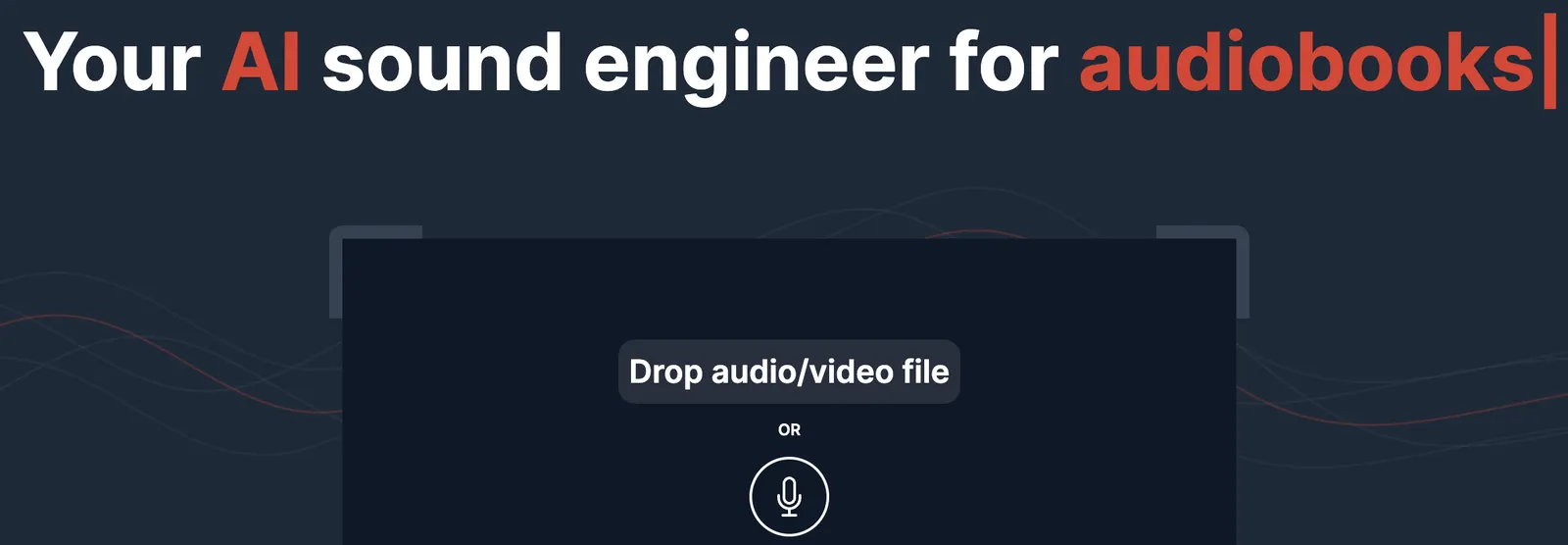
Auphonic is an AI-powered audio post-production platform that helps creators turn raw recordings into cleaner, more balanced, and more professional audio. Instead of manually adjusting volume, reducing background noise, repairing speech problems, and preparing files for publication, users can upload an audio or video file and let Auphonic automate much of the technical processing.
Auphonic was founded in 2013 and is based in Graz, Austria. The company combines artificial intelligence, machine learning, and traditional audio signal-processing technology to improve recorded sound. Its tools are designed for podcasts, interviews, radio programs, audiobooks, lectures, online courses, video content, and other spoken-word productions.
Auphonic is not primarily a voice-generation tool or an AI writing assistant. Its main purpose is to improve audio that has already been recorded. This makes it different from tools that generate synthetic voices, compose music, or create videos from text.
The platform is designed to solve several common audio production problems:
- Different speakers have inconsistent volume levels.
- Background noise makes speech difficult to understand.
- Room echo affects the quality of a recording.
- Some sections are too loud while others are too quiet.
- Recordings contain long pauses, filler words, or unwanted silence.
- Podcast episodes do not have consistent loudness.
- Creators need transcripts, chapters, metadata, or multiple export formats.
In simple terms, Auphonic works like an automated audio engineer. It helps users improve the technical quality of recordings without requiring advanced knowledge of compressors, equalizers, limiters, noise gates, loudness meters, or professional audio workstations.
⚙️ Core Features of Auphonic
1. 🔊 Intelligent Leveler
Auphonic's Intelligent Leveler automatically balances volume differences between speakers, music, and spoken content. This is especially useful for interviews, podcasts, panel discussions, and recordings made with multiple microphones.
For example, if one person speaks quietly while another speaks much louder, the Intelligent Leveler can bring their voices closer together without requiring the editor to adjust every section manually.
2. 🌫️ Noise and Reverb Reduction
Auphonic can reduce unwanted background noise and room reverberation. Depending on the selected processing options, users can target constant background noise, changing environmental sounds, or excessive room reflections.
This is useful for recordings made in home offices, classrooms, meeting rooms, cafés, untreated studios, and other environments where acoustic conditions are not ideal.
3. 🎚️ Audio Filtering and Enhancement
The platform includes audio restoration and enhancement tools designed to improve speech clarity and correct common recording problems. Depending on the selected workflow, this may include de-essing, de-plosive processing, clipping repair, codec artifact reduction, and high-frequency restoration.
These tools can help when a recording contains harsh “s” sounds, strong “p” or “b” pops, distorted peaks, or compressed audio artifacts.
4. ✂️ Automatic Silence and Filler Word Cutting
Auphonic can automatically remove or shorten unwanted silent sections, pauses, filler words, coughs, and other interruptions in supported languages.
This can reduce editing time for interviews, podcasts, educational recordings, and spoken presentations. Instead of searching through the entire waveform manually, creators can use automated cleanup as a first editing pass.
5. 🎼 Multitrack Audio Processing
Auphonic supports multitrack production for projects that contain separate audio tracks. The platform can combine and process multiple tracks while applying features such as automatic ducking, noise gates, and microphone bleed reduction.
This is useful for podcasts with separate microphones, panel discussions, interviews, and productions where speech and music are recorded independently.
6. 📏 Loudness Normalization
Auphonic allows users to configure loudness targets and true peak limits. This helps create consistent volume levels across podcast episodes, lectures, audiobooks, radio programs, and other published recordings.
Consistent loudness is important because listeners should not need to constantly adjust their volume when moving from one episode or file to another.
7. 📝 Speech Recognition, Chapters, and Shownotes
Auphonic provides speech recognition and can generate transcripts, automatic shownotes, and chapter information. This reduces the amount of manual work required after recording an episode, interview, or presentation.
For podcast creators, transcripts can also support accessibility, search visibility, blog publishing, newsletters, and social media content creation.
8. 🎬 Video, Subtitles, Metadata, and Publishing
Auphonic can process video content in addition to audio-only files. Users can create waveform audiograms, add subtitles, manage metadata and chapters, and prepare files for different publishing destinations.
The platform also supports automated publishing and external integrations, which can help creators reduce repetitive file-handling and distribution tasks.
✨ Main Highlights and Advantages
🎯 Designed Around Real Audio Problems
Many AI media tools focus on generating voices, music, images, or videos. Auphonic focuses on a different stage of production: improving audio that has already been recorded.
This makes it especially useful for podcasters, educators, journalists, video creators, and organizations that regularly produce spoken-word content.
🧠 Combines AI With Audio Engineering
Auphonic is not simply applying a generic “enhance” filter. Its system combines machine learning with traditional audio signal-processing methods.
This matters because professional audio quality depends on several factors working together, including loudness, dynamics, frequency balance, background noise, and peak control.
🎚️ Reduces the Need for Technical Knowledge
Traditional audio software can be powerful but difficult for beginners. New users may not understand compressor ratios, attack and release times, equalizer bands, noise gates, or loudness standards.
Auphonic simplifies many of these decisions through automated processing. Users can select the functions they need and allow the platform to handle much of the technical adjustment.
🎙️ Particularly Effective for Spoken-Word Content
Auphonic is most useful when speech clarity and consistent volume matter more than complex sound design. Podcasts, interviews, lectures, audiobooks, and educational videos are natural use cases.
🔁 Supports Repeatable Production
Users can save processing settings as presets and reuse them across episodes or projects. Batch processing, watch folders, API access, command-line tools, and integrations also make Auphonic suitable for recurring production workflows.
🌍 Suitable for Both Individuals and Teams
Auphonic can be used by an individual podcaster processing one episode at a time, but it also provides tools for media organizations, educational institutions, production teams, and software companies that need automated audio processing at scale.
💼 Practical Use Cases for Auphonic
🎧 Podcast Production
Podcasting is one of Auphonic's strongest use cases. Creators can upload a raw interview or episode and use the platform to balance voices, reduce background noise, normalize loudness, remove unwanted pauses, generate chapters, and prepare files for distribution.
This is particularly helpful for independent podcasters who do not have a dedicated audio engineer.
🎤 Interviews and Journalism
Journalists often record conversations in uncontrolled environments. Different microphone distances, traffic noise, room echo, and inconsistent speaker volume can make the final recording difficult to edit.
Auphonic can improve consistency and reduce the amount of manual cleanup required before publication.
🎓 Online Courses and Educational Content
Teachers, universities, trainers, and course creators can use Auphonic to improve lecture recordings, instructional videos, and educational audio.
Speech enhancement, loudness normalization, transcripts, and subtitles can make lessons easier to follow, especially for students using headphones or accessing content in different environments.
📺 YouTube and Video Creation
Video creators can use Auphonic to improve narration, interviews, voiceovers, and spoken sections of videos. It is especially useful when the visuals are acceptable but the audio sounds uneven, distant, or distracting.
Transcripts, subtitles, and waveform visualizations can also support content publishing and repurposing.
📖 Audiobook Production
Audiobook creators need consistent speech volume and sound quality across long recordings. Auphonic can help process chapters and reduce differences between recording sessions.
However, professional audiobook publishers may still require additional editing, mastering, quality control, and platform-specific compliance checks.
📻 Radio and Broadcast Content
Radio producers and media teams can use Auphonic to normalize audio, improve interviews, enhance speech clarity, and prepare recordings for different distribution channels.
🏢 Corporate Communications
Companies can use Auphonic for internal podcasts, executive interviews, training recordings, webinars, presentations, and customer-facing audio content.
This is useful when employees produce audio regularly but do not have advanced post-production skills.
📣 Marketing and Content Repurposing
Marketing teams can process interviews, webinars, and recorded discussions into cleaner audio assets. Transcripts and shownotes can also provide source material for blog posts, email campaigns, social media clips, and searchable content pages.
🧑💻 Developer and Automation Workflows
Developers can use Auphonic's API, command-line interface, or external integrations to automate audio processing as part of a larger application or media workflow.
For example, a podcast platform could automatically send newly uploaded episodes to Auphonic, process the audio, and publish the finished file without requiring manual intervention.
🚀 How to Use Auphonic
Step 1: Create an Account
Open the Auphonic web application and register with an email address. The free plan allows users to test the platform without immediately purchasing a subscription.
Step 2: Log In to the Dashboard
After signing in, users can access the production dashboard, upload files, create presets, review previous productions, and monitor available processing credits.
Step 3: Create a New Production
Choose the option to create a new production and upload the audio or video file that needs to be processed.
Depending on the project, users may also add:
- Multiple audio tracks.
- Intro and outro music.
- Metadata such as title, author, and episode number.
- Chapter information.
- Output format preferences.
- Publishing destinations.
Step 4: Select Audio Processing Options
A typical podcast workflow may include:
- Intelligent Leveler.
- Noise and Reverb Reduction.
- Loudness Normalization.
- Filtering and Enhancement.
- Filler Word and Silence Cutting.
- Speech Recognition.
It is not necessary to activate every feature for every recording. Excessive processing can make a voice sound unnatural, so moderate settings are usually a better starting point.
Step 5: Configure the Output
Select the desired output format, such as MP3, AAC, WAV, or another supported format. Users can also configure metadata, chapters, subtitles, and publishing options when needed.
Step 6: Start the Production
Start the production and wait for Auphonic to process the file. Processing time depends on the length and complexity of the recording.
Step 7: Listen to the Result
Always listen to the processed audio before publishing. Check whether the voice sounds natural, whether background noise has been reduced sufficiently, and whether music or sound effects remain balanced.
Step 8: Download or Publish
Once the result is acceptable, download the processed file or send it to a connected publishing service. If you regularly produce similar content, save the settings as a preset for future episodes.
🧠 Practical Tips for Better Results
🎙️ Start With the Best Recording Possible
Auphonic can improve many recording problems, but it cannot completely reconstruct severely damaged audio. Use a reasonable microphone, record in a quiet environment, and avoid placing the microphone too far from the speaker.
🔇 Do Not Overuse Noise Reduction
Strong noise reduction may remove background noise but can also create metallic, watery, or artificial voice artifacts. If the recording is already relatively clean, moderate processing is usually preferable.
🎚️ Compare Before and After
Do not judge the result only by looking at a waveform. Listen to the original and processed versions using headphones or reliable speakers. Pay attention to speech clarity, breathing, music levels, and unnatural processing effects.
🎼 Treat Music Separately
When a project contains background music, make sure it does not compete with the voice. Automatic ducking can help, but the original music level should also be reasonable.
📏 Use a Consistent Loudness Target
Different platforms and content types may have different loudness expectations. Podcast creators should select a suitable target for their distribution workflow and use it consistently between episodes.
✂️ Review Automatic Cutting
Automatic removal of silence, filler words, and coughs can save time, but it may occasionally remove pauses that are important for tone or meaning. Review the final result carefully, especially for interviews, dramatic narration, and educational content.
🧩 Create Presets for Recurring Projects
If you produce a weekly podcast or regular video series, create a preset containing your preferred processing settings, output format, metadata, and publishing destinations. This makes future productions faster and more consistent.
🗣️ Focus on Settings Rather Than Long Prompts
Auphonic is not primarily a prompt-based chatbot. Better results usually come from selecting appropriate algorithms, choosing moderate processing levels, and configuring the production correctly rather than writing lengthy natural-language instructions.
📦 Keep the Original Files
Always keep a copy of the original recording. If the noise reduction is too aggressive or an automatic edit removes something important, you can create another production using the original source.
💻 Installation and Access Options
Auphonic is primarily a web-based audio processing service. Most users do not need to install a traditional desktop audio editor to access its main features.
- Web: Full access through a modern web browser.
- Windows: Can be used through a web browser, with command-line tools available for technical workflows.
- Mac: Can be used through a web browser and command-line workflows.
- Linux: Browser access and command-line processing are available.
- iOS: Can be accessed through a mobile browser.
- Android: Can be accessed through a mobile browser.
- Browser Extension: A dedicated browser extension is not the central part of the product experience.
- API: REST API access is available for developers and third-party applications.
- CLI: A command-line interface supports script-based processing and automation.
- External Integrations: Auphonic can connect with external services for file transfers and publishing workflows.
For casual users, the web application is the most convenient option. For production teams and developers, the API, CLI, watch folders, and automation integrations are more valuable because they allow audio processing to become part of a repeatable system.
💳 Auphonic Pricing
Auphonic uses a credit-based pricing model. Instead of charging only for the number of exported files, the service primarily measures the duration of audio processed.
🆓 Free Plan
Auphonic provides up to 2 hours of processed audio per month for free. This is enough to test the core algorithms or process occasional short recordings.
Free productions include an Auphonic jingle, which may be unsuitable for creators who want to publish the final result publicly without branding.
🔁 Recurring Credit Plans
Users who need regular processing can purchase recurring monthly credits. Available packages are based on monthly processing time and may include options such as:
- 9 hours per month.
- 21 hours per month.
- 45 hours per month.
- 100 hours per month.
- 250 hours per month.
- Larger custom volumes for high-demand workflows.
Recurring credits are designed for users with predictable monthly audio-processing needs.
💰 One-Time Credits
Auphonic also offers one-time credit packages. These are useful for users who do not process audio every month but occasionally need more than the free allowance.
One-time credits are particularly suitable for special interviews, one-off courses, audiobook projects, events, and irregular production work.
🏢 Business and Team Features
Business-oriented arrangements may include team accounts, priority processing, priority support, manual invoicing, custom contracts, and larger usage limits.
These options are more relevant to media companies, educational institutions, production teams, and organizations processing significant volumes of audio.
| Plan Type | Pricing Structure | Best For |
|---|---|---|
| Free | 2 hours per month, with a jingle included | Testing and occasional personal use |
| Recurring Credits | Monthly processing hours in different packages | Podcasters and regular creators |
| One-Time Credits | Prepaid processing hours for occasional projects | Irregular workloads and special projects |
| Business | Custom arrangements, team features and larger limits | Companies, media teams and institutions |
Auphonic's pricing structure is appealing for occasional users because they do not necessarily need to commit to a large monthly subscription. High-volume users should calculate their expected monthly processing hours before choosing a plan.
👥 Who Should Use Auphonic?
- Podcasters: Improve voice balance, remove noise, normalize loudness, and prepare episodes for publishing.
- YouTube creators: Clean up narration, interviews, voiceovers, and spoken sections of videos.
- Journalists: Improve interview recordings made in uncontrolled environments.
- Teachers and lecturers: Process educational recordings and generate transcripts or chapters.
- Audiobook creators: Improve consistency across long narration projects.
- Marketing teams: Convert interviews, webinars, and discussions into usable content assets.
- Corporate communications teams: Produce internal podcasts, training content, and executive recordings.
- Radio and media companies: Normalize and process recurring audio content.
- Developers: Integrate automated audio processing into software through the API or CLI.
- Educational institutions: Improve lecture recordings and make spoken content more accessible.
- Independent creators: Achieve more consistent audio quality without hiring a professional audio engineer.
- General users: Improve interviews, presentations, voice recordings, or personal audio projects.
🌎 Global Usage and Market Presence
Auphonic has developed an international user base around automated audio production. The company has publicly described its service as being used by more than 2 million users, including independent creators, podcasters, broadcasters, educational institutions, media companies, and other organizations.
The platform's use cases are not limited to one country. Podcasting, online education, interviews, audiobooks, and video production are global content categories, giving Auphonic a broad international market.
Auphonic is headquartered in Austria but serves users internationally through its cloud-based platform. Its English-language documentation and integrations make it accessible to creators in North America, Europe, and other regions with active podcasting and digital-media industries.
However, exact monthly website traffic, country-by-country active-user figures, and independent download statistics are not publicly disclosed in enough detail to provide a reliable ranking of its largest markets.
For that reason, company-reported user figures should be treated as platform-level statistics rather than independently audited monthly active-user data.
⚖️ Advantages and Disadvantages
👍 Advantages
- Excellent for spoken-word audio: Podcasts, interviews, lectures, and narration are natural use cases.
- Reduces technical complexity: Users can achieve useful results without mastering advanced audio engineering.
- Strong volume balancing: Intelligent Leveler and loudness tools help create a more consistent listening experience.
- Supports automation: Presets, batch processing, watch folders, API access, CLI tools, and integrations are valuable for recurring production.
- Flexible credit model: Free monthly processing and one-time credits are useful for both occasional and regular users.
👎 Disadvantages
- Not a complete audio editor: It does not replace a full digital audio workstation for detailed creative editing.
- Automatic processing is not always perfect: Strong noise reduction or aggressive cutting can produce unnatural results.
- Free exports include a jingle: The free plan is useful for testing but may not be suitable for professional publishing.
- Less manual control: Audio professionals may want more detailed control over every processing parameter.
🔍 Auphonic vs Similar Audio Tools
| Tool | Main Focus | Key Strength | Best Use Case |
|---|---|---|---|
| Auphonic | Automated audio post-production | Loudness balancing, noise reduction, speech enhancement, automation and publishing workflows | Podcasts, interviews, lectures and recurring audio production |
| Adobe Audition | Professional audio editing | Detailed waveform editing, mixing, restoration and manual control | Professional editors and complex audio projects |
| Descript | Text-based audio and video editing | Transcript-based editing, filler word removal and content repurposing | Creators who want editing and transcription together |
| iZotope RX | Advanced audio repair | Detailed restoration for difficult noise, clicks, distortion and damaged recordings | Audio professionals and restoration specialists |
| Adobe Podcast Enhance Speech | AI voice enhancement | Simple speech cleanup and voice improvement | Quick enhancement of individual voice recordings |
| Cleanvoice AI | Automatic podcast cleanup | Removal of filler sounds, mouth noises, silence and unwanted interruptions | Podcasters focused on fast spoken-word cleanup |
| Riverside | Remote recording and content production | Recording, editing, transcription and publishing in one creator platform | Creators who need recording and post-production together |
Auphonic is not necessarily the best choice for every audio task. If you need detailed manual editing, Adobe Audition or another digital audio workstation may be more appropriate. If you need deep restoration of severely damaged recordings, iZotope RX provides more specialized control.
If your main goal is to remove filler words and edit a podcast through a transcript, Descript or Cleanvoice AI may be more directly aligned with that workflow. If you need remote recording, video editing, and publishing in one environment, Riverside may be a better fit.
Auphonic stands out when the main requirement is automated technical audio processing: make voices more consistent, reduce unwanted noise, meet loudness targets, and prepare files for distribution with minimal manual work.
🧪 Example Workflow: Producing a Podcast Episode
Imagine an independent podcaster records a 45-minute interview in a home office. The recording contains two speakers, some room echo, inconsistent microphone distance, and several long pauses.
- Upload the original interview recording to Auphonic.
- Select the Intelligent Leveler to balance both speakers.
- Apply moderate Noise and Reverb Reduction.
- Set a suitable loudness target for podcast distribution.
- Use filler word and silence cutting carefully.
- Enable speech recognition to generate a transcript and shownotes.
- Add the episode title, author, artwork, and chapter information.
- Export the finished audio as MP3.
- Listen to the complete result before publishing.
- Save the settings as a preset for future episodes.
Without automation, this workflow could require substantial manual editing. Auphonic does not remove every creative decision, but it can significantly reduce repetitive technical work.
🏁 Final Verdict: Is Auphonic Worth Using?
Auphonic is worth using if you regularly produce spoken-word audio and want consistent quality without spending hours on manual post-production. Its strongest capabilities are intelligent volume balancing, loudness normalization, noise and reverb reduction, speech enhancement, automatic cleanup, transcription, and workflow automation.
It is especially suitable for podcasters, educators, journalists, video creators, audiobook producers, media teams, and organizations that publish interviews or spoken content on a regular basis.
The free plan is a practical way to test the algorithms, although the included jingle limits its usefulness for final public releases. One-time credits are attractive for occasional users, while recurring credits and business features make more sense for creators and teams with predictable monthly workloads.
Auphonic is less suitable if you need a full creative audio workstation with detailed manual editing, complex music production, advanced sound design, or complete control over every processing parameter. Professional audio engineers may still prefer tools such as Adobe Audition, Pro Tools, or iZotope RX for highly specialized work.
The most realistic assessment is that Auphonic is not a replacement for every audio tool. It is a focused and practical solution for automating the technical finishing stage of audio production.
When your recording is already complete but the sound is uneven, noisy, or not ready for publication, Auphonic can save time and produce a more consistent result with relatively little effort.
Recommended for: Podcasters, educators, interview creators, video producers, and teams that need reliable spoken-word audio processing.
Not recommended as the only tool for: Professional music production, complex sound design, detailed audio restoration, or projects requiring extensive manual editing.
For its specific purpose, Auphonic is one of the more practical choices for creators who want cleaner, more balanced, and publication-ready audio without becoming full-time audio engineers.
Comments