
🧭 What Is Avoma?
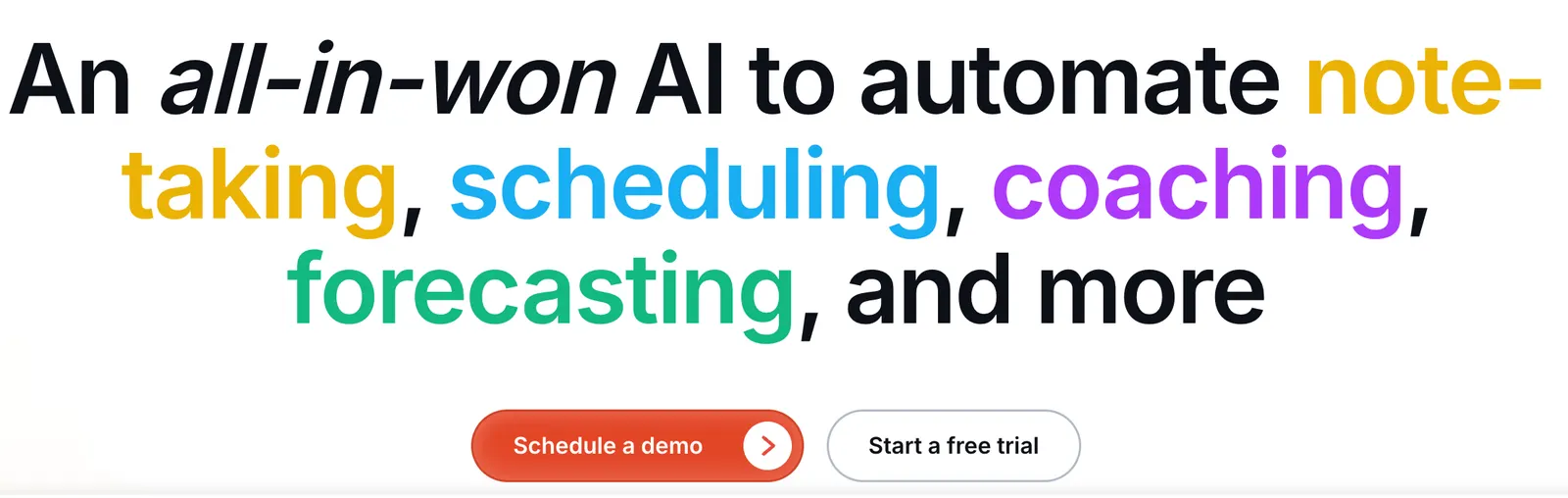
Avoma is an AI-powered meeting assistant and conversation intelligence platform designed to help teams record, transcribe, summarize, analyze, and act on business conversations. Instead of treating meetings as isolated video calls, Avoma turns discussions into searchable notes, follow-up tasks, CRM updates, coaching insights, and revenue intelligence.
Avoma was founded in 2017 and is headquartered in Palo Alto, California. The company originally focused on making business meetings more organized through AI-powered note-taking and transcription. Over time, the product expanded into a broader conversation intelligence and revenue workflow platform.
Today, Avoma is mainly positioned for sales, customer success, account management, recruiting, consulting, and other teams that spend a large part of their working day in meetings.
The problem Avoma addresses is straightforward: important information is easily lost during meetings. Employees may forget decisions, sales representatives may delay CRM updates, managers may lack visibility into customer conversations, and teams can spend a significant amount of time writing notes after calls.
Avoma attempts to automate much of this administrative work by capturing conversations and converting them into structured information that can be searched, reviewed, shared, and connected to business systems.
⚙️ Core Features of Avoma
1. AI Meeting Recording and Transcription
Avoma can record online meetings and generate searchable transcripts. It works with popular conferencing platforms including Zoom, Google Meet, Microsoft Teams, and other supported meeting environments.
Its transcription capabilities support more than 70 languages, making the platform useful for international teams and multilingual customer conversations. Users can review transcripts alongside meeting recordings and quickly jump to specific parts of a discussion.
2. AI-Generated Meeting Notes
After a meeting, Avoma automatically creates structured notes that can include:
- Key discussion points
- Important decisions
- Customer concerns
- Questions and objections
- Next steps
- Assigned action items
Users can choose predefined templates or create custom templates for different types of meetings, such as sales calls, product demonstrations, customer onboarding sessions, interviews, one-on-one meetings, and project reviews.
3. AI Meeting Assistant and Conversation Search
Avoma allows users to search and ask questions about meeting conversations instead of manually reviewing long recordings. For example, a user could look for customer objections, feature requests, pricing concerns, commitments, or unresolved issues.
This is particularly useful when a company has hundreds or thousands of recorded conversations. Instead of remembering exactly when something was discussed, employees can search the conversation library and locate relevant information.
4. CRM Integration and Automatic Updates
One of Avoma's important business features is its ability to connect meeting information with CRM systems. It supports integrations with platforms such as Salesforce, HubSpot, Pipedrive, Zoho, and Copper.
Relevant information from meetings can be used to update CRM records, including customer requirements, objections, next steps, qualification information, and deal-related details.
For sales teams, this can reduce the amount of repetitive data entry required after customer calls.
5. Conversation Intelligence
Avoma can analyze how conversations are conducted as well as what was discussed. Depending on the plan and configuration, teams can examine indicators such as:
- Talk-to-listen ratio
- Speaker participation
- Questions asked
- Filler words
- Important topics
- Keywords and phrases
- Customer sentiment signals
Sales managers can also use scorecards to evaluate calls against their company's sales process or methodologies such as MEDDIC, SPIN, SPICED, and similar frameworks.
6. AI Follow-Up Emails
After a meeting, Avoma can create a draft follow-up email based on the actual conversation. The draft can summarize the discussion, confirm decisions, outline responsibilities, and suggest next steps.
The result should still be reviewed before sending, but it can eliminate much of the repetitive writing that normally happens after a customer meeting.
7. Scheduling and Lead Routing
Avoma also includes meeting scheduling features for individual meetings, group meetings, and round-robin scheduling. Lead routing capabilities can help organizations direct inbound prospects to the appropriate sales representative according to predefined rules.
This expands Avoma beyond a traditional meeting transcription tool. The platform can support parts of the workflow before, during, and after a customer conversation.
8. Revenue Intelligence
For sales organizations, Avoma provides additional capabilities related to deal risks, pipeline management, sales methodology tracking, forecasting, and win-loss analysis.
These features are designed to help managers understand patterns across multiple customer conversations rather than analyzing every meeting as an isolated event.
⭐ Main Highlights and Advantages
More Than a Meeting Recorder
Many AI meeting assistants concentrate on recording, transcription, and summaries. Avoma takes a broader approach by connecting meeting information with CRM systems, sales coaching, scheduling, lead routing, and revenue workflows.
That distinction matters for businesses. A transcript sitting in a meeting library has limited value if nobody uses it. Avoma is designed to move information from the conversation into the next stage of the workflow.
Strong Focus on Sales and Customer-Facing Teams
Avoma is particularly relevant to teams that regularly communicate with customers. Sales templates, qualification frameworks, call scorecards, CRM integrations, and conversation analytics are built around real business conversations rather than general-purpose transcription alone.
Customizable Meeting Notes
A generic meeting summary is not always enough. A product demo, sales discovery call, recruiting interview, and internal project review all require different information.
Avoma allows teams to customize templates so the AI captures information that actually matters to the organization.
Flexible User Licensing
Avoma allows organizations to provide free viewer or collaborator access to people who only need to review meeting content. This means companies do not necessarily have to purchase a full recording license for every employee who needs access to the information.
Useful Combination of Automation and Human Review
Avoma automates repetitive work without requiring companies to hand over every decision to AI. Users can review transcripts, edit notes, verify CRM information, and adjust templates as their workflow develops.
💼 Practical Use Cases for Avoma
Sales Calls and Product Demonstrations
Sales representatives can automatically capture customer requirements, objections, buying signals, pricing concerns, and agreed next steps. Sales managers can then review conversations without having to attend every call.
Customer Success and Account Management
Customer success teams can track customer goals, unresolved issues, feature requests, renewal risks, and commitments made during account meetings.
Recruitment and Interviews
Recruiters can use transcripts and structured notes to document interviews, organize candidate information, and reduce manual note-taking.
Team Meetings and Project Reviews
Internal teams can use Avoma to document decisions, identify task owners, and maintain a searchable record of project discussions.
Marketing and Customer Research
Marketing and product teams can analyze customer interviews to identify recurring pain points, product requests, customer language, and common objections. These insights can inform landing pages, product messaging, content strategy, and campaigns.
Consulting and Professional Services
Consultants can use Avoma to capture client requirements, summarize workshops, document project changes, and prepare follow-up communications.
Training and Sales Coaching
Sales leaders can use real conversations to identify communication patterns, evaluate performance, and provide more specific coaching based on actual customer calls.
Management Meetings
Managers can use structured summaries to track decisions, responsibilities, deadlines, and unresolved issues across recurring meetings.
🛠️ How to Use Avoma
Step 1: Create an Account
Start by creating an Avoma account using a business email or an available sign-in option. New users can generally begin with the available trial period before committing to a paid subscription.
Step 2: Connect Your Calendar
Connect a supported calendar such as Google Calendar or Microsoft Outlook. This allows Avoma to identify upcoming meetings and automate parts of the meeting workflow.
Step 3: Connect Your Meeting Platform
Connect the conferencing platform used by your team, such as Zoom, Google Meet, or Microsoft Teams.
Depending on the platform and configuration, Avoma may join meetings through its meeting assistant or use supported recording methods. Organizations should make sure participants are properly informed about recording and transcription according to applicable privacy policies.
Step 4: Configure Recording Rules
Decide which meetings should be recorded automatically. For example, a sales team may want customer meetings recorded while excluding private HR discussions or sensitive internal meetings.
Step 5: Select a Meeting Template
Choose a template that matches the type of conversation. Useful templates include:
- Sales discovery call
- Product demonstration
- Customer onboarding
- Customer renewal
- Recruitment interview
- Weekly one-on-one
- Project status meeting
Step 6: Hold the Meeting
Conduct the meeting normally. Avoma captures the conversation according to the recording settings and generates the transcript afterward.
Step 7: Review the AI Summary
Check the generated notes, action items, important topics, and transcript. Pay particular attention to names, dates, numbers, customer commitments, and deadlines.
Step 8: Review the Follow-Up Email
Use the AI-generated follow-up email as a draft. Edit anything that sounds too generic or does not accurately reflect the conversation.
Step 9: Sync Information With Your CRM
If your CRM integration is enabled, review proposed updates before relying on them. Make sure the correct customer, contact, opportunity, and fields are being updated.
Step 10: Analyze Conversations Over Time
Once the team has accumulated enough meetings, use search, conversation intelligence, scorecards, and analytics to identify recurring customer concerns, sales objections, and coaching opportunities.
🧠 Tips for Getting Better Results From Avoma
Use Clear Meeting Titles
A calendar title such as “Acme Renewal Discussion” provides more context than a generic title such as “Meeting.” Consistent meeting names also make later searches easier.
Design Templates Around Business Decisions
A useful meeting template should capture information the team actually needs to act on. Instead of only asking for “discussion points,” consider including:
- What problem is the customer trying to solve?
- What objections were raised?
- What decision was made?
- Who owns the next action?
- What deadline was agreed upon?
- What information is still missing?
Create Smart Topics for Recurring Issues
If your company repeatedly discusses subjects such as pricing, competitors, security requirements, implementation timelines, integrations, or renewal risks, configure tracking around those subjects.
Do Not Treat AI Summaries as the Original Record
AI can misunderstand unclear speech, overlapping conversations, accents, technical terminology, or tentative statements. For important customer commitments, check the transcript or recording.
Keep Speaker Information Accurate
Correct speaker identification is important when reviewing action items, talk-time statistics, and sales coaching information. Make sure participants are correctly identified whenever possible.
Use Your Existing Sales Methodology
If your sales organization already follows MEDDIC, SPIN, SPICED, or another methodology, build templates and scorecards around that process. This creates more consistent data than asking every salesperson to document calls differently.
Review AI-Generated Emails
A polished email can still contain an incorrect date, assumption, or promise. Treat AI-generated follow-ups as drafts and verify important details before sending.
Start With a Small Team
For a company rollout, starting with one sales or customer success team is usually more practical than enabling every department at once. Measure note quality, CRM completeness, time saved, and employee adoption before expanding.
💻 Installation and Access
Web
Avoma is primarily a cloud-based service. The main dashboard, meeting records, transcripts, AI notes, analytics, integrations, and administrative settings can be accessed through a modern web browser.
Windows and macOS
Windows and Mac users can access Avoma through a supported browser. A traditional desktop application is not required for the core meeting workflow.
iOS and Android
Avoma provides mobile access for users who need to review meeting information away from their computer. Mobile access is particularly useful for checking summaries, transcripts, and follow-up information between meetings.
Browser-Based Scheduling
Avoma includes scheduling functionality and calendar integrations for managing meeting availability, group meetings, and round-robin scheduling.
Business Integrations
Avoma is designed to connect with conferencing platforms, calendars, CRM systems, sales tools, and collaboration software. These integrations are an important part of the product because they allow meeting information to move into existing business workflows.
💰 Avoma Pricing
Avoma uses a tiered pricing model based on recorder seats and additional capabilities. The final cost depends on the plan, billing period, number of users who need recording access, and optional modules.
Free Trial
Avoma offers a trial period that allows teams to test its meeting assistant and organization-level capabilities before committing to a paid subscription. Trial terms can change, so users should check the current offer when signing up.
Startup Plan
The Startup plan has been listed at approximately $19 per recorder seat per month when billed annually. It is aimed at smaller teams and includes core meeting assistance features such as AI recording, transcription, meeting notes, scheduling, follow-up emails, and CRM-related functionality.
Organization Plan
The Organization plan has been listed at approximately $29 per recorder seat per month with annual billing. It provides additional organizational capabilities, including more advanced customization and scheduling functionality.
Enterprise Plan
The Enterprise plan has been listed at approximately $39 per recorder seat per month with annual billing, with enterprise requirements and minimum seat requirements applying. It is designed for organizations that need more advanced administration, security, compliance, and support.
Enterprise-level capabilities may include:
- Single sign-on
- Advanced access controls
- Data retention controls
- Enterprise security features
- Advanced administrative capabilities
- Dedicated customer support
- Onboarding and training assistance
Optional Add-Ons
Avoma also offers additional modules that can increase the total subscription cost:
- Conversation Intelligence: approximately $29 per seat per month with annual billing
- Revenue Intelligence: approximately $29 per seat per month with annual billing
- Lead Router: approximately $19 per seat per month with annual billing
Monthly billing is generally more expensive than annual billing. Since SaaS pricing can change, companies should confirm the current prices, seat requirements, and included features before purchasing.
One useful aspect of Avoma's pricing structure is that viewers and collaborators can receive access without requiring the same paid recording license as meeting hosts. This can make the platform easier to deploy across larger teams.
👥 Who Is Avoma For?
Sales Representatives
Sales representatives can use Avoma to reduce manual note-taking, prepare follow-up emails, capture customer requirements, and keep CRM information up to date.
Sales Managers
Sales managers can review customer calls, coach representatives, identify missed opportunities, and evaluate conversations using standardized scorecards.
Customer Success Teams
Customer success managers can use Avoma to track customer goals, product issues, renewal concerns, and commitments made during account meetings.
Recruiters and HR Teams
Recruiters can use meeting transcripts and structured notes to document interviews and reduce manual documentation. Sensitive candidate information should always be handled according to the company's privacy and data-retention policies.
Founders and Small Businesses
Founders who participate in many customer, partner, hiring, and internal meetings can use Avoma to maintain searchable records without manually writing detailed notes after every call.
Marketing and Product Teams
Marketing and product teams can analyze customer conversations to discover common pain points, product requests, objections, and customer language that can inform product development and marketing campaigns.
Consultants and Account Managers
Consultants and account managers can use Avoma to document requirements, summarize workshops, and keep track of client commitments.
Students and Casual Users
Students and casual users may find AI transcription useful, but Avoma is primarily designed for professional workflows. Someone who only needs occasional lecture transcription may find a simpler tool more appropriate.
🌍 Global Usage and Market Position
Avoma has positioned itself as a global business software platform and reports usage across companies in multiple regions. Its customer base is particularly relevant to sales, customer success, revenue operations, and other teams that depend heavily on customer conversations.
Support for multiple languages and integrations with widely used conferencing and CRM platforms makes the product suitable for international organizations.
Avoma does not provide a consistently updated public breakdown of its users by individual country, monthly website traffic, or total mobile downloads. Therefore, exact claims about the number of users in a particular country or the platform's monthly traffic should be treated cautiously unless supported by a current third-party analytics source.
From a competitive perspective, Avoma sits between general-purpose AI meeting assistants and more specialized enterprise revenue intelligence platforms. Its product covers meeting recording and notes while also addressing CRM automation, sales coaching, scheduling, and revenue workflows.
⚖️ Avoma Pros and Cons
Pros
- Broad meeting workflow: It covers recording, transcription, summaries, follow-ups, CRM updates, and conversation analysis.
- Strong sales capabilities: Qualification frameworks, scorecards, conversation intelligence, and CRM integrations are useful for revenue teams.
- Customizable notes: Teams can create templates that match their own meeting and sales processes.
- Wide integration ecosystem: Avoma can connect meeting data with calendars, conferencing platforms, CRM systems, and other business software.
- Useful collaboration model: Viewers and collaborators do not necessarily need the same paid recorder license as meeting hosts.
Cons
- More functionality than some users need: If all you want is transcription, a simpler meeting assistant may be sufficient.
- Pricing can become complex: Recorder seats, plans, and optional modules need to be evaluated together.
- Requires setup: Getting the most value from CRM integrations, templates, scorecards, and automation takes time.
- AI still requires supervision: Transcription mistakes, incorrect speaker attribution, and inaccurate interpretations can occur.
🔍 Avoma vs. Similar AI Tools
Avoma operates in a competitive AI meeting assistant market. The right alternative depends on whether the main requirement is transcription, meeting summaries, sales intelligence, customer research, or revenue operations.
| Tool | Main Focus | Best For | Key Difference |
|---|---|---|---|
| Avoma | Meeting intelligence, CRM automation, sales coaching, scheduling | Sales, customer success, revenue teams | Combines meeting assistance with CRM, scheduling, conversation intelligence, and revenue workflows. |
| Otter.ai | Transcription and meeting notes | Professionals, students, general meeting users | More focused on transcription and meeting documentation, while Avoma provides deeper sales workflow functionality. |
| Fireflies.ai | Meeting recording, transcription, summaries, integrations | Teams managing large numbers of meetings | Strong general-purpose meeting automation, while Avoma puts more emphasis on sales intelligence and revenue operations. |
| Fathom | AI meeting notes and summaries | Individuals and smaller teams | Focused on a straightforward meeting assistant experience, while Avoma provides a broader business workflow. |
| Gong | Revenue intelligence and sales performance | Enterprise sales organizations | Gong is heavily focused on enterprise revenue intelligence, while Avoma also covers everyday meeting assistance and scheduling. |
| Grain | Meeting recording, video clips, customer research | Product and customer research teams | Strong for creating and sharing meeting clips, while Avoma focuses more heavily on structured meeting intelligence and CRM workflows. |
| Descript | Audio and video editing with transcription | Creators, podcasters, video teams | Designed primarily for media production rather than sales and business conversation management. |
Avoma vs. Otter.ai
Otter.ai is a practical option for users who primarily need transcription, searchable notes, and meeting summaries. Avoma becomes more useful when meeting information needs to feed into CRM systems, sales processes, coaching, and revenue workflows.
Avoma vs. Fireflies.ai
Fireflies.ai is a strong general-purpose meeting assistant with broad integrations and conversation search. Avoma is particularly relevant to sales organizations that need qualification templates, call scoring, CRM field updates, and revenue-focused analysis.
Avoma vs. Gong
Gong is primarily built around revenue intelligence and sales performance management, particularly for larger sales organizations. Avoma covers some overlapping areas while maintaining a broader focus on everyday meeting assistance, scheduling, and conversation workflows.
Avoma vs. Fathom
Fathom is attractive to users who want a relatively straightforward AI meeting assistant. Avoma is better suited to organizations that are prepared to configure a more comprehensive system around customer conversations, CRM data, sales coaching, and follow-up.
🧪 Example: Avoma in a Real Sales Workflow
Consider a sales representative having a discovery call with a potential customer. During the conversation, the customer explains that the current software is difficult to integrate, the available budget is limited, and deployment needs to happen before the end of the quarter.
After the meeting, Avoma can help organize:
- The customer's main business problem
- Technical requirements
- Budget concerns
- Implementation timeline
- Customer objections
- Unanswered questions
- Agreed next steps
- A follow-up email draft
- Relevant CRM information
The sales manager can later review the conversation and see whether the representative asked the right discovery questions, identified the buying process, handled objections, and secured a concrete next step.
This is where Avoma becomes more interesting than a simple transcription service. The value is not the transcript by itself. The value comes from connecting the conversation to the work that happens afterward.
📌 Final Verdict: Is Avoma Worth Using?
Avoma is a strong option for organizations that have a high volume of business meetings and need those conversations to become structured, usable business data.
Its strongest use case is not simply recording meetings. The real value comes from combining meeting transcription with AI notes, CRM automation, follow-up emails, sales coaching, conversation intelligence, scheduling, and revenue-related analysis.
Avoma is particularly suitable when:
- Your sales or customer success team has many meetings every week.
- Employees spend too much time writing meeting notes.
- CRM records are often incomplete after customer calls.
- Managers need a consistent way to review sales conversations.
- You want searchable records of customer discussions.
- Your company already uses CRM and sales operations software.
A simpler tool may be a better fit when:
- You only need occasional transcription.
- You rarely participate in online meetings.
- You do not need CRM integration or sales analytics.
- You are an individual user with a small number of meetings.
- Your team does not want to spend time configuring templates and integrations.
Overall, Avoma is better understood as a business conversation intelligence platform rather than a basic AI note-taking tool. For sales teams, customer success departments, and revenue organizations, it can reduce repetitive administrative work while making customer conversations easier to analyze and reuse.
For casual users who simply want a transcript or short meeting summary, Avoma may offer more functionality than necessary. For teams where every customer conversation can affect a deal, renewal, relationship, or business decision, its broader workflow features are much easier to justify.
Comments