

⚡ What Is Bolt.new?
Bolt.new is an AI-powered development platform from StackBlitz that lets users build websites, web applications, and mobile apps by describing what they want in plain language. Instead of starting with a blank IDE, you can explain the product, features, layout, data, and user flow, and Bolt generates a working application directly in the browser.
Bolt.new first went live in October 2024, emerging from StackBlitz's work on browser-based development and WebContainers. Its initial appeal was simple: bring AI coding agents into the browser so that users could build and run applications without setting up a traditional local development environment.
The product has since expanded beyond basic “vibe coding.” Bolt now combines AI-assisted development with databases, authentication, hosting, domains, analytics, payments, external integrations, and a browser-based code editor. Its current positioning is closer to an AI application development and deployment platform than a conventional code generator.
The problem Bolt.new tries to solve is the gap between having an idea and having working software. A founder may understand the business problem but not know how to build the application. A designer may know exactly how a product should look but not want to spend days implementing it. Even experienced developers may want to avoid repetitive setup work. Bolt attempts to compress that entire process into a conversational workflow.
🧩 Core Features
1. AI App Generation
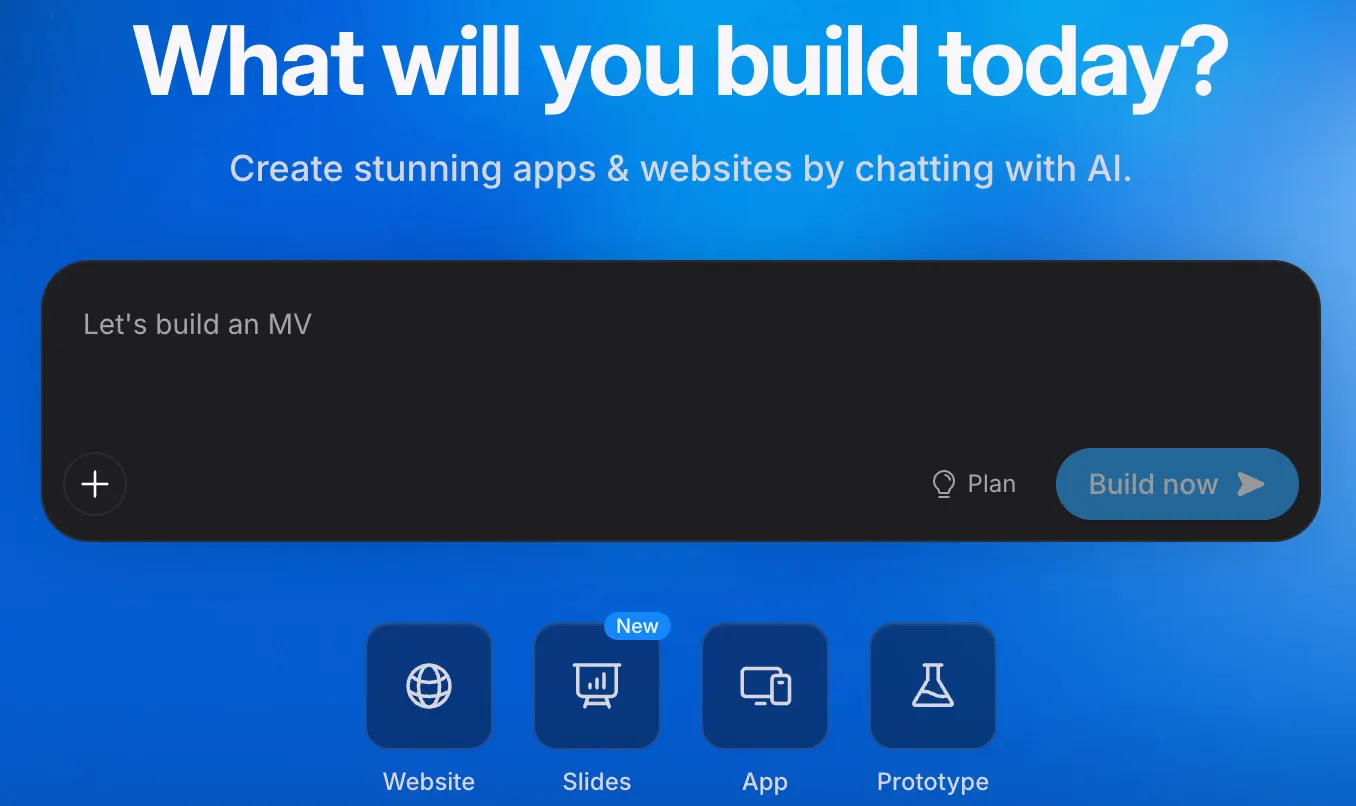
The core experience is conversational development. Describe the application you want, and Bolt can generate the interface, components, application logic, and project structure. You can then continue the conversation to modify the application instead of rebuilding it from scratch.
2. Full-Stack Development
Bolt is designed to generate more than frontend screens. It can work with application logic, databases, authentication, server functions, file storage, secrets, and third-party APIs. This makes it suitable for functional prototypes and small production applications rather than just visual mockups.
3. Browser-Based Development Environment
One of Bolt's underlying advantages comes from StackBlitz's WebContainers technology. Development tools and a Node.js environment can run directly in the browser, reducing the amount of local setup normally required for a JavaScript application.
4. Bolt Cloud
Bolt Cloud brings hosting, domains, databases, authentication, server functions, file storage, secrets, and analytics into the same workflow. For someone building a small application, this can eliminate a surprisingly large amount of infrastructure configuration.
5. Visual Editing
Bolt now includes Visual Edits, allowing users to select elements directly in a running application and make visual changes through a toolbar. This is useful when a prompt such as “make this button larger” feels unnecessarily complicated. Multiple visual changes can also be collected and sent to the AI together.
6. Code Editing
Generated applications are not locked inside a visual editor. Bolt provides a browser-based code editor, allowing developers to inspect and modify the underlying source code when a more precise change is required.
7. Integrations and Connectors
Bolt supports integrations with services such as Stripe, Supabase, GitHub, and Netlify. Its newer Connector system can also connect Bolt with tools including Notion, Linear, GitHub, Miro, Sentry, Context7, Granola, and Jira, allowing the AI to work with information from those services.
8. Mobile App Development
Bolt can also create mobile applications using Expo. When a project is intended to become a mobile application, the initial prompt can explicitly request a mobile app so that Bolt generates an Expo-compatible project.
⭐ What Makes Bolt.new Different?
The easiest way to understand Bolt.new is to look at what happens after the first prompt. Many AI coding products can generate code. Bolt tries to cover the rest of the workflow as well: generate → run → test → modify → connect services → deploy.
That browser-first approach is one of Bolt's strongest differentiators. A beginner does not necessarily need to install Node.js, configure a local environment, create a backend server, or manually deploy a first prototype.
There is also a useful middle ground between no-code and traditional development. A non-developer can stay in the conversational interface, while a developer can open the code and take control when necessary.
Bolt's current direction is also becoming more engineering-oriented. Bolt v2 introduced more capable coding agents, autonomous debugging, larger project support, multi-agent workflows, and integrated infrastructure. That shift matters because early AI builders were often excellent at creating attractive demos but struggled when applications became larger and more complicated.
Another practical difference is that Bolt is not restricted to building a disposable prototype. The same project can be refined and deployed as a real web application, with a custom domain, database, authentication, analytics, and other production-oriented services.
💼 Practical Use Cases
Startup MVP Development
Founders can use Bolt to turn an idea into a working MVP before committing significant money to a development team. This is particularly useful for testing whether users actually want a product before building a large engineering organization around it.
Web Application Development
Bolt is suitable for dashboards, SaaS applications, customer portals, booking systems, project-management tools, CRM interfaces, reporting systems, marketplaces, and other browser-based applications.
Landing Pages and Marketing
Marketing teams can build campaign pages, product launches, interactive calculators, lead-generation experiences, event pages, and microsites without waiting for a conventional development queue.
UI and Product Prototyping
Designers can turn an interface idea into something users can actually click and test. This is more informative than a static mockup when the goal is to validate navigation and product behavior.
Internal Business Tools
Companies can create lightweight tools for sales reporting, inventory management, employee workflows, approval systems, data entry, customer management, and other internal processes.
AI-Powered Applications
Bolt can be used to prototype AI chat interfaces, document-processing tools, content generation applications, recommendation systems, and AI-powered business workflows.
Mobile Applications
Users can ask Bolt to create an Expo-compatible mobile application and continue working on the project through the same AI-driven development workflow.
Learning and Education
Students can use Bolt to build working projects while gradually inspecting the generated code. It can be a useful bridge between visual experimentation and learning how real web applications are structured.
🛠️ How to Use Bolt.new
Step 1: Create an Account
Open Bolt.new in a supported desktop browser and create an account. You can begin with the free plan without entering payment information.
Step 2: Start a New Project
Begin by describing what you want to build. The more useful approach is to describe the product rather than simply naming the type of website.
Weak prompt:
“Build me a sales dashboard.”
Better prompt:
“Build a sales dashboard for a team of 10 sales representatives. Include email login, a left navigation menu, monthly revenue, sales targets, conversion rate, pipeline value, customer search, a customer table, individual customer pages, and a manager settings page. Use a clean B2B SaaS interface with responsive desktop and mobile layouts.”
Step 3: Let Bolt Generate the First Version
Bolt generates the application and provides a live preview. You can inspect the result immediately rather than waiting until the entire development process is finished.
Step 4: Refine the Application
Use follow-up instructions to make targeted changes. For example: “Keep the current dashboard layout but add a date-range filter to the revenue chart.”
Step 5: Add Backend Features
Once the interface is stable, add authentication, database tables, APIs, payments, file uploads, email notifications, or other required functionality.
Step 6: Test the Application
Test the actual user journey. Do not only check whether the page looks correct. Test registration, login, forms, permissions, database operations, error handling, mobile layouts, and important edge cases.
Step 7: Deploy
When the application is ready, publish it through Bolt. You can use Bolt hosting or connect the project to external infrastructure such as Netlify or other supported services. Custom domains are available on paid plans.
💡 Tips for Better Results
1. Give Bolt a Product Brief
Before asking for code, describe the target user, purpose, main features, visual style, and important business rules. AI performs much better when it understands the product rather than just the page.
2. Explain User Flows
Do not only say “add login.” Explain what happens after login. For example: “Customers log in, see their open orders, click an order to view details, and can download the invoice.”
3. Build in Stages
A good sequence is structure → UI → database → business logic → integrations → testing → visual polish. Trying to build a complicated SaaS product in one enormous prompt usually creates more problems than it solves.
4. Protect Existing Work
When making changes, explicitly tell Bolt what should remain untouched. For example: “Only modify the checkout component. Do not change the database schema, navigation, or authentication.”
5. Use Visual Edits for Small UI Changes
If you only need to change spacing, typography, colors, button sizing, or similar interface details, Visual Edits can be faster than writing a long prompt for every individual adjustment.
6. Keep the Project Organized
Do not allow hundreds of unrelated AI changes to accumulate without checking the codebase. Periodically review components, remove unused code, verify dependencies, and keep important business logic understandable.
7. Be Careful With Security
AI-generated authentication and database rules should not automatically be considered secure. Before putting sensitive customer or financial data into production, review access control, API permissions, secrets, validation, and database policies.
8. Watch Token Consumption
Bolt's pricing is based heavily on token usage. Large projects can consume more tokens because Bolt needs to process more of the project's file system during AI interactions. Breaking large tasks into focused changes can make the workflow easier to control.
📱 Installation and Access
Bolt.new is primarily a web-based application. There is no traditional local installation required for the main development experience.
- Web: Fully supported and the primary way to use Bolt.new.
- Windows: No separate Windows development installation is required; use the supported desktop browser experience.
- Mac: No separate Mac development installation is required; use Bolt through a supported desktop browser.
- iOS: Mobile browsers can access Bolt, but the full development experience is designed primarily for desktop browsers.
- Android: The service is accessible through mobile browsers, but mobile browsers are not currently the preferred full development environment.
- Browser extensions: A browser extension is not required to use Bolt.new.
- Mobile apps created with Bolt: Bolt can generate Expo-compatible projects that can be developed into iOS and Android applications.
For serious development work, a desktop Chrome or another Chromium-based browser is the safer choice because Bolt's own documentation says desktop Chromium browsers provide the best experience, while mobile browsers are not fully supported.
💰 Bolt.new Pricing
Bolt.new currently uses a token-based usage model. This is worth understanding before subscribing because the monthly price and the amount of development you can perform are related to token consumption.
Free — $0/month
- Public and private projects
- 300,000-token daily limit
- 1 million tokens per month
- Website hosting
- Up to 333,000 web requests
- Unlimited databases
- Bolt branding on published websites
The free plan is enough to test the workflow and build smaller experiments, but frequent AI development will eventually run into the token allowance.
Pro — $25/month
- Starts at 10 million tokens per month
- No daily token limit
- Unused tokens can roll over
- Custom domains
- Private site sharing
- No Bolt branding
- Higher web-request allowance
- Expanded database capacity
- Choice of database provider
- AI image editing
- SEO-related features
Teams — $30 per member/month
- Everything in Pro
- Centralized billing
- Team-level access management
- Administrative controls
- User provisioning
- Organization sharing
- Private NPM registry support
- Design-system knowledge and prompts
Enterprise — Custom Pricing
Enterprise pricing is customized according to the organization's requirements. Enterprise features include advanced security, SSO, audit logs, compliance support, dedicated account management, priority support, custom workflows, integrations, SLAs, data-governance controls, and deployment options designed for larger organizations.
There is also a newer Bolt Forge research preview launched in September 2026, based on open AI models. It is a separate agent within Bolt rather than a replacement for the main Bolt experience. During the current launch period, individual Pro users receive additional Forge usage under the stated promotion.
🌎 Global Usage and Market Presence
Bolt.new has reached a substantial user base since its October 2024 launch. Bolt currently reports more than 5.9 million apps created, with an average initial build time of less than two minutes. The company also says the platform is used by thousands of teams.
StackBlitz has increasingly positioned Bolt as an enterprise development platform as well as a consumer-facing AI builder. Its current customer materials reference organizations such as Salesforce, HubSpot, Meta, Mozilla, Shopify, and Intel.
Usage should be interpreted carefully. Bolt does not publish a single continuously updated number representing global monthly active users, and third-party website-technology measurements are not equivalent to total users. For that reason, it is more useful to look at the publicly reported number of applications created and the company's enterprise adoption than to treat any third-party traffic estimate as an exact user count.
Bolt's audience is international, with the product being used by developers, startups, agencies, product teams, businesses, designers, and individual builders across multiple markets. The platform's browser-based design also makes geographic distribution less dependent on traditional software installation or local infrastructure.
⚖️ Bolt.new Pros and Cons
Advantages
- Fast idea-to-working-app workflow: A usable prototype can be produced extremely quickly.
- Full-stack capabilities: Bolt goes beyond frontend generation and can handle databases, authentication, server functionality, and integrations.
- No complicated local setup: Much of the development environment runs directly in the browser.
- Real code ownership: Developers can access and modify the generated source code instead of being trapped inside a visual-only builder.
- Deployment is part of the workflow: Hosting, domains, databases, and analytics can be handled without building a separate DevOps pipeline for a small project.
Disadvantages
- Token usage can become expensive: Large projects and repeated iterations can consume tokens quickly.
- AI output still requires technical review: A project that works in the preview is not automatically production-ready.
- Complex applications can become difficult to manage: Uncontrolled prompting can lead to unnecessary code changes and architectural complexity.
- JavaScript-focused: Bolt's strongest support is around JavaScript-based web development and Node.js rather than arbitrary backend languages such as Python or PHP.
🔍 Bolt.new vs. Other AI Development Tools
| Tool | Main Focus | Typical User | Best Use Case | How It Differs from Bolt.new |
|---|---|---|---|---|
| Bolt.new | AI-powered full-stack app development | Founders, developers, designers, businesses | MVPs, SaaS apps, dashboards, websites, internal tools | Strong browser-based development, full-stack generation, integrated hosting and deployment |
| Lovable | AI-powered application building | Founders, designers, developers, non-technical users | MVPs and production-oriented web applications | Very similar conversational workflow; differences are mainly in infrastructure, integrations, AI agents, pricing, and development experience |
| v0 | AI interface and application generation | Designers and developers | React interfaces, prototypes, modern web applications | Often more frontend and UI-oriented, particularly attractive within the Vercel ecosystem |
| Replit | Cloud IDE plus AI development | Developers, students, teams | Building, running, and deploying software in the cloud | Feels more like a complete cloud development environment than a dedicated prompt-first app builder |
| Cursor | AI-assisted professional coding | Experienced developers | Existing codebases and complex software projects | Provides deeper control inside a developer-oriented coding environment |
| Traditional IDE + AI coding agent | Professional software engineering | Experienced development teams | Complex production systems | More manual setup and infrastructure responsibility, but generally greater control over architecture |
The choice is less about finding one tool that replaces all the others and more about choosing the right development model. Bolt is particularly attractive when the goal is to move quickly from a product idea to a working application. A developer working on a large existing codebase may value the deeper repository control offered by an AI coding IDE instead.
👥 Who Should Use Bolt.new?
- Startup founders: Build and test MVPs before committing to a large development budget.
- Developers: Accelerate prototypes, repetitive implementation, internal tools, and application scaffolding.
- Product managers: Turn product requirements into functional prototypes that stakeholders can actually use.
- Designers: Transform interface concepts into interactive applications.
- Marketing teams: Build landing pages, campaign tools, calculators, and interactive marketing experiences.
- Small businesses: Create custom tools without commissioning a large software project.
- Students: Build practical software projects while learning how generated code works.
- Non-technical users: Experiment with software ideas without needing to master a complete development stack first.
🎯 Is Bolt.new Worth Using?
For rapid application development, Bolt.new is a genuinely useful tool. Its strongest value is not simply generating code faster. It reduces the amount of setup between an idea and a working application, including the development environment, preview, backend services, and deployment.
It is particularly worth trying when you need to build an MVP, prototype a SaaS product, create an internal business tool, launch a marketing application, or test an idea with real users before making a larger investment.
It is less compelling if you already have a mature engineering workflow and need extremely precise control over infrastructure, architecture, backend languages, deployment pipelines, or large-scale production systems. In those cases, a professional development environment with an AI coding agent may fit the workflow better.
The other point worth keeping in mind is cost. Bolt's free tier is useful for experimentation, but serious development is tied to token consumption. If a project requires hundreds of prompts and repeated large-scale changes, the subscription price alone does not tell you the real cost of development.
Final assessment: Bolt.new is best viewed as an AI-first software development platform rather than a simple “website generator.” It is a strong fit for people who want to go from idea to functional software quickly, especially founders, product teams, designers, developers building prototypes, and businesses creating custom tools. It should not be treated as a substitute for engineering judgment on complex production systems, but for turning a clear idea into something usable and testable, Bolt.new can save a substantial amount of development time.
Comments