

ChatDOC Review: AI-Powered Document Analysis and PDF Chat
ChatDOC is an AI-powered document analysis tool designed to help users read, understand, summarize, and extract information from documents. Instead of manually searching through long PDFs or Word files, users can upload a document and ask questions in natural language.
The platform is particularly useful for research papers, business reports, contracts, technical documentation, financial documents, manuals, and other files where finding a specific piece of information can take a lot of time.
What makes ChatDOC different from a general-purpose AI chatbot is its focus on document-based conversations. The AI is designed to work directly with the content of uploaded files and provide answers based on the document rather than requiring users to copy and paste large sections of text into a chatbot.
🧭 What Is ChatDOC?
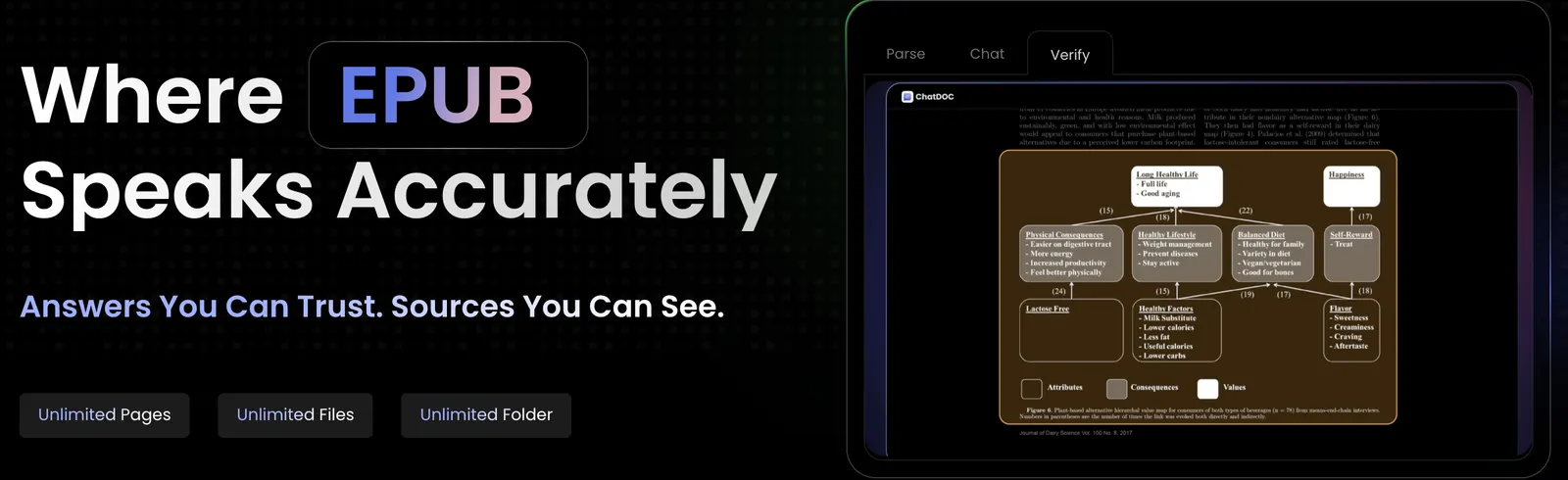
ChatDOC is an AI document assistant built around a simple workflow: upload a document, ask a question, and let the AI find the relevant information.
The tool is mainly designed for people who regularly work with lengthy or complicated documents. Instead of reading an entire file from beginning to end, users can use natural-language questions to locate information, summarize sections, compare content, and understand technical material.
ChatDOC supports common document workflows such as PDF analysis, document summarization, information extraction, and question answering. This makes it useful for both everyday office work and more specialized research tasks.
Product: ChatDOC
Category: AI Document Assistant / PDF AI / Document Analysis
Platform: Web-based application
Main Focus: Reading, searching, understanding, and analyzing documents with AI
Primary Users: Researchers, students, professionals, analysts, lawyers, and business teams
In simple terms, ChatDOC is designed for anyone who wants an AI assistant that can work directly with documents instead of starting every task from a blank chat window.
✨ ChatDOC Core Features
1. Chat with Documents
The main feature is the ability to have a conversation with an uploaded document. Instead of searching manually for keywords, users can ask questions using normal language.
For example, after uploading a research paper, you could ask: “What is the main conclusion of this study?” or “What methodology did the researchers use?”
This makes document analysis feel more like talking to an assistant that has access to the contents of the file.
2. PDF Analysis
PDF files are one of the main use cases for ChatDOC. The tool can help users understand long reports, academic papers, manuals, contracts, and other PDF documents.
Instead of scrolling through dozens or hundreds of pages, users can ask targeted questions and let the AI locate relevant information.
3. Source References
Source references are especially important when using AI to analyze documents. ChatDOC is designed to help users identify where information used in an answer comes from within the source material.
This gives users a way to go back to the original document and check whether the AI interpreted the information correctly.
4. Document Summarization
ChatDOC can summarize documents and help users quickly understand their overall structure and main points.
This is particularly useful when dealing with long reports. Instead of spending a large amount of time figuring out what a document contains, users can start with an overview and then examine the sections that matter.
5. Ask Specific Questions
Users do not have to rely on a single generic summary. They can ask specific questions about the document.
- What are the main findings?
- What risks are mentioned in the report?
- What assumptions does the author make?
- What are the key recommendations?
- What are the differences between these two sections?
- What does this technical term mean in the context of the document?
6. Research Paper Assistance
Academic papers can be difficult to read because they often contain specialized terminology, complex methodology, tables, references, and long discussions.
ChatDOC can help users break these papers down into smaller questions. Students and researchers can ask about methodology, results, conclusions, terminology, and specific sections.
7. Multi-Document Analysis
When working with several documents, AI document tools become even more useful. ChatDOC can support document-based comparison and information retrieval across supported files.
For example, a researcher could work with multiple papers on the same subject and ask questions designed to identify similarities, differences, conclusions, or recurring themes.
8. Information Extraction
ChatDOC can also be used as an information extraction assistant. Instead of reading an entire document manually, users can ask the AI to find specific facts, names, figures, dates, conclusions, or other pieces of information.
💡 What Makes ChatDOC Different?
ChatDOC is competing in a crowded AI document market. Tools such as ChatGPT, Claude, Gemini, NotebookLM, and dedicated PDF assistants can also analyze documents.
The main reason to use a specialized product such as ChatDOC is workflow simplicity. The entire experience is built around documents rather than general-purpose conversation.
General AI chatbot: Start a conversation → upload a document → ask questions.
ChatDOC: Upload documents → organize document conversations → ask questions → inspect source information.
That sounds like a small difference, but it matters if document analysis is something you do every day. A specialized interface can make repeated document workflows easier than starting from a blank AI chat each time.
Another important factor is document grounding. When analyzing professional documents, users generally want answers that can be traced back to the original source.
🎯 Real-World Use Cases
Academic Research
Students and researchers can upload academic papers and ask questions about methodology, findings, limitations, references, and conclusions.
It can also help researchers quickly screen papers before deciding which ones deserve a deeper manual read.
Business Reports
Business teams often receive long reports that contain useful information mixed with a lot of background material. ChatDOC can help extract the sections that matter for a particular task.
Legal Documents
Contracts, agreements, policies, and other legal documents can contain many pages of detailed language. AI can help locate clauses, summarize sections, and identify where certain topics are discussed.
However, AI-generated analysis should not be treated as a substitute for professional legal review.
Financial Reports
Analysts can use document AI to quickly locate financial figures, management commentary, risk factors, business segments, and other information in lengthy reports.
Technical Documentation
Engineers and technical teams can ask questions about manuals, specifications, product documentation, research papers, and technical reports.
Books and Long Reports
Students and professionals can use ChatDOC to create summaries, explain difficult sections, and quickly locate information in long reading materials.
Company Knowledge
Businesses can use document AI to make internal documentation easier to search. Instead of opening multiple files and manually searching through them, employees can ask a question and use AI to locate the relevant information.
🚀 How to Use ChatDOC
The basic workflow is simple and does not require technical knowledge.
Step 1 — Open ChatDOC
Create an account and enter the document workspace.
Step 2 — Upload a Document
Upload a supported PDF, Word file, or another supported document.
Step 3 — Process the File
Allow ChatDOC to process the document so that its contents can be analyzed.
Step 4 — Ask a Question
Ask a specific question instead of immediately requesting a very broad summary.
Step 5 — Check the Source
When the answer matters, inspect the relevant section of the original document.
Step 6 — Continue the Conversation
Follow up with more detailed questions based on the previous answer.
🛠️ How to Get Better Results from ChatDOC
The biggest mistake people make with document AI is asking overly broad questions. “Summarize this document” is easy, but it does not necessarily produce the most useful result.
Ask Specific Questions
Instead of asking: “What is this paper about?”
Try: “What research question does this paper attempt to answer, and what evidence does the author use to support the conclusion?”
Ask for Evidence
When accuracy matters, ask the AI to identify the relevant section or evidence supporting its answer. This makes it easier to check whether the AI interpreted the document correctly.
Break Complex Questions into Steps
If you are analyzing a complicated report, do not ask ten questions at once. Start with the structure, then examine the methodology, results, risks, and conclusions separately.
Use the Original Document as the Final Reference
AI is useful for finding and explaining information, but the original document remains the source that should be checked when accuracy matters.
Try Comparison Questions
When multiple documents are available, ask the AI to identify differences between them. This can be useful for research, business analysis, contracts, product specifications, and policy documents.
💻 Installation and Platform Availability
ChatDOC is primarily designed as an online document analysis service. The web interface is the main way users upload documents and interact with the AI.
| Platform | Availability | Typical Use |
|---|---|---|
| Web | Yes | Upload and analyze documents |
| Supported | Research papers, reports, contracts, manuals | |
| Word Documents | Supported | Business and office documents |
| Mobile | Availability may vary | Document access and AI interaction |
| Desktop | Web-based workflow | Browser access without traditional installation |
Platform support and file-format limits can change over time, so users working with large or unusual files should check the current supported formats before starting a project.
💰 ChatDOC Pricing
ChatDOC uses a freemium-style model, allowing users to try document conversations with limited usage before moving to a paid plan.
The exact limits and subscription structure may change over time. Paid access is intended for users who need more document processing, higher usage limits, or additional features.
| Plan Type | Typical Access | Best For |
|---|---|---|
| Free | Limited document and AI usage | Trying the service |
| Paid | Higher usage limits and additional capabilities | Regular document analysis |
| Higher Usage / Business | Designed for larger workflows | Professional and organizational use |
Pricing, credits, file limits, and subscription features can change as the product develops. Users should check the current plan information before subscribing.
👥 Who Is ChatDOC For?
Students
Students can use ChatDOC to understand academic papers, summarize reading material, explain difficult terminology, and quickly locate information in long documents.
Researchers
Researchers can use it to screen papers, extract information, compare studies, and investigate specific sections without manually searching every page.
Business Professionals
Business users can analyze reports, proposals, contracts, product specifications, and other office documents.
Analysts
Analysts dealing with financial or industry reports can use document AI to find important figures, risks, conclusions, and supporting information more quickly.
Technical Teams
Engineers and technical professionals can use ChatDOC to explore manuals, technical specifications, research documents, and product documentation.
Anyone Working with Long PDFs
This is probably the simplest description of the target audience. If you regularly receive documents that are too long to comfortably read in one sitting, an AI document assistant can save a significant amount of searching time.
🌎 Global Usage and Market Presence
ChatDOC operates in the growing AI document assistant market, where products compete to help users work with PDFs, research papers, reports, contracts, and other long-form documents.
The category has become increasingly competitive because general-purpose AI platforms now also support document uploads. This means ChatDOC is competing not only with dedicated PDF tools but also with larger AI assistants.
ChatDOC's positioning remains focused on document interaction rather than trying to become a general-purpose chatbot for every type of task.
Publicly available third-party data on exact monthly active users and country-by-country usage is limited. As a result, precise claims about global market share should be treated cautiously.
⚖️ ChatDOC Pros and Cons
Pros
- Simple workflow for talking with documents
- Useful for long PDFs and research papers
- Natural-language document search
- Can summarize complicated documents quickly
- Useful for extracting specific information
- Can reduce the amount of manual searching required
- Useful for academic and professional document analysis
- Document-focused interface is easy to understand
Cons
- AI answers can still contain mistakes
- Important information should be checked against the original document
- Free usage is limited
- Large or complex files may have processing limitations
- General-purpose AI assistants now provide similar document-analysis features
- Advanced users may want more control over document workflows
- Pricing and usage limits may change over time
🔍 ChatDOC vs. Other AI Document Tools
| Tool | Main Focus | Typical Strength | Best Known Use |
|---|---|---|---|
| ChatDOC | AI document analysis | Document conversations and information retrieval | PDFs, papers, reports, business documents |
| ChatGPT | General-purpose AI | Broad reasoning and document analysis | Documents plus many other tasks |
| Claude | General-purpose AI | Long-context document analysis | Large documents and research |
| Google NotebookLM | Source-based research assistant | Conversations around a set of sources | Research and study |
| Adobe Acrobat AI | PDF workflow | AI features integrated with PDF software | Professional PDF workflows |
The gap between these products is becoming smaller. A general AI assistant can now perform many document-analysis tasks that once required a specialized tool.
ChatDOC's main distinction is its document-focused workflow. Users who spend most of their time working with documents may prefer a dedicated document interface, while users who need document analysis alongside writing, coding, research, and other tasks may prefer a broader AI platform.
🤖 How Good Is ChatDOC's AI?
The most important thing to understand about ChatDOC is that AI document analysis is not simply a search function. The system needs to understand the question, identify relevant content, and generate an answer based on that content.
For straightforward questions, this can save a lot of time. A user may spend several minutes searching a 100-page report for a particular number or paragraph, while an AI assistant can locate the relevant section much faster.
The harder cases are questions that require interpretation across multiple sections. For example, asking an AI to compare a report's assumptions with its conclusions requires more than finding a single sentence.
This is where users should pay attention to citations and source references. If an AI provides an answer that affects research, business decisions, financial analysis, or legal work, the original document should still be checked.
🧪 Example: Analyzing a 150-Page Research Report
Imagine you receive a 150-page industry report and need to understand it before a meeting.
Instead of reading every page immediately, you could use ChatDOC in several stages.
Step 1: Upload the report.
Step 2: Ask for a short overview of the report's structure.
Step 3: Ask which sections contain the most important findings.
Step 4: Ask about the report's methodology and data sources.
Step 5: Ask for the three most important conclusions.
Step 6: Ask what risks or limitations the authors mention.
Step 7: Check the original pages supporting those conclusions.
Step 8: Ask follow-up questions about the sections that matter to your work.
This does not mean you should stop reading the report. It changes the order of the work. Instead of spending your first hour searching blindly, you can use AI to identify where your attention is most needed.
📌 What Can ChatDOC Be Used For?
ChatDOC can be used to analyze PDFs, research papers, business reports, contracts, technical documents, manuals, and other supported files.
Common tasks include:
- Summarizing long documents
- Asking questions about PDFs
- Finding specific information
- Explaining difficult sections
- Analyzing research papers
- Comparing information across documents
- Extracting important facts
- Understanding technical documentation
- Reviewing business reports
- Searching large collections of document content
In simple terms, ChatDOC is useful whenever the amount of information inside a document is larger than the amount of time you have to read it manually.
🏁 ChatDOC Review: Is It Worth Using?
ChatDOC solves a very practical problem: long documents are difficult to search, understand, and summarize manually. AI can make that process much faster.
The strongest part of ChatDOC is not that it can “chat with a PDF.” Many AI products can do that now. Its value comes from putting document analysis at the center of the workflow.
For students, researchers, analysts, and professionals who regularly work with PDFs and long documents, that specialized workflow can be useful.
At the same time, ChatDOC is operating in a much more competitive market than it did when AI document assistants were still relatively new. General-purpose AI products now offer increasingly capable document analysis, while other specialized tools focus on research, PDF editing, or knowledge management.
That means the question is less about whether ChatDOC can analyze a document. It is about whether its document-focused workflow fits the way you actually work.
If most of your AI work starts with a PDF, research paper, report, or other document, ChatDOC is worth testing. If you only analyze documents occasionally and already use a general-purpose AI assistant, a separate document tool may not be necessary.
❓ Frequently Asked Questions
What is ChatDOC?
ChatDOC is an AI document assistant that allows users to upload documents and interact with their contents through natural-language questions.
Can ChatDOC analyze PDFs?
Yes. PDF analysis is one of the main use cases of ChatDOC. Users can ask questions, summarize content, and locate information inside supported documents.
Can ChatDOC summarize documents?
Yes. ChatDOC can help users understand the main points and structure of long documents through AI-generated summaries and follow-up questions.
Is ChatDOC useful for research papers?
Yes. Researchers and students can use it to investigate methodology, findings, terminology, conclusions, and other parts of academic papers.
Can ChatDOC analyze multiple documents?
ChatDOC supports document-based workflows involving multiple files, depending on the current plan and supported features. Users should check current file and usage limits for larger projects.
Is ChatDOC free?
ChatDOC offers limited free access, while more extensive document analysis requires paid usage depending on the current subscription structure.
Can ChatDOC replace reading a document?
No. It can significantly reduce the time needed to search and understand a document, but important information should still be checked against the original source.
Is ChatDOC better than ChatGPT for PDFs?
They are designed with different priorities. ChatDOC is focused specifically on document analysis, while ChatGPT is a broader AI assistant that can handle documents alongside writing, coding, research, reasoning, and many other tasks.
Who should use ChatDOC?
It is particularly relevant for students, researchers, analysts, business professionals, technical teams, and anyone who regularly needs to work through long documents.
Comments