
🎙️ Cleanvoice AI: An AI Podcast Editor for Removing Filler Words, Noise, Silences, and Mouth Sounds
Cleanvoice AI is an AI-powered audio editing tool built around a problem every regular podcaster eventually runs into: editing takes longer than recording.
Someone says “um” six times in one sentence. A guest pauses for five seconds while thinking. There's a loud breath right next to the microphone. Someone stumbles over a sentence and starts again. None of these things are particularly difficult to fix, but going through a one-hour recording and fixing them manually can eat up a big part of your day.
Cleanvoice AI is designed to automate that cleanup. Upload a recording, choose the types of problems you want the AI to address, let it process the file, review the result, and export the finished audio or editing timeline.
It is mainly aimed at podcasters, video podcasters, content creators, agencies, audio editors, marketers, and businesses producing spoken-word content. Unlike general-purpose AI tools, Cleanvoice is highly specialized around podcast and voice-recording post-production.
🏢 What Is Cleanvoice AI?
Cleanvoice AI is an AI-powered audio and video editing platform operated by Sigmoid Creativity S.R.L., a company based in Bucharest, Romania. The founder and CEO is Adrian Spataru.
The idea behind Cleanvoice came from a very familiar podcast-production problem. Spataru found that recording an episode could be relatively quick, while editing the finished recording could take several times longer. He started developing an AI system that could automatically identify filler words and other unwanted sounds.
The product began taking shape around 2021 and was publicly launched during the same period. Its original focus was fairly narrow: detect and remove filler sounds such as “uh” and “um.” Over time, Cleanvoice expanded into a broader AI podcast editing platform with tools for removing silence, stutters, breaths, mouth sounds, background noise, and other distractions.
Its current positioning is much clearer than simply calling it an “AI audio editor.” Cleanvoice is essentially an AI post-production assistant for podcasts, interviews, and other spoken-word recordings.
The problem it solves is straightforward: how do you turn a raw voice recording into a cleaner, more professional-sounding episode without manually editing every small mistake?
✨ What Makes Cleanvoice AI Different?
There are plenty of AI audio tools available now, but Cleanvoice has a relatively specific focus.
It isn't primarily a voice generator. It isn't a voice-cloning service. It isn't a music-generation platform. And it isn't trying to become a full digital audio workstation.
Its core job is cleaning spoken-word recordings automatically.
That focus is useful because podcast editing has a lot of repetitive work. Filler words, long pauses, breathing sounds, mouth clicks, stutters, and background noise are predictable problems. A human editor can fix them, but the process is repetitive and time-consuming.
Cleanvoice is designed to make those decisions automatically and create a first-pass edit.
Another useful part of the platform is that it goes beyond simple audio cleanup. Transcription, summaries, podcast content generation, audio enhancement, video podcast editing, and timeline export can all become part of the same production workflow.
So the real value isn't one impressive AI effect. It is the combination of several small automations that remove a lot of boring post-production work.
🛠️ Core Features
1. AI Filler Word Removal
Cleanvoice can detect common filler words and verbal habits such as “um,” “uh,” “you know,” and similar sounds.
This is one of the features that helped establish the product in the first place. Removing excessive filler words can make a podcast sound tighter without requiring the speaker to record the episode again.
2. Silence and Dead-Air Removal
Long pauses can make an interview feel much slower than the actual conversation. Cleanvoice can identify unnecessary silence and shorten those gaps automatically.
This can be particularly useful for interviews where guests regularly pause for several seconds before answering.
3. Stutter Removal
The AI can identify certain repeated words and stuttering patterns and remove them from the recording. This reduces the amount of manual cutting an editor needs to perform.
4. Breath Removal
Breathing is normal, but very loud or frequent breaths can become distracting when someone is recording close to a microphone. Cleanvoice can automatically reduce or remove unwanted breathing sounds.
5. Mouth Sound Removal
Clicks, lip-smacking, tongue noises, and other small mouth sounds are especially noticeable when listeners use headphones. Cleanvoice includes dedicated processing for these types of sounds.
6. Background Noise Removal
Cleanvoice can reduce unwanted environmental noise and improve the clarity of spoken audio. This is useful for home studios, remote interviews, offices, and other recording environments that aren't acoustically perfect.
7. Audio Enhancement
The platform includes audio enhancement designed to make spoken recordings sound cleaner and more polished. This can be useful when the original recording was made with relatively basic equipment.
8. Transcription, Summaries, and Podcast Workflows
Cleanvoice can also generate transcripts and summaries from recordings. This extends its usefulness beyond editing because the transcript can become the starting point for show notes, episode summaries, articles, newsletters, and social media content.
🎯 Why Podcasters Might Actually Care
The strongest argument for Cleanvoice isn't that it can remove one “um” automatically. It's the amount of repetitive work that disappears when you apply the system to an entire episode.
Consider a 60-minute interview. The conversation might be excellent, but there could be hundreds of tiny editing decisions scattered throughout the recording.
A human editor normally has to listen for filler words, awkward pauses, breaths, mouth clicks, repeated words, background noise, and other distractions. Each individual correction may take only a few seconds. Across an entire episode, however, those seconds add up.
Cleanvoice can handle much of that first-pass cleanup automatically.
That doesn't mean you should blindly publish whatever the AI produces. Human review is still important, especially for professional podcasts. The useful way to think about Cleanvoice is as an automated first-pass editor.
Instead of spending an hour hunting for tiny problems, an editor can spend more time checking the important sections and making creative decisions.
🎬 Real-World Use Cases
Podcast Production
This is the main use case. Upload a raw podcast recording and automatically clean filler words, unnecessary silence, breaths, mouth sounds, stutters, and background noise.
Video Podcasts
For creators publishing podcasts on YouTube and other video platforms, Cleanvoice can become part of the audio cleanup stage before the final video edit.
YouTube Interviews
Interview channels often contain long pauses, filler words, repeated sentences, and inconsistent audio. Cleanvoice can create a cleaner first version before the project moves into a traditional video editor.
Online Courses
Teachers and course creators can clean recorded lessons before publishing them. Reducing distracting speech habits and background sounds can make lessons easier to listen to.
Marketing Content
Companies increasingly publish podcasts, customer interviews, webinars, expert discussions, and thought-leadership videos. Cleanvoice can reduce the manual editing required before this content is published.
Corporate Training
Internal training recordings don't always receive the same production budget as public-facing videos. AI cleanup can provide a relatively quick way to improve the listening experience.
Content Repurposing
A cleaned podcast can be transcribed and summarized, giving a content team material for blog posts, newsletters, episode descriptions, social posts, and other formats.
Podcast Agencies
Agencies managing several shows can use automated cleanup as part of their production pipeline. The bigger the number of episodes being processed, the more valuable automation becomes.
Developers
The API gives developers the option to integrate audio processing into their own applications. This could be useful for podcast platforms, media tools, SaaS products, and automated content workflows.
🚀 How to Use Cleanvoice AI
Step 1: Create an Account
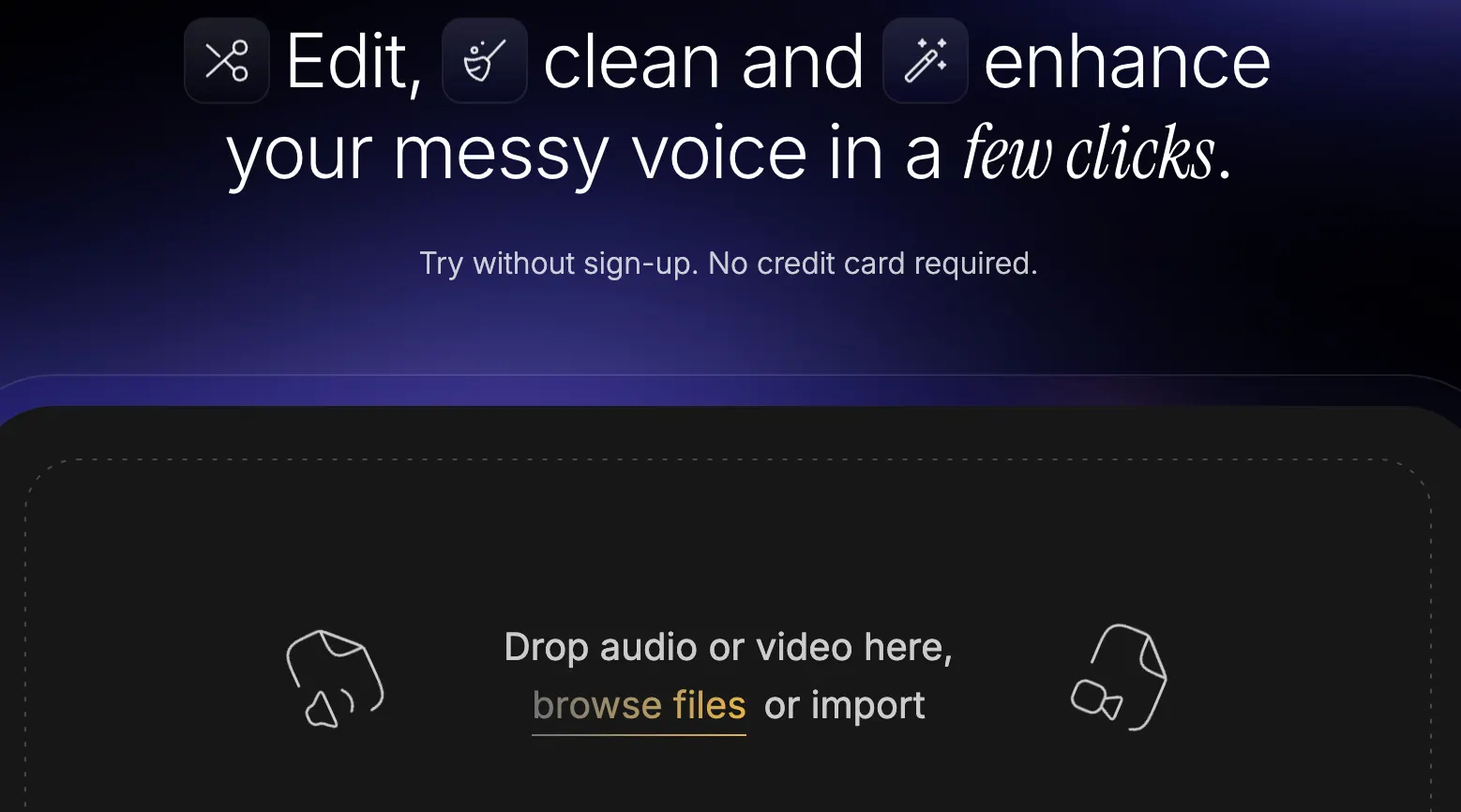
Create a Cleanvoice account and start with the available free processing time. A free trial lets you test the product with your own recordings before committing to a paid plan.
Step 2: Upload Your Audio or Video
Upload the recording you want to clean. If you're testing Cleanvoice for the first time, use a normal recording from your actual workflow rather than a perfect studio sample.
Step 3: Choose the Cleanup Features
Select the processing options you need. Depending on the recording, you might use filler-word removal, silence removal, breath removal, mouth-sound cleanup, stutter removal, background-noise reduction, or audio enhancement.
Step 4: Process the Recording
Cleanvoice analyzes the file and creates a processed version. Processing time depends on the recording length and the selected operations.
Step 5: Review the Result
This is the step you shouldn't skip. Listen to the processed recording, especially sections where people interrupt each other, laugh, speak quickly, or talk over one another.
Step 6: Adjust the Cleanup
If the result sounds too aggressive, change the processing settings or make additional edits. The goal is a natural conversation, not an unnaturally perfect recording.
Step 7: Export the Finished File
Download the processed audio or video, or export an editing timeline if you want to continue working in another application.
Step 8: Repurpose the Content
For podcasts, the transcription and summary features can be used to prepare episode notes and additional written content after the audio has been cleaned.
💡 Practical Tips for Better Results
Cleanvoice isn't a chatbot, so traditional prompt engineering isn't the main skill here. The important decisions are the cleanup settings and how aggressively you want the AI to edit the recording.
Don't Remove Every Pause
A pause isn't necessarily a mistake. People naturally pause when thinking or emphasizing an important point. If every silence is removed, the conversation can start sounding rushed and unnatural.
Be Careful With Filler Removal
Removing excessive “um” and “uh” sounds usually helps. Removing every tiny imperfection may not. A podcast should still sound like two people having a conversation.
Test a Short Section First
Before processing a two-hour interview, test five or ten minutes. You'll quickly learn whether the AI's editing style fits your content.
Review Speaker Overlaps
Two people talking at the same time are harder for an automated system to interpret than a clean single-speaker recording. Pay special attention to interviews and group discussions.
Start With the Best Source Audio You Have
AI can improve a recording, but it cannot completely recover information that was never captured. Clipping, extreme distortion, and severely damaged audio still require more specialized restoration work.
Compare Before and After
Don't judge the result from the waveform alone. Put on headphones and listen. A technically cleaner recording isn't necessarily a better recording if the speaker's natural rhythm has been damaged.
Create a Repeatable Workflow
If you produce podcasts every week, develop a consistent cleanup process. Use similar settings for similar recording conditions and adjust them only when the source audio changes significantly.
💻 Installation and Supported Platforms
Cleanvoice AI is primarily a cloud-based web application. You do not need to install a traditional desktop audio editor to use the core service.
- Web: The primary Cleanvoice experience is available through a web browser.
- Windows: Use the web application through a modern browser.
- Mac: Use the web application through Safari, Chrome, Firefox, or another compatible browser.
- iPhone and iPad: The service can be accessed through a mobile browser, although desktop is more practical for serious podcast production.
- Android: Accessible through a mobile browser.
- Browser Extension: Cleanvoice is primarily a web application rather than an extension-based audio editor.
- API: Developers can integrate Cleanvoice audio-processing capabilities into their own applications.
The cloud-based approach is useful because the AI processing doesn't depend on your computer having a powerful processor or graphics card. Upload the file, let the service handle the processing, and download the result.
💰 Cleanvoice AI Pricing
Cleanvoice uses a combination of free trial credits, pay-as-you-go processing, subscriptions, and custom plans for larger customers.
Free Trial — 30 Minutes
- 30 minutes of free processing
- No credit card required for the initial test
- Access to core Cleanvoice functionality
- Useful for testing the quality with your own recording
Pay-As-You-Go
- $11 for 5 hours of processing
- $20 for 10 hours
- $45 for 30 hours
- Purchased credits remain available for an extended period
Monthly Subscription
- $11/month for 10 hours
- $30/month for 30 hours
- $90/month for 100 hours
- Suitable for creators with a predictable monthly workload
Custom / Enterprise
Businesses with high-volume processing requirements can request a custom plan. This is more relevant to podcast agencies, media companies, SaaS businesses, and organizations processing hundreds of hours of audio.
The pricing model is one of the more practical aspects of Cleanvoice. Someone producing a podcast occasionally can buy processing time when needed instead of automatically signing up for another expensive monthly software subscription.
Prices and plan details can change, so treat these figures as the currently listed pricing rather than a permanent price guarantee.
👥 Who Is Cleanvoice AI For?
Podcasters
This is the primary audience. If you publish episodes regularly and spend hours cleaning filler words, silence, breaths, and mouth sounds, Cleanvoice directly addresses that workflow.
YouTubers and Video Creators
Useful for interview channels, talking-head videos, podcasts, tutorials, and other content where spoken audio is an important part of the final product.
Audio Editors
Professional editors can use Cleanvoice as an automated first pass, then spend their time on creative and technical decisions that actually require human judgment.
Marketing Teams
Useful for branded podcasts, customer interviews, webinars, product discussions, and thought-leadership content.
Agencies
Podcast agencies managing several shows can use automated cleanup to process more recordings without increasing manual editing time at the same rate.
Businesses
Companies producing internal training, webinars, customer stories, interviews, or corporate podcasts can use Cleanvoice to standardize basic audio cleanup.
Teachers and Students
Recorded lectures, interviews, presentations, research recordings, and online courses can all benefit from cleaner spoken audio.
Developers
Developers are a secondary audience, but the API makes Cleanvoice relevant to software companies that need automated audio processing.
If you only record a five-minute voice memo once every few months, you probably don't need a dedicated AI podcast editor. The value becomes much more obvious when you're producing spoken content repeatedly.
🌎 Global Usage and Market Reach
Cleanvoice has built an international audience despite being a relatively specialized product. The company has publicly stated that more than 15,000 podcasters use the platform.
Third-party website analytics also suggest that Cleanvoice receives substantial international traffic. Recent estimates have placed the website around the one-million-visit-per-month range, although these figures are estimates rather than the company's internal analytics.
Traffic estimates for August 2026 showed India as the largest source of visits, followed by the United States and Bangladesh. Indonesia, the United Kingdom, and other international markets also contribute meaningful traffic.
The geographic distribution is worth noting because Cleanvoice is not simply a U.S.-only podcast service. Its cloud-based model allows creators from different regions to use the same workflow without installing specialized audio software.
There is no meaningful public app-download figure because Cleanvoice is primarily a web-based product rather than a conventional iOS or Android application. For this type of service, website traffic and reported customers are more useful indicators than app-store downloads.
Exact user counts and country-by-country rankings should be treated cautiously unless they come directly from the company. Third-party traffic platforms estimate visits and audience distribution; they do not have access to Cleanvoice's private customer database.
👍 Pros and Cons
Advantages
- Built specifically for spoken-word content: The product focuses on the repetitive problems podcast editors actually encounter.
- Automates tedious cleanup: Filler words, silence, breaths, mouth sounds, stutters, and background noise can be processed automatically.
- Simple workflow: Upload, configure, process, review, and export.
- More than a noise remover: Transcription, summaries, audio enhancement, and podcast-related workflows make it more useful for content teams.
- Flexible payment options: Pay-as-you-go processing is useful for occasional creators.
Disadvantages
- Human review is still necessary: AI editing can occasionally remove or shorten something you wanted to keep.
- Not a professional DAW replacement: Detailed mixing, EQ, compression, multitrack editing, sound design, and mastering still require other tools.
- Source quality matters: Extremely noisy, clipped, distorted, or poorly recorded audio can still be difficult to repair.
- High-volume production can become expensive: Businesses processing very large amounts of audio may need to compare the cost with internal editing resources or alternative APIs.
⚖️ Cleanvoice AI vs. Similar Tools
Cleanvoice competes in a crowded AI audio market, but the alternatives often focus on different parts of the production process.
| Tool | Main Focus | AI Cleanup | Transcription | Typical Use Case |
|---|---|---|---|---|
| Cleanvoice AI | Podcast cleanup and post-production | Filler words, silence, breaths, mouth sounds, stutters, noise | Yes | Podcast and spoken-word editing |
| Descript | Text-based audio and video editing | AI-powered editing and voice cleanup | Yes | Editing media through transcripts |
| Adobe Podcast | Speech enhancement and recording | Strong voice enhancement | Available in the broader platform | Improving spoken audio quality |
| Riverside | Remote recording and podcast production | AI-powered production tools | Yes | Recording interviews and publishing podcasts |
| Auphonic | Automated audio post-production | Noise reduction, leveling, processing | Available in its broader workflow | Audio mastering and broadcast-style processing |
| Audacity | Traditional audio editing | Primarily manual and plugin-based | Not its main focus | Users who want detailed manual control |
If your main task is removing filler words, silence, breaths, mouth sounds, and other distractions from a podcast, Cleanvoice is built around that exact problem.
Descript makes more sense if you want to edit an entire podcast or video by editing its transcript. Adobe Podcast is particularly useful when voice enhancement is the main concern. Riverside is more focused on recording and remote podcast production. Auphonic is built around automated audio post-production and leveling. Audacity is the better fit when you want complete manual control without depending on a cloud AI editor.
🎧 What the User Experience Is Really Like
The best thing about Cleanvoice is that it doesn't require you to become an audio engineer before you can use it.
You don't need to spend an afternoon learning every compressor setting or mastering a complicated timeline. The basic workflow is simple: upload the recording, choose the cleanup you want, process it, and listen to the result.
For independent podcasters, that simplicity makes a lot of sense. Most creators don't want to become professional audio editors. They want their podcast to sound clean and professional enough that listeners can focus on the conversation.
The trade-off is control. A professional editor can decide exactly which breath should stay, which pause creates emphasis, how much noise reduction is appropriate, and how every transition should sound.
Cleanvoice makes many of those decisions automatically.
That's why I would treat it as an automated first-pass editor rather than a replacement for a skilled audio engineer. For routine podcast cleanup, however, that first pass can remove a significant amount of tedious work.
🏁 Final Verdict: Is Cleanvoice AI Worth Using?
For podcasters and spoken-content creators, Cleanvoice AI is worth trying.
The reason isn't that it performs some unbelievable piece of AI magic. Its value is much more practical: it automates a collection of small editing tasks that are easy individually but frustrating when you have to repeat them across every episode.
If you publish a podcast every week, the time savings can become meaningful very quickly.
Cleanvoice is a strong fit for people who:
- Publish podcasts regularly.
- Edit interviews with lots of filler words and pauses.
- Produce video podcasts.
- Need quick cleanup of spoken audio.
- Want transcription and summaries alongside audio editing.
- Run a podcast agency or manage multiple shows.
- Need an API for automated audio-processing workflows.
You probably don't need it if you:
- Only edit audio occasionally.
- Already have an experienced audio editor handling your production.
- Need advanced multitrack mixing and sound design.
- Want complete manual control over every edit.
The free 30-minute allowance is enough to answer the most important question: does Cleanvoice improve your particular recordings without making them sound unnatural?
If the answer is yes, the pay-as-you-go option also makes the product relatively easy to justify for occasional projects. Regular creators can move to a monthly plan once their workload becomes predictable.
My overall take is straightforward: Cleanvoice is not an all-purpose audio editor, and it doesn't need to be. Its strongest use case is taking repetitive cleanup work out of podcast production.
If editing filler words, pauses, breaths, mouth clicks, and other small problems is the part of podcast production you hate, Cleanvoice is exactly the kind of specialized AI tool worth testing.
❓ Cleanvoice AI FAQ
What is Cleanvoice AI?
Cleanvoice AI is an AI-powered audio and video editing platform designed primarily for podcasts and spoken-word content. It can remove filler words, silence, mouth sounds, breaths, stutters, background noise, and other unwanted elements.
Is Cleanvoice AI free?
Cleanvoice provides a free 30-minute trial so users can test the service before purchasing additional processing time.
How much does Cleanvoice AI cost?
Current listed pricing includes pay-as-you-go options starting at $11 for 5 hours of processing, as well as monthly plans starting at $11 for 10 hours. Larger plans are available for heavier users, and businesses can request custom pricing.
Can Cleanvoice remove filler words?
Yes. Filler-word detection and removal is one of Cleanvoice's core features and one of the original problems the product was designed to solve.
Can Cleanvoice remove background noise?
Yes. Cleanvoice includes background-noise reduction and audio-enhancement features intended to make spoken recordings clearer.
Can Cleanvoice remove breathing sounds?
Yes. The platform provides a breath-removal feature that can reduce distracting breathing sounds in recordings.
Can Cleanvoice remove mouth sounds?
Yes. It can detect and reduce certain mouth noises such as clicks and lip-smacking sounds.
Can Cleanvoice edit video podcasts?
Yes. Cleanvoice supports video podcast workflows in addition to audio-only processing.
Does Cleanvoice generate transcripts?
Yes. Cleanvoice can transcribe recordings and generate summaries that can be used as part of a podcast content workflow.
Does Cleanvoice have an API?
Yes. Cleanvoice provides API access for developers and businesses that want to integrate audio processing into their own software or automated workflows.
Is Cleanvoice better than Descript?
They focus on different workflows. Cleanvoice specializes in automated podcast cleanup, while Descript is centered around text-based editing of audio and video. The better fit depends on which part of the production process you need to automate.
Is Cleanvoice better than Adobe Podcast?
They solve different problems. Cleanvoice focuses heavily on removing unwanted speech elements and automating podcast post-production, while Adobe Podcast is particularly focused on recording and enhancing spoken audio.
Does Cleanvoice replace a professional audio editor?
Not completely. It can automate a significant amount of repetitive cleanup, but professional productions may still require manual editing, mixing, EQ, compression, mastering, music editing, and quality control.
Who created Cleanvoice AI?
Cleanvoice was founded by Adrian Spataru and is operated by Sigmoid Creativity S.R.L., a company based in Bucharest, Romania.
Comments