

🔍 What Is Command R? A Comprehensive Introduction
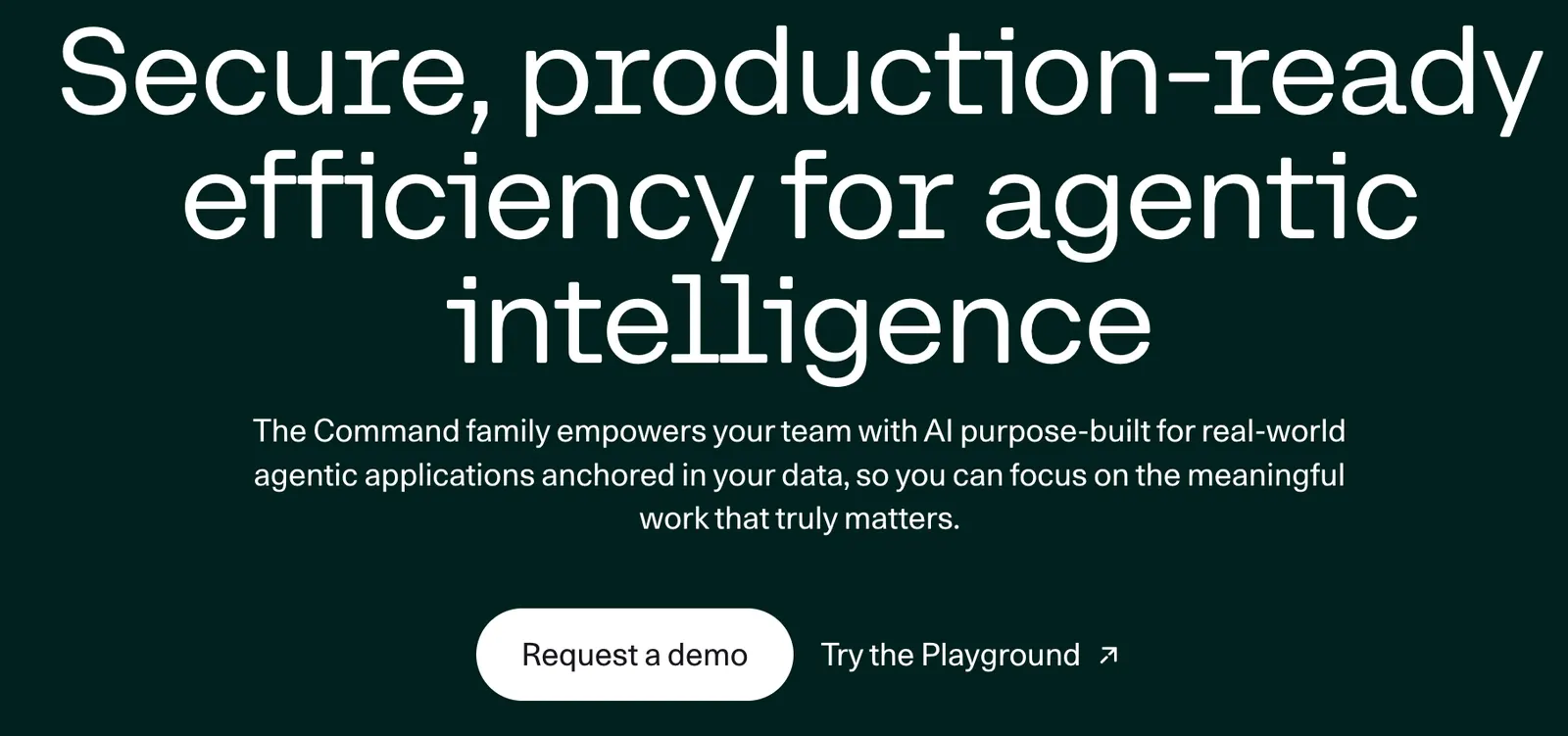
Command R is a family of large language models developed by Cohere, a Canadian AI company founded by Aidan Gomez — one of the original co-authors of the landmark "Attention Is All You Need" paper that introduced the Transformer architecture. Unlike general-purpose LLMs that try to do everything, Command R was purpose-built from the ground up for one specific mission: enterprise-grade Retrieval-Augmented Generation (RAG).
The Command R family currently includes two main tiers:
- Command R — A scalable, efficient model optimized for RAG, tool use, and production-scale workloads. It balances speed, cost, and accuracy for high-volume enterprise deployments.
- Command R+ — The flagship model with 104 billion parameters, designed for advanced RAG, multi-step tool use, and complex enterprise tasks. It delivers higher accuracy at the cost of greater compute requirements.
What sets Command R apart from models like GPT-4o or Claude is its laser focus on grounded generation. Every response can come with inline citations pointing back to the source documents, making it significantly easier to verify accuracy and reduce hallucinations. This isn't a bolted-on feature — it's baked into the model's training pipeline.
Command R supports a 128K token context window, handles 10 key business languages (English, French, Spanish, Italian, German, Portuguese, Japanese, Korean, Arabic, and Chinese), and is available through Cohere's own API, Amazon Bedrock, Microsoft Azure, and as open-weight models for self-hosting.
🧠 Core AI Features and Capabilities
RAG-First Architecture
Command R isn't just compatible with RAG — it was trained specifically for it. The model excels at ingesting retrieved document chunks and generating responses that are grounded in those sources. In enterprise RAG benchmarks, Command R consistently outperforms comparable models in fluency, answer usefulness, and citation accuracy. The model natively accepts a documents parameter in its API, so you can feed retrieved chunks directly without complex prompt engineering.
Built-In Citations and Grounded Generation
One of Command R's most distinctive features is its ability to produce inline citations that reference specific source documents. When you pass documents to the model, it doesn't just generate text — it tags which parts of its response came from which documents. This dramatically reduces hallucination risk and gives end users a way to verify claims. For enterprises in regulated industries (finance, healthcare, legal), this traceability is often a deal-maker.
Multi-Step Tool Use
Command R+ supports multi-step tool use, meaning the model can chain together multiple external tools (APIs, databases, search engines, CRMs) across several steps to accomplish complex tasks. It uses a sophisticated action-observation-reflection cycle: the model generates a tool call, observes the result, reflects on whether it succeeded, and adjusts its next action accordingly. If a tool call fails, the model can retry with a different approach — a significant advantage over models that treat tool use as a single-shot operation.
128K Token Context Window
Both Command R and Command R+ support a 128K token context window for both input and output. This is large enough to process entire SEC filings, lengthy legal contracts, or multi-chapter technical manuals in a single pass — without the need to chunk and summarize beforehand. The model's tokenizer is specifically optimized to compress non-English text more efficiently than competing models, which means you get more actual content per token in multilingual scenarios.
10-Language Multilingual Support
Command R models are evaluated and optimized across 10 key business languages: English, French, Spanish, Italian, German, Portuguese, Japanese, Korean, Arabic, and Chinese. The tokenizer handles non-Latin scripts (Arabic, Chinese, Japanese, Korean) significantly better than many competing models, reducing token waste and improving output quality in these languages.
Open-Weight Availability
Command R models are released with open weights under the Creative Commons Attribution-NonCommercial 4.0 (CC-BY-NC) license. This means developers and researchers can download, fine-tune, and deploy the models on their own infrastructure — a major advantage for organizations with strict data sovereignty requirements or those who want to customize the model for specific domains.
⭐ Key Highlights That Set Command R Apart
- Purpose-built for RAG: Unlike general-purpose LLMs where RAG is an afterthought, Command R was trained and fine-tuned from the start for retrieval-augmented workflows. The result is measurably better citation accuracy and lower hallucination rates in grounded generation tasks.
- Low latency, high throughput: Command R is engineered for production speed. Users consistently report faster inference times compared to similarly-sized models, making it practical for real-time chatbots and customer-facing applications. The 2026 version of Command R+ delivers 50% higher throughput and 25% lower latency compared to its predecessor.
- Citation-native outputs: The model doesn't just answer questions — it tells you where the answer came from. This is critical for enterprise trust and compliance.
- Cost efficiency: Command R's pricing is significantly lower than GPT-4o for comparable RAG workloads. The standard Command R model is particularly competitive for high-volume production use cases.
- Flexible deployment: Available via Cohere API, Amazon Bedrock, Microsoft Azure, Oracle Cloud, and as downloadable open-weight models for self-hosting via Hugging Face, Ollama, or LM Studio.
- Enterprise data privacy: Cohere allows customers to retain complete control over their data. Models can be deployed on-premises or in private cloud environments, ensuring sensitive information never leaves your infrastructure.
🛠️ How to Install and Use Command R
There are several ways to get started with Command R, depending on your needs — from a quick API call to full local deployment.
Option 1: Cohere API (Fastest Path)
- Sign up for a Cohere account at
cohere.com. New accounts receive free trial credits. - Generate an API key from the dashboard at
dashboard.cohere.com/api-keys. - Install the Cohere Python SDK:
pip install cohere - Make your first API call:
import cohere

co = cohere.ClientV2(api_key="your-api-key-here")

response = co.chat(
    model="command-r",
    messages=[
        {"role": "user", "content": "What are the key benefits of RAG?"}
    ]
)
print(response.message.content[0].text)
Option 2: Amazon Bedrock
- Open the Amazon Bedrock console and navigate to Model access.
- Enable access for
cohere.command-r-v1:0(Command R) orcohere.command-r-plus-v1:0(Command R+). - Use the AWS SDK to call the model:
import boto3
import json

bedrock = boto3.client("bedrock-runtime", region_name="us-east-1")

response = bedrock.invoke_model(
    modelId="cohere.command-r-v1:0",
    body=json.dumps({
        "message": "Summarize the key points of this document.",
        "max_tokens": 512,
        "temperature": 0.3
    })
)
print(json.loads(response["body"].read()))
Option 3: Local Deployment via Ollama
- Install Ollama from
ollama.com. - Pull the Command R model:
ollama run command-r:35b-v0.1-q4_K_M - Start chatting immediately through the Ollama CLI or connect via its local API at
localhost:11434.
Option 4: Local Deployment via LM Studio
- Download and install LM Studio from its official website.
- Search for "Command R+" in the model browser.
- Select a quantized version that fits your hardware (Q4, Q5, Q8, etc.).
- Download, load, and start chatting through the built-in interface.
Option 5: Self-Hosting with Hugging Face Transformers
from transformers import AutoTokenizer, AutoModelForCausalLM

model_id = "CohereForAI/c4ai-command-r-plus"
tokenizer = AutoTokenizer.from_pretrained(model_id)
model = AutoModelForCausalLM.from_pretrained(model_id)

messages = [{"role": "user", "content": "Hello, how are you?"}]
input_ids = tokenizer.apply_chat_template(
    messages, tokenize=True, add_generation_prompt=True, return_tensors="pt"
)
gen_tokens = model.generate(input_ids, max_new_tokens=100, temperature=0.3)
print(tokenizer.decode(gen_tokens[0]))
Hardware note: The full-precision Command R+ (104B parameters) requires approximately 20GB+ of VRAM. Use 8-bit or 4-bit quantization (via bitsandbytes) to run on more modest hardware.
💡 Practical Tips for Getting the Most Out of Command R
- Use the documents parameter for RAG: Instead of manually stuffing retrieved chunks into your prompt, pass them through the
documentsparameter. The model is specifically trained to handle this format and will produce better-grounded responses with proper citations. - Keep temperature low for factual tasks: For RAG and knowledge-grounded applications, set
temperatureto 0.2–0.4. This produces more focused, deterministic responses. Save higher temperatures (0.7–0.9) for creative writing tasks. - Leverage the preamble parameter: Use the
preamblefield to set system-level instructions that persist across turns. This is more efficient than repeating instructions in every message. - Use search_queries_only mode for retrieval planning: Setting
search_queries_only: truemakes the model generate optimized search queries without producing a full response — useful when you want to decouple query generation from answer synthesis in your pipeline. - Enable streaming for better UX: Set
stream: trueto receive responses as they're generated. This dramatically improves perceived latency in chat interfaces. - Combine with Cohere's Embed and Rerank models: For a complete RAG pipeline, use Cohere's Embed models for vectorization and Rerank models for result reordering. The entire stack is optimized to work together seamlessly.
- Pin your SDK versions: The Cohere SDK is actively evolving. Always specify exact versions in your dependencies to avoid breaking changes in production.
🌍 Global Usage and Adoption
Command R has established a solid presence in the enterprise AI market, particularly among organizations that prioritize RAG accuracy and cost efficiency over raw model size.
- Monthly web traffic: As of mid-2026, the Command R product pages receive approximately 829,000 monthly visits, with a global ranking of around 64,147.
- Top user geographies: United States (24.66%), India (8.71%), Canada (7.09%), United Kingdom (4.96%), and Nigeria (4.85%).
- Traffic sources: Search (44.71%) and direct traffic (44.27%) dominate, indicating strong organic discovery and repeat usage. Referrals account for 7.81%, with social media contributing 2.38%.
- Cloud platform availability: Command R models are available on Amazon Bedrock, Microsoft Azure, Oracle Cloud Infrastructure, and Cohere's own hosted API — giving enterprises broad deployment flexibility.
- Enterprise adoption: Cohere reported annualized revenue of $22 million as of early 2024, with rapid growth driven by enterprise RAG deployments. The company raised funding at a $5 billion valuation, reflecting strong market confidence.
- Open-weight downloads: The open-weight versions on Hugging Face have attracted significant developer interest, with the 35B parameter Command R variant being one of the more popular enterprise-focused open models for local deployment.
💰 Pricing: How Much Does Command R Cost?
Command R offers multiple pricing paths depending on how you access it:
Cohere API Pricing
| Model | Input (per 1M tokens) | Output (per 1M tokens) |
|---|---|---|
| Command R | $0.50 | $1.50 |
| Command R+ | $3.00 | $15.00 |
Command R+ is priced at roughly 6x the input cost and 10x the output cost compared to Command R — reflecting its larger model size and higher accuracy. For most RAG workloads, the standard Command R model provides excellent results at a fraction of the cost.
Amazon Bedrock Pricing
On Amazon Bedrock, Command R+ is available in two formats:
- SaaS (Serverless): $3 per million input tokens, $15 per million output tokens — same as Cohere's direct API pricing.
- Dedicated (A100 instances): $82.89 per host per hour for both batch and real-time inference on
ml.g4dn.12xlargeorml.p4de.24xlargeinstances. Best for sustained, high-volume workloads where you need guaranteed capacity.
A 7-day free trial is available for the Bedrock edition.
Self-Hosting (Free)
The open-weight versions of Command R and Command R+ can be downloaded and run locally at no licensing cost (under the CC-BY-NC license for non-commercial use). You only pay for the compute infrastructure (GPUs, cloud instances, etc.) required to run the models. Quantized versions (4-bit, 8-bit) significantly reduce hardware requirements.
Cost Comparison Context
For perspective, Command R's pricing is substantially lower than GPT-4o for comparable RAG workloads. According to a 2026 analysis, Command R+'s total cost of ownership can be up to 44% lower than GPT-4o for equivalent enterprise RAG tasks, making it an attractive option for cost-conscious organizations.
⚠️ Common Issues and How to Resolve Them
Maximum Output Token Limit
Command R has a maximum output limit of 4,000 tokens per response. For tasks requiring longer outputs, you'll need to break your request into multiple calls or use a different model for the generation step. This is a known limitation that affects long-form content generation use cases.
Complex Reasoning and Coding Limitations
Users have reported that Command R struggles with complex multi-step reasoning and advanced coding tasks. The model is optimized for RAG and conversational interaction, not for competitive programming or intricate logical chains. If your use case involves heavy code generation, consider pairing Command R with a code-specialized model.
Knowledge Cutoff and Missing Web Search
Command R does not have native web search capabilities. Its training data has a fixed cutoff date, so it cannot access real-time information on its own. This is by design — the model is built to work with your retrieval pipeline, not to browse the web. If you need current information, integrate an external search tool via the tool use feature.
Environment and Dependency Issues (Self-Hosting)
When self-hosting, the most common issues are environment-related:
- CUDA/cuDNN version mismatches: Ensure your CUDA toolkit version matches what PyTorch expects. Using Conda environments with pinned dependencies helps avoid this.
- Transformers library version conflicts: Command R requires specific versions of the
transformerslibrary (4.38+ recommended). Pin your dependencies explicitly. - Memory errors: The full-precision 104B model needs 20GB+ VRAM. Use 8-bit quantization (
load_in_8bit=Trueviabitsandbytes) or 4-bit quantization to fit on smaller GPUs.
Citation Accuracy Variations
While Command R's citation feature is a major strength, citation accuracy can vary depending on the quality and relevance of the retrieved documents. Poor retrieval quality (irrelevant or noisy chunks) will lead to weaker citations. Invest in your retrieval pipeline — use Cohere's Rerank model or equivalent to ensure only high-quality chunks reach the generation step.
Cost Concerns for Non-Enterprise Users
Some individual developers and smaller teams find the API pricing prohibitive for experimentation. The free trial credits help, but sustained usage adds up. For non-commercial projects, the open-weight self-hosted option is the most cost-effective path.
🔮 The Road Ahead for Command R
Cohere's trajectory with Command R points toward deeper enterprise integration and continued RAG specialization. The 2026 upgrades — 50% throughput improvement, 25% latency reduction, and enhanced multi-step tool use — signal a clear commitment to production performance over benchmark-chasing. As enterprise AI adoption accelerates (IDC projects the generative AI services market to reach $143 billion by 2027), Command R's positioning as a cost-effective, accurate, and deployable RAG model gives it a strong competitive moat in the enterprise segment.
For developers and organizations evaluating LLM options for RAG-heavy workloads, Command R deserves serious consideration — particularly if citation accuracy, multilingual support, and cost efficiency are high on your priority list.
Comments