

Connected Papers Review: A Visual Research Tool for Finding Related Academic Papers
Connected Papers takes a different approach to academic research. Instead of giving you another page of search results, it builds a visual map around a paper you already know. You can use that map to find related studies, trace earlier research, discover newer work, and get a much clearer picture of a research field. For students, researchers, engineers, and anyone doing serious literature research, it is a genuinely useful tool to have in the workflow.
🔎 What Is Connected Papers?
Connected Papers is a visual academic research and literature discovery platform. Its main purpose is to help people find research papers that are closely related to a paper they already know.
The service was developed by a small team with a background in working with academic literature. The project began as a side project and was publicly launched in 2020. Rather than trying to become another general-purpose academic search engine, Connected Papers focused on one specific problem: making the relationships between research papers easier to understand.
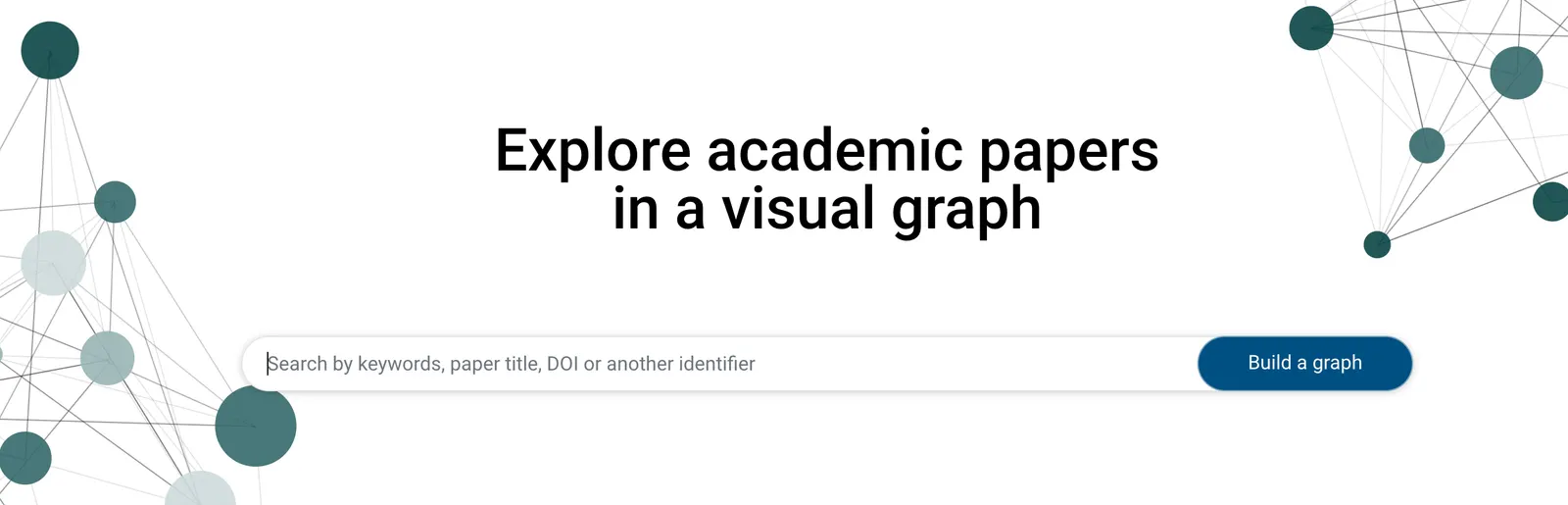
The workflow is straightforward. You start with a relevant academic paper, and Connected Papers creates a visual graph containing other papers that are strongly related to it.
The important detail is that this is not simply a citation list. Connected Papers uses relationships such as co-citation and bibliographic coupling to calculate similarities between papers. That means two papers can appear close to one another even when one does not directly cite the other.
The result is closer to a research map than a traditional search page.
If you have ever found one excellent paper and then spent an hour wondering what else you should read, that is exactly the situation Connected Papers is designed for.
🧭 What Problem Does Connected Papers Solve?
Finding academic papers is rarely the hardest part of research anymore. The difficult part is figuring out which papers actually matter.
You can search Google Scholar, Semantic Scholar, PubMed, arXiv, IEEE Xplore, ACM Digital Library, or a specialized database and receive hundreds or thousands of results. But a search-results page does not necessarily show you how those papers fit together.
Connected Papers approaches the problem from another direction.
Instead of starting with a broad keyword, you can start with a paper that you already trust. The platform then helps you explore the surrounding literature.
This is particularly useful when:
- You are entering an unfamiliar academic field.
- You need to expand the bibliography for a thesis or dissertation.
- You want to identify influential earlier research.
- You need to find newer papers related to an established study.
- You suspect important research is being missed because different terminology is used.
- You want to understand the development of a research topic instead of simply collecting search results.
📚 Core Features of Connected Papers
The visual graph is the main reason people use Connected Papers. Enter a paper and the platform creates a network of related research. Instead of reading a long list of titles, you can immediately see clusters of related work.
Connected Papers analyzes relationships between papers using academic citation patterns, including co-citation and bibliographic coupling. This helps surface papers that are conceptually connected even when their citation relationships are not obvious.
Prior Works helps you move backward in the research history of a topic. It is useful for finding older papers and understanding the research foundations behind the paper you started with.
Derivative Works moves forward instead of backward. It can help you discover later studies, review papers, and newer research that developed around the original topic.
Paid users can work with multiple starting papers. This is useful when you already have several important sources and want to explore the overlap between different parts of a research topic.
Useful papers can be saved for later. This makes Connected Papers more practical for ongoing projects rather than something you use only once.
Previous graphs can be revisited, which is handy when a literature review takes several weeks or when you want to return to an earlier research direction.
Connected Papers uses the Semantic Scholar academic corpus as an underlying source of scholarly literature, giving it coverage across many scientific and technical fields.
⭐ What Makes Connected Papers Different?
Connected Papers is interesting because it does not try to compete directly with conversational AI assistants.
If you ask ChatGPT, Elicit, Consensus, or another AI research assistant a question, the goal is usually to produce an answer. Connected Papers is doing something different: it helps you explore the structure of the literature itself.
That distinction becomes obvious when you actually use it.
Imagine you find a highly relevant paper about a machine-learning method. You could open Google Scholar, check its references, check papers that cite it, and manually repeat the process. That works, but you are building the mental map yourself.
Connected Papers gives you a visual starting point.
You can see which papers form clusters, which studies are closely related, and where older or newer work sits around the topic.
It is also important not to misunderstand the graph. A paper being close to another paper does not necessarily mean that it directly cites it. The graph represents similarity within the research landscape.
For discovering literature, that can be extremely useful.
💼 Real-World Use Cases
Academic Writing and Literature Reviews
This is probably the strongest use case. A student can start with one or two reliable papers and use the graph to expand the reading list before writing a literature review.
Master's and PhD Research
Graduate students often need to become familiar with a research area quickly. Connected Papers can help reveal important papers that may not be obvious from a simple keyword search.
Scientific Research
Researchers can use it to discover related methods, foundational studies, review papers, and newer work around a particular research question.
Machine Learning and Computer Science
Developers and researchers working with machine learning, computer vision, natural language processing, robotics, and other research-heavy technical fields can use Connected Papers to map papers around an algorithm or research problem.
Technology and R&D Research
Corporate R&D teams can use academic literature to understand the scientific background behind an emerging technology. Connected Papers can be useful during this early research stage.
Research Proposals
Before writing a research proposal, users can explore several important papers to identify established approaches, influential research, and areas that may deserve further investigation.
Technical Writing
Writers preparing technical articles, reports, white papers, or educational content can use Connected Papers to find credible academic sources and understand the background behind a technical topic.
It is less relevant to ordinary marketing copy, graphic design, routine office work, or basic content generation. Its value comes from academic and technical research.
🛠️ How to Use Connected Papers
Step 1: Create an Account
Open Connected Papers and create an account if you want to save research activity and use the platform regularly. The free version is enough to test the core workflow.
Step 2: Find a Strong Starting Paper
This is more important than it sounds. Do not choose a random paper just because its title contains your keyword. Start with a paper that is genuinely close to your research question.
Step 3: Search for the Paper
Enter the paper title or other identifying information into Connected Papers. Select the correct paper and generate the graph.
Step 4: Explore the Graph
Look at the clusters before opening individual papers. The visual layout can quickly show whether there are several different subtopics surrounding your starting paper.
Step 5: Open Promising Papers
Click papers that appear particularly relevant. Check their titles, publication information, authors, abstracts, and other available details.
Step 6: Check Prior Works
If you want to understand where the research came from, use Prior Works to identify earlier influential studies.
Step 7: Check Derivative Works
If your goal is to find newer research, examine Derivative Works and look for later papers and review articles.
Step 8: Build Another Graph
Once you discover a particularly useful paper, use that paper as a new starting point. Repeating this process can gradually give you a much better understanding of the field.
💡 Tips for Getting Better Results
Start With a Good Paper, Not a Broad Keyword
Connected Papers is built around a starting paper. If the starting paper is weak or only loosely related to your topic, the resulting graph may not be very useful either.
Use More Than One Starting Point
If you already know several important papers, do not assume that one graph tells you everything. Build graphs around different sources and compare the results.
Separate Foundational Research From Recent Research
For a serious literature review, do not focus only on the papers in the middle of the graph. Check older research through Prior Works and newer research through Derivative Works.
Do Not Collect Every Paper You See
A large graph can become overwhelming very quickly. The goal is not to save 100 papers. The goal is to identify the papers that actually help answer your research question.
Read the Original Papers
Connected Papers helps you discover sources. It does not replace reading them. Before citing an important paper, check the original study and make sure its methodology and conclusions actually support what you want to say.
💻 Installation and Supported Platforms
Connected Papers is primarily a web-based service. There is no need to install a traditional desktop application to use the main product.
| Platform | Availability | Details |
|---|---|---|
| Web | Yes | The main Connected Papers experience is available through a web browser. |
| Windows | Web-based | Use through a modern browser rather than a dedicated Windows application. |
| Mac | Web-based | Works through browsers such as Safari, Chrome, and Firefox. |
| iPhone / iPad | Web-based | The core product is accessed through a mobile browser rather than a dedicated native iOS application. |
| Android | Web-based | Can be accessed through a mobile browser. |
| Browser Extension | Not required | The main research workflow takes place on the Connected Papers website. |
For this type of service, the web-first approach makes sense. Researchers often work across university computers, personal laptops, office machines, and cloud environments, so there is little benefit in requiring a large desktop application.
💰 Connected Papers Pricing
Connected Papers keeps its pricing relatively simple. There is a free plan for occasional users and paid plans for people who need unlimited graph generation.
| Plan | Price | Main Details |
|---|---|---|
| Free | $0 | Up to 5 graphs per month with access to the core research features. |
| Academic | $3/month | Unlimited graphs. Annual billing is about $36 per year. Intended for academics, students, researchers, and qualifying non-profit users. |
| Business | $10/month | Unlimited graphs. Annual billing is about $120 per year and is intended for commercial and industry use. |
| Academic Group | $3/seat/month | Team access, unlimited graphs, and centralized billing for academic groups. |
| Business Group | $10/seat/month | Team-oriented access for commercial research groups and organizations. |
| Academic Library | Custom | Institution-focused access, including options such as email, IP, and SSO access. |
The pricing is one of Connected Papers' strongest selling points. The free plan lets you try the product without paying, while the Academic plan is inexpensive compared with many professional research services.
The main limitation is the five-graph monthly cap on the free tier. An active researcher can reach that limit fairly quickly.
Pricing and plan conditions can change, so anyone purchasing a subscription should confirm the current terms before payment.
👥 Who Should Use Connected Papers?
- Students: Excellent for essays, dissertations, thesis research, and literature reviews.
- PhD researchers: Useful when entering a complex or unfamiliar research area.
- Professors and academics: Helpful for exploring related research and following developments.
- Machine learning engineers: Useful for finding papers around algorithms, benchmarks, and research methods.
- Software engineers doing technical research: Helpful when implementation decisions depend on academic literature.
- R&D teams: Useful for early-stage technology and scientific research.
- Technical writers: Helpful for finding credible sources for technical content.
- Consultants: Useful when quickly getting up to speed on a specialized subject.
- Independent researchers: The free tier is enough for occasional research exploration.
Designers, salespeople, general marketers, and ordinary office users can use the platform, but there is usually little reason for them to do so unless their work involves academic or technical research.
🌎 Global Usage
Connected Papers has grown beyond its original research community and is now used by students, academics, engineers, and researchers in different parts of the world.
The company has described the service as having reached hundreds of thousands of users. Because it is a specialized academic product, its audience is naturally much smaller than mainstream AI services such as ChatGPT.
Its user base is international, with strong relevance in research-heavy markets such as the United States, United Kingdom, Canada, Europe, India, Australia, and other countries with large university and scientific communities.
Exact monthly traffic numbers published by third-party analytics services can vary substantially depending on the provider and measurement method. For that reason, it is better to treat those figures as estimates rather than official user statistics.
What matters more is that Connected Papers has established a recognizable position within the academic research-tool market. It is not a mass-market AI application, but it solves a very specific problem for a valuable group of users.
👍 Advantages of Connected Papers
- Excellent visual research experience: The graph makes relationships between papers much easier to understand than a conventional list of search results.
- Very good for literature discovery: It can expose related research that you might not find through a simple keyword search.
- Easy to learn: You do not need to understand complicated academic databases to start using it.
- Useful for both older and newer research: Prior Works and Derivative Works make it easier to explore a research topic over time.
- Low academic pricing: The paid academic plan is inexpensive for regular users who need unlimited graphs.
👎 Disadvantages of Connected Papers
- Free plan is limited: Five graphs per month may not be enough for active researchers.
- Not a complete academic database: It should not be your only source when conducting comprehensive research.
- Graph relationships need interpretation: Visual proximity does not automatically mean that a paper is authoritative or directly connected by citation.
- Not designed for PDF analysis: If you want to upload papers and ask detailed questions about their content, another research AI may be a better choice.
⚖️ Connected Papers vs Similar Research Tools
| Tool | Main Strength | Best Use Case | Price Position |
|---|---|---|---|
| Connected Papers | Visual similarity graphs | Discovering related, earlier, and newer research | Free; Academic from about $3/month billed annually |
| Google Scholar | Broad academic search | Finding papers, authors, citations, and publications | Free |
| Semantic Scholar | Academic search and paper discovery | Searching and filtering scientific literature | Free for core features |
| ResearchRabbit | Visual literature exploration | Building collections and discovering related literature | Free tier with paid options |
| Litmaps | Citation mapping and literature monitoring | Tracking research and citation relationships | Free tier with paid plans |
| Elicit | AI-assisted literature research | Finding papers and extracting research information | Free tier with paid plans |
| Consensus | AI answers based on academic papers | Getting evidence-based answers to research questions | Free tier with paid plans |
These tools overlap, but they are not interchangeable.
Google Scholar is still better when you want a broad academic search engine. Semantic Scholar is useful for searching and filtering literature. Elicit and Consensus are better suited to question-driven AI research. ResearchRabbit and Litmaps are strong options for more extensive literature-management workflows.
Connected Papers is at its best when you already have a good paper and want to discover what surrounds it.
🧪 How I Would Actually Use It
I would not use Connected Papers as my only research tool. It works much better as one part of a larger workflow.
- Search a traditional academic database first. Find one or two papers that are clearly relevant to your research question.
- Put the strongest paper into Connected Papers. Generate the graph and look for clusters you were not aware of.
- Check Prior Works. Find the research that established the ideas behind the topic.
- Check Derivative Works. Look for later studies and newer developments.
- Select the strongest new sources. Do not save everything. Focus on papers that actually answer your research question.
- Build another graph. Use an important newly discovered paper as your next starting point.
- Read and verify the original publications. Use a reference manager and your normal research process for the final bibliography.
This approach is much more useful than expecting Connected Papers to automatically produce a complete literature review for you.
🚫 When I Would Not Recommend Connected Papers
There are situations where Connected Papers is simply not the right tool.
For a formal systematic review, I would not rely on it as the primary search method. Systematic reviews require comprehensive and reproducible search strategies across appropriate academic databases, along with clearly documented inclusion and exclusion criteria.
I also would not choose Connected Papers if your main goal is to upload a PDF and ask detailed questions about its methodology, data, charts, or conclusions. A PDF-focused AI research assistant will usually be more convenient for that job.
And if you simply want an AI-generated answer to a research question with supporting academic sources, tools such as Elicit or Consensus may be a better fit.
🏁 Final Verdict: Is Connected Papers Worth Using?
Yes, especially for students, researchers, academics, and technical professionals who regularly work with academic literature.
Connected Papers does one thing particularly well: it helps you move from a single useful paper to a much wider understanding of the research around it.
The visual graph is the real selling point. Instead of staring at a long list of search results, you get a map of related research. The Prior Works and Derivative Works features then give you a practical way to look backward at foundational studies and forward at newer developments.
The pricing is another strong point. The free version is enough to test the product, and the relatively inexpensive Academic plan makes unlimited graph generation accessible to students and researchers.
The catch is that Connected Papers is a discovery tool, not a complete research platform. It does not replace Google Scholar, specialist databases, reference managers, or reading the original papers.
My recommendation is simple: try the free version first. If you are working on a thesis, dissertation, technical research project, or literature review and find yourself repeatedly asking "what other papers should I read?", Connected Papers is worth adding to your research workflow.
If you only do occasional research, there is no strong reason to pay for it. The free tier should cover basic exploration. If you need a comprehensive systematic literature search, use it alongside proper academic databases rather than treating it as a replacement.
❓ Connected Papers FAQ
What is Connected Papers used for?
Connected Papers is used to discover and explore academic papers related to a starting paper. It is particularly useful for literature reviews, thesis research, scientific research, and learning about unfamiliar research fields.
Is Connected Papers an AI tool?
Connected Papers is commonly categorized alongside AI research tools, but its main workflow is different from a conversational AI chatbot. It focuses on academic paper similarity, literature mapping, and visual research discovery.
Is Connected Papers free?
Yes. Connected Papers offers a free plan with a limited number of graphs each month. Paid plans provide unlimited graph generation and additional research capabilities.
How much does Connected Papers cost?
The Academic plan is listed at around $3 per month when billed annually, or about $36 per year. The Business plan is around $10 per month when billed annually, or about $120 per year. Pricing can change, so users should verify the current plan before subscribing.
Is Connected Papers good for a thesis?
Yes. It is particularly useful during the literature-discovery stage of a thesis because it can help you identify related research, foundational papers, and newer publications.
Does Connected Papers replace Google Scholar?
No. Google Scholar is primarily a broad academic search engine. Connected Papers is better viewed as a complementary research-discovery tool that helps you explore relationships around papers you already know.
Does Connected Papers show citation relationships?
Connected Papers uses citation-related information such as co-citation and bibliographic coupling to calculate similarity, but its main graph should not be interpreted as a simple citation tree.
What database does Connected Papers use?
Connected Papers uses the Semantic Scholar academic paper corpus as a major underlying source for its research graph.
Can Connected Papers be used for systematic reviews?
It can help discover additional papers, but it should not be the only search method for a formal systematic review. Systematic reviews require a comprehensive, documented, and reproducible search strategy.
Is Connected Papers worth paying for?
For students and researchers who create graphs regularly, the Academic plan can be worthwhile because of the low annual cost and unlimited graph generation. For occasional users, the free plan is usually enough.
Comments