

🧩 What Is Continue?
Continue is an open-source AI coding assistant designed to bring AI directly into the developer's coding environment. It was originally built around VS Code and JetBrains IDEs, providing AI chat, code generation, autocomplete, code editing, and agent-style development workflows.
Continue was developed by Continue Dev, Inc. and publicly introduced in July 2023. Its original positioning was straightforward: give developers an open and customizable alternative to closed AI coding assistants, while allowing them to choose their preferred AI models, providers, context sources, and development workflow.
Continue became particularly popular among developers interested in open-source AI tooling. Instead of forcing users to rely on one AI model, it allowed connections to providers such as OpenAI, Anthropic, Google, Mistral, Ollama, and other model services. Developers could also configure local or self-hosted models.
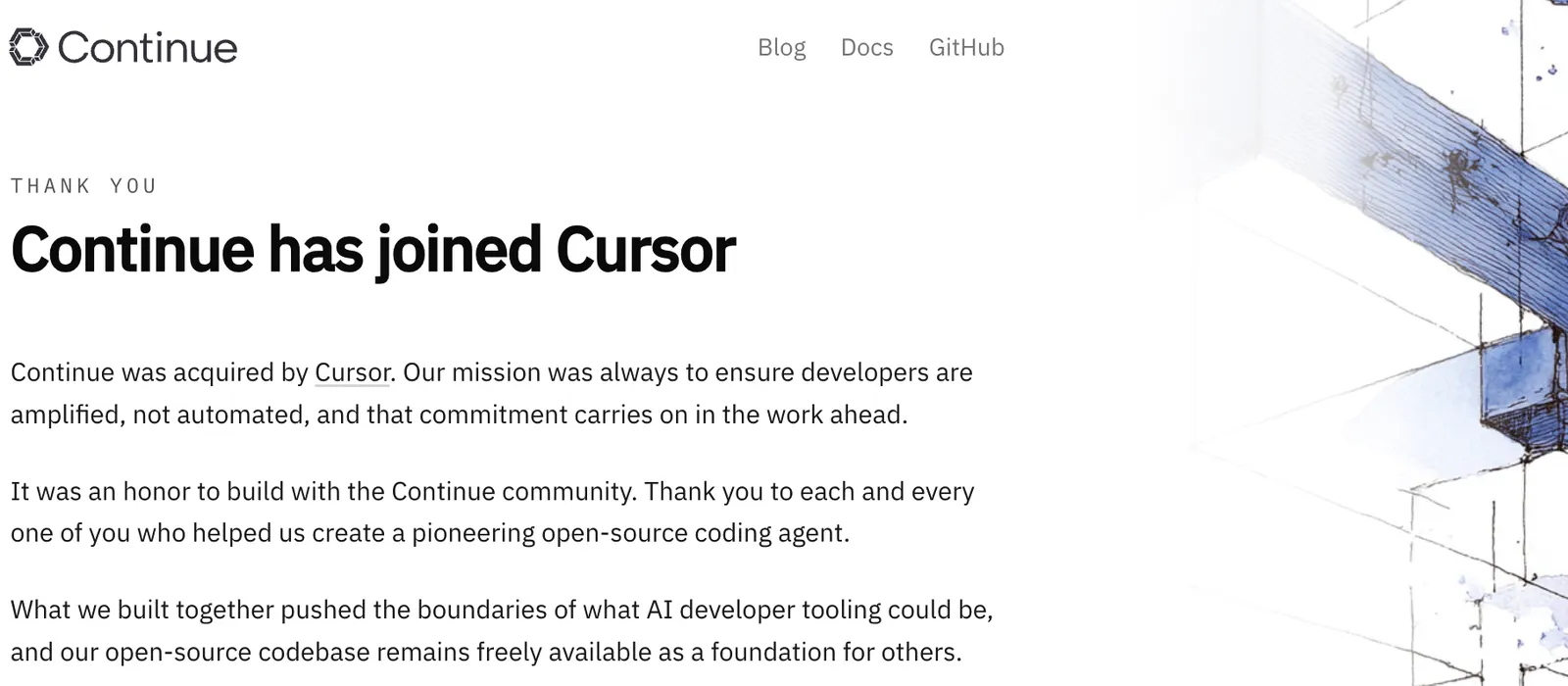
There is an important point for anyone researching Continue today: the standalone Continue project is no longer operating as an independent, actively expanding AI coding product. Continue joined Cursor, and the original repository has been archived/read-only. The final open-source code remains available, but new users should not evaluate Continue as if it were still an independent competitor launching new features at the same pace as Cursor, GitHub Copilot, Claude Code, or other current coding agents.
In simple terms, Continue was built to solve a very specific problem: how can developers use powerful AI inside their existing coding workflow while retaining control over models, data, configuration, and tooling?
⚙️ Core Features
1. 💬 AI Code Chat
Continue allowed developers to communicate with an AI assistant directly inside the IDE. Users could ask questions about selected code, files, functions, errors, dependencies, or the overall project structure.
For example, a developer could ask the assistant to explain how authentication works across a project instead of manually searching through dozens of files.
2. ✏️ Natural-Language Code Editing
Developers could describe a desired code change in plain English and ask Continue to modify the selected code. Common tasks included refactoring functions, changing APIs, improving error handling, converting code between approaches, and implementing small features.
3. ⚡ AI Code Autocomplete
Continue provided AI-powered inline code completion while developers typed. It could predict the next section of code based on the surrounding source code and available context.
4. 🤖 Agent Mode
Continue evolved beyond simple code completion by introducing agent-style workflows. Agent mode could inspect files, modify code, use tools, run commands, and work through multiple steps to complete a development task.
5. 🗺️ Plan Mode
Plan mode was useful for larger changes where immediately editing the repository would be risky. Developers could first ask the AI to investigate the codebase, identify relevant files, and propose an implementation strategy before making changes.
6. 🧠 Multiple AI Models
Model flexibility was one of Continue's defining characteristics. Developers could configure different AI models for different jobs, including chat, autocomplete, editing, and agent tasks.
7. 🏠 Local AI Models
Continue supported local-model workflows through platforms such as Ollama and LM Studio. This gave developers the option to experiment with AI coding without relying exclusively on cloud-based model providers.
8. 🔌 Custom Agents and MCP
The later Continue platform supported custom agents, tools, configurations, and Model Context Protocol integrations. This allowed technically advanced users to build development workflows around their own tools and requirements instead of relying entirely on a fixed AI assistant.
⭐ What Made Continue Different?
Continue's biggest advantage was not simply its ability to generate code. By the time it launched, many AI coding products could already generate functions and autocomplete source code.
The real differentiator was control.
- Open-source architecture: Developers could inspect and modify the software.
- Model freedom: Users were not locked into a single AI provider.
- Local-model support: Developers could connect local or self-hosted models.
- IDE integration: AI assistance happened inside the development environment.
- Custom workflows: Advanced users could configure models, rules, context, tools, and agents.
This approach attracted a strong developer community. The Continue GitHub repository accumulated more than 35,000 stars and thousands of forks before the project was archived. GitHub stars are not equivalent to active users, but they provide a useful indication of the project's visibility within the developer community.
💼 Real-World Use Cases
👨💻 Software Development
This was Continue's primary use case. Developers could generate functions, API integrations, database queries, configuration files, frontend components, scripts, and other repetitive code.
🐛 Debugging
Developers could provide an error message, stack trace, or suspicious code and ask Continue to investigate possible causes and suggest a fix.
🔄 Refactoring
Continue could assist with repetitive code transformations, such as reorganizing functions, improving naming, simplifying logic, changing implementation patterns, or migrating code.
🧪 Testing
Developers could ask the AI to create unit tests, identify missing edge cases, improve test coverage, or update existing tests after modifying the implementation.
📚 Understanding Existing Projects
This is one of the more practical applications. When joining an unfamiliar codebase, developers could ask questions about files, functions, dependencies, architecture, and application flow instead of manually reading the entire repository.
🔒 Privacy-Sensitive Development
Developers interested in local or self-hosted LLMs could use Continue as an interface between their development environment and locally deployed AI models.
Not its core purpose: Continue was not designed for marketing copywriting, graphic design, social media management, presentation creation, or general office productivity. It should be classified as an AI coding tool rather than a general-purpose AI assistant.
🚀 How to Use Continue
Step 1: Choose Your Development Environment
The traditional Continue experience centered on Visual Studio Code and JetBrains IDEs. Continue later expanded into a command-line workflow through its CLI.
Step 2: Install Continue
During its active development period, users could install Continue through the VS Code Marketplace or the JetBrains plugin system. Developers could also use the Continue CLI for terminal-based workflows.
Step 3: Connect an AI Model
Continue was designed to work with different AI providers rather than requiring one specific model. Depending on the configuration, users could connect cloud APIs or local models.
Step 4: Open a Project
Open the software project you actually want to work on. Continue becomes significantly more useful when it can work with real project files and development context.
Step 5: Start with Chat
A useful first request might look like this:
Explain how authentication works in this project.
Identify the main files involved and describe the request flow.
Do not modify any files.
Step 6: Use Plan Mode for Larger Changes
For a complicated feature, ask the AI to inspect the relevant files and create an implementation plan before editing the project.
Step 7: Use Agent Mode
Once the task is clearly defined, Agent mode can be used for multi-step work such as editing files, running commands, investigating errors, and updating implementation details.
🧠 Practical Tips for Better Results
1. 🎯 Describe the Actual Problem
A vague instruction such as "Fix this code" gives the AI too much room to guess.
A better request is:
Find why this API returns HTTP 500 when the requested user does not exist.
Identify the root cause, explain the problem, implement the smallest safe fix,
and add a regression test.
2. 🧱 Set Clear Boundaries
Tell the AI what it must not change. For example: "Do not modify the database schema", "Keep the existing API response format", or "Do not introduce new dependencies."
3. 🔍 Investigate Before Editing
When working with an unfamiliar repository, ask the AI to investigate first. This reduces the risk of an agent making a large change based on an incorrect assumption about the project.
4. 🧪 Include Testing in the Task
Instead of asking only for implementation, ask the AI to create or update tests and run them after making the changes.
5. 📝 Establish Coding Rules
Define naming conventions, architecture rules, testing requirements, dependency preferences, and other project standards. Reusable project rules save time and improve consistency.
6. 🧑⚖️ Review Every Important Change
AI-generated code should be treated like code written by another developer. Review the diff, run the test suite, and pay special attention to authentication, permissions, payments, database migrations, and security-sensitive functionality.
7. 🏠 Match the Model to the Task
One of Continue's strengths was the ability to use different models for different tasks. A fast model may be perfectly adequate for autocomplete, while a more capable reasoning model may be a better choice for debugging or multi-file agent tasks.
💻 Installation and Platform Availability
- VS Code: Continue was originally developed primarily around the VS Code ecosystem.
- JetBrains IDEs: Continue also provided a JetBrains plugin.
- Windows: Available through supported desktop development environments and command-line workflows.
- macOS: Available through VS Code, JetBrains IDEs, and terminal workflows.
- Linux: Supported through desktop IDEs and the Continue CLI.
- Terminal: The Continue CLI provided a command-line AI development workflow.
- iOS: Continue did not have a mainstream native iOS application as its primary product.
- Android: Continue did not have a mainstream consumer Android application as its primary product.
- Browser Extension: Continue was primarily an IDE and developer-tool product rather than a browser extension.
Current status: The original Continue repository is now read-only. The project reached a final release for its traditional VS Code extension, CLI, and JetBrains plugin. This makes the installation question different from that of an actively maintained AI coding service.
💰 Pricing and Plans
Continue's pricing history needs some explanation because the product changed significantly over time.
🆓 Open-Source Software
The Continue codebase was released under the Apache 2.0 license. Developers could inspect, modify, and use the open-source software according to the license terms.
☁️ Hosted AI Services
During its commercial phase, Continue introduced hosted services through Continue Hub. The service supported AI model usage, configuration management, and other cloud-based capabilities.
👥 Team Plans
Continue Hub introduced team-oriented capabilities such as configuration sharing, permissions, and centralized management. Pricing and availability depended on the specific service and period.
🏢 Enterprise
Enterprise-oriented workflows focused more on organizational control, shared configurations, permissions, and centralized AI development management than on a simple individual subscription.
For readers evaluating Continue in 2026: it is not accurate to publish an old Continue Pro price as if Continue were still an independent, actively maintained SaaS product. The standalone Continue project has transitioned after joining Cursor, while the open-source code remains available.
This is an important SEO and GEO distinction because many older AI-tool directories still contain outdated Continue pricing information.
👥 Who Is Continue Best For?
- Software developers: The primary target audience.
- AI developers: Especially useful for experimenting with different LLMs and agent workflows.
- Open-source developers: A natural fit because Continue itself was open source.
- Privacy-conscious teams: Local and self-hosted model support provided additional control over AI infrastructure.
- Students: Useful for learning programming concepts and understanding unfamiliar code.
- Startup engineering teams: Interesting for teams that want to experiment with customized AI development workflows.
- DevOps engineers: Agent workflows could assist with scripts, configuration files, infrastructure code, and repetitive terminal tasks.
Less suitable: marketers, designers, writers, sales teams, general office workers, and users who want a simple conversational AI assistant.
🌎 Global Usage and Developer Adoption
Continue did not publish a reliable, current global active-user figure comparable to the numbers reported by major commercial AI platforms. Therefore, claims such as "millions of active users" should not be presented as verified facts.
There are nevertheless strong indicators of developer adoption. The Continue GitHub repository accumulated more than 35,000 stars and thousands of forks before being archived. This placed Continue among the more visible open-source AI coding projects of its generation.
The project's July 2023 launch also received significant attention from the international developer community, including discussion on Hacker News and other developer communities.
Continue's model-provider flexibility also gave it an international audience because developers could connect it to globally available cloud AI services as well as locally hosted models.
However, there is no sufficiently reliable public source for a precise current number of Continue monthly active users, total downloads, or country-by-country usage distribution. A trustworthy AI-tool directory should make this limitation clear rather than turning third-party traffic estimates into supposed user statistics.
⚖️ Continue: Pros and Cons
✅ Advantages
- Open source: Developers had considerably more control than with closed commercial coding assistants.
- Excellent model flexibility: Users could select different cloud or local AI models.
- Local AI support: Useful for developers experimenting with self-hosted models and privacy-focused workflows.
- Highly customizable: Advanced users could configure agents, models, rules, context, and tools.
- Developer-focused: The product was built specifically around software development rather than trying to serve every possible AI use case.
❌ Disadvantages
- Archived project: The original Continue repository is no longer an actively developed standalone product.
- More technical setup: Model providers, API keys, local models, and configurations can require additional work.
- Output depends on the model: Continue itself was not the model; results depended heavily on the selected AI provider.
- Not beginner-friendly: Its flexibility could become a disadvantage for users who simply wanted an AI assistant that worked immediately.
🥊 Continue vs. Other AI Coding Tools
| Tool | Main Strength | Best For | Model Flexibility | Product Status |
|---|---|---|---|---|
| Continue | Open-source AI coding and customization | Developers experimenting with models and local AI | Very High | Original project archived |
| GitHub Copilot | AI coding plus GitHub integration | Individual developers and engineering teams | Moderate | Actively maintained |
| Cursor | AI-first coding environment and agents | Developers who want AI deeply integrated into the editor | High | Actively maintained |
| Claude Code | Terminal-based AI coding agent | Developers who prefer CLI workflows | Focused on Anthropic models | Actively maintained |
| OpenAI Codex | Agentic software development | Developers delegating larger coding tasks to AI | OpenAI-centered | Actively maintained |
Continue's strongest competitive advantage was its openness. Developers could connect an open-source model, a commercial API, or a locally hosted model and build their own AI development environment.
That advantage is less compelling for a new user today. Cursor acquired Continue, and the original Continue project reached its final stage. Developers looking for an actively maintained coding assistant should generally evaluate current products first.
The comparison also highlights an important point: Continue was closer to an extensible AI coding framework than a conventional "AI chatbot for programmers." That distinction explains both its appeal and its technical complexity.
🔐 Privacy and Data Control
Privacy was one of Continue's most attractive characteristics because the architecture allowed developers to choose their AI model provider.
With an appropriate local model setup, developers could keep model inference within their own environment instead of sending source code to an external cloud AI provider.
However, using Continue did not automatically make a project private. If a developer connected a cloud provider such as OpenAI or Anthropic, relevant prompts and project context could still be processed by that provider.
For companies, the right question is therefore not simply "Is Continue private?" The better question is "Which model is being used, where is inference taking place, and exactly what project context is being transmitted?"
🧪 Our Practical Assessment
Continue was an important project in the development of modern AI coding assistants. Its core idea was simple but useful: developers should not have to accept one fixed model, one fixed workflow, or one closed AI provider just to use AI inside their IDE.
The open architecture allowed Continue to function more like an AI development layer. Developers could switch models, experiment with local inference, define custom configurations, and build workflows around their own technical requirements.
That made Continue particularly interesting for experienced developers and AI engineers. It was less attractive to people who simply wanted an assistant that worked immediately without configuration.
The market has changed significantly since Continue's launch. AI coding agents have become more capable, while commercial products have combined editors, models, tools, context management, and agents into more polished experiences.
Continue eventually joined Cursor. As a result, the original project is better understood today as an influential open-source AI coding project and technical reference rather than as one of the main actively maintained AI coding products competing for new users.
🏁 Final Verdict: Is Continue Worth Using?
For open-source AI coding experimentation: yes. For choosing a brand-new production AI coding assistant in 2026: generally no.
That distinction is important.
Continue was genuinely innovative. Its open-source architecture, local-model support, model flexibility, IDE integrations, and customizable AI workflows made it an important project in the early development of modern AI coding agents.
But product status matters just as much as feature lists. Since Continue joined Cursor and its original repository became archived, a developer starting from zero today should normally prioritize actively maintained tools with clear roadmaps and ongoing support.
👍 Continue Is Still Worth Considering If:
- You want to study open-source AI coding infrastructure.
- You are experimenting with local or self-hosted LLMs.
- You want to inspect or reuse its Apache 2.0 licensed codebase.
- You already have a Continue installation that works well.
- You are researching the history of AI coding assistants and coding agents.
👎 Choose Another Tool If:
- You want a modern, actively expanding AI coding product.
- You need long-term commercial support.
- You want the latest agentic coding capabilities without extensive configuration.
- You are new to AI coding tools and want the simplest possible setup.
Overall historical rating: 8.5/10.
Recommendation for a new user in 2026: 5/10.
The lower current score is not because Continue was a bad product. Quite the opposite: Continue was one of the more interesting open-source approaches to AI-assisted software development. The issue is that its product status has changed. For someone discovering it today, the most important fact is not what Continue could do at its peak, but whether it is still the right tool to build a new development workflow around.
Comments