

Decktopus AI Review: Features, Pricing, Benefits, and Alternatives
Decktopus AI is an AI-powered presentation maker designed to help people create professional slide decks without spending hours on layouts, formatting, and visual design. Instead of starting with a blank presentation, users can describe a topic, choose a presentation format, and let the platform generate an initial deck. It also offers branding tools, AI-assisted editing, presentation sharing, and speaking practice features. In this review, we explore how Decktopus AI works, what it costs, who should use it, and how it compares with alternatives such as Gamma, Canva, and Microsoft PowerPoint.
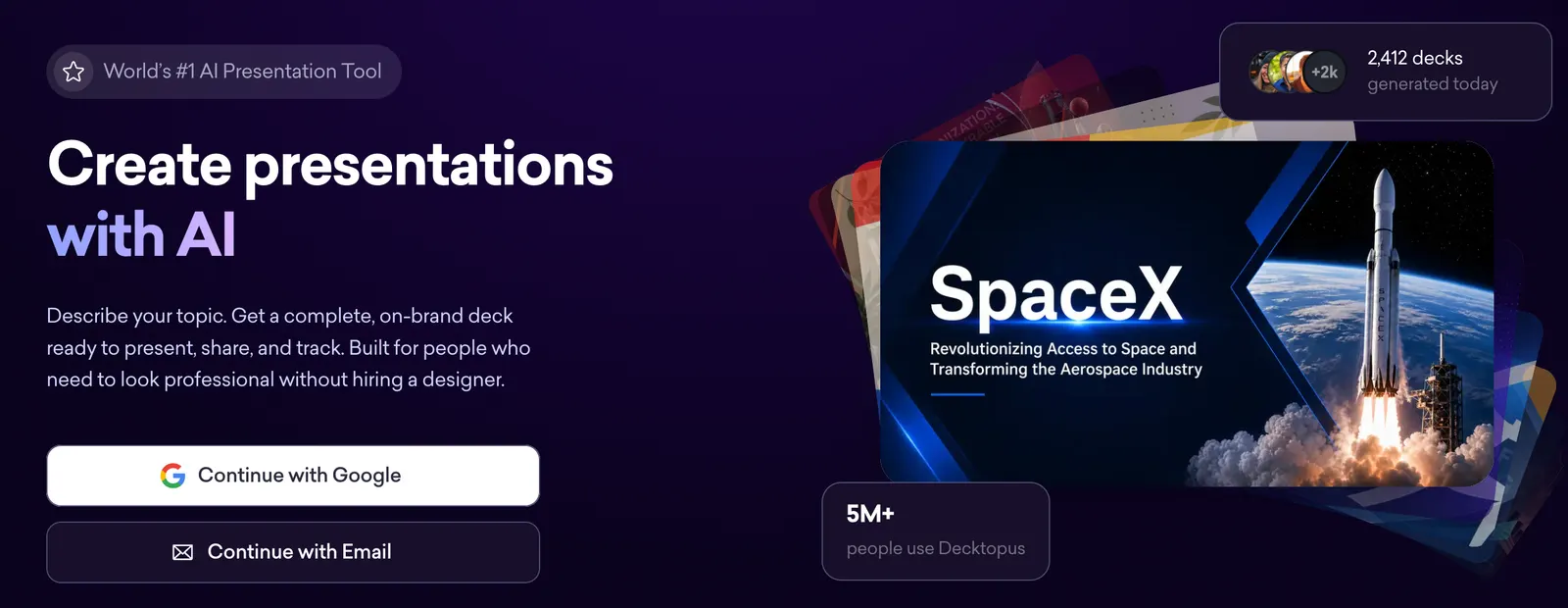
🔎 What Is Decktopus AI?
Decktopus is an online presentation platform founded in 2019. The company introduced its AI presentation-generation capabilities in 2023, expanding its original presentation-building workflow with automated content creation and design assistance.
The product is built around a straightforward idea: users should be able to turn an idea into a usable presentation without having to design every slide manually. It can help organize information, generate slide content, apply visual layouts, and prepare presentations for sharing or delivery.
Decktopus AI is particularly useful for people who create presentations regularly but do not consider themselves professional designers. Sales teams, educators, consultants, marketers, founders, and students can use it to prepare pitch decks, training materials, proposals, reports, and educational presentations.
The platform reports more than four million users worldwide. This is a company-reported figure rather than an independently audited measure of active users. Public information does not provide a reliable breakdown of monthly active users or adoption by individual countries.
🧰 Key Features of Decktopus AI
1. AI Presentation Generation
Users can enter a topic or describe the presentation they need. Decktopus AI uses that information to create a draft presentation with a suggested structure, slide content, and visual layouts. This can reduce the time spent planning a deck from scratch, particularly when the subject is already reasonably clear.
2. AI-Assisted Slide Editing
After generating a presentation, users can refine individual slides with AI-assisted editing. They can improve wording, adjust content, or request changes rather than rebuilding the entire deck. This is useful when a first draft is broadly correct but needs a more professional tone or a clearer explanation.
3. Brand Kit and Automatic Branding
Decktopus includes branding features that help users maintain a consistent visual identity. Its Brand Kit can use information from a website URL to help establish brand styling. Teams can use these controls to make presentations more consistent with their company colors, fonts, and overall visual direction.
4. Loop AI Delivery Coach
Creating slides is only part of preparing a presentation. Decktopus also offers Loop, a presentation-practice feature designed to help users rehearse their delivery. Depending on the workflow, users can practice speaking, respond to simulated audience questions, and receive feedback related to pacing and clarity.
5. Presentation Templates and Layouts
Predefined layouts help users organize information into readable slides. Rather than manually positioning every element, users can start with a suitable structure and customize it. Templates can be particularly useful for recurring business presentations, educational content, and sales materials.
6. Presentation Sharing
Decktopus supports one-click sharing, making it easier to distribute presentations to colleagues, clients, or audiences. Sharing a presentation can be more convenient than sending multiple files back and forth, especially when the deck is still being refined.
7. Export Options
Paid plans include export options such as PDF, PowerPoint, and PNG, subject to the plan and current product limitations. PDF works well for distributing a finished document, PowerPoint is useful when further editing is required in Microsoft's presentation software, and PNG can help when individual slides need to be reused in other content.
8. Presentation and Carousel Creation
The platform can also support carousel-style content. This makes it useful for people who want to adapt ideas into shareable visual posts, educational slides, or marketing content instead of creating only traditional presentation decks.
✨ What Makes Decktopus AI Different?
Decktopus AI's main advantage is the way it combines presentation creation with preparation for the actual presentation. Many tools focus primarily on generating slides. Decktopus also offers branding controls, sharing workflows, and a presentation-practice feature.
Less Time Spent on the First Draft
Starting with a generated outline and slide structure can be faster than working from a blank file. Users can spend more time checking the message and less time arranging basic layouts.
A More Consistent Brand Appearance
Branding tools can be helpful for organizations that produce presentations frequently. Instead of adjusting colors and styles on every slide, users can establish a more consistent visual direction.
Support Beyond Slide Creation
Loop adds a rehearsal component to the workflow. For someone preparing a sales pitch, class presentation, or client meeting, practicing the delivery may be just as important as improving the slides themselves.
Accessible to Non-Designers
Decktopus is designed to simplify presentation production. Users who have a clear idea but limited design experience can use its automated structure and layouts to get started more quickly.
These advantages do not mean every generated deck is ready to present without review. AI-generated content may still need fact-checking, restructuring, and visual adjustments, especially for technical, financial, academic, or high-stakes business material.
💡 What Can You Use Decktopus AI For?
Business Presentations
Professionals can create internal updates, project proposals, quarterly summaries, business plans, and client presentations. AI generation is most helpful when the user can provide a clear objective and the main points that need to be covered.
Sales and Marketing
Sales teams can prepare product introductions, service proposals, and pitch decks. Marketing teams can turn campaign ideas into presentations or carousel content. Branding controls may help maintain a consistent look across materials.
Education and Training
Teachers, trainers, and students can use Decktopus AI to develop lesson slides, workshop materials, course introductions, and study presentations. Users should still verify factual claims and ensure that explanations are appropriate for their audience.
Startup Pitch Decks
Founders can use the platform to prepare an early draft of a startup presentation, including sections about the problem, proposed solution, market, business model, and growth strategy. However, market figures and financial projections should come from reliable research rather than being accepted simply because an AI tool generated them.
Personal Projects and Public Speaking
Individuals can create presentations for community events, portfolio introductions, conference talks, or personal projects. The presentation-practice features may also help users prepare before speaking in front of an audience.
📝 How to Use Decktopus AI
- Define your presentation goal. Decide whether you are creating a business proposal, lesson, sales pitch, report, or another type of presentation.
- Describe the topic. Enter a specific prompt explaining the subject, intended audience, purpose, and key information that must be included.
- Generate the initial deck. Let Decktopus AI propose a structure and create the first version of the slides.
- Review the outline and content. Check whether the presentation follows a logical order and whether important information is missing.
- Edit individual slides. Use the available editing tools to improve wording, remove unnecessary content, and clarify complicated ideas.
- Adjust the branding and design. Apply suitable colors, fonts, and visual styles to make the presentation consistent with your needs.
- Practice the delivery. Where available, use Loop to rehearse the presentation and review feedback on your delivery.
- Share or export the final version. Choose the appropriate sharing or export option for your audience and workflow.
The most important step is reviewing the generated content. A presentation can look polished while still containing weak arguments, unsupported statistics, or repetitive slides. Treat the AI-generated deck as a starting point, not as a substitute for subject knowledge.
🎯 Tips for Getting Better Results
The quality of an AI-generated presentation depends heavily on the information supplied by the user. A short prompt such as “make a marketing presentation” leaves too many decisions to the system. A more detailed prompt can produce a much more useful first draft.
Example Prompt for a Business Presentation
Create a 10-slide presentation for a business audience about our new project management service.

Audience: Operations managers at small and medium-sized businesses.
Goal: Explain the problem, introduce our solution, and encourage a product demonstration.
Tone: Clear, practical, and professional.
Structure:
1. Title and main message
2. Current workflow challenges
3. Common problems and their business impact
4. Our proposed solution
5. Key features
6. Example workflow
7. Expected benefits
8. Implementation process
9. Frequently asked questions
10. Next steps

Keep each slide concise. Use specific examples instead of generic claims.
Do not invent customer testimonials, performance statistics, or financial results.
Use a clean, consistent visual style.
Practical Ways to Improve a Deck
- Specify the audience instead of describing only the topic.
- Give the presentation a clear purpose, such as explaining, persuading, teaching, or reporting.
- Set a target slide count and describe the sections you want.
- Ask for concise slide text and detailed speaker notes when supported.
- Provide brand colors or visual preferences if consistency matters.
- Tell the system which facts must not be invented.
- Review every statistic, quotation, and external claim before presenting.
🌐 How to Access Decktopus AI
Decktopus AI is primarily a browser-based presentation platform. Users can access its presentation workflow online rather than relying on a traditional desktop installation process. Its paid-plan feature descriptions also mention mobile access.
To get started, open the service in a supported browser, create or access an account, and follow the presentation-generation workflow. Exact access options and feature availability may vary by account type and product updates.
If you need a file that can be edited in another presentation application, check the export options available to your plan before building a large project. Do not assume that every feature available in the web editor will be preserved perfectly in every exported format.
💰 Decktopus AI Pricing
Decktopus uses a freemium-style entry point alongside paid subscriptions. Its pricing and credit allowances can change, so users should confirm the current terms during checkout.
Free Access
New users can try creating a first presentation for free. The free experience has limitations, including restrictions on exporting and a Decktopus watermark. It is best treated as a way to evaluate the workflow rather than a complete solution for professional distribution.
Pro Plan
The published Pro pricing has included the following billing options:
- Annual billing: $9.99 per month, billed at $119.88 per year.
- Three-month billing: $19.99 per month, billed at $59.97 every three months.
- Monthly billing: $24.99 per month.
Published Pro features include 750 AI credits per month, presentation and carousel creation, export options, sharing, presentation-practice features, version history, and mobile access. Plan details and limits may change.
Business Plan
The Business plan is aimed at teams that need collaboration and additional business-oriented capabilities. Published feature descriptions have included 1,000 AI credits per seat per month, team collaboration, custom domains, presentation analytics, and lead collection options. Some third-party listings have reported annual and monthly prices, but the final amount should be verified directly because prices and plan packaging may change.
Enterprise Plan
Enterprise is intended for organizations with more specific requirements. Pricing is generally provided through a customized quotation rather than a single standard public price.
How AI Credits Work
Decktopus uses AI credits for certain generation and editing operations. Its help documentation has listed a cost of five credits for generating one slide and five credits for an AI-assisted slide edit. Additional credit packs have also been offered. Since credit consumption can affect the total cost of frequent use, check the current credit rules before choosing a plan.
Is Decktopus AI worth paying for? It may be worthwhile if you create presentations regularly and benefit from automated slide generation, brand consistency, and rehearsal tools. If you only make a presentation occasionally, test the free workflow first and compare the export restrictions with your actual needs.
👥 Who Should Use Decktopus AI?
- Business professionals: People who frequently prepare project updates, proposals, reports, and client presentations.
- Sales and marketing teams: Teams that need repeatable presentation formats and consistent brand styling.
- Educators and students: Users who need a starting point for lessons, workshops, or academic presentations.
- Startup founders: Entrepreneurs preparing an early pitch deck or explaining a product concept.
- Consultants and freelancers: Professionals who produce presentations for multiple clients or projects.
- People who want to improve public speaking: Users who may benefit from presentation rehearsal and delivery feedback.
Decktopus AI may be less suitable for users who require complete manual control over every visual detail, highly complex slide animations, or specialized presentation workflows. Those users may prefer a conventional presentation editor or a combination of AI generation and manual design.
🌍 Global Reach and Usage
Decktopus reports a user base of more than four million people worldwide. This suggests that the platform has reached a substantial audience, although the figure does not tell us how many users are active each month, how often they create presentations, or how usage is distributed by country.
Presentation software serves a broad international market. Potential users include businesses, educators, students, independent professionals, and organizations that communicate through slides. Decktopus's browser-based workflow can make it accessible to people working across different locations, provided the service is available to them and their internet connection is reliable.
Publicly available information does not establish a dependable country-by-country ranking of Decktopus users, nor does it provide a consistently verified download count. Because Decktopus is primarily a web-based service, app-store download figures would not, on their own, provide a complete measure of its adoption.
⚖️ Pros and Cons of Decktopus AI
Pros
- Generates an initial presentation from a topic or prompt.
- Reduces the amount of manual work required to create basic slide layouts.
- Offers branding tools for more consistent presentation design.
- Includes presentation-practice features through Loop.
- Supports sharing and common export formats on eligible paid plans.
- Can be useful for business, educational, marketing, and sales presentations.
Cons
- Generated content still requires human review and fact-checking.
- Users may need to refine the structure and design to match specific requirements.
- Free access has important restrictions, including export limitations and a watermark.
- Credit-based generation and editing can make costs less predictable for heavy users.
- Users who need advanced manual control may prefer a traditional presentation editor.
- Exported files may not reproduce every aspect of the online editing experience.
Overall, Decktopus AI is strongest when speed and ease of use matter more than absolute design control. It can shorten the path from an idea to a first draft, but the quality of the final presentation still depends on the information, judgment, and editing supplied by the user.
🔍 Decktopus AI vs. Gamma vs. Canva vs. PowerPoint
Decktopus AI vs. Gamma
Decktopus AI emphasizes presentation generation, branding, sharing, and presentation rehearsal. Gamma is known for AI-assisted creation of web-native presentations and documents. If your priority is quickly building a presentation and practicing its delivery, Decktopus is worth considering. If you prefer a flexible, web-oriented format for presenting ideas and sharing interactive content, Gamma may be a better fit.
Decktopus AI vs. Canva
Canva offers a broader visual-design environment that extends beyond presentations to social posts, posters, documents, and many other assets. Decktopus is more focused on the presentation workflow. Choose Canva if you want one design platform for many content types; consider Decktopus if you prefer a presentation-focused process with AI generation and rehearsal features.
Decktopus AI vs. Microsoft PowerPoint
PowerPoint is a mature presentation editor with extensive manual editing and established workplace workflows. It is often a strong choice for complex slides, detailed formatting, and teams that already rely on Microsoft 365. Decktopus can be useful when you want AI to help generate the first draft quickly. Some users may benefit from generating a draft in Decktopus and then exporting it for further editing in PowerPoint.
Comparison at a Glance
| Tool | Main Strength | Best For | Potential Limitation |
|---|---|---|---|
| Decktopus AI | AI presentation generation and delivery practice | Business decks, proposals, and users who want guided creation | AI credits and plan restrictions need consideration |
| Gamma | AI-assisted web-native presentations and documents | Idea sharing, visual storytelling, and online presentations | Its workflow may differ from traditional slide-based editing |
| Canva | Broad visual design tools and templates | Presentations and a wide range of marketing or social content | Its wider feature set may be unnecessary for presentation-only tasks |
| Microsoft PowerPoint | Detailed slide editing and established office workflows | Complex presentations and organizations using Microsoft 365 | Creating a polished deck from scratch can require more manual work |
No single tool is best for every user. Compare the quality of generated slides, editing flexibility, export requirements, collaboration features, and total cost using a real presentation from your own workflow.
🔐 Privacy and Data Considerations
Before uploading business or personal information to an AI presentation tool, review the service's current privacy policy, data-processing terms, and account settings. Decktopus has stated in its pricing information that user data is excluded from AI training by default, but users should verify the current policy and any applicable exceptions before relying on that statement for sensitive work.
For confidential presentations, avoid including customer records, financial details, internal credentials, or other sensitive information unless your organization's policies permit it and the service's terms meet your requirements. Business and enterprise users should also confirm available administrative controls, sharing permissions, and data-retention practices.
📊 A Practical Example: Creating a Product Pitch
Imagine a small software company preparing a 10-minute presentation for potential customers. The team needs to explain a problem, demonstrate its product, and encourage prospects to schedule a demo.
- Start with a prompt that defines the audience, product, presentation goal, and desired slide count.
- Generate the initial outline and check whether it follows a persuasive sequence.
- Replace generic descriptions with verified product capabilities and real examples.
- Apply the company's branding and remove unnecessary visual elements.
- Check that each slide communicates one main idea.
- Practice the delivery and identify sections that are too long or unclear.
- Export or share the final presentation using the options available in the account.
In this example, the biggest time saving may come from generating the first outline and basic slide structure. The team still needs to supply the product knowledge, evidence, and customer understanding that make the presentation persuasive.
📈 Decktopus AI for Content and Business Workflows
Decktopus AI can also fit into content workflows where information needs to be repackaged for different audiences. A research summary, product explanation, or training document can serve as the starting point for a presentation, provided the user has the necessary rights to use the source material and checks the generated output.
For teams producing presentations repeatedly, a useful workflow is to standardize the prompt, required sections, brand rules, and review checklist. This makes it easier to compare drafts and maintain consistency across departments or clients.
For search-focused or educational presentations, use clear terminology, answer the audience's main questions, and cite credible sources within the slides when factual claims require support. AI generation can help organize information, but it should not replace source verification or editorial judgment.
✅ Final Verdict: Is Decktopus AI Worth Trying?
Decktopus AI is a practical option for people who want to create presentations faster without starting from a blank slide. Its main strengths are AI-assisted deck generation, brand consistency, sharing, export options, and the additional presentation-practice workflow provided by Loop.
It is especially worth testing if you regularly prepare sales decks, business proposals, training presentations, or educational slides. Users who need highly detailed manual design control may still prefer PowerPoint, while people creating a wide range of visual assets may find Canva more versatile. Gamma is another option for users who prefer web-native presentation and document formats.
The best way to judge Decktopus AI is to create one real presentation using your own topic. Check the quality of the outline, the accuracy of the content, the amount of editing required, the export quality, and the total credit consumption. Those factors will tell you more than a feature list alone.
❓ Frequently Asked Questions
Is Decktopus AI free?
Decktopus offers a free way to try presentation creation, but the free experience has limitations. Exporting may be restricted, and presentations may contain a Decktopus watermark. Check the current plan details before using it for professional distribution.
Can Decktopus AI create a presentation from a prompt?
Yes. Users can describe a topic and presentation requirements, and the platform can generate an initial deck. The result should still be reviewed and edited before use.
Can I export Decktopus presentations to PowerPoint?
PowerPoint export has been included in paid-plan feature descriptions. Availability and export limits can depend on the current subscription, so confirm the options shown in your account.
Does Decktopus AI support branding?
Yes. Decktopus provides branding features, including a Brand Kit and automatic branding workflows, to help users maintain a consistent presentation style.
What is Loop in Decktopus?
Loop is Decktopus's AI presentation-practice feature. It is designed to help users rehearse, work through simulated audience questions, and receive feedback on aspects of their delivery.
How many AI credits does Decktopus provide?
The published Pro plan has included 750 AI credits per month, while the Business plan has listed 1,000 credits per seat per month. Credit allowances and usage rules may change, so check the current plan information.
Is Decktopus AI suitable for professional presentations?
It can be suitable for professional presentations, especially when speed and consistency matter. However, users should verify facts, refine the messaging, and check the design before presenting to customers, executives, or other important audiences.
Is Decktopus AI better than PowerPoint?
That depends on the task. Decktopus AI can help generate a first draft quickly, while PowerPoint offers extensive manual editing and established office workflows. Some users may benefit from using both tools in the same workflow.
Who is Decktopus AI best for?
It is a good candidate for business professionals, marketers, sales teams, educators, students, consultants, and founders who need to create presentations regularly and want help with drafting and design.
Comments