

DeepAI Review: Features, Pricing, AI Image Generator, and Alternatives
DeepAI is an all-in-one artificial intelligence platform that offers AI image generation, conversational AI, photo editing, video creation, music generation, voice chat, and developer APIs. Instead of focusing on a single task, it brings several AI-powered tools together in one place. Users can generate images from text prompts, explore ideas with an AI chatbot, edit existing pictures, and integrate selected AI functions into their own applications.
What makes DeepAI interesting is its combination of accessibility and variety. It offers free access to selected tools, alongside a paid Pro subscription for users who need higher usage limits and additional capabilities. However, having multiple tools in one platform does not necessarily mean every feature will outperform a specialist alternative.
This review examines DeepAI's main features, practical applications, pricing, installation options, advantages, limitations, and alternatives. It is intended for people who want to understand what DeepAI can realistically do before making it part of their daily workflow.
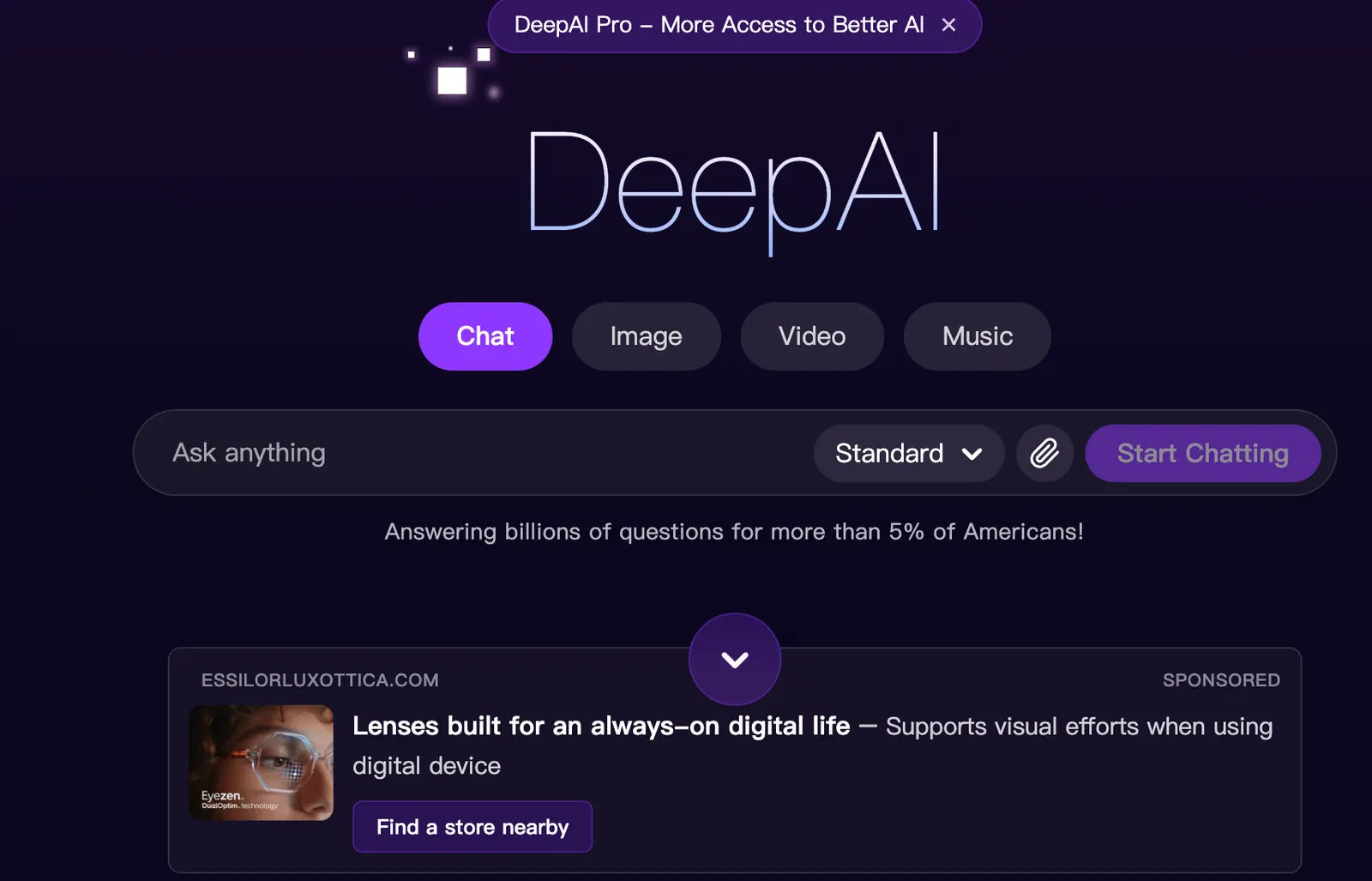
🔎 What Is DeepAI?
DeepAI is an AI software platform developed by Deep AI, Inc. The company says it began in late 2016, initially offering a browser-based text-to-image generator and other accessible AI tools. Over time, the platform expanded into a broader collection of generative AI and image-processing services.
Today, DeepAI offers a range of capabilities, including AI image generation, chatbot conversations, image editing, background removal, image enhancement, video generation, music generation, voice chat, and developer APIs. Availability and usage limits vary by feature and subscription.
The platform's main goal is to make AI tools easier to access. Rather than subscribing to separate services for every creative task, users can explore several different capabilities through one account and interface.
DeepAI is particularly relevant to casual users, content creators, students, small businesses, and developers who want to experiment with AI-generated content or add supported AI functions to an application.
What Problems Does DeepAI Solve?
- Creating images from text without traditional illustration skills.
- Getting help with writing, brainstorming, explanations, and everyday questions.
- Editing images through text-based instructions.
- Removing image backgrounds and improving image clarity.
- Experimenting with AI-generated video, music, and voice conversations.
- Integrating supported AI image tools into websites and applications through APIs.
One important clarification: DeepAI is not the same product as DeepSeek. Although their names look similar, they are separate AI platforms with different services and product ecosystems.
🧰 Key Features of DeepAI
1. AI Image Generator
DeepAI's image generator turns written descriptions into visual content. Users can describe a subject, setting, lighting, composition, mood, or artistic style and generate an image based on that prompt.
Possible applications include blog illustrations, social media graphics, concept art, creative experiments, and early-stage marketing visuals. Different generation styles and quality options may be available, depending on the current product offering and account limits.
For better results, provide a clear description instead of entering only a subject. For example, “a vintage red bicycle leaning against a brick wall on a rainy city street, soft afternoon light, documentary photography” gives the model more direction than simply asking for a bicycle.
2. AI Chatbot
DeepAI's chatbot supports conversational tasks such as answering questions, explaining concepts, brainstorming ideas, rewriting text, and drafting content. It can be useful when you need a quick starting point rather than a fully developed research report.
A student might ask for a complicated concept to be explained in plain English. A marketer might request several headline ideas, while a small business owner might use it to draft a product description.
As with other AI chatbots, its responses can contain mistakes or unsupported claims. Important information should be checked against reliable sources before being used in academic, professional, financial, or other high-stakes situations.
3. AI Photo Editor
The AI photo editor allows users to upload an image and describe the changes they want to make. Depending on the available editing mode, this can include modifying a background, changing the appearance of an object, or experimenting with a different visual style.
This approach can be easier than learning a complex image-editing application for simple tasks. It is useful for quick creative experiments, draft marketing visuals, and basic image variations.
Results are not always precise. Fine details, faces, text, transparent objects, and complicated product shapes may change unexpectedly, so users should inspect the final image carefully.
4. Background Removal and Image Enhancement
DeepAI offers image-processing tools that can remove backgrounds or improve the apparent resolution and clarity of an image. These functions can help prepare visuals for product pages, presentations, blog posts, and other online content.
Background removal is particularly useful when a subject needs to be isolated from its original setting. Image enhancement may help with smaller or lower-resolution pictures, although it cannot reliably recover every detail that was missing from the original file.
5. AI Video Generation
DeepAI includes an AI video generator for creating short visual clips from prompts and supported source inputs. It can help users explore motion, develop early storyboards, or experiment with creative video concepts without starting in a traditional editing timeline.
Potential uses include social media experiments, visual storytelling, and concept previews. Generated video may still contain inconsistencies in movement, object appearance, and scene continuity. Professional content should be reviewed before publication.
6. AI Music Generation
The platform also offers AI music generation. Users can experiment with generated music for personal projects, video concepts, and other creative work.
Before using generated music commercially, check the current terms governing commercial use, distribution, and any restrictions that apply to the relevant subscription or output.
7. AI Voice Chat
DeepAI provides voice-chat functionality that lets users interact with AI through spoken conversation. This may be convenient for quick questions, brainstorming, or situations where typing is inconvenient.
Voice functionality and usage limits may vary by plan. Avoid sharing confidential information unless you have reviewed the platform's current privacy terms and confirmed that the service is appropriate for your needs.
8. Developer APIs
DeepAI offers APIs that developers can use to integrate supported AI functions into their own applications. Available use cases include image generation and image-processing tasks.
API access can be useful for websites, internal tools, and content workflows that need automated image creation or processing. Developers should review the current API documentation, authentication requirements, rate limits, and pricing before deploying an integration in production.
✨ What Makes DeepAI Different?
DeepAI's main distinction is its range of tools. It is not limited to image generation or conversational AI. Instead, it brings several creative and productivity functions into a single platform.
Multiple AI Tools in One Place
A content creator might need help brainstorming an article, generating an illustration, and editing a picture. DeepAI can support several of these tasks without requiring the user to switch between multiple services. That convenience can matter more than having the most advanced feature in every category.
An Accessible Starting Point
Selected features are available for free, which makes it easier for new users to experiment before committing to a subscription. Some tools may also offer limited use without registration.
Simple Text-to-Image Workflow
The image-generation process is relatively straightforward: describe the image, choose the available settings, and generate a result. Users do not need extensive design experience to start exploring visual ideas.
API Access for Developers
DeepAI is not only for people using AI through a website. Its APIs let developers connect supported capabilities to their own software, opening up use cases that go beyond manual image creation.
A Subscription That Covers Multiple Categories
The Pro plan combines several tools and monthly allowances. For users who regularly generate images, edit photos, chat with AI, and experiment with multimedia, a bundled subscription may be more convenient than managing multiple separate accounts.
The trade-off is straightforward: broad coverage does not guarantee specialist-level performance. Users with demanding requirements for image control, professional retouching, advanced reasoning, or complex software development should test the relevant features against dedicated alternatives.
💡 Practical Use Cases for DeepAI
Writing and Content Creation
The chatbot can help brainstorm article topics, prepare outlines, rewrite paragraphs, summarize supplied material, and generate initial drafts. Writers can also create illustrations to accompany blog posts or online publications.
For publication-ready content, the first draft should be edited. Add specific examples, verify facts, and remove generic statements that do not provide real value to readers.
Graphic Design and Visual Brainstorming
Designers can use DeepAI to explore visual directions, generate mood-board material, and produce draft illustrations. People without professional design experience can also create basic images for personal projects.
For logos, packaging, and final brand assets, precise control may be necessary. Treat AI-generated images as concepts or starting points when exact typography, composition, and brand consistency are important.
Marketing and Social Media
Marketing teams can use the chatbot to brainstorm campaign messages, write draft captions, and develop content ideas. The image generator can provide visual concepts for social posts, blog illustrations, and promotional campaigns.
For product advertising, inspect the generated image carefully. AI can alter product shapes, labels, buttons, or other details. A polished-looking image is not useful if it misrepresents the product being sold.
Education and Learning
Students can use DeepAI to explore unfamiliar topics, ask for simpler explanations, brainstorm assignments, and create supporting visuals. Teachers may use it to develop illustrations or prepare draft learning materials.
AI should support learning rather than replace it. Verify factual information, follow academic policies, and avoid submitting unreviewed generated content as independent work when that violates institutional rules.
Programming and App Development
The chatbot can help explain code, suggest pseudocode, and brainstorm approaches to basic programming problems. Developers can also use DeepAI's APIs to add supported image-generation and image-processing functions to an application.
For complex debugging, large codebases, or advanced agent-based development, compare DeepAI with dedicated coding assistants. API users should evaluate response times, reliability, usage costs, and error handling before deploying the service to customers.
Office Work and Presentations
Office workers can use the chatbot to draft emails, organize non-sensitive notes, brainstorm presentation outlines, and summarize supplied text. Generated images can also help illustrate training materials or internal presentations.
Before uploading business documents, check company policy and the platform's privacy terms. Free access should not be treated as automatic approval for confidential corporate data.
Small Business and E-Commerce
Small businesses can experiment with promotional visuals, blog images, product concepts, and social media content without immediately hiring outside help. E-commerce sellers may find image generation useful for developing advertising concepts and lifestyle scenes.
Keep actual product listings accurate. Generated backgrounds may be useful, but changing the product itself can mislead customers or conflict with marketplace requirements.
📝 How to Use DeepAI Step by Step
Step 1: Open DeepAI
Open the platform in a modern web browser and choose the tool that matches your task, such as the image generator, chatbot, or photo editor.
Step 2: Create an Account if Needed
Some features can be tested without signing up. An account may be required for subscriptions, saved work, advanced features, or usage management. If you plan to use the platform regularly, an account can make it easier to track your plan and spending.
Step 3: Sign Up or Log In
Follow the registration process provided by the platform. If you already have an account, log in before using account-specific features or managing billing information.
Step 4: Choose the Right Tool
Select the tool based on the result you need. Use image generation to create a new illustration, image editing to modify an existing picture, and the chatbot to work through a written question.
Step 5: Write a Clear Prompt
Explain what you want to achieve and include relevant details. For an image, describe the subject, setting, lighting, composition, and style. For a chatbot task, explain the purpose, audience, constraints, and desired format.
Step 6: Generate and Review
Generate the first result and check it against your requirements. If it is close but not quite right, adjust one or two parts of the prompt. Making small, deliberate changes is often more useful than rewriting the entire request each time.
Step 7: Download or Continue Editing
Use the available download, editing, or sharing options. The exact features may depend on the tool, account status, output type, and current subscription.
Step 8: Check Usage Limits
If you use DeepAI regularly, monitor your monthly allowances and prepaid wallet. Additional usage may incur charges after included limits are reached. Check your account settings before enabling automatic top-ups.
🎯 Tips for Better DeepAI Results
The quality of an AI result depends heavily on the instructions you provide. A vague prompt forces the model to make assumptions. A specific prompt gives it a clearer direction and usually reduces the amount of editing required afterward.
1. Explain the Goal
Instead of writing “make an image,” describe how you intend to use it. For example, ask for a clean hero image for a small business website selling handmade ceramic mugs.
2. Include the Audience
For writing tasks, identify who will read the content. A sales email, a classroom explanation, and a technical guide require different levels of detail and different language.
3. Specify the Format
Ask for a checklist, table, outline, short paragraph, or step-by-step explanation when you have a preferred format. This can reduce the need to reorganize the output manually.
4. Give Image Prompts Visual Detail
Useful details include the subject, environment, lighting, camera angle, composition, color palette, mood, and artistic style. Avoid combining contradictory instructions that make the intended result unclear.
5. Refine One Thing at a Time
If an image has the right subject but the lighting is wrong, adjust the lighting instruction. If a written answer is too long, ask for a shorter version that preserves the key points. Changing one major variable at a time makes results easier to evaluate.
6. Verify Important Information
AI-generated text may contain incorrect dates, statistics, or explanations. Generated images may also contain distorted details. Review anything that will be published, presented to customers, or used to make important decisions.
Example Prompt for Writing
Create a practical article outline about using AI image generators for small business marketing.

Audience: Small business owners with limited design experience.
Purpose: Explain realistic use cases and common mistakes.
Tone: Clear, conversational, and practical.

Include:
- Five real-world use cases
- Three common limitations
- A beginner-friendly workflow
- Examples that do not require expensive software

Avoid exaggerated claims. Do not invent statistics or sources.
Use descriptive headings and concise bullet points.
Example Prompt for Image Generation
Create a product lifestyle image featuring a handmade ceramic coffee mug on a light oak table.

Setting: A quiet modern kitchen in the early morning.
Lighting: Soft natural window light with realistic shadows.
Composition: The mug is the main subject, slightly right of center, with clear space on the left for website text.
Style: Editorial product photography with natural colors and realistic materials.
Mood: Calm, warm, and understated.
Avoid: Distorted objects, extra handles, visible text, logos, and cluttered backgrounds.
💻 DeepAI Installation and Platform Availability
Web Browser
The browser is the primary way to access DeepAI's online tools. Users can generate images, chat with AI, and edit visuals without installing a traditional desktop application. A modern browser and a stable internet connection are recommended.
Windows
Windows users can access DeepAI through a supported browser. This should not be confused with a dedicated native Windows application. Browser compatibility does not mean that every feature is available as a standalone desktop program.
Mac
Mac users can access the web platform through a browser. DeepAI has also presented a separate Mac-oriented product called DeepAI Code. Users looking specifically for desktop software should verify its current availability and feature set rather than assuming it includes every feature from the main website.
iOS and Android
Mobile users should check current official app listings and the available mobile experience in their region. App availability and feature coverage can change. If a verified official app is not available for your device, the browser version may be the simplest option.
Browser Extensions
A dedicated browser extension is not required to use the core web tools. Before installing an extension that claims to be associated with DeepAI, verify the publisher and requested permissions. Avoid granting unnecessary access to browsing history, web pages, or account information.
Developer API
Developers can integrate supported DeepAI functions through APIs. This is an integration method rather than a conventional desktop installation and requires appropriate authentication, implementation, and usage-cost management.
💰 DeepAI Pricing: Free Plan and Pro Subscription
DeepAI offers free access to selected features and a paid Pro subscription. Its pricing structure also includes a prepaid wallet for eligible usage beyond included monthly allowances. Because prices and usage rules can change, confirm the current details before purchasing a plan.
Free Plan — $0
The free tier lets users try selected tools with restrictions. Limits can apply to image generation, chatbot messages, music and video creation, and other capabilities. It is a reasonable starting point for occasional use or for testing whether the platform suits your needs.
DeepAI Pro — $9.99 per Month
The published Pro price has been $9.99 per month with monthly billing, or $89.99 per year with annual billing. The annual price works out to approximately $7.50 per month. Confirm the current checkout price and subscription terms before committing.
Published Pro allowances have included:
- 500 HD images, 60 Genius-mode images, and 10 Super Genius 2K images per monthly cycle.
- 2,000 standard chatbot messages, 250 Genius-mode messages, and 30 Super Genius messages.
- Included DeepAI Code usage, subject to the published allowance.
- Limited video generation and Hollywood Mode usage.
- Up to 100 AI-generated songs.
- Concierge tasks and AI Website Builder credits, subject to plan limits.
- Full photo-editor access and AI voice chat.
- API access and a prepaid wallet for eligible additional usage.
These are published plan allowances, not unlimited usage guarantees. Different tools consume resources differently, and higher-quality modes may have separate limits or costs.
Prepaid Wallet and Additional Charges
When included monthly allowances run out, eligible additional usage can be charged against a prepaid wallet. Users may be able to add funds manually or enable automatic top-up where supported.
DeepAI's published pricing has provided an example of one cent per additional standard HD image after the included allowance. Other tools and higher-quality modes may have different rates. Check the current price list rather than applying this example to every type of generation.
Business and Enterprise Use
DeepAI's public pricing is primarily organized around free access, Pro, and usage-based charges. Businesses can evaluate the subscription and API options, but should not assume that custom enterprise agreements, dedicated support, organization-wide administration, or specific service-level guarantees are included unless the provider explicitly confirms them.
Organizations with strict security, compliance, or support requirements should verify the available terms before adopting the service across a team.
Is DeepAI Pro Worth It?
Pro may be worth considering if you regularly use several DeepAI features. A bundled plan can be convenient for people who generate images, edit photos, chat with AI, and experiment with other media tools.
If you only need one specialized function, a dedicated alternative may offer better value or more control. Estimate your monthly usage and compare it with the included allowances before subscribing.
👥 Who Should Use DeepAI?
Students and Educators
Students can use DeepAI to explore topics, brainstorm project ideas, and create supporting visuals. Educators may use it to prepare draft illustrations and learning materials. Fact-checking and compliance with academic policies remain essential.
Content Creators and Bloggers
Writers and publishers can use DeepAI to develop outlines, generate draft text, and create supporting images. It works best as a production aid that complements original research and editorial judgment.
Designers and Creative Professionals
Designers can use DeepAI to explore concepts and produce early visual drafts. Those who need detailed manual editing, precise typography, complex layers, or consistent production assets may still need dedicated creative software.
Marketers and Small Businesses
Marketing teams and small business owners can use DeepAI to develop campaign ideas, generate visual concepts, and prepare draft content. It can be helpful when budgets are limited and quick experimentation is more important than perfect control.
Developers
Developers can evaluate DeepAI's API for supported image-generation and processing workflows. They should test output quality, latency, reliability, error handling, and costs before relying on it in a production application.
Everyday Users
People who want to ask questions, generate an image, or try AI editing can begin with the free tier. Many basic workflows do not require specialized technical or creative experience.
🌍 DeepAI's Global Reach and Website Traffic
DeepAI says its platform has served millions of users since its early text-to-image offering launched in 2016. This indicates broad reach, but it does not establish a verified count of monthly active users or paid subscribers.
Third-party analytics providers estimate website traffic using their own data and modeling methods. One such estimate for deepai.org reported approximately 14.64 million visits in August 2026. This figure should be understood as estimated website visits, not unique people, registered users, or the number of AI-generated outputs.
Traffic estimates can vary between providers because their measurement methods and reporting windows differ. They should not be treated as official company statistics.
Major Visitor Markets
Third-party traffic reports have identified the United States as an important visitor market for deepai.org. India, Bangladesh, South Korea, and the United Kingdom have also appeared among notable markets in some reports. The exact ranking and visitor share can change by month and provider.
Website traffic does not necessarily reveal the location of registered users, paying subscribers, or API customers. It is best used as a broad indication of online reach rather than a precise measurement of the customer base.
Downloads and App Usage
Because DeepAI is primarily web-based, app downloads do not provide a complete measure of its usage. Users can access online tools through a browser without installing a traditional desktop application. Public information does not establish a comprehensive, independently verified download total across all devices.
When publishing statistics about DeepAI, specify the source and reporting period. Avoid presenting estimated visits as official monthly active users or claiming a precise global market share without reliable supporting data.
⚖️ DeepAI Pros and Cons
Pros
- Broad tool selection: Image generation, chat, editing, video, music, voice, and API features are available in one ecosystem.
- Easy to try: Free access to selected features makes it possible to test the platform before paying.
- Simple image-generation workflow: Users can create visual concepts from text prompts without learning professional design software.
- Developer access: Supported AI functions can be integrated into websites and applications through APIs.
- Potential value for multi-tool users: A single subscription may be convenient for people who regularly use several features.
Cons
- Quality varies by task: Specialist products may offer better control or results for advanced image editing, complex research, and professional coding.
- Usage limits matter: Monthly quotas and additional wallet charges can make total costs harder to predict for heavy users.
- Human review is necessary: Text may contain errors, and generated images can have visual inconsistencies.
- Feature depth varies: Not every tool offers the same level of control or suitability for professional workflows.
Overall, DeepAI is a useful general-purpose AI toolbox for experimentation and everyday creative work. It is not automatically a replacement for every specialist product.
🔍 DeepAI vs. ChatGPT, Midjourney, Canva, and Adobe Firefly
DeepAI covers several different categories, so the best comparison depends on what you need most. A user focused on writing has different priorities from a professional image creator or a developer building an application.
DeepAI vs. ChatGPT
ChatGPT is a general-purpose AI assistant that supports writing, reasoning, coding, and other workflows depending on the available plan and features. DeepAI combines a chatbot with dedicated creative utilities, including image generation and image processing.
Choose ChatGPT if your main priority is a general assistant for complex conversations and knowledge work. Consider DeepAI if you want to experiment with several creative tools in one place. Compare current plan limits and test your actual tasks before deciding which offers better value.
DeepAI vs. Midjourney
Midjourney focuses primarily on AI image generation and visual creation. DeepAI offers image generation as part of a broader platform that also includes chat, editing, media tools, and APIs.
If image quality and visual control are central to your work, test both tools with the same prompts. If you need occasional images and also want access to other AI functions, DeepAI may be more convenient.
DeepAI vs. Canva
Canva is a visual design platform built around templates, layouts, brand assets, and content production. It is particularly useful for assembling finished presentations, social media graphics, and marketing materials.
DeepAI is more focused on generating or processing AI content through individual tools. Canva may be the better choice when you need an editable, polished design with text and layout controls. DeepAI can be useful for creating a visual concept that you later incorporate into a Canva project.
DeepAI vs. Adobe Firefly
Adobe Firefly focuses on generative creative features and integration with Adobe's creative ecosystem. It may be a better fit for designers who already work with Adobe applications and need a connected production workflow.
DeepAI is worth considering if you want a more general collection of AI tools without centering your workflow on professional creative software. The better choice depends on the level of editing control, integration, and output quality you need.
DeepAI vs. Dedicated Coding Assistants
DeepAI's chatbot can help with programming questions, and its APIs can support application development. However, developers working with complex codebases may prefer tools designed specifically for code completion, repository analysis, debugging, or agent-based development.
Comparison Table
| Tool | Main Focus | Key Strength | Best For | Pricing Model |
|---|---|---|---|---|
| DeepAI | Multiple AI tools | Image, chat, editing, media, and API functions in one ecosystem | Users who want a broad collection of AI utilities | Free access, Pro subscription, and eligible usage-based charges |
| ChatGPT | General-purpose AI assistance | Conversation, reasoning, writing, and coding workflows | Knowledge work and multi-step problem-solving | Free and paid plans |
| Midjourney | AI image generation | Visual creation and artistic styles | Creators focused on image generation | Subscription-based plans |
| Canva | Visual design and content production | Templates, layouts, and editable design assets | Marketing, presentations, and social media graphics | Free and paid plans |
| Adobe Firefly | Generative creative tools | Creative workflows connected to Adobe products | Designers and creative teams | Plan and credit options vary |
| Dedicated coding assistants | Software development | Code-focused workflows and development integrations | Developers working on larger software projects | Varies by provider |
Prices and feature limits change over time, and subscription allowances are not directly equivalent across products. Compare current plan details and test the same task on each platform rather than judging by the headline price alone.
🔐 Privacy, Copyright, and Responsible Use
Before uploading personal or business information to DeepAI, review its current privacy policy, terms of service, and data-handling practices. Do not assume that all account types have identical privacy protections or that information submitted to an AI service will automatically be treated as confidential.
For sensitive work, avoid uploading customer records, private financial details, internal credentials, or unreleased business information unless your organization's policies permit it and the service's terms meet your requirements.
DeepAI's image-generator information describes generated images as public domain and says they may be used commercially for lawful purposes. However, copyright rules vary by jurisdiction, and the legal status of AI-generated work can depend on the circumstances. Read the current terms before relying on an image for an important commercial project.
Commercial-use permission does not guarantee that every generated output is free from potential legal issues. Be careful with protected characters, brand logos, copyrighted source material, and realistic depictions of people or products that could mislead an audience.
For text, images, music, and video, review the output before publication. Check factual claims, confirm rights to source material, and make sure the content is appropriate for its intended audience.
✅ Final Verdict: Is DeepAI Worth Using?
DeepAI is worth trying if you want convenient access to several AI tools without immediately subscribing to multiple separate services. Its image generator, chatbot, photo editor, multimedia features, and developer APIs make it a flexible option for experimentation and everyday creative work.
Its main advantage is convenience. Users can move between different AI workflows within one ecosystem, test selected features for free, and consider Pro if their usage justifies the cost. This can be useful for independent creators, students, small businesses, and developers exploring image-related integrations.
The main limitation is that a broad platform is not necessarily the strongest option for every individual task. Professional designers may need more precise editing controls, developers may prefer dedicated coding assistants, and users who depend on complex research or advanced reasoning should compare specialized alternatives.
Our recommendation: Start with the free tier and test the two or three features you are most likely to use. Check the quality of the output, the amount of editing required, and the usage limits. If the results meet your needs and the monthly allowance is sufficient, the Pro plan may be worth considering.
In short, DeepAI is a practical general-purpose AI toolbox. It makes the most sense for users who value variety, convenience, and easy experimentation more than having the most advanced tool in every individual category.
❓ Frequently Asked Questions About DeepAI
What is DeepAI used for?
DeepAI supports AI image generation, chatbot conversations, photo editing, background removal, image enhancement, video generation, music generation, voice chat, and supported developer API integrations.
Is DeepAI free?
Yes. DeepAI offers a free tier with limited access to selected features. More extensive usage and certain advanced capabilities are available through the Pro subscription or eligible additional usage charges.
How much does DeepAI Pro cost?
The published price has been $9.99 per month with monthly billing or $89.99 per year with annual billing. The annual option works out to approximately $7.50 per month. Confirm the current price and plan allowances before subscribing.
Does DeepAI require an account?
Not for every feature. Some tools have offered limited access without registration, while subscriptions, saved work, advanced features, and usage management may require an account.
Is DeepAI the same as DeepSeek?
No. DeepAI and DeepSeek are separate AI products with different services and product ecosystems.
Can DeepAI generate images from text?
Yes. Its image generator converts written prompts into images and offers different styles and generation options. Results depend on the prompt, the selected mode, and the complexity of the scene.
Can DeepAI images be used commercially?
DeepAI's image-generator information states that generated images may be used commercially for lawful purposes. Review the current terms and applicable copyright rules before using an output in an important commercial project.
Does DeepAI offer an API?
Yes. DeepAI provides APIs for supported functions, including image generation and image processing. Developers should review current authentication, usage, and pricing requirements before integrating the service.
Can DeepAI replace Photoshop?
Not for every task. DeepAI's AI editing and enhancement tools can help with simple changes and quick experiments, while Photoshop offers more detailed manual control and a broader professional editing workflow.
Is DeepAI good for coding?
Its chatbot can help with programming questions and basic coding tasks, and its APIs can support application development. Developers working on complex projects should compare it with dedicated coding assistants and development environments.
Does DeepAI have a Windows or Mac application?
The main DeepAI tools are available through a web browser. DeepAI has also presented a Mac-oriented product called DeepAI Code. Verify current official availability and features for your device before installing any software.
How many people use DeepAI?
DeepAI says its platform has served millions of users since its early text-to-image offering launched in 2016. Third-party services estimate website visits, but these figures are not the same as official monthly active users or registered accounts.
Who should use DeepAI?
DeepAI is a reasonable choice for students, independent creators, small businesses, marketers, and developers who want convenient access to several AI tools. Users with highly specialized professional requirements should compare it with dedicated alternatives before committing to a paid plan.
Comments