
DeepL Review: Features, Pricing, Translation Quality, and How to Use It
DeepL is an AI translation and writing tool designed for people who need more than a word-for-word translation. It is useful for translating business emails, research papers, product pages, reports, and other content where tone and context matter. Its document translation, writing assistance, and business features make it relevant to individuals and international teams. But is DeepL worth paying for, and how does it compare with Google Translate and ChatGPT? This review looks at its practical strengths, limitations, pricing, and best use cases.
🌐 1. What Is DeepL?
DeepL is an AI language platform developed by DeepL SE, a German technology company headquartered in Cologne. The company was founded in 2017, and DeepL Translator became publicly available in August of that year. What began as an online translation service has expanded into a broader set of language tools for individuals, developers, and businesses.
DeepL's main purpose is to help people communicate across languages without losing too much of the original meaning, tone, or flow. It can translate text and documents, improve written communication, and support multilingual conversations. Businesses can also connect its translation technology to their own websites, applications, and content workflows.
Unlike a general-purpose AI chatbot, DeepL is built primarily around language tasks. Users can paste text, select a target language, and work directly with the result without writing a complicated prompt.
DeepL reports that its platform serves millions of individual users and more than 200,000 business teams. Its product range includes DeepL Translator, DeepL Write, DeepL Voice, and DeepL API.
🧰 2. DeepL's Main Features
1. AI Text Translation
The core feature translates text between supported languages while attempting to preserve context and natural phrasing. It is useful for emails, articles, messages, reports, product descriptions, and everyday reading. Users can examine alternative translations for selected words or expressions when the first result does not quite fit.
2. Document Translation
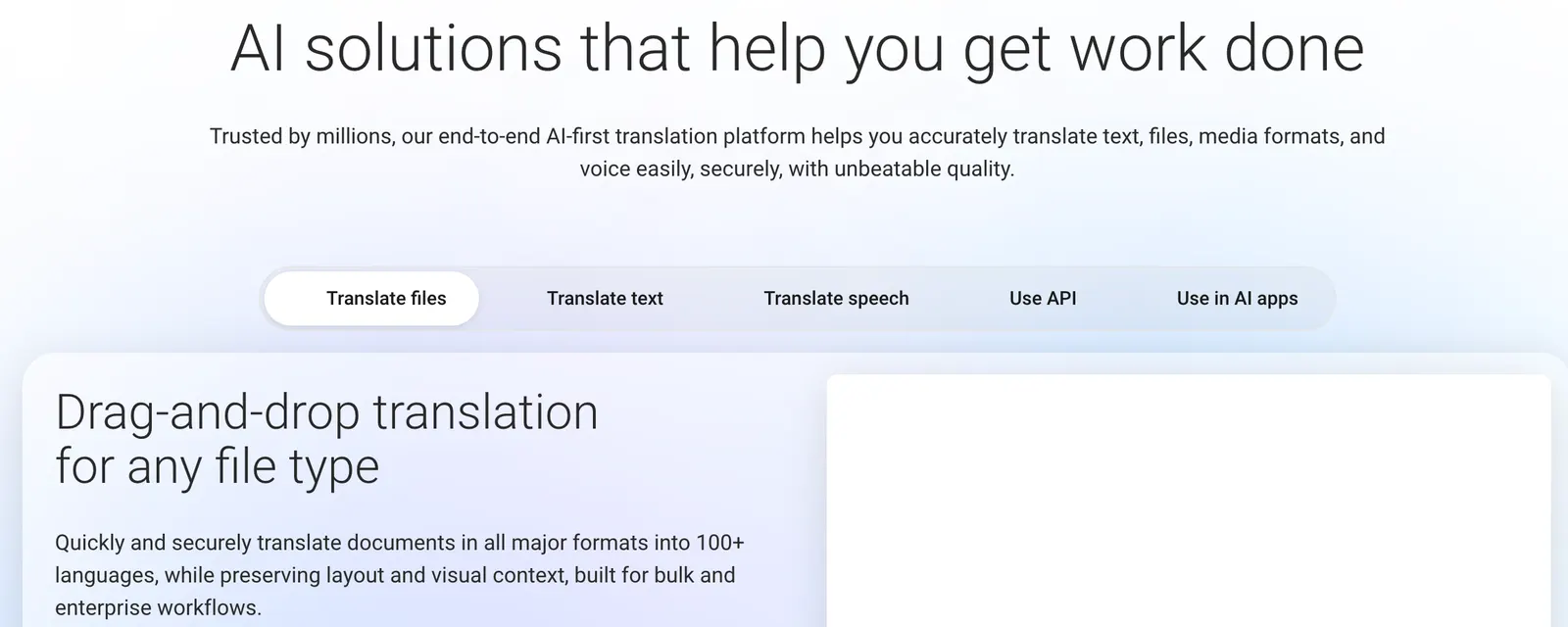
DeepL can translate supported documents, including common Microsoft Word and PowerPoint files, along with other supported formats. One practical advantage is that it can preserve much of the original formatting, reducing the need to rebuild headings, paragraphs, and layouts manually. File types, file sizes, and monthly quotas depend on the plan.
3. DeepL Write
DeepL Write helps users improve existing text rather than simply translate it. It can suggest corrections to grammar, spelling, punctuation, wording, and sentence structure. This is useful when an English sentence is technically correct but sounds awkward, overly formal, or unlike something a fluent speaker would normally write.
For example, a non-native English speaker can draft an email, use Write to improve the phrasing, and then make a final pass to ensure the message still reflects the intended meaning. Write supports several languages, although available features vary by language and plan.
4. Glossaries and Translation Customization
Glossaries let users specify how particular terms should be translated. This matters when working with product names, company terminology, technical expressions, or brand-specific wording. Instead of correcting the same term every time, users can establish consistent rules and reuse them across suitable translation tasks.
Paid plans offer additional customization options, such as shared glossaries and style rules, depending on the subscription tier.
5. Image Translation
For supported languages and image formats, DeepL can translate text contained in images. This can help when reading screenshots, signs, menus, or visual material containing foreign-language text. Results depend on image quality, text clarity, layout, and language support. Complex designs may still need manual editing after translation.
6. Dictionary and Alternative Phrasing
Translation is not always a matter of choosing the first result. DeepL provides word-level alternatives and other tools that help users examine different ways to express an idea. Depending on the feature and plan, users can also save translations and reuse frequently needed expressions.
These options are useful for people who regularly write in a second language and want to understand which phrasing fits a particular context.
7. DeepL Voice
DeepL Voice supports translated captions and multilingual conversations in supported products and configurations. It can be useful for international meetings, customer conversations, and teams that do not share a common working language. Voice capabilities and usage allowances depend on the product and subscription.
8. DeepL API
The API lets developers integrate DeepL's language technology into websites, applications, internal tools, and content systems. A business might use it to translate product descriptions, localize interface text, or automate parts of a multilingual publishing workflow. API access and billing are separate from many standard Translator subscriptions.
✨ 3. What Makes DeepL Different from Other AI Translation Tools?
DeepL's main selling point is not that it can translate a sentence. Google Translate and other services can do that too. Its appeal lies in how it handles context and phrasing, combined with tools that make repeated translation work easier to manage.
Natural-Sounding Translations
For many common language pairs, DeepL can produce fluent, readable sentences that require less rewriting than a literal translation. This can be particularly noticeable in business correspondence, explanatory writing, and longer passages. Quality still varies by language pair and subject matter, so DeepL should not be treated as universally superior for every translation.
Document Translation in One Workflow
Many people do not want to copy and paste a long report paragraph by paragraph. DeepL's file translation feature makes it possible to translate supported documents while retaining much of their layout. For office workers, researchers, and international teams, this can be more useful than a small difference in translation quality alone.
Tools for Consistency
Glossaries and style rules are valuable when a company needs the same product terminology and writing conventions across many documents. These controls help turn translation from a one-off task into a repeatable workflow.
A Focused Interface
DeepL is straightforward for users who already know what they want translated. It generally requires less prompt writing than using a conversational AI assistant for basic translation. That simplicity is an advantage for routine tasks, although it also means DeepL is not designed to replace a full writing, research, or reasoning assistant.
Business-Oriented Language Technology
DeepL offers subscriptions, administration features, security options, and API access for organizations with larger translation needs. For a company, its value may come less from translating one paragraph and more from making thousands of recurring language tasks consistent and manageable.
💼 4. Practical Use Cases: What Can You Do with DeepL?
Writing and Editing
Writers can translate drafts, improve sentences in another language, and check whether a piece of writing sounds natural. DeepL Write is most useful when the original content already contains the writer's ideas and needs language-level improvement. It is not a substitute for fact-checking, research, or developing an argument from scratch.
Business Communication
Sales teams, account managers, and customer support staff can translate emails, proposals, product instructions, and customer messages. A team that regularly communicates with customers in Germany, Japan, France, or other supported markets can use glossaries to keep important terminology consistent.
Marketing and E-Commerce
Marketing teams can translate product descriptions, campaign drafts, landing-page copy, and customer-facing messages for different markets. DeepL can provide a useful first version, but local reviewers should still check cultural references, search intent, product claims, and calls to action. A direct translation is not always effective localization.
Research and Education
Students and researchers can use DeepL to understand foreign-language papers, translate selected passages, and work through academic documents. It can make reading more efficient, but users should verify technical terminology and consult the original wording when a subtle distinction affects the interpretation of a study.
Software and Technical Documentation
Developers can translate user guides, release notes, interface strings, help-center articles, and technical documentation. DeepL API can also support automated localization. However, DeepL is not a coding assistant in the same sense as GitHub Copilot or ChatGPT. It does not replace code generation, debugging, or software architecture tools.
Design and User Experience
Designers and product teams can translate interface labels, onboarding screens, app descriptions, and user research materials. Short interface strings need special attention because a translation may be accurate but too long for a button or mobile screen. Test translated text in the actual layout before shipping it.
Travel and Everyday Communication
Individuals can translate messages, menus, notices, and other everyday text. Mobile apps and supported image or voice features can be convenient while traveling. For urgent, legal, medical, or safety-critical communication, users should not rely on machine translation alone.
🪜 5. How to Use DeepL: A Step-by-Step Guide
Step 1: Open the Web App
Open DeepL in a browser and choose the translation tool. Basic translation can be tried without a complicated installation process. Create an account if you want access to account-based features, subscription options, or additional workflow tools.
Step 2: Choose the Source and Target Languages
Select the language of your original text and the language you want to translate into. Automatic language detection is convenient for common text, but selecting the source language manually can help when the text is short, contains mixed languages, or includes unusual terminology.
Step 3: Enter Text or Upload a Supported File
For a short message, paste the text into the translation field. For a report or presentation, use document translation and select a supported file. Check the current file format, size, and usage limits before uploading a large document.
Step 4: Review the Translation
Read the translated result instead of copying it immediately. Check names, dates, figures, negations, technical terms, and statements that could have legal or financial consequences. If a word or phrase sounds wrong, examine available alternatives or revise the source sentence to make its meaning clearer.
Step 5: Use DeepL Write When Appropriate
If your goal is to improve an English email or article rather than translate it, use DeepL Write. Review the suggested wording and keep changes that improve clarity without changing your intended meaning.
Step 6: Download, Copy, or Reuse the Result
Copy the finished text into your document or download the translated file when that option is available. If you repeatedly translate the same terminology, consider creating a glossary instead of manually correcting every result.
Example: Translating a Business Email
- Write the original email in clear, direct language.
- Select the correct source and target languages.
- Translate the message with DeepL.
- Check the greeting, level of formality, deadlines, names, and requests.
- Use Write or another editing pass if the target-language version sounds unnatural.
- Read the final email once more before sending it.
The key is to treat DeepL as a language assistant, not as an automatic approval system. A short review can prevent an awkward or misleading message.
🧠 6. Tips for Getting Better Results from DeepL
Give It Clear Source Text
Translation quality depends partly on the original. If a sentence is vague, overloaded with abbreviations, or missing context, the translation may preserve that ambiguity. Split long, complicated sentences when necessary and spell out uncommon abbreviations on first use.
Translate Complete Thoughts, Not Isolated Words
Single words can have several meanings depending on context. When possible, translate a complete sentence or paragraph so DeepL has enough information to select the appropriate wording.
Use a Glossary for Repeated Terms
If you translate the same product names, technical expressions, or brand language every week, create a glossary where your plan supports it. This is one of the most practical ways to reduce repeated corrections across a large body of content.
Make the Audience Clear
DeepL is primarily a translation tool, not a general chatbot that follows every open-ended instruction. If the audience or context matters, make it clear in the source material or use the relevant tone and formality controls available in your version.
For example, a source note might say: “This is a customer support reply for a first-time customer. Keep the language polite, clear, and concise.” Make sure any note intended only as context does not accidentally become part of the translated text.
Use Write for Rephrasing, Not Just Translation
When the target-language draft is accurate but stiff, run it through DeepL Write if the language is supported. Compare the revised version with your original meaning rather than accepting every suggestion automatically.
Check Numbers, Names, and Specialized Vocabulary
Pay particular attention to measurements, currencies, dates, product specifications, legal terms, and medical terminology. Fluent wording can still contain an error, and polished language should never be mistaken for proof of factual accuracy.
Use a Second Tool for Important Content
For high-value content, compare DeepL's output with a human translation or a second translation system. If the versions differ significantly, investigate the sentence rather than choosing whichever sounds smoother. For a marketing page, ask a fluent local reviewer to check whether the result fits the intended audience.
💻 7. Installation and Supported Platforms
DeepL can be used in a browser or through dedicated applications and integrations. The exact feature set differs by platform, language, operating system, and subscription.
- Web browser: The simplest option for text translation, document translation, and supported writing features. No desktop installation is needed.
- Windows: The desktop app can make translation more convenient during everyday computer work. Check current operating-system requirements before installing.
- Mac: A desktop app is available for supported macOS versions, providing access to translation features without keeping a browser tab open.
- iPhone and iPad: The iOS app supports mobile translation tasks and is useful for messages, travel, and on-the-go language assistance.
- Android: The Android app offers mobile access to DeepL's translation tools. Supported features may differ from the iOS version.
- Browser extensions: DeepL offers extensions for supported browsers, including Chrome, Firefox, and Edge, allowing users to work with selected text or webpage content.
- Microsoft 365 and other integrations: Supported integrations can bring language tools into applications such as Word and Outlook, depending on the product and account.
- API: Developers can integrate DeepL into their own software and automated workflows through its API.
For occasional translations, the web version is usually enough. Install a desktop or mobile app if you translate frequently, and consider the API only when you need translation inside another product or a repeatable automated workflow.
💳 8. DeepL Pricing: Free, Pro, Business, and Enterprise
DeepL has a free option, paid Translator plans, and separate products or subscriptions for API, writing, and voice features. Paying for DeepL Translator does not automatically grant every API or add-on entitlement.
Free Plan
The free version is suitable for occasional translation, short messages, and trying the service before committing to a subscription. It has usage and feature limits, and it may not be the right choice for every confidential business workflow. Check the current terms before submitting sensitive information.
DeepL Translator Individual
The US pricing page has listed the Individual plan at $8.74 per month when billed annually. The listed allowance includes 300,000 characters per month, three file translations per month, one glossary, one saved translation, and full-page translation. A 30-day free trial has also been displayed. This plan is intended for individual users who need more predictable access and professional translation features.
DeepL Translator Team
The US pricing page has listed Team at $28.74 per user per month when billed annually. Its listed features include higher per-user character and document allowances, bulk file translation, shared style rules, additional glossaries, team administration, analytics, and other collaboration features. It is more relevant to teams than to someone translating a few paragraphs each week.
DeepL Translator Business
The US pricing page has listed Business at $57.49 per user per month when billed annually. Listed features include unlimited text translation subject to a fair-use policy, 100 file translations per month, expanded glossary and style-rule features, translation memory, and additional organization controls. It is designed for businesses with sustained multilingual communication needs.
DeepL Enterprise
Enterprise pricing is customized. Organizations can discuss tailored usage limits, administration, security, support, and other requirements with the sales team. It is generally more relevant to larger organizations with complex procurement or integration needs than to individual users.
DeepL Write Pro
DeepL Write has free and paid options. Write Pro provides additional writing capacity and security features, and may be offered as an add-on or through a bundle. Do not assume that every DeepL Translator subscription automatically includes the full paid version of Write Pro.
DeepL API
The API has its own plans and usage-based billing structure. It is intended for developers and businesses that need to embed translation into software or automate content workflows. A standard Translator subscription is not a substitute for an API subscription.
Pricing note: Prices, trial eligibility, taxes, billing terms, included features, and regional availability may change. Monthly billing may cost more than the annual-billing equivalent. Confirm the final amount and plan entitlements before subscribing.
👥 9. Who Should Use DeepL?
Students and Researchers
DeepL is useful for reading foreign-language material, understanding research papers, translating notes, and improving academic writing. It should support comprehension, not replace checking the original source or following academic rules on translation and AI assistance.
Writers and Editors
Writers working across languages can use DeepL for first-pass translations and sentence-level improvements. DeepL Write is particularly useful when the text is already drafted but needs cleaner phrasing.
Marketing and E-Commerce Teams
Teams that publish product pages, campaign materials, help articles, or landing pages in multiple languages can use DeepL to speed up localization. Human review remains important for cultural nuance, brand voice, and conversion-focused copy.
International Businesses
Companies that regularly exchange documents, emails, and customer communications across languages may benefit from document translation, glossaries, administrative controls, and API integration.
Developers and Product Teams
Developers can use the API to build multilingual features into applications or automate recurring translation work. DeepL is not a full coding assistant, so teams may still need separate tools for programming and debugging.
Everyday Users and Travelers
Anyone who needs to understand a foreign-language message, translate a short document, or communicate while traveling can start with the free version. Occasional users may not need a paid subscription at all.
🌍 10. Global Usage, User Base, and Website Traffic
DeepL has developed from a European translation service into a widely used language AI platform. The company has reported millions of individual users and more than 200,000 business teams worldwide. It has also described its reach as spanning 228 global markets. These are company-reported figures, not an independently audited count of monthly active users.
Website Traffic
Third-party web analytics can provide a sense of DeepL's scale, but they should not be confused with the number of registered or active users. Semrush estimated approximately 143.53 million visits to deepl.com in August 2026. Its estimate placed Germany as the largest visitor market, followed by the United States, France, Japan, and Brazil. These figures represent estimated website visits, not unique people, app downloads, or paid subscribers.
Where Is DeepL Popular?
Germany is an important market given the company's origins, while the United States, France, Japan, and Brazil also appear among major visitor markets in third-party traffic estimates. Its use is not limited to one region: students, companies, researchers, and multilingual teams can all benefit from the service.
Downloads and Active Users
There is no single public, continuously updated figure that reliably combines downloads across iOS, Android, desktop applications, and browser extensions. App-store downloads also do not equal active users. For that reason, this review does not present an unverified total download count.
The most useful indicators are DeepL's company-reported business adoption and third-party website-traffic estimates. Both suggest substantial international use, but neither should be interpreted as a precise count of people who actively translate with DeepL each month.
⚖️ 11. DeepL Pros and Cons
Pros
- Natural-sounding translations: DeepL can handle context and phrasing well, particularly in many common professional and European-language translation tasks.
- Useful document workflow: Translating supported files while retaining much of their formatting can save time compared with rebuilding documents manually.
- Writing assistance: DeepL Write helps users improve grammar, wording, and readability without requiring a separate general-purpose chatbot.
- Consistency tools: Glossaries and style controls help teams maintain terminology across recurring translation projects.
- Flexible access: Web, desktop, mobile, browser, and API options support different working habits and technical needs.
Cons
- Language coverage is not uniform: Available languages and the quality of results vary. A tool that performs well for one language pair may be less reliable for another.
- Free use has limits: Character, file, and feature restrictions can become inconvenient for people who translate large volumes of material.
- It can still make meaningful mistakes: Fluent wording does not guarantee that technical terms, implied meaning, names, or legal distinctions are correct.
- Not a complete AI workspace: DeepL is not designed to replace a research assistant, brainstorming tool, image generator, or coding assistant.
The practical takeaway is simple: DeepL is strongest when the task is language-focused. It is less suitable when the main challenge is research, reasoning, creative development, or verifying facts.
🔍 12. DeepL vs. Google Translate, ChatGPT, and Microsoft Translator
There is no single winner for every translation task. The better choice depends on the language pair, document format, privacy requirements, workflow, and whether you need a direct translation or a broader AI conversation.
| Tool | Main Strength | Best Use Cases | Pricing Approach | Main Limitation |
|---|---|---|---|---|
| DeepL | Natural phrasing, document translation, glossaries, and professional language workflows | Business emails, reports, localization, document translation, and language editing | Free tier plus paid Translator, Write, Voice, API, and enterprise options | Feature and language coverage varies; not a general-purpose reasoning assistant |
| Google Translate | Broad language coverage and convenient everyday translation features | Travel, quick lookups, websites, and common text or image translation tasks | Consumer translation is generally free; developer API has separate pricing | Output may need rewriting for specialized tone or brand-specific wording |
| ChatGPT | Can translate while following detailed instructions and explaining choices | Transcreation, adapting tone, comparing alternatives, and combining translation with editing or analysis | Free access and paid plans, with limits and features depending on the plan | May paraphrase, add details, or change meaning unless the task is clearly constrained |
| Microsoft Translator | Integration with Microsoft services and practical multilingual communication features | Office-centered workflows, conversations, and supported app integrations | Consumer and business offerings vary; Azure Translator uses separate cloud pricing | Workflow and customization options differ from DeepL's specific translation tools |
DeepL vs. Google Translate
Choose DeepL when you want to polish professional text, translate supported documents, or maintain terminology across repeated work. Google Translate is often a sensible choice for quick everyday translation, travel, and situations where broad language coverage or Google ecosystem features matter more. For an important language pair, test both with your own material rather than relying on a universal ranking.
DeepL vs. ChatGPT
DeepL is more direct for routine translation. ChatGPT is more flexible when you want to explain a target audience, request several versions, adapt copy for a specific market, or discuss why a sentence sounds awkward. The trade-off is that a chatbot may rewrite more freely than a translation tool. If accuracy to the source is critical, tell ChatGPT not to add, remove, or infer information and check the result carefully.
DeepL vs. Microsoft Translator
DeepL is worth testing for natural phrasing, document handling, and glossary-driven consistency. Microsoft Translator may fit better when the main requirement is integration with a Microsoft-centered environment or a supported real-time communication workflow. The right choice depends on the actual applications and subscription terms your organization uses.
Which One Should You Choose?
- Choose DeepL for recurring translation and language polishing.
- Choose Google Translate for quick everyday translations and broad language access.
- Choose ChatGPT when translation is only one part of a larger writing or reasoning task.
- Choose Microsoft Translator when its integrations and communication features match your existing workflow.
🔐 13. Privacy and Business Considerations
Before using any online translation tool, consider what you are uploading. Personal messages, public articles, and confidential business documents do not carry the same level of risk. Users should review the plan's data-handling terms rather than assume that every version of a service offers identical protection.
DeepL advertises data protection features for its paid products, and its business offerings include additional security and administration options depending on the subscription. That does not mean every product, free tier, API plan, and integration has the same terms. Review the relevant privacy documentation and contractual conditions before sending sensitive material.
For companies, useful questions include whether translated content is retained, who can access account data, whether single sign-on is available, how access is managed when employees leave, and whether the selected product meets internal compliance requirements. For legal, medical, financial, and regulated content, use qualified review even when the translation reads naturally.
🏁 14. Final Verdict: Is DeepL Worth Using?
Yes, DeepL is worth trying if translation is a regular part of your work. It is particularly useful for people who write or read across languages, translate documents, prepare business communications, or need consistent terminology across repeated projects. The combination of translation, document handling, writing assistance, and business-oriented customization gives it more practical value than a basic text converter.
The free version is a reasonable starting point for occasional use. If you translate large documents, need more predictable usage, or work with confidential material, compare the paid plan's limits and security terms with your actual requirements before upgrading. Teams should evaluate glossary sharing, administration, and integration needs rather than choosing a plan based on translation quality alone.
DeepL is not automatically the best choice for every language, and it should not be treated as a substitute for a professional translator when the consequences of an error are serious. Google Translate may be more convenient for certain everyday tasks, while ChatGPT may be better when you need extensive rewriting, explanation, or creative adaptation.
My recommendation is to test DeepL on three real tasks you perform regularly: one short message, one longer document, and one piece of content where tone matters. Compare the results with your current tool and measure how much editing is still required. If DeepL consistently saves time without introducing meaning changes, a paid plan may be worthwhile. If you only translate a few sentences now and then, the free version is probably enough.
❓ Frequently Asked Questions About DeepL
Is DeepL free to use?
Yes. DeepL offers a free translation option, but usage limits and available features differ from paid subscriptions. Document quotas, security features, and access to advanced tools depend on the plan.
Is DeepL better than Google Translate?
Not for every task. DeepL can be a strong choice for natural phrasing, professional writing, and supported document workflows. Google Translate may be more convenient for quick everyday translations and broader language coverage. Results depend on the language pair and the text being translated.
Can DeepL translate Word and PowerPoint files?
Yes, DeepL supports translation of Word and PowerPoint files, along with other supported formats. File size, monthly quotas, and available options depend on the subscription.
Does DeepL support American English?
Yes. DeepL Write supports US and UK English, allowing users to improve writing in the English variety that fits their needs. Available options may vary by product and feature.
Can DeepL help with SEO content?
It can translate and polish multilingual SEO content, including page titles, descriptions, and article drafts. However, translation alone does not guarantee good SEO. Keyword intent, local search behavior, cultural context, and search-engine guidelines still need to be reviewed for each market.
Is DeepL suitable for business use?
Yes. DeepL offers paid plans and enterprise options for organizations that need more capacity, administration, customization, and security controls. Businesses should review the exact plan terms and data-handling requirements before using it for confidential content.
Does DeepL replace a human translator?
Not completely. It can speed up routine translation and produce useful drafts, but human review remains important for legal documents, medical information, creative copy, and other work where nuance and accountability matter.
Can developers integrate DeepL into their products?
Yes. DeepL offers an API for supported translation and language workflows. API access and billing are separate from many standard Translator plans, so developers should review the API documentation and pricing before implementation.
Comments