

DocAnalyzer AI Review: Features, Pricing, Use Cases, and Alternatives
DocAnalyzer AI is an AI-powered document analysis platform built for people who need to find information, compare files, extract data, and produce useful reports without spending hours reading documents manually. Beyond basic PDF summaries, it offers source-linked answers, multi-document analysis, structured data extraction, collaborative workspaces, and exportable outputs. This review examines how DocAnalyzer AI works, what it costs, who benefits most from it, and how it compares with other AI document tools.
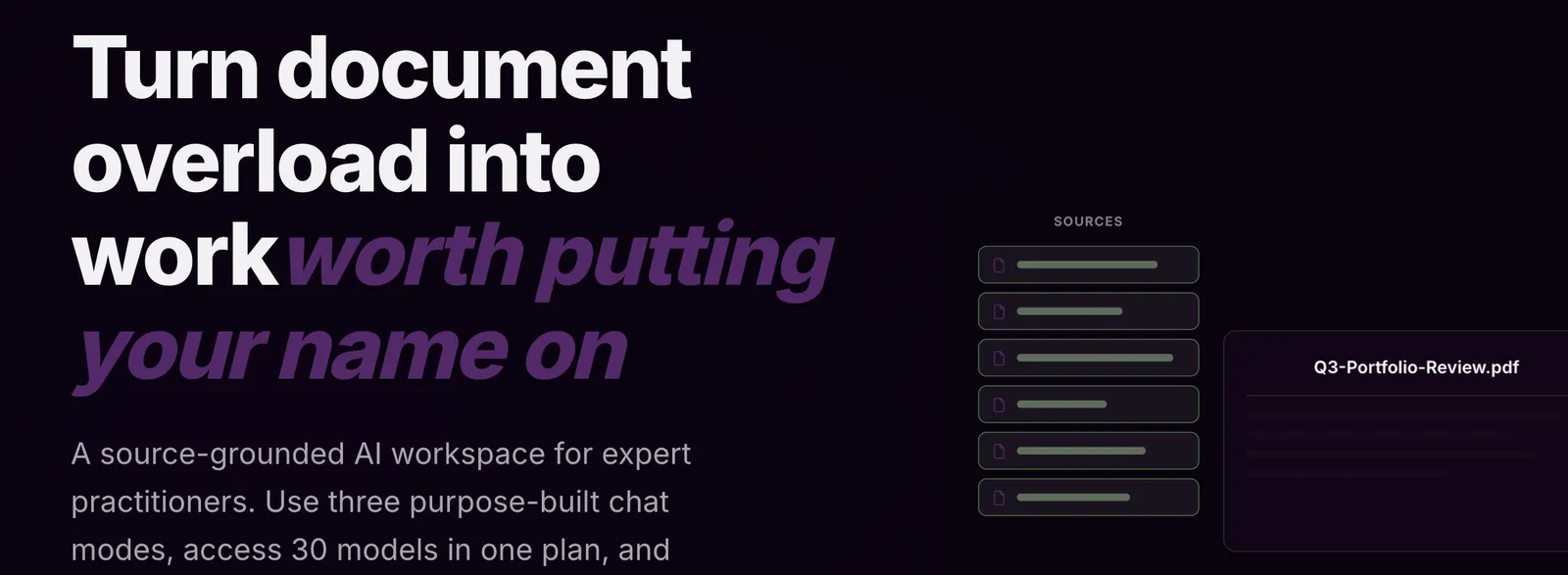
📘 What Is DocAnalyzer AI?
DocAnalyzer AI, commonly known as docAnalyzer, is an AI-powered document research and analysis platform developed by AI For Verticals, Inc. According to the company, the project began in late 2023. It was created to make document-heavy work easier by helping users retrieve information, understand complex material, and turn findings into practical deliverables.
The platform is designed for people who work with PDFs, Word documents, spreadsheets, presentations, EPUB files, and other supported formats. Users can ask questions in natural language, search across document collections, extract specific information, and organize findings into notes or reports.
One of its defining characteristics is its emphasis on source-linked answers. Instead of relying entirely on a free-form AI response, users can inspect references to the underlying documents and check whether the cited material supports the conclusion.
- Developer: AI For Verticals, Inc.
- Project origin: Late 2023, according to the company.
- Product category: AI document analysis, research, and knowledge management.
- Main purpose: Search, analyze, compare, and extract information from documents with traceable sources.
- Primary audience: Researchers, analysts, consultants, legal professionals, business teams, and other document-heavy users.
DocAnalyzer AI is more than a basic PDF chatbot. A simple chatbot may be sufficient when you need a quick summary of one file. DocAnalyzer becomes more relevant when you need to compare multiple sources, repeat the same analysis across a collection, verify important claims, or create a structured report.
🧰 10 Key Features of DocAnalyzer AI
1. AI Document Chat
Upload a supported document and ask questions in plain English. You can request summaries, explanations, key figures, definitions, or answers to specific questions without manually searching every page.
2. Multi-Document Analysis
Analyze a collection of documents instead of treating every file as an isolated conversation. This is useful for comparing annual reports, reviewing multiple contracts, or identifying differences across academic papers.
3. Source-Linked Answers
Responses can include references to relevant document locations, helping users trace statements back to their sources. This is particularly valuable for financial research, contract review, and evidence-based writing. Citations make verification easier, but they do not guarantee that an interpretation is correct.
4. Optical Character Recognition
OCR helps process scanned PDFs and image-based documents that do not contain selectable text. This can be useful for older reports, scanned agreements, and archived records. Accuracy depends on image quality, document layout, and text legibility.
5. Structured Data Extraction
Extract predefined information from multiple documents and organize it into structured results. For example, a procurement team could collect supplier names, contract dates, renewal conditions, and payment terms from a collection of agreements.
6. Repeatable Document Workflows
Apply the same operation across a dataset, such as summarizing each document, extracting specific fields, or checking every file against a set of requirements. This reduces the need to repeat identical prompts manually.
7. Multiple AI Chat Modes
DocAnalyzer offers distinct modes for different types of work:
- Ask docAnalyzer: Start with a question when you need help finding relevant material or deciding where to begin.
- Focus: Investigate a selected document or dataset in greater detail.
- Co-work: Draft and refine notes alongside the AI in an editor.
Separating discovery, focused analysis, and writing makes the workflow easier to organize.
8. Notes and Collaboration
Save findings as notes and refine them with AI assistance. Team subscriptions offer shared workspaces and real-time collaboration, helping colleagues work together on research and document-based projects.
9. Exportable Reports and Files
Turn analysis into reusable deliverables, including supported formats such as PDFs, spreadsheets, HTML documents, charts, diagrams, and file bundles. This is useful when findings need to be shared with colleagues or incorporated into an existing workflow.
10. AI Model Selection and API Access
The platform provides access to supported AI models, with additional model options and bring-your-own-key functionality available on eligible plans. Paid subscriptions also provide API access for integrating document uploads, queries, and generated outputs into applications or automated workflows.
✨ What Makes DocAnalyzer AI Different?
DocAnalyzer AI's main advantage is not simply its ability to read PDFs. Many AI products already offer document chat. Its stronger proposition is combining document retrieval, source verification, repeatable analysis, and deliverable creation in one workspace.
Answers You Can Verify
Source references make it easier to investigate where an answer came from. This is particularly useful when a result includes a financial figure, contract obligation, research finding, or policy requirement that needs to be checked.
Designed for Document Collections
Its dataset-based approach is useful when the same questions must be answered across many files. Instead of opening each document individually, users can organize material and apply consistent analysis methods.
Research That Leads to Practical Outputs
Users can move from finding evidence to drafting notes, creating tables, and exporting reports. The benefit is less about generating impressive prose and more about reducing repetitive work between research and delivery.
Flexible AI Configuration
Supported model choices and bring-your-own-key functionality on eligible plans give experienced users more control over model selection and potential costs.
Persistent Workspaces
Workspaces, labels, notes, workflows, and collaboration features make the platform useful for projects that continue over several days or weeks. This is a different proposition from asking a chatbot one question and leaving the conversation behind.
The trade-off: These features introduce more complexity than a lightweight PDF chatbot. If you only need an occasional summary, the additional functionality may not justify the learning curve or subscription cost.
💼 Practical Use Cases for DocAnalyzer AI
Academic Research and Writing
Students and researchers can summarize papers, compare findings, identify methodological differences, and collect supporting passages for literature reviews.
Example prompt: "Compare the research methods and main findings in these papers. Separate conclusions explicitly supported by the sources from your own interpretation, and cite the relevant pages."
The platform can speed up preliminary research, but original studies should still be read before their findings are used in published work.
Legal and Contract Review
Legal teams and business professionals can locate renewal clauses, termination conditions, liability provisions, payment deadlines, and differences between contract versions. Structured extraction can make an initial review of many agreements more manageable.
AI results should be checked by a qualified reviewer. Missing an exception or misunderstanding a clause can have serious consequences, so the tool should support legal judgment rather than replace it.
Finance and Business Analysis
Analysts can compare annual reports, examine financial disclosures, extract figures, and prepare research notes. For example, they can compare revenue, operating expenses, and risk disclosures across reporting periods while requesting a source reference for each figure.
Marketing and Content Creation
Marketing teams can turn product manuals, customer research, campaign reports, and brand guidelines into briefs, FAQs, comparison tables, and draft articles. Using supplied documents as the evidence base can reduce unsupported claims in generated content.
For SEO and GEO (Generative Engine Optimization), DocAnalyzer can help organize factual material, identify supporting evidence, and prepare structured drafts. It does not guarantee search rankings, indexing, or visibility in AI-generated answers.
Programming and Technical Documentation
Developers can investigate API documentation, compare technical specifications, search project notes, and extract configuration details from supported files. API access also creates opportunities to integrate document analysis into internal tools.
DocAnalyzer is not primarily an IDE or autonomous coding environment. It is most useful when understanding documentation or analyzing technical records is part of the programming task.
Design and Product Development
Product managers and designers can review user research, design briefs, product requirements, and feedback reports. The platform can help identify recurring complaints, compare feature requests, and turn research into a product requirements document.
It does not replace visual design software. Its role is to organize the information behind design decisions rather than produce complete visual designs or interactive prototypes.
Everyday Office Work
Office workers can search internal policies, summarize meeting documents, compare supplier quotations, extract deadlines, and prepare briefing notes. People who spend hours locating information across folders are more likely to benefit than those who mainly write short documents from scratch.
🚀 How to Use DocAnalyzer AI: Step-by-Step
Step 1: Create an Account
Open the DocAnalyzer web application and register using the sign-in options currently available. The Community plan provides a way to test the core workflow before purchasing a subscription.
Step 2: Create a Workspace
After signing in, organize your documents into a workspace. For example, create a dedicated workspace for supplier agreements instead of mixing confidential contracts with unrelated research.
Step 3: Upload Your Documents
Add supported files, paste text, or use available import options. Supported document types include PDFs, DOCX files, spreadsheets, presentations, EPUB files, and plain text. Web pages may also be added through supported URL-based workflows.
Start with a small, representative group of files. Confirm that text, tables, and page layouts have been processed correctly before analyzing a much larger collection.
Step 4: Select a Chat Mode
- Ask docAnalyzer: Start with a question when you need to discover relevant material.
- Focus: Investigate a specific document or dataset.
- Co-work: Draft or refine notes using your research findings.
Step 5: Ask a Specific Question
Avoid vague requests such as "Tell me everything important." Explain the task, define the fields you need, specify the output format, and request evidence.
Example prompt: "Review these supplier agreements and create a table containing the supplier name, contract start date, expiration date, automatic renewal terms, termination notice period, and source citation. Mark any field that cannot be verified as 'Not found.' Do not infer missing information."
Step 6: Verify the Results
Open citations for important figures, dates, obligations, and conclusions. Check whether each passage supports the answer. If a scanned page looks incomplete or a figure seems suspicious, inspect the original file before continuing.
Step 7: Save and Export
Save useful findings as notes, refine the wording in the editor, and generate the appropriate output file. If you need to perform the same analysis on many documents, consider building a repeatable workflow.
Step 8: Monitor Usage
For large datasets or premium models, monitor credit consumption and plan limits. Test a representative workload before committing to a high-volume monthly process.
🧠 Tips for Getting Better Results
Define the Desired Output
Decide whether you need a summary, comparison table, risk register, spreadsheet, or report before writing the prompt. A clear deliverable reduces unnecessary back-and-forth.
Specify the Scope
Name the documents, time periods, sections, or labels you want the AI to use. If you are comparing two financial years, identify both periods rather than requesting a general business comparison.
Request Evidence
Ask for page-level or section-level citations and instruct the AI to mark unsupported fields as missing. This is especially important for legal, financial, and compliance tasks.
Separate Facts from Interpretation
Ask for two sections: "What the documents explicitly state" and "Interpretation and implications." This makes it easier to distinguish source material from AI-generated reasoning.
Use a Consistent Extraction Format
When processing multiple documents, define the same column names and data formats for every file. Specify date formats such as YYYY-MM-DD and request currencies and units for monetary amounts. Consistency makes spreadsheet analysis more reliable.
Check OCR Quality
Scanned tables, footnotes, handwritten notes, and low-resolution pages can cause mistakes. Verify important figures against the original document, especially when the layout contains multiple columns or complex tables.
Start a Fresh Conversation for a New Task
When switching to a substantially different research question, start a focused conversation with the relevant source set. This reduces confusion caused by unrelated context from a long discussion.
Match the Model to the Task
Use an appropriate default model for straightforward questions and reserve more expensive reasoning models for difficult comparisons or ambiguous evidence. Test a small sample before processing an entire collection.
Keep Human Review in the Workflow
For important work, treat the AI output as a draft that needs verification. A citation is a way to check an answer, not proof that the answer is correct.
💻 Installation and Platform Availability
DocAnalyzer AI is primarily a web-based application. Most users can access its core document analysis features through a compatible browser without installing a traditional desktop program.
- Web browser: The primary access method for uploading files, chatting with documents, and managing workspaces.
- Windows: Use a supported desktop browser. Do not assume that a separate native Windows application is available.
- macOS: Access the platform through a compatible browser. A dedicated Mac application is not required for the standard workflow.
- iOS: A compatible mobile browser can be used to access web-based features. Verify the availability of any dedicated iPhone application separately.
- Android: Access the platform through a compatible mobile browser. Check current distribution channels before assuming a dedicated Android application exists.
- Browser extensions: A dedicated Chrome, Edge, or Firefox extension is not required for core document analysis. Confirm current product documentation before relying on a browser add-on.
- API integration: Paid plans provide API access for developers who want to connect document analysis to supported applications and workflows.
Recommended setup: Use a desktop browser for large document collections, spreadsheet extraction, and report creation. A phone or tablet is more convenient for reviewing material and asking quick questions than for managing complex research projects.
💰 DocAnalyzer AI Pricing: Free and Paid Plans
DocAnalyzer offers a free Community plan alongside paid subscriptions. Paid plans increase usage allowances, document capacity, credit budgets, and collaboration features. The prices below are listed in US dollars and should be verified against the current billing page before purchasing.
| Plan | Listed Price | Best For | Main Benefits |
|---|---|---|---|
| Community | Free | Beginners and occasional users | Core document analysis, chat, notes, and limited monthly usage. |
| Basic | $8/month | Individual professionals | Listed allowance of 100 monthly credits, three workspaces, up to 50 labels per workspace, sharing, OCR, chatbots, model options, bring-your-own-key support, and API access. |
| Pro | $16/month | Regular individual users | Listed allowance of 200 monthly credits, unlimited workspaces and labels, and higher document allowances. |
| Pro Plus | $30/month | Heavy individual users | Listed allowance of 800 monthly credits, higher upload allowances, and access to additional premium models. |
| Team | $18/user/month | Small collaborative teams | Shared workspaces, real-time collaboration, team administration, and a listed allowance of 600 monthly credits per seat. Three-seat minimum. |
| Enterprise | $32/user/month | Organizations with administration requirements | Enterprise support, service-level agreements, SAML single sign-on, tailored AI agents and automation, and a listed allowance of 600 monthly credits per seat. Five-seat minimum. |
These are listed monthly prices, not guaranteed future rates. Annual billing may offer discounts, and subscription details can change. Storage, upload quotas, maximum file sizes, model availability, and other limits vary by plan. Confirm the current comparison before purchasing.
How the Credit System Works
Credits may be used for resource-intensive operations, including premium model usage, larger datasets, workflow runs, enhanced OCR, and certain generated-file operations. Ordinary chat using a default model with a modest dataset may consume no credits, but complex tasks can use them more quickly.
Monthly credits reset according to the platform's billing rules, while purchased credit bundles are described as non-expiring. If you expect to process hundreds or thousands of documents, test a representative workload and estimate the cost before scaling up.
Which Plan Offers the Best Value?
- Community: Best for evaluating the platform or working with a small number of documents.
- Basic: Suitable if you need paid features and moderate personal usage.
- Pro: Worth considering if document analysis is part of your regular work and you need greater capacity.
- Pro Plus: More relevant when premium model access and a larger credit allowance justify the extra cost.
- Team or Enterprise: Appropriate when collaboration, access administration, or single sign-on is a real requirement.
The lowest subscription price is not automatically the best deal. Evaluate how much time the platform saves on your actual workload, including the time required to verify and correct the output.
👥 Who Should Use DocAnalyzer AI?
- Students: Useful for understanding assigned readings, comparing papers, and organizing research notes. Verify quotations and references before submitting academic work.
- Researchers: Well suited to literature reviews, cross-document comparisons, and structured extraction from research collections.
- Legal professionals: Helpful for initial contract review, clause discovery, and structured extraction, provided a qualified person verifies the results.
- Business analysts: Useful for financial reports, operational documents, policy reviews, and evidence-based business summaries.
- Marketing teams: Suitable for research, product documentation, content briefs, and source-based article drafts.
- Developers: Worth considering when technical documentation and repeatable document-processing workflows are central to the job.
- Designers and product managers: Helpful for analyzing user interviews, requirements documents, product feedback, and research findings.
- Small businesses: Potentially valuable when employees repeatedly search through proposals, supplier agreements, policies, and customer records.
- Enterprise teams: More relevant when shared workspaces, administration, and integration requirements justify a team subscription.
- General users: Useful for occasional document questions, although simpler free tools may be sufficient for short PDFs and basic summaries.
🌍 Global Adoption and User Statistics
DocAnalyzer's company reports more than 320,000 users, while its product homepage describes professionals using the platform across 158 countries. These figures are company-reported and should not be treated as independently audited active-user statistics.
Public information does not establish a reliable, independently verified breakdown of monthly active users, website visits, app downloads, or usage by individual country. Since docAnalyzer is primarily web-based, app download counts are not a meaningful measure of total adoption unless a separately distributed application is being assessed.
The company describes users ranging from doctoral researchers to public-sector organizations. The platform's features also suit professionals working with contracts, financial reports, technical documentation, and large document collections. However, the available figures do not establish a verified ranking of its largest national markets.
For a more rigorous assessment of global popularity, examine independently measurable website traffic, dated customer case studies, review-platform activity, and published usage statistics. Registered-user totals should not be confused with active users or paying customers.
⚖️ DocAnalyzer AI: Pros and Cons
Advantages
- Traceable answers: Source-linked references make it easier to check facts, dates, figures, and contract clauses.
- Useful for large document collections: Multi-document search and repeatable workflows reduce the need to open every file manually.
- Practical exports: Research can become a spreadsheet, report, chart, or other supported file.
- Flexible AI options: Supported model choices, personal provider keys on eligible plans, and API access offer flexibility for advanced workflows.
- Team collaboration: Shared workspaces and collaborative editing help teams review the same source material.
Disadvantages
- Learning curve: Workspaces, datasets, chat modes, workflows, and credits can feel complicated to casual users.
- Output needs verification: Citations do not eliminate interpretation errors, incomplete extraction, or mistakes caused by poor source quality.
- Costs can vary with usage: Large datasets, premium models, workflow runs, and enhanced OCR can consume credits quickly.
- Not a complete creative suite: It does not replace a dedicated IDE, visual design application, or specialist publishing platform.
The central limitation is the difference between making document work faster and making it automatically correct. DocAnalyzer can reduce time spent locating and organizing information, but important decisions still require someone to examine the evidence.
🔍 DocAnalyzer AI vs. Other AI Document Tools
DocAnalyzer competes with several products that overlap in document chat but serve different needs. The right choice depends on your files, workflow, budget, and verification requirements rather than on which tool generates the longest answer.
| Tool | Main Strength | Best Use Case | Pricing Consideration |
|---|---|---|---|
| DocAnalyzer AI | Multi-document analysis, source citations, structured extraction, workflows, and file generation. | Professional research, contract review, repeated document processing, and team knowledge work. | Free Community plan; paid plans listed from $8/month. |
| NotebookLM | Source-grounded research and synthesis across supplied materials. | Learning, research, study notes, and understanding a defined collection of references. | Offers a free tier; paid options and limits depend on the current Google offering and region. |
| ChatPDF | Simple conversational interaction with PDF files. | Quick summaries, document questions, and straightforward PDF research. | Free usage is limited; check current paid-plan prices and allowances. |
| ChatGPT | Broad reasoning, writing, coding assistance, and analysis of supported uploaded files. | General-purpose work where document analysis is one part of a larger task. | Free and paid plans are available; features and limits vary by plan. |
| Humata AI | Question answering and analysis over uploaded documents. | Document-heavy research and information extraction from supplied files. | Check current subscription prices, document limits, and usage allowances. |
Which Alternative Should You Choose?
Choose DocAnalyzer AI if you regularly work across multiple documents, need source-linked answers, extract standardized information, or turn research into reusable deliverables. It is especially relevant when document analysis is a recurring part of your job.
Choose NotebookLM if your main goal is to understand a defined collection of sources, study unfamiliar material, or build research notes around supplied references. Compare its current source limits and output features against your needs.
Choose ChatPDF if you mainly want to upload a PDF, ask a few questions, and move on. A simpler interface may be preferable when you do not need a full document workspace.
Choose ChatGPT if your work moves between document analysis, general writing, coding, brainstorming, and other unrelated tasks. A general-purpose assistant may be more convenient, depending on the features included in your subscription.
Consider Humata AI if your workflow centers on asking questions about uploaded documents. Test both platforms on the same representative files to compare answer quality and source references.
Prices and feature limits change frequently. Before purchasing, check free-plan allowances, document limits, export options, and whether the features you need are included in the subscription or require additional credits.
🔐 Privacy and Data Security: What Should You Check?
Document analysis tools may process contracts, customer records, internal policies, financial statements, and unpublished research. Before uploading sensitive material, review the provider's privacy policy, security documentation, data-retention terms, and contractual commitments.
DocAnalyzer describes security measures that include encryption and limiting the document content sent to AI providers to relevant excerpts. The company also states that customer documents are not used to train AI models. These are important product claims, but organizations should verify the terms that apply to their subscription and configuration.
Before adopting the platform for business use, check the following:
- Whether the data-storage location meets your organization's requirements.
- Which AI model providers may process prompts and retrieved document excerpts.
- How long uploaded documents, generated files, and conversation records are retained.
- Whether the service provides suitable access controls, deletion procedures, and audit capabilities.
- Whether your industry or jurisdiction requires additional contractual or regulatory safeguards.
- Whether uploading sensitive files is permitted under your organization's internal policies.
For confidential legal, financial, healthcare, or customer information, do not assume that an encrypted service is automatically approved for every data type. Obtain the necessary organizational or legal approval first.
❓ Frequently Asked Questions About DocAnalyzer AI
Is DocAnalyzer AI free?
Yes. DocAnalyzer offers a free Community plan with core document analysis, chat, and notes. Paid subscriptions increase capacity and unlock additional capabilities. Check the current plan details for exact limits.
How much does DocAnalyzer AI cost?
The listed monthly prices include Basic at $8, Pro at $16, Pro Plus at $30, Team at $18 per seat, and Enterprise at $32 per seat. Team and Enterprise plans have minimum seat requirements. Annual billing and future price changes may affect the final cost.
Can DocAnalyzer AI analyze multiple PDFs at once?
Yes. It supports analysis across selected document collections and provides workflows for applying the same task to multiple documents. Practical limits depend on your subscription.
Does DocAnalyzer AI provide citations?
Yes. Answers can link to relevant source locations, such as pages, sections, or spreadsheet cells. Open those references to verify that they support the answer.
Can DocAnalyzer AI read scanned PDFs?
Yes. OCR helps extract text from scanned documents. Results depend on source quality and layout, so important figures and clauses should be checked against the original scan.
Does DocAnalyzer AI have a Windows or Mac application?
The platform is accessible through compatible web browsers on desktop and mobile devices. Verify current distribution channels before assuming that a dedicated native application is available.
Can developers integrate DocAnalyzer AI into their applications?
Yes. API access is available on paid subscriptions. Developers can use supported endpoints to upload documents, query sources, interact with document collections, and retrieve generated files. The API documentation defines the available operations and quotas.
Is DocAnalyzer AI suitable for legal or financial work?
It can assist with initial document review, evidence collection, structured extraction, and comparison. It should not replace qualified legal, financial, or compliance review when errors could have material consequences.
Is DocAnalyzer AI better than ChatGPT?
Neither tool is universally better. DocAnalyzer specializes in source-grounded document workflows, repeatable extraction, and document-centered deliverables. ChatGPT is more general-purpose and may be a better fit for users who combine document analysis with writing, coding, and broader reasoning tasks.
Can DocAnalyzer AI help with SEO and GEO?
It can help extract facts from source documents, organize evidence, build content outlines, and draft articles. It does not guarantee search rankings, indexing, or visibility in AI-generated answers. Editorial quality, original value, factual accuracy, and overall website quality still matter.
How many people use DocAnalyzer AI?
The company reports more than 320,000 users across 158 countries. These are company-reported figures. Independently verified monthly active-user counts and country-by-country usage figures are not established by the public information cited in this review.
🏁 Final Verdict: Is DocAnalyzer AI Worth Using?
DocAnalyzer AI is worth testing if documents are a regular part of your work and you need more than a quick summary. Its combination of source-linked answers, multi-document analysis, structured extraction, reusable workflows, and downloadable outputs addresses a practical problem: finding reliable information in a large collection of files and turning it into something useful.
The strongest reason to try it is a recurring task. Reviewing supplier agreements every month, comparing several years of financial reports, or extracting the same fields from hundreds of research papers are all situations where repeatable workflows can save time. Source citations also provide a way to verify important findings.
For someone who occasionally asks questions about a short PDF, however, the additional workspace features may be unnecessary. A simpler free tool could be enough. If your main job is writing code, producing visual designs, or creating marketing assets from scratch, a specialized application will probably be a better fit.
Our Recommendation
- Worth trying: Researchers, analysts, consultants, and professionals who regularly work with multiple documents.
- Worth paying for: Users who can demonstrate time savings on recurring tasks and need higher limits, advanced models, or collaboration features.
- Start with the free plan: Anyone who wants to test citation quality, extraction accuracy, and usability with real documents before subscribing.
- Not the first choice: Casual users who need only occasional summaries, people looking for a complete coding or design environment, and organizations that have not approved the service for their data.
The most practical way to evaluate docAnalyzer is to test it against a task you already know how to complete. Upload a representative set of documents, ask five specific questions, verify the citations, and generate one real deliverable. Then compare the time saved, the number of corrections required, and the total usage cost with your current method.
If the results are accurate enough after review and the workflow saves meaningful time, DocAnalyzer AI deserves a place in your toolkit. If it only produces summaries you could get elsewhere, there is little reason to pay for the extra complexity.
Comments