

DocHub AI Review: Features, Pricing, Use Cases, and How to Use It
DocHub AI is an AI-powered document assistant designed to help users understand, edit, manage, and sign digital documents. By combining AI-powered document analysis with PDF editing, electronic signatures, and document workflows, it aims to reduce the time spent handling paperwork. This review explores its main features, practical applications, pricing, limitations, and how it compares with other AI PDF tools.
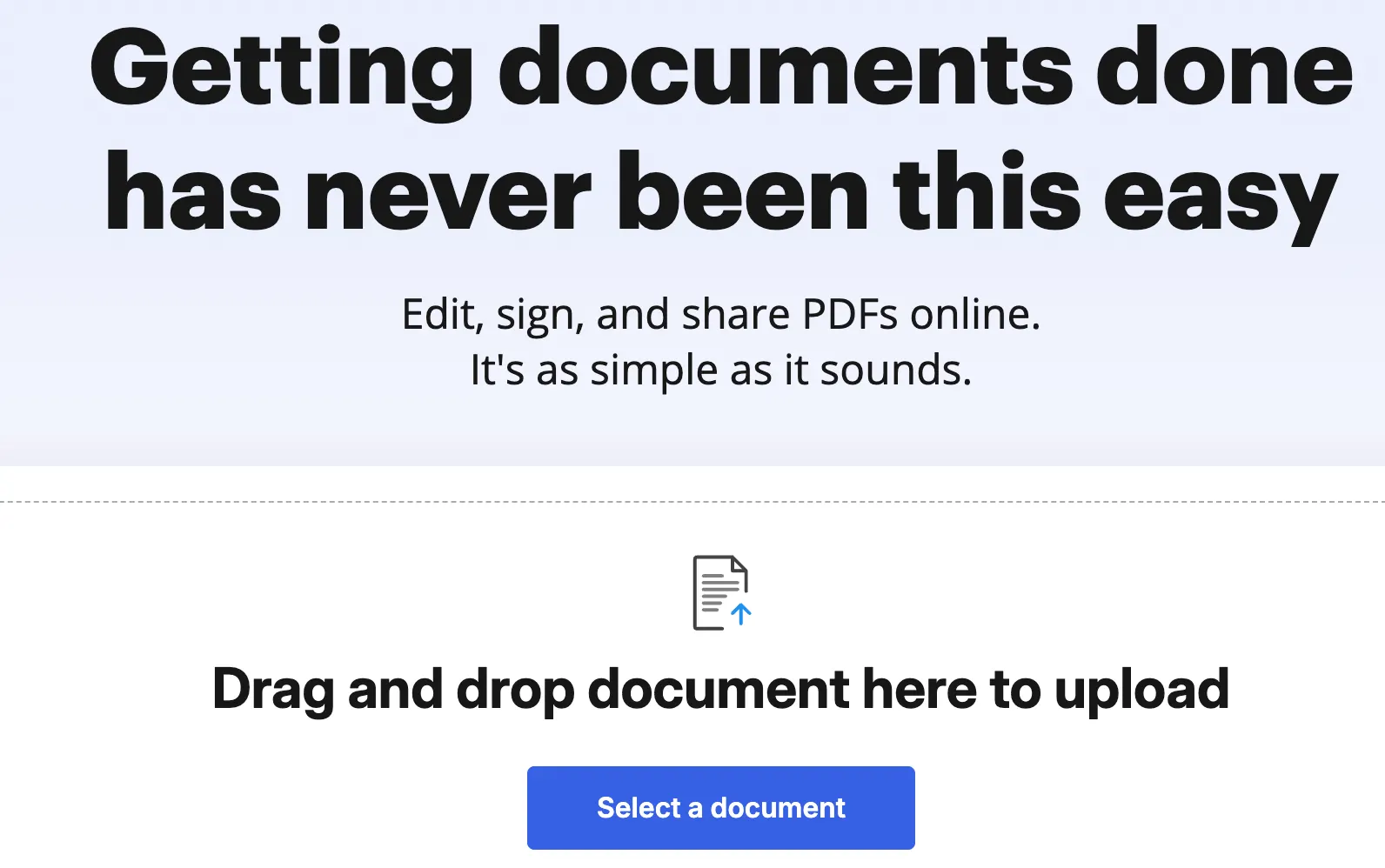
📄 What Is DocHub AI?
DocHub is an online document management and PDF editing platform developed by DocHub. It was launched in 2014 and has evolved from a document editing and electronic signature service into a broader document productivity platform with AI-powered capabilities.
DocHub AI refers to the platform's AI-assisted document features. These tools help users summarize documents, ask questions about their contents, simplify complicated language, and work with information inside files. Rather than replacing a complete document editor, the AI assistant complements traditional PDF editing, annotation, form completion, and electronic signing tools.
The platform is designed to solve a familiar problem: people spend too much time reading lengthy documents, searching for specific information, making small edits, and collecting signatures. DocHub brings many of these tasks into one browser-based workspace.
Its main appeal is the combination of AI assistance and practical document workflows. Users can analyze a document, make changes, and prepare it for signing without necessarily switching between several separate applications.
⚙️ 10 Key Features of DocHub AI
1. 🤖 AI Document Assistant
The AI assistant helps users understand the contents of uploaded documents. Instead of manually reading every page, users can ask questions, request explanations, and identify important information. This is particularly useful for lengthy reports, policies, contracts, and other text-heavy files.
2. 📝 Automatic Document Summaries
DocHub AI can help condense lengthy documents into shorter summaries. Users can get an overview of a report, identify its main points, and decide which sections deserve closer attention. Summaries are useful for initial reviews, although important details should always be checked against the original document.
3. 💬 Question Answering About Documents
Users can ask questions about the content of a document rather than relying entirely on keyword searches. For example, someone reviewing a service agreement might ask about its renewal terms, payment obligations, or cancellation conditions. Answers should be verified against the relevant clauses before being used for legal or financial decisions.
4. ✍️ AI-Assisted Text Editing
AI-assisted editing helps users revise text more efficiently. Depending on the available feature and document format, this can include improving wording, simplifying complicated sentences, and making written content easier to understand. These capabilities are useful when working with business documents, internal reports, and customer-facing materials.
5. 🔍 Document Search
Search tools help users locate relevant information within documents. AI-enhanced or semantic search can be more useful than basic keyword matching when users are looking for a concept expressed in different words. This can reduce the time needed to navigate long files.
6. 📑 PDF Editing and Annotation
DocHub includes conventional PDF editing tools that let users add text, annotate pages, highlight information, and make document adjustments. These features remain important because AI-generated explanations alone are not enough when a file needs to be corrected or prepared for distribution.
7. 🖊️ Electronic Signatures
Users can prepare documents for electronic signing and send signature requests. This makes the platform useful for agreements, consent forms, business paperwork, and other documents that require approval. Electronic signing can reduce the need to print, scan, and email documents manually.
8. 📋 Forms and Templates
DocHub supports document workflows involving forms and reusable templates. Users can prepare recurring paperwork, complete fields, and create more consistent processes for documents that follow a standard format. This is particularly useful for administrative teams and small businesses.
9. ☁️ Cloud-Based Document Access
As a web-based platform, DocHub lets users work with documents through a browser instead of relying entirely on locally installed desktop software. Cloud-based access can make collaboration easier, especially for people who work across multiple devices or locations.
10. 🔗 Integrations and Document Workflows
DocHub supports integrations with external services and tools used in document management. These connections can help users import files, organize work, and move documents through signing or approval processes. The exact integrations available may depend on the account and the connected service.
🌟 What Makes DocHub AI Different?
AI Assistance Combined With Traditional PDF Tools
Some AI PDF products focus mainly on chatting with documents or generating summaries. DocHub combines AI assistance with editing, annotation, forms, and electronic signatures. This makes it more suitable for users who need to take action on a document after understanding it.
Less Switching Between Applications
A typical document workflow may involve opening a PDF reader, copying text into an AI chatbot, revising the result in a word processor, and using another service to collect signatures. DocHub brings several of these activities into one platform, potentially reducing repetitive work.
Useful for Everyday Business Paperwork
DocHub is not limited to technical research or academic reading. Its editing and signing functions also support ordinary administrative tasks, including contracts, application forms, approval documents, and internal business paperwork.
Browser-Based Access
Users can access the platform online without installing a full desktop document editor. This is convenient for occasional users, remote teams, and people who regularly work on different computers.
AI Is an Assistant, Not a Replacement for Review
AI can help users find information and understand unfamiliar language, but it can still misinterpret context or overlook exceptions. DocHub AI is best treated as a productivity assistant, with users responsible for checking important information and approving final documents.
💼 What Can You Use DocHub AI For?
Business Contracts
Business users can use AI assistance to summarize agreements, locate specific clauses, and prepare documents for review or signature. It can help identify sections that require attention, but it should not be treated as a substitute for professional legal advice.
Academic Research
Students and researchers can use document summaries and question answering to get an initial overview of lengthy papers, reports, and reading materials. The original text should remain the primary reference when citing evidence or interpreting research findings.
Administrative Work
Administrative staff can use DocHub to complete forms, annotate PDFs, organize reusable templates, and collect signatures. These functions are particularly helpful when an organization processes similar documents repeatedly.
Human Resources
HR teams may use the platform to prepare onboarding forms, review policy documents, and collect employee acknowledgments. Sensitive employee information should be handled according to the organization's privacy and security requirements.
Sales and Customer Service
Sales teams can prepare proposals, review customer documents, and send agreements for signature. Customer service teams may also use AI assistance to locate information in product documentation or service policies.
Freelancers and Small Businesses
Independent professionals can use DocHub to manage client agreements, proposals, invoices, and other business documents without building a complicated document workflow from scratch.
🧭 How to Use DocHub AI
- Open DocHub: Visit the DocHub website and sign in or create an account if required.
- Upload or import a document: Choose the PDF or supported file you want to work with. Check that the file format is supported before starting.
- Open the relevant AI feature: Depending on your task, choose the AI assistant, summary, document question-answering, or an available editing feature.
- Ask a specific question: Instead of entering a vague prompt such as "Explain this document," try a focused request such as "Summarize the payment terms and list the deadlines mentioned in this agreement."
- Review the result: Compare AI-generated answers with the original document. Pay special attention to dates, amounts, names, exceptions, and contractual obligations.
- Edit the document if necessary: Use the available editing and annotation tools to make corrections or add comments.
- Complete the workflow: Download or share the document, or prepare it for electronic signing if required by your task and subscription.
The exact interface and available features can change over time. Some AI tools or workflow options may require a paid plan.
💡 Tips for Getting Better Results
Ask Focused Questions
Questions that specify the information you need tend to produce more useful results. For example, ask for the renewal date, termination conditions, and payment schedule separately instead of requesting a general explanation of an entire contract.
Request Structured Answers
For practical tasks, ask the AI to organize information into a checklist, a short summary, or a list of relevant clauses. Structured answers are easier to review and compare with the source document.
Verify Important Details
Never rely exclusively on an AI-generated answer for legal obligations, financial calculations, medical information, or other high-stakes decisions. Check the relevant pages and clauses directly.
Use Editing and Signing Together
If you need to prepare a document for approval, review the text first, make any necessary corrections, and then send the final version for signature. This helps reduce the risk of circulating an outdated or incomplete file.
Be Careful With Confidential Documents
Before uploading sensitive files, review the service's current privacy policy, data-handling terms, and applicable account settings. Avoid uploading confidential business, personal, or regulated information unless your organization has approved the service for that use.
💻 Installation and Platform Support
DocHub is primarily a web-based document platform. Users can generally access its core workflow through a compatible browser, making it convenient for Windows, macOS, and other systems that support modern web applications.
Depending on current product availability, mobile access and integrations may also be available. Users should check the official product information for supported mobile devices, browser requirements, and integration options before choosing a workflow.
For many users, the main advantage is that they do not need to install a traditional desktop PDF editor to begin working. However, browser-based access still depends on a reliable internet connection and an account with the necessary permissions.
💰 DocHub AI Pricing
DocHub offers free and paid subscription options. The AI features and usage limits available to an account depend on the plan, and pricing can change by region, billing period, and product updates.
Free Plan
The free plan is useful for trying the platform and handling occasional document tasks. However, it has usage limits, so it may not be sufficient for people who regularly edit PDFs, request signatures, or use AI features.
Basic Plan
The Basic plan is designed for users who need more document functionality than the free tier provides. It may suit individuals with recurring but relatively modest document workloads. Check the current feature list carefully, particularly if AI usage is the main reason for subscribing.
Pro Plan
The Pro plan is aimed at users who work with documents more frequently. Depending on the current subscription terms, it can provide higher or unlimited allowances for certain editing and signing tasks, along with more advanced DocHub Intelligence features.
Site License
Organizations with larger teams can contact DocHub about a site license or business arrangement. Enterprise requirements may include centralized administration, single sign-on, compliance-related options, and priority support, depending on the agreement.
Pricing note: DocHub's published pricing has listed the Free plan at €0 per month, Basic at €8 per month, and Pro at €12 per month, with a Site License available through sales. These figures are indicative rather than guaranteed current prices. Confirm the latest billing terms, AI limits, trial conditions, and regional pricing before purchasing.
🌍 Is DocHub AI Used Internationally?
DocHub serves users who need online document editing and electronic signatures, including individuals, freelancers, small businesses, and larger organizations. Its browser-based approach makes it accessible to people working in different countries, subject to local availability and applicable terms.
The company has publicly reported a user base exceeding 135 million and hundreds of millions of documents handled. These are company-reported platform-wide figures, not a separate count of active DocHub AI users. They should therefore be understood as indicators of the broader DocHub platform's reach rather than proof of how many people use its AI features specifically.
For international teams, practical considerations include supported languages, document formats, data protection obligations, electronic signature requirements, and the availability of relevant integrations. These factors can matter more than the headline feature list when selecting a document platform for everyday use.
⚖️ Advantages and Disadvantages of DocHub AI
Advantages
- Multiple document tasks in one place: AI assistance, PDF editing, annotation, forms, and signing can support a connected workflow.
- Convenient browser access: Users can get started without installing a full desktop document editor.
- Useful for business paperwork: Editing and signature tools are practical for contracts, forms, and administrative documents.
- Less manual searching: AI question answering and search can help users find relevant information faster.
- Suitable for different work styles: The platform can support occasional individual tasks as well as more regular document workflows.
Disadvantages
- Usage limits: The free plan may be restrictive for frequent users, and some features require a subscription.
- AI accuracy is not guaranteed: Generated summaries and answers can omit qualifications or misinterpret context.
- Not a replacement for specialist software: Users with advanced PDF production, publishing, or document automation needs may require other tools.
- Privacy requires attention: Uploading confidential files should be evaluated against company policy and applicable regulations.
- Features and pricing can change: Users need to verify the current plan details before committing to a subscription.
🔄 DocHub AI Compared With Similar Tools
DocHub AI vs. Adobe Acrobat AI Assistant
Adobe Acrobat AI Assistant is a natural alternative for users who already rely on Acrobat for PDF editing and document management. Adobe's ecosystem is particularly relevant to people who need established PDF workflows and advanced document tools. DocHub is worth considering when online editing and electronic signatures are central to the task. The better choice depends on the specific AI features, editing requirements, integrations, and subscription costs.
DocHub AI vs. Smallpdf
Smallpdf focuses on accessible online PDF utilities, including conversion, compression, editing, and AI-assisted document tasks. It can be a good option for users who mainly need quick PDF operations. DocHub may be more attractive to users who want document editing and electronic signatures as part of a broader workflow.
DocHub AI vs. PDFgear
PDFgear offers PDF editing and AI-related document features, making it worth evaluating for users who prioritize PDF functionality and cost. Its available features, supported platforms, and pricing model differ from DocHub's. Compare the specific AI functions and workflow requirements rather than assuming that one platform is universally better.
Which Tool Should You Choose?
- Choose DocHub AI if you want AI assistance alongside online PDF editing, forms, and electronic signatures.
- Consider Adobe Acrobat AI Assistant if you already use Adobe's PDF ecosystem or need its broader document tools.
- Consider Smallpdf if your work mainly involves quick online PDF conversions and related utilities.
- Consider PDFgear if you want to compare PDF editing options with a strong focus on cost and available features.
🔐 Security and Privacy Considerations
Document tools often process information that should not be exposed unnecessarily. Before using DocHub AI for sensitive files, check the current security documentation, privacy policy, retention practices, and terms governing AI processing.
For business use, confirm whether the service meets your organization's requirements for access control, data handling, compliance, and contractual safeguards. A feature being available in a document platform does not automatically mean it is approved for every regulated workflow.
For high-stakes documents, keep a copy of the original, review AI-generated changes carefully, and ensure that only authorized people can access or sign the final version.
❓ Frequently Asked Questions
Is DocHub AI free?
DocHub offers a free plan, but some functions have usage limits. Advanced AI features or higher usage allowances may require a paid subscription.
Can DocHub AI summarize PDF files?
Yes. Its AI assistant includes document summarization capabilities designed to help users identify the main points of a document more quickly.
Can I ask questions about a document?
Yes. AI-powered document question answering lets users ask about information contained in a document. Important answers should be verified against the original text.
Can DocHub AI edit and sign documents?
DocHub combines AI-assisted features with traditional PDF editing and electronic signature workflows. The precise tools available depend on the document, account, and subscription.
Does DocHub AI require installation?
Its core experience is web-based, so users can generally work through a compatible browser. Mobile access and other platform options should be checked against current product documentation.
Is DocHub AI suitable for legal contracts?
It can help users summarize contracts, locate clauses, and prepare documents for review or signature. It should not replace legal advice, and users should verify all important terms directly.
Is DocHub AI suitable for businesses?
It can be useful for teams that handle recurring PDFs, forms, approvals, and signatures. Businesses should evaluate subscription limits, access controls, integrations, and privacy requirements before adopting it.
Can DocHub AI replace a full PDF editor?
It may cover many everyday editing and signing needs, but it may not replace specialist software for advanced publishing, complex PDF production, or highly customized document workflows.
🏁 Final Verdict: Is DocHub AI Worth Using?
DocHub AI is a practical option for people who want to understand documents faster while still being able to edit, annotate, complete, and sign them. Its strongest selling point is the combination of AI-assisted document work and traditional PDF workflows, rather than any single AI feature in isolation.
For freelancers, small businesses, students, and administrative teams, the platform can reduce repetitive work and make document handling more convenient. Users who only need occasional summaries may find a simpler AI PDF assistant sufficient, while people who regularly manage contracts and signatures may get more value from DocHub's broader feature set.
The main things to check before subscribing are the AI usage limits, the features included in each plan, and the platform's suitability for your privacy and compliance requirements. AI-generated information should also be reviewed before it is used in important decisions.
Overall: DocHub AI is worth considering if your goal is to bring AI document analysis, PDF editing, and electronic signatures into one workflow. Its value depends on how often you handle documents and whether its current subscription plans match your needs.
Comments