
📱 What Is Fotor AI?
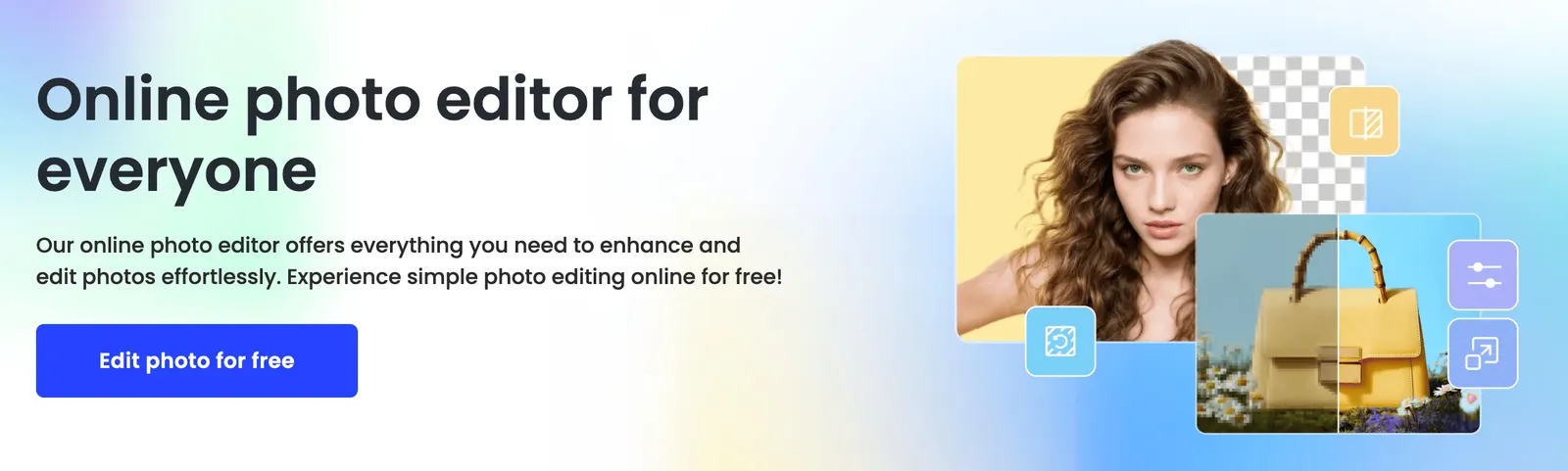
Fotor AI is an all-in-one AI-powered photo editing and design platform that combines traditional image editing with generative AI tools. It supports text-to-image generation, AI background removal, object removal, image upscaling, AI headshots, AI slides, and, more recently, a Fotor Video Agent for turning raw footage into short video drafts.
Fotor has been available since around 2009 and offers both an international version and a Chinese version known as Fotor . It is designed for non-designers, marketers, e-commerce sellers, content creators, and small teams who need fast visual output without learning complex editing software.
⚙️ Core Features
- AI Image Generator: create images from text prompts in styles such as photography, anime, and line art.
- AI Background Remover: remove backgrounds in seconds and replace them with solid colors, gradients, or new scenes.
- AI Object Remover & Replacer: erase unwanted objects or replace parts of an image using text prompts.
- AI Image Upscaler: enhance resolution, sharpness, and clarity for product photos and portraits.
- AI Headshot Generator: generate professional-looking profile photos from uploaded selfies.
- AI Slides: generate presentation outlines, layouts, and slides from a topic or short brief.
- Fotor Video Agent: assemble short videos from raw clips, with trimming, captions, voiceover, music, and editable timeline output.
- Batch Editing: apply filters, resizing, watermarking, and format conversion to multiple images at once.
- Design Templates: social media posts, posters, banners, invitations, and marketing visuals.
- Cross-Platform Support: available on web, Windows, Mac, iOS, and Android.
🌟 What Makes Fotor AI Stand Out
Fotor’s main advantage is that it bundles everyday photo editing, AI image generation, design templates, and light video creation into one relatively simple interface. Instead of switching between a photo editor, an AI generator, and a slide tool, users can handle most lightweight visual tasks in one place.
Its Video Agent is also notable because the output remains editable on a timeline. That makes it more practical than fully automated video generators when you need to adjust subtitles, clips, or audio after the first draft.
Compared with Canva, Fotor is stronger in photo enhancement and AI image manipulation. Compared with Photoshop, it is far simpler but less precise. Compared with specialized e-commerce tools such as Photoroom or PixPix, Fotor is more general-purpose and less optimized for full product listing workflows.
🎯 Best Use Cases
- Social media visuals: covers, posts, thumbnails, and promotional images.
- E-commerce product photos: background removal, upscaling, and simple scene replacement.
- Personal branding: AI headshots, profile pictures, and resume photos.
- Marketing materials: posters, banners, invitations, and ad creatives.
- Presentations: quick AI-generated slides for business, education, or pitches.
- Short-form video drafts: turning clips into captioned videos with the Fotor Video Agent.
🚀 How to Use It
- Create an account: sign up on Fotor or log in with Google/Facebook.
- Choose a tool: select photo editor, AI image generator, background remover, headshot generator, slides, or video agent.
- Upload or describe your content: upload photos for editing, or enter a text prompt for AI generation.
- Adjust settings: choose style, aspect ratio, background, resolution, or template.
- Refine the result: crop, add text, replace objects, enhance quality, or edit the video timeline.
- Export: download JPG, PNG, PDF, or video files, depending on your plan.
- Manage credits: generative AI features usually consume credits, so check usage before large batches.
💲 Pricing Overview
Fotor uses a mixed pricing model: subscription plans for editing and templates, plus credits for generative AI features. Prices vary by region, platform, and promotion.
For the international version, recent listings show Fotor Pro around $8.99–$10.99 per month when billed annually, and Fotor Pro+ around $19.99–$24.99 per month depending on the offer period. A higher Fotor Max tier has also appeared at around $15.99 per month when billed annually.
Generative AI actions such as AI image generation, headshots, and some video features consume credits. Credit plans may be sold as one-time packs or monthly subscriptions. AI headshot packages have been listed around $19.99–$39.99 for 20–80 headshots. The Chinese version, Fotor 懒设计, offers separate VIP and Super VIP plans with lower local pricing.
Because Fotor updates its plans frequently, always check the current pricing page before subscribing.
👤 Who Should Use It
- Content creators: need fast thumbnails, social posts, and simple AI images.
- Small e-commerce sellers: want background removal, upscaling, and product photo cleanup.
- Marketers: need posters, banners, and presentation slides quickly.
- Professionals: want affordable AI headshots without a studio shoot.
- Non-designers: prefer simple templates over complex editing software.
🌍 Market Position
Fotor sits between basic photo editors and full creative suites. It competes with Canva, Adobe Express, Photoroom, Pixlr, and specialized AI image generators. Its strength is not deep professional editing, but fast, accessible AI-assisted visual creation.
In 2026, Fotor has expanded beyond static images into slides and short video, positioning itself as a lightweight AI creative assistant rather than only a photo editor.
👍 Pros and 👎 Cons
Pros:
- Easy to learn and suitable for non-designers.
- Strong set of AI photo tools: background removal, upscaling, object removal.
- Text-to-image and AI headshot features add creative flexibility.
- AI Slides and Video Agent extend it beyond static images.
- Available on web and major desktop/mobile platforms.
- Free tier available for basic testing.
Cons:
- Generative AI features require credits and can become expensive.
- Free exports may include watermarks or resolution limits.
- Less powerful than Photoshop for advanced editing.
- Not as specialized as Photoroom or PixPix for e-commerce product workflows.
- Template library and collaboration features are generally lighter than Canva.
⚖️ How Fotor AI Compares to Similar Tools
- Fotor vs Canva: Canva is stronger for templates, brand kits, and team collaboration. Fotor is stronger for photo enhancement and AI image manipulation.
- Fotor vs Adobe Express: Adobe Express offers higher design polish and deeper Adobe ecosystem integration. Fotor is simpler and more focused on quick edits.
- Fotor vs Photoroom: Photoroom is more specialized for product photography and background replacement. Fotor covers a broader range of general editing and design tasks.
- Fotor vs Photoshop: Photoshop remains the professional standard. Fotor is better for fast, lightweight, browser-friendly workflows.
🏁 Bottom Line
Fotor AI is a practical choice for users who want fast photo editing, AI image generation, simple design templates, and light video creation in one platform. It works best for social media content, product photo cleanup, AI headshots, presentations, and quick marketing visuals.
It is less suitable for professional designers who need layer-based editing, advanced color control, or complex brand collaboration. For everyday creators and small teams, however, Fotor AI offers a balanced mix of simplicity, AI features, and cross-platform convenience.
Comments