

🤖 Gamma AI: A Faster Way to Create Presentations, Documents, and Websites
📦 What Is Gamma?
Gamma is an AI-powered creation platform designed to turn a rough idea into a polished presentation, document, website, social post, or other visual content. Instead of starting with a blank PowerPoint slide and spending hours fixing layouts, you describe what you want and Gamma builds the first version for you.
That is the real appeal of Gamma. It is not simply an AI tool that writes text. Gamma combines writing, layout, visual design, image generation, editing, sharing, and publishing in one workspace. For people who need professional-looking material but do not consider themselves designers, that can remove a lot of unnecessary work.

🎯 Why Gamma Is Different
Traditional presentation software gives you almost complete control, but it also makes you responsible for almost everything: slide structure, spacing, typography, images, alignment, and visual consistency. Gamma takes a different approach. You focus on the story and let AI handle much of the initial design work.
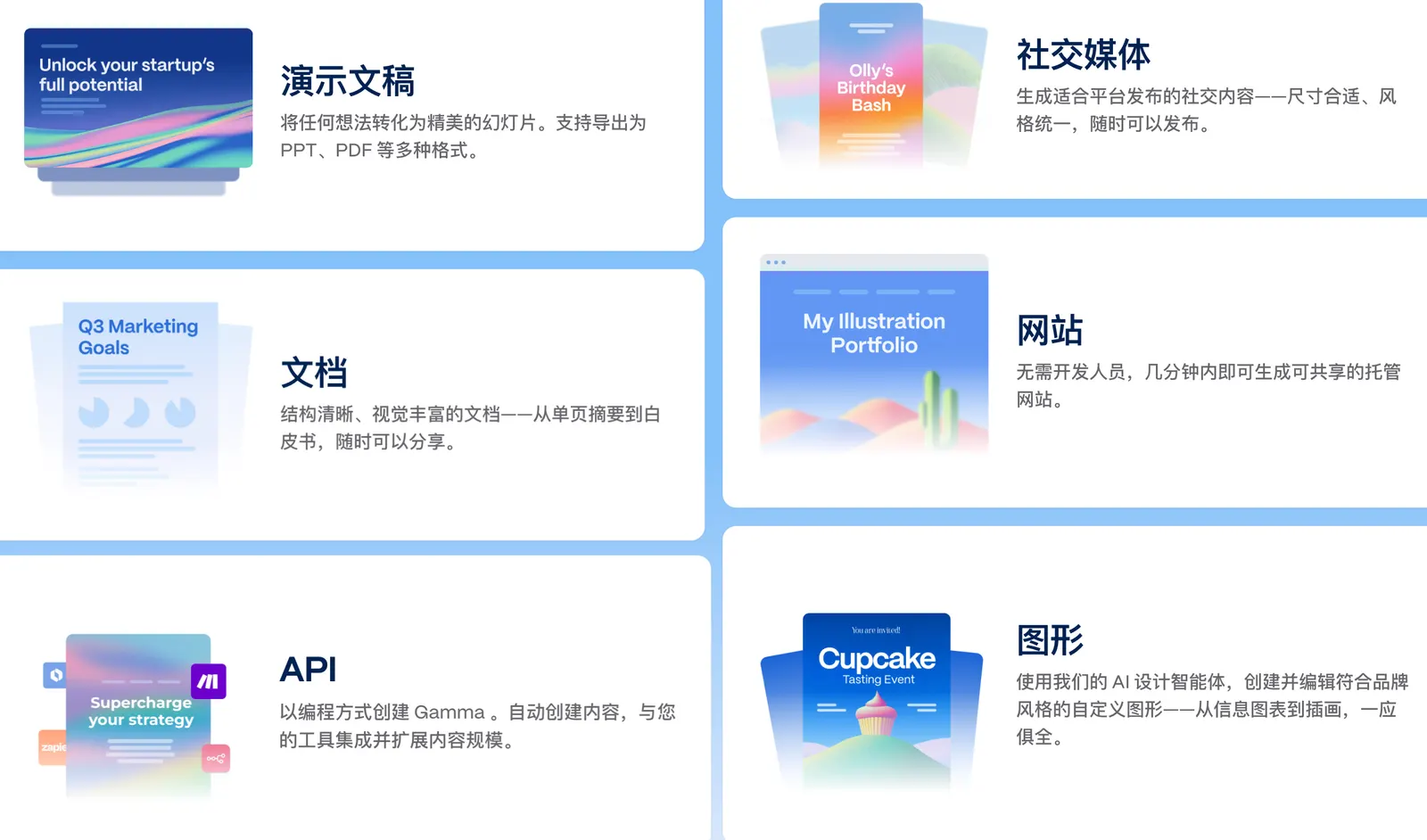
- 🧠 Prompt-to-presentation: Describe your topic and Gamma can generate a structured presentation from scratch.
- 🎨 AI design: Gamma automatically creates layouts, visual hierarchy, and supporting graphics.
- 🖼️ AI image generation: Create visuals directly inside your project instead of searching for stock images every time.
- 📄 Documents: Gamma can also create reports, proposals, briefs, and other long-form content.
- 🌐 Websites: Turn content into a publishable web experience without building a website from code.
- 📱 Social content: Create visual content for social platforms from the same workspace.
- 📥 Import and export: Import PDF and PPTX files and export projects to PDF, PPTX, PNG, and Google Slides on supported plans.
- 🔗 Sharing and publishing: Share a Gamma through a web link or publish content to a custom domain on eligible plans.
🌍 Gamma's Global Growth
Gamma has grown far beyond the niche of AI presentation software. According to Gamma's own August 2026 Creation Index, more than 100 million people across 210 countries and territories have created more than 625 million Gammas. The company says more than one million pieces of content are created in Gamma every day.
Gamma has also reported that its annual recurring revenue reached $100 million and that the company was valued at approximately $2.1 billion. These figures put Gamma in a very different category from a small presentation utility: it has become a broader AI-powered visual creation platform.
⚡ The Features That Matter Most
📊 AI Presentation Generator
This is where most people start. Give Gamma a topic, an audience, and a goal. It can create the structure, write the initial content, select layouts, and add visual elements. The result is editable, so you are not locked into whatever the AI creates.
🎨 Gamma Imagine
Gamma has expanded beyond traditional slide generation with AI-native visual creation. You can generate posters, logos, infographics, and other visuals from a prompt. This is particularly useful when you need a presentation to look visually coherent rather than simply filling every slide with text.
🧩 AI-Native Templates
Traditional templates still require you to manually replace text, images, and layouts. Gamma's newer approach allows AI to modify larger portions of a presentation while keeping the overall visual style consistent.
🌐 Websites
Gamma can turn content into a web-style experience. This is useful for product pages, portfolios, event pages, project showcases, and simple landing pages where you want to publish something quickly without setting up a full website.
📥 PowerPoint Import and Export
Gamma does not require you to abandon PowerPoint. You can import PPTX files, work on them in Gamma, and export your finished work back to PowerPoint. This makes it easier to introduce Gamma into an existing business workflow.

🛠️ How to Use Gamma
Step 1: Start with the outcome. Do not simply type “make a presentation about AI.” Tell Gamma who the presentation is for and what you want the audience to understand or do.
Step 2: Give it structure. For example: “Create a 10-slide sales presentation for a SaaS product aimed at small U.S. businesses. Include the problem, solution, benefits, pricing, customer example, and call to action.”
Step 3: Generate the first draft. Treat the first version as a starting point, not the final presentation.
Step 4: Edit the story before the design. A beautiful deck with a weak argument is still a weak deck. Fix the message first.
Step 5: Use AI for revisions. Ask Gamma to shorten a section, change the tone, reorganize slides, replace visuals, or make the presentation more suitable for executives.
💡 A Prompt That Works Better
Instead of saying “Create a presentation about our company,” try: “Create a 12-slide investor-style presentation for a U.S. SaaS startup. The audience is early-stage investors. Explain the customer problem, our solution, market opportunity, business model, competitive advantage, traction, and next-year goals. Keep each slide concise and use a modern technology-focused visual style.”
The difference is important: Gamma performs better when it understands the audience, purpose, length, and expected structure.
📥 How to Install Gamma
Gamma is primarily a web-based application, so there is no traditional desktop installation required to get started. Open Gamma in a modern browser, create an account, and start creating.
This browser-first approach is one of Gamma's advantages for teams because projects can be accessed through a web link and shared with other people. You do not need to install a large presentation program before creating your first deck.
💰 Is Gamma Free?
Yes. Gamma has a Free plan, but the free version is designed mainly for trying the product and creating smaller projects. Gamma currently gives new Free users 400 credits at signup. Free projects can generate up to 10 slides per prompt and include basic presentations, documents, websites, social content, and images. Free users can also import PDF and PPTX files and export content in supported formats.
Plus: The current individual pricing structure adds more AI creation capacity, removes Gamma branding, and provides access to more advanced image models. Gamma's current pricing pages should be checked for the exact monthly or annual price before purchasing because pricing and included limits have changed over time.
Pro: Designed for heavier users who need premium AI models, custom branding and fonts, analytics, advanced sharing, custom domains, and API access.
Ultra: Designed for users who want substantially higher AI usage and access to the most advanced available models, including advanced text, image, and video capabilities.
Team and Business: These plans add centralized billing, collaboration, custom company themes, shared folders, administrative controls, advanced data controls, and additional enterprise-oriented capabilities.
Gamma uses a credit system for many AI operations. The number of credits required depends on the task, model, and complexity of the generation. Paid plans replenish credits monthly, while unused credits can roll over up to a specified limit. Gamma's current help documentation states that unused credits can roll over up to twice the plan's monthly allowance.
👥 Who Is Gamma For?
- 👔 Sales professionals: Build client proposals and sales decks much faster.
- 📈 Marketing teams: Create campaign presentations, reports, landing pages, and visual content.
- 🏢 Business owners: Turn business ideas into professional-looking materials without hiring a designer for every project.
- 🎓 Students and educators: Create presentations and educational materials quickly.
- 👨💻 Startup teams: Build pitch decks, product updates, strategy documents, and websites.
- 🎨 Creators: Produce visually consistent content without spending hours on layout.
❓ Common Problems
“Why does my presentation look generic?” The most common reason is an overly generic prompt. Give Gamma a clear audience, purpose, visual direction, and examples of the style you want.
“Why did the AI use too much text?” Tell it to keep each slide focused on one idea and limit the amount of text. A presentation is not a document copied onto slides.
“Why are my credits disappearing quickly?” Gamma credits are used by AI operations, and more complex generations or advanced models can consume more credits. Image generation and editing can also use credits.
“Can Gamma replace PowerPoint?” Not completely. PowerPoint still offers deeper manual control for complex corporate presentations. Gamma is more attractive when speed, design automation, web sharing, and rapid iteration matter more than pixel-level control.

🔍 Gamma vs. PowerPoint
PowerPoint is still the better choice when you need detailed control over every element, complex animations, highly specific corporate templates, or an established Microsoft 365 workflow. Gamma is more compelling when you want to go from an idea to a polished first draft quickly.
For many teams, the practical answer is not “Gamma or PowerPoint.” It is Gamma for creating the first version and PowerPoint when the final presentation requires more detailed editing.
🏁 Final Verdict
Gamma is one of the more useful AI tools for people who need professional visual content but do not want to spend most of their time designing it. Its biggest advantage is speed: idea, structure, design, visuals, editing, and publishing can happen in the same workflow.
If you make presentations only once or twice a year, the free plan is enough to test it. If presentations, proposals, reports, websites, or visual content are part of your weekly workload, Gamma becomes much more interesting.
Comments