

🤖 Grammarly: The AI Writing Assistant That Helps You Write More Clearly
📦 What Is Grammarly?
Grammarly is an AI-powered writing assistant built to help people communicate more clearly, correctly, and effectively. It checks grammar, spelling, punctuation, word choice, clarity, and tone while you write, and it can also rewrite sentences, generate drafts, brainstorm ideas, and help you respond to messages.
What makes Grammarly useful is that you do not have to move your writing into a separate AI chatbot every time you need help. Grammarly works inside browsers, desktop applications, mobile devices, and more than one million apps and websites, including Gmail, Google Docs, Microsoft Word, Outlook, Slack, Microsoft Teams, LinkedIn, Notion, and PowerPoint. :contentReference[oaicite:1]{index=1}
In practical terms, Grammarly sits between a traditional spell checker and a general-purpose AI assistant. It is not only looking for mistakes. It is trying to answer a more useful question: does this message say what you actually mean, and will the reader understand it the way you intended?
🎯 Why Grammarly Is Different
For American professionals, the value of Grammarly is less about making English “perfect” and more about removing friction from everyday communication. A sales email needs to sound confident. A manager's message needs to be direct without sounding rude. A job application needs to sound professional without becoming stiff.
- ✍️ Grammar and spelling: Detects grammar mistakes, typos, punctuation problems, and commonly confused words.
- 💡 Clarity: Helps simplify complicated sentences and remove unnecessary wording.
- 🎯 Tone: Helps you adjust writing for situations such as professional, confident, friendly, or formal communication.
- 🔄 Paragraph rewrites: Rewrites complete paragraphs while keeping the original idea.
- 🤖 Generative AI: Helps draft, brainstorm, rewrite, summarize, and respond to messages.
- 🧠 AI agents: Grammarly has expanded beyond proofreading with agents designed to help evaluate arguments, find sources, provide feedback, and improve communication.
- 📄 Docs: Grammarly's AI-native document editor provides a dedicated space for brainstorming, drafting, editing, and refining documents.
- 🌐 Multilingual support: Grammarly provides writing assistance in more than 20 languages, with translation and rewriting capabilities available in multiple languages. :contentReference[oaicite:2]{index=2}
🌍 Grammarly's Global Use
Grammarly says that more than 40 million people and 50,000 organizations use its products worldwide. Its technology is available across more than one million apps and websites, making it less like a standalone grammar website and more like a writing layer that follows users wherever they work. :contentReference[oaicite:3]{index=3}
The company's history is also worth noting. Grammarly was founded in 2009 as a writing and grammar product and gradually expanded into AI-powered communication tools. Grammarly later became part of Superhuman, with the company positioning Grammarly as the communication-focused part of a broader AI productivity platform. :contentReference[oaicite:4]{index=4}
⚡ Main Features
🔍 Grammar and Proofreading
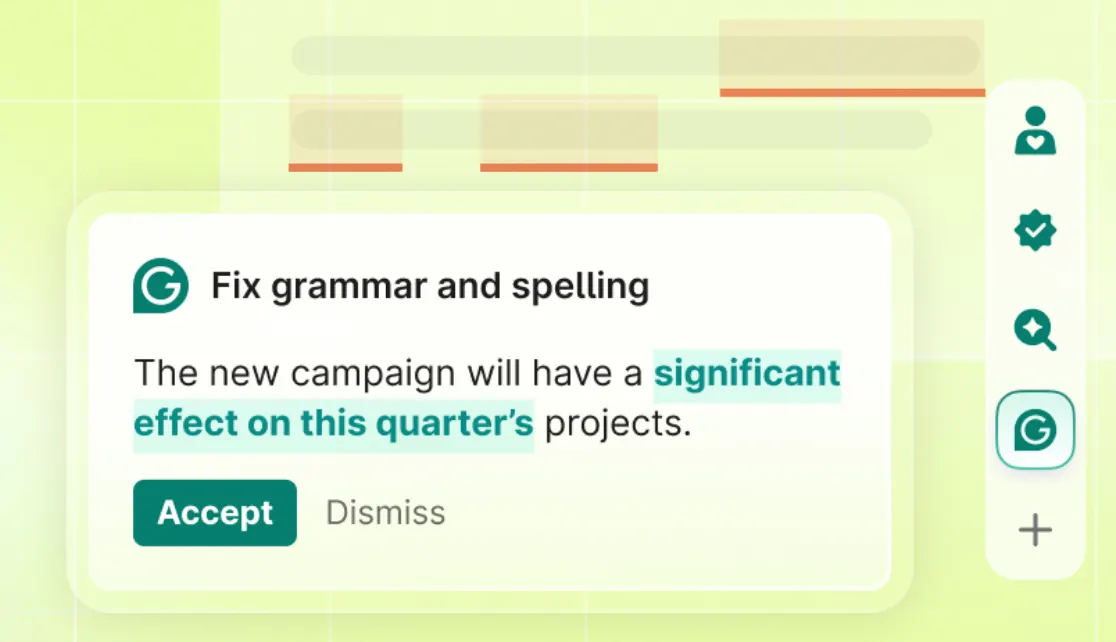
This remains the feature people know Grammarly for. It catches grammar, spelling, punctuation, word-choice, and usage issues while you write. The important part is that Grammarly provides context-specific suggestions rather than simply underlining a word and telling you it is wrong. :contentReference[oaicite:5]{index=5}
✨ Rewrite and Improve
If a sentence is technically correct but sounds awkward, Grammarly can suggest a cleaner version. This is often more useful than a simple grammar checker because good business writing is not just about avoiding mistakes.
🎭 Tone Suggestions
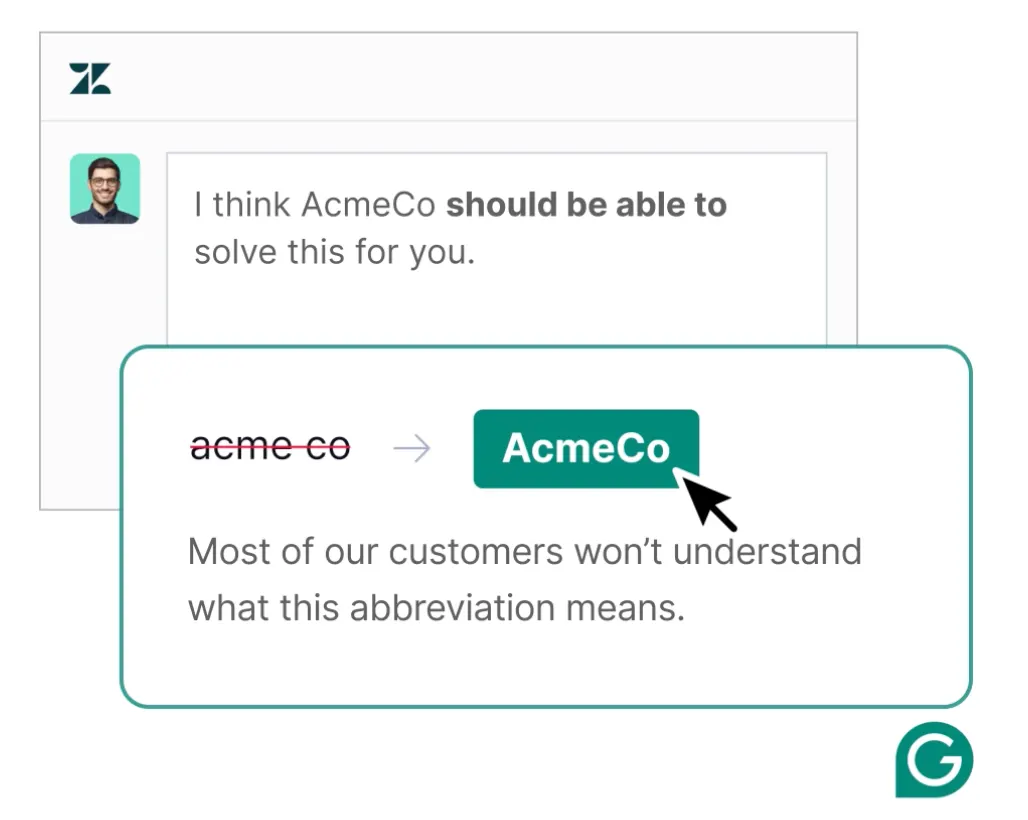
One of Grammarly's practical strengths is tone adjustment. A sentence can be grammatically correct and still be too aggressive, too casual, or too vague. Grammarly helps you see how the message may come across and adjust it accordingly. :contentReference[oaicite:6]{index=6}
🤖 Generative AI
Grammarly can generate drafts, brainstorm ideas, rewrite existing text, and help create replies. Its AI works in the context of the writing environment rather than requiring you to copy everything into a separate chatbot. :contentReference[oaicite:7]{index=7}
📄 Grammarly Docs
Docs is Grammarly's newer AI-native writing environment. It combines drafting and editing with AI features such as AI Chat, rewriting, reader reactions, citation support, plagiarism checking, AI detection, and other writing agents. :contentReference[oaicite:8]{index=8}
🛠️ How to Use Grammarly
Step 1: Install Grammarly or use the web editor. You can start directly from Grammarly's website or install the browser extension or desktop application.
Step 2: Write normally. Do not change your entire writing process just because Grammarly is running. Write the message the way you naturally would.
Step 3: Review the suggestions. Grammarly will highlight potential problems. Click each suggestion and decide whether the change actually improves your sentence.
Step 4: Check the tone. This is especially useful before sending an important email, sales proposal, complaint, or message to a manager.
Step 5: Use AI for the difficult parts. If you know what you want to say but cannot find the right wording, ask Grammarly to rewrite or develop the idea instead of starting over.
💡 Practical Tips That Actually Help
Don't accept every suggestion. Grammarly is an assistant, not the final authority. A sentence can be intentionally informal, conversational, or stylistically unusual. If the change makes your writing sound less like you, keep the original.
Use Grammarly after writing the first draft. Trying to write and perfect every sentence at the same time can slow you down. Get the ideas out first, then let Grammarly help with clarity and polish.
Use tone checking before important emails. This is one of the easiest ways to get real value from Grammarly. A short sentence can easily sound colder than you intended when written quickly.
Give AI enough context. Instead of “rewrite this,” try “rewrite this email for a potential enterprise customer. Keep it confident, concise, and friendly without sounding like a sales pitch.”
📥 How to Install Grammarly
Grammarly is available through the web and supports major browsers including Chrome, Firefox, Edge, and Safari. There are also desktop applications for Windows and Mac, as well as mobile apps for Android, iPhone, and iPad. :contentReference[oaicite:9]{index=9}
For most people, the browser extension is the easiest place to start because it can provide suggestions while you work in websites and web applications. If most of your writing happens in desktop software, installing the Windows or Mac application can make more sense.
💰 Is Grammarly Free?
Yes. Grammarly currently offers a Free plan. The free version provides basic writing assistance and includes 100 AI prompts per month according to Grammarly's current pricing page. :contentReference[oaicite:10]{index=10}
Free: $0. It covers core writing assistance, basic corrections, tone detection, and limited AI generation.
Pro: Grammarly currently lists Pro at $12 USD per member per month when billed annually, or $30 USD per month when billed monthly. Pro adds features such as full-sentence rewrites, tone adjustments, brand-related controls, and 2,000 AI prompts per month. :contentReference[oaicite:11]{index=11}
Enterprise: Pricing is customized. Enterprise plans are designed for larger organizations and include features such as unlimited members, dedicated support, confidential mode, granular permissions, data-loss prevention, and unlimited generative AI prompts. :contentReference[oaicite:12]{index=12}
Because Grammarly changes plans and feature limits over time, it is better to check the official pricing page before publishing a fixed price in a long-term article.
👥 Who Should Use Grammarly?
- 👔 Professionals: Improve emails, reports, proposals, presentations, and everyday business communication.
- 📈 Salespeople: Make outreach emails clearer and more persuasive without making them sound artificial.
- 🎓 Students: Check grammar, improve clarity, and organize academic writing.
- 💼 Job seekers: Improve resumes, cover letters, LinkedIn profiles, and application messages.
- ✍️ Writers and creators: Edit drafts while keeping control over the final voice.
- 🏢 Companies: Maintain consistent communication, brand tone, and writing standards across teams.
❓ Common Problems
“Why does Grammarly change a sentence that is already correct?” Grammar is only one part of Grammarly. It also evaluates clarity, wordiness, tone, and style. A sentence can be grammatically correct but still be difficult to read.
“Should I accept every suggestion?” No. Grammarly is designed to make suggestions, not decisions. Always consider the intended audience and your own voice before accepting a rewrite.
“Why does Grammarly sometimes misunderstand what I mean?” Context matters. A short sentence with little surrounding information is harder for any AI system to interpret correctly. Give the AI more context when requesting a rewrite.
“Can Grammarly replace ChatGPT?” Not really. They overlap, but they are designed around different workflows. ChatGPT is a general-purpose AI assistant, while Grammarly is much more tightly integrated into writing, editing, tone, and communication workflows.
🔍 Grammarly vs. a Traditional Grammar Checker
A traditional grammar checker mainly asks whether something is correct. Grammarly goes further by asking whether the writing is clear, concise, appropriately toned, and effective for its intended audience. Its current product also includes generative AI and specialized agents, so it is no longer accurate to describe Grammarly as simply an online spelling checker. :contentReference[oaicite:13]{index=13}
🏁 Final Verdict
Grammarly is most useful when writing is a regular part of your work rather than an occasional task. If you write emails, proposals, reports, applications, articles, or customer messages every day, the small corrections add up quickly.
The biggest reason to use Grammarly is not that it makes every sentence perfect. It gives you another pair of eyes before your words reach another person. That can be valuable when the cost of a poorly written message is higher than the cost of the software.
Comments