

🔎 What Is Kagi?
Kagi is a paid search engine built around a simple idea: search should work for the person doing the searching, not for advertisers. There are no ads in the search results, and Kagi puts a strong emphasis on privacy, relevance, personalization, and control.
What makes Kagi especially interesting in 2026 is that it has grown beyond traditional search. Kagi Assistant brings AI into the same workflow, allowing users to search the web, analyze information, work with files, and switch between different AI models without leaving the Kagi ecosystem.
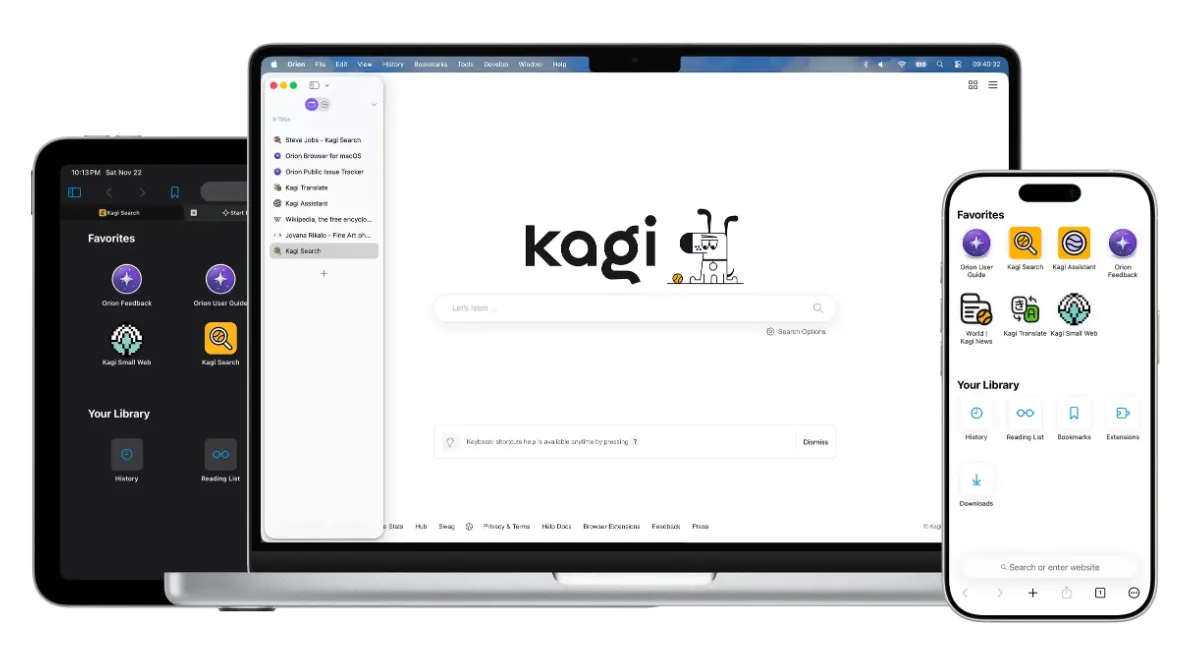
✨ What Makes Kagi Different?
Ad-free search: Kagi does not rely on advertising to fund its search engine. That changes the feel of the product immediately: fewer sponsored results, fewer commercial distractions, and a cleaner interface.
Personalized rankings: You can promote websites you trust and reduce the visibility of domains you do not want to see. Over time, this makes Kagi feel less like a generic search engine and more like a search tool configured around your own habits.
Search Lenses: Lenses let you narrow a search to particular parts of the web. You can use built-in options such as programming or forums, or create your own Lens with included and excluded domains, keywords, regions, and other rules.
Kagi Assistant: Assistant can use Kagi Search when web access is enabled, or work without the web when you simply want to interact with an AI model. It also supports file uploads, custom assistants, model switching, voice input, and conversation exports.
Privacy: Kagi's business model is subscription-based rather than advertising-based. Kagi states that Assistant conversations are not used to train AI models and that account information is not shared with model providers.
🌎 Where Does Kagi Fit in the Search Market?
Kagi is not trying to beat Google by becoming another mass-market free search engine. Its audience is much narrower: people who search a lot and care about the quality of what comes back.
Developers, researchers, journalists, technical professionals, writers, and serious internet users are natural Kagi customers. The interesting part is the business model. Instead of asking users to tolerate ads in exchange for free search, Kagi asks them to pay directly for the service.
That makes Kagi a niche product rather than a universal replacement for Google. If you search five times a week, the subscription may not matter much. If you search dozens of times a day for work, the calculation changes.
🚀 Getting Started With Kagi
You do not need a complicated installation process. Kagi works through the web, and the service can be integrated into your normal browser workflow. Create an account, start the free trial, and use the search engine for real tasks instead of judging it from a few casual queries.
The current trial includes 100 searches and 100 Kagi Assistant interactions. That is enough to test the experience before committing to a paid subscription.
🧭 How to Use Kagi Effectively
Start with normal searches. You do not need to learn special search syntax to get value from Kagi. Search naturally and pay attention to the quality of the first page of results.
Use Lenses when the web gets noisy. If you are researching programming, forums, or a specific type of content, a Lens can eliminate a lot of irrelevant results.
Train the ranking system. When you repeatedly find yourself ignoring the same websites, down-rank them. When you repeatedly trust a particular source, boost it.
Bring in Assistant when synthesis becomes the problem. Search is best for finding information. Assistant becomes useful when you need to compare, summarize, explain, or organize what you found.
💡 Practical Kagi Tips
Do not treat Kagi Assistant as a replacement for search. Its strongest workflow is search first, synthesis second. For example, when researching a product, find several relevant sources through Kagi and then ask Assistant to compare their claims and identify differences.
For technical work, create a Lens that favors official documentation and trusted communities. For market research, build another Lens around company websites, industry publications, and specialist sources. Once configured, these small adjustments can save a surprising amount of time.
Another useful habit is switching web access on and off deliberately. Use web access when current information matters. Turn it off when you are working on writing, reasoning, coding, or other tasks where external search is unnecessary.
💰 Kagi Pricing
Kagi is a paid service with a free trial. The current individual plans are structured as follows:
Trial: Free, with 100 searches and 100 Assistant interactions.
Starter: $5 per month, with 300 searches per month.
Professional: $10 per month, with unlimited search and Kagi Assistant using standard models.
Ultimate: $25 per month, with unlimited search, premium AI models, and Research mode.
Annual billing currently provides a 10% discount. Kagi also has a fair-pricing policy that can credit a month when the service is not used, subject to its current terms.
👤 Who Should Use Kagi?
Kagi makes the most sense for people whose work depends on finding information quickly. Developers, researchers, analysts, writers, journalists, technical users, and heavy searchers are the obvious audience.
It is less compelling for someone who only searches occasionally. Paying for search is a behavioral change, and not everyone needs it. The real question is not whether Kagi is technically better than Google in every situation. It is whether better results and fewer distractions are worth the monthly cost for you.
⚠️ Common Kagi Questions
Why does Kagi sometimes show fewer results? Kagi focuses heavily on relevance and attempts to reduce low-value or heavily commercialized results. Fewer results do not automatically mean weaker search.
Can Kagi Assistant search the web? Yes. Web access can be enabled or disabled, and when enabled the Assistant can use Kagi Search results as context.
Why can't I access some AI models? Model availability depends on the subscription tier. Premium models and Research mode are part of Ultimate.
Does Kagi work on mobile? Kagi can be used through the web and its broader product ecosystem includes mobile-oriented options. For a simple setup, using Kagi through your preferred mobile browser is enough to get started.
⚖️ Kagi Pros and Cons
Pros: No ads, strong privacy positioning, excellent customization, domain ranking controls, powerful search Lenses, AI-assisted research, multiple model choices, and a clean interface.
Cons: You have to pay for serious long-term use, the search philosophy may feel unusual at first, some advanced AI features require the more expensive plan, and casual users may not get enough value from a subscription.
The biggest advantage is also the biggest limitation: Kagi is deliberately designed for people who care about search quality. If you do not, the subscription is harder to justify.
🏁 Final Verdict
Kagi is worth trying if search is part of your job rather than something you occasionally do. Its best feature is not simply the AI assistant. The real product is the combination of clean search results, personalization, privacy, and AI-assisted research.
Start with the free trial and use it for your actual work for a week. If you notice that you are finding useful information faster and spending less time fighting search results, the subscription starts to make sense. If not, there is no reason to force it.
Comments