

🤖 Kling AI: A Complete Guide to the AI Video and Image Generator
Kling AI is an AI creative platform developed by Kuaishou that turns text, images and reference materials into videos, images and other visual content. Unlike tools focused only on text-to-video, Kling has increasingly positioned itself as an all-in-one creative workspace covering generation, editing, motion control and multimodal creation.
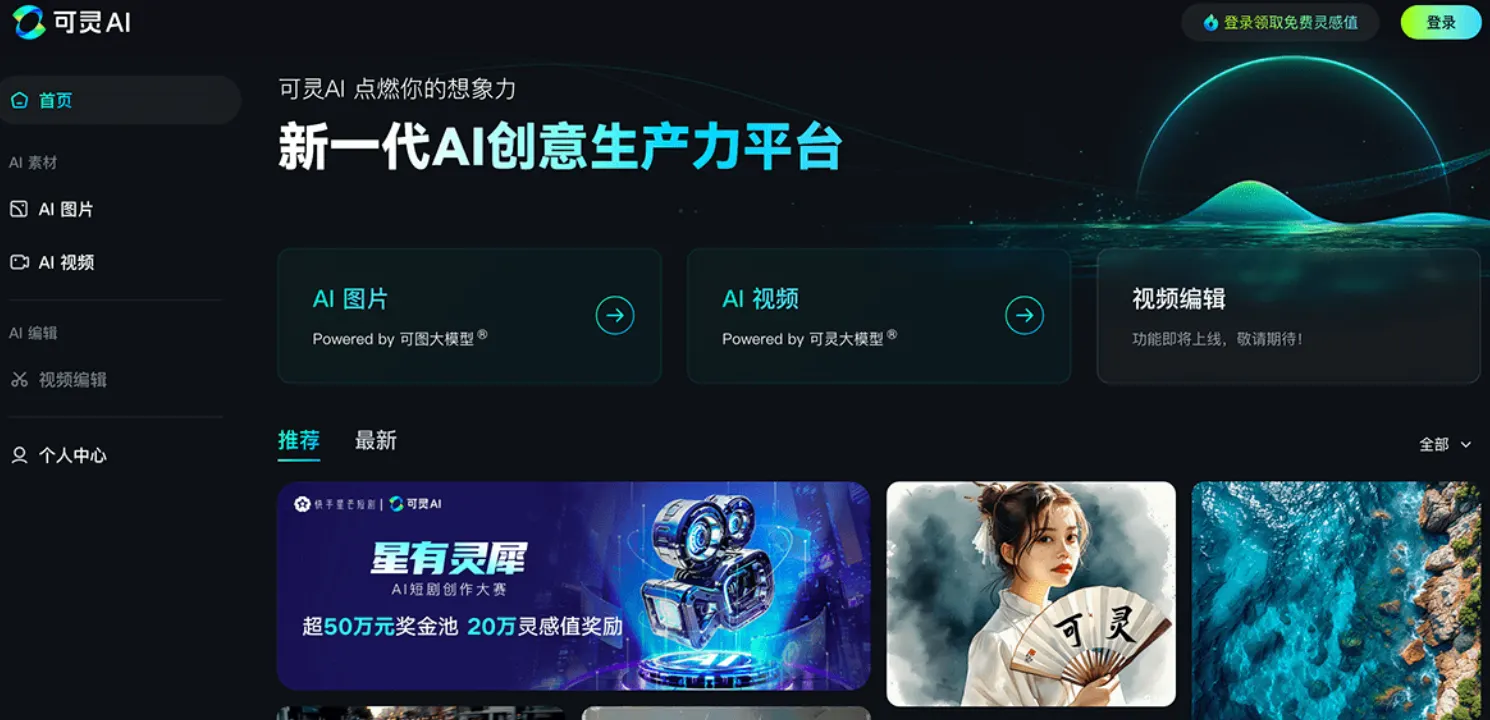
📦 What Is Kling AI?
Kling AI, known as 可灵AI in China, is an artificial intelligence creation platform developed by Kuaishou. It first attracted international attention because of its ability to generate relatively realistic videos from simple text and image prompts.
The product has since evolved considerably. Kling 3.0 introduced an All-in-One multimodal architecture that can work across text, images, audio and video, bringing video understanding, generation and editing into a single workflow. The model also supports storyboard control, stronger prompt adherence and simultaneous audiovisual generation. :contentReference[oaicite:0]{index=0}
That makes Kling more useful than a simple “type a sentence and get a video” generator. For creators, the bigger advantage is being able to start with an idea, image or existing material and continue developing it inside the same creative environment.
🌍 How Popular Is Kling AI Globally?
Kling has grown from a Chinese AI product into a genuinely international platform. Kuaishou reported that Kling had more than 60 million creators worldwide by December 2025, had generated more than 600 million videos and had partnerships with more than 30,000 enterprise users. :contentReference[oaicite:1]{index=1}
In June 2026, Kling AI stated that its global community had surpassed 100 million users and nearly 50,000 enterprise customers, with the service reaching 224 countries and regions. These figures were published by Kling AI itself, so they should be understood as company-reported figures rather than independently audited user statistics. :contentReference[oaicite:2]{index=2}
Third-party website data also shows that Kling's international audience is substantial. Semrush estimated 4.45 million visits to klingai.com in July 2026. The largest traffic sources included China, the United States, India, Brazil and Japan, showing that the product is attracting users well beyond its original market. :contentReference[oaicite:3]{index=3}
🎯 What Can Kling AI Do?
🎬 Text-to-Video
Describe a scene and Kling can generate a video based on the prompt. This is useful for cinematic concepts, advertising ideas, social media clips, product demonstrations and short-form storytelling.
The quality of the prompt matters. Instead of writing “a car driving through New York,” describe the subject, environment, camera movement, lighting and action. The more important visual information you provide, the easier it is for the model to understand your intended shot.
🖼️ Image-to-Video
Image-to-video is one of Kling's most practical features. Upload a still image and describe how you want it to move. This allows creators to turn artwork, product images, portraits and AI-generated images into short video sequences.
🎨 AI Image Generation
Kling is no longer only a video generator. Its image-generation capabilities allow users to create visual concepts, characters, product scenes and other images that can later be used as references for video creation.
🧩 Multimodal Creation
Kling 3.0 brings text, image, audio and video into the same creative workflow. Instead of treating each generation task as a separate tool, the system is designed to understand different types of creative input and connect them together. :contentReference[oaicite:4]{index=4}
🎭 Motion Control
Kling's motion-control tools are particularly interesting for character animation. The system can use movement from an uploaded video or motion library and combine it with a character reference image, allowing creators to transfer body movements and facial expressions to a generated character. :contentReference[oaicite:5]{index=5}
🔊 Native Audio and Video Generation
One of Kling's more important recent developments is the integration of audio into video generation. Kling 3.0 supports native audiovisual generation, allowing creators to work with video and audio as part of the same generation process. :contentReference[oaicite:6]{index=6}
✨ What Makes Kling AI Different?
1. Strong focus on video. Kling was built around AI video generation rather than adding video as a secondary feature.
2. Better control over movement. Motion control and reference-based workflows give creators more control than a basic text-to-video prompt.
3. Multimodal workflow. Text, images, audio and video can be combined instead of being handled as completely separate tasks.
4. Useful for professional content. Kuaishou reports adoption across marketing, ecommerce, film and television, short dramas, animation and gaming. :contentReference[oaicite:7]{index=7}
5. Rapid model development. Kling has gone through multiple major model updates in a relatively short period, including Kling 2.0, 2.6 and the 3.0 series.
🛠️ How to Use Kling AI
Step 1: Open the official Kling AI website and sign in.
Step 2: Choose the creation mode you need, such as image generation, text-to-video or image-to-video.
Step 3: Write a prompt describing the subject, environment, action and visual style.
Step 4: Upload a reference image when character appearance, product design or composition needs to remain consistent.
Step 5: Select the available model, resolution and other generation settings.
Step 6: Generate several versions instead of relying on the first result. AI video generation is inherently iterative.
💡 Kling AI Prompt Tips That Actually Help
The biggest mistake beginners make is treating an AI video prompt like a movie title. “A beautiful woman walking in Paris” tells the model what the scene is about, but not how the shot should look.
A more useful structure is: subject + environment + action + camera movement + lighting + visual style.
For example: “A young woman walking through a rainy Paris street at night, reflections from neon signs on the wet pavement, slow cinematic camera tracking shot, soft rim lighting, realistic skin texture, shallow depth of field.”
For image-to-video, keep the motion simple. Instead of asking five characters to perform different actions, start with one clear movement. For example: “The camera slowly pushes forward while the character turns her head toward the camera.”
For character consistency, use reference images whenever possible. If the face, clothes or hairstyle is important to the story, repeat the key character information rather than assuming the model will remember it automatically.
📱 How to Install Kling AI
For most users, Kling AI does not require traditional desktop software installation. The main experience is available through the official web platform.
Mobile availability can vary depending on region and platform. If an official Kling AI mobile application is available in your local App Store or Google Play region, use the official store listing rather than downloading APK files or applications from third-party websites.
The safest starting point is the official Kling AI website: https://klingai.com/.
💰 Is Kling AI Free?
Kling AI offers free access, but free usage is limited by credits and generation availability. Paid plans are designed for users who need more generations or higher usage limits.
The important point is that Kling's pricing is credit-based and the amount of credits consumed depends on the model, resolution, duration and generation mode. For example, the official Kling Video 3.0 pricing documentation lists 1080p native-audio generation at 12 credits per second and 720p native-audio generation at 9 credits per second. Without native audio, the rates listed are 8 credits per second at 1080p and 6 credits per second at 720p. :contentReference[oaicite:8]{index=8}
Because Kling frequently updates models and subscription packages, users should check the current pricing page after signing in before purchasing. Older articles often show historical prices that no longer match the current plan structure.
👥 Who Is Kling AI Best For?
Content creators: Useful for TikTok, YouTube Shorts, Instagram Reels and other short-form video workflows.
Marketing teams: Useful for quickly producing advertising concepts, product videos and creative variations.
Ecommerce sellers: Useful for turning product images into more engaging visual content.
Filmmakers and storytellers: Useful for storyboards, visual experiments, character animation and pre-production concepts.
Designers: Useful for testing visual ideas before investing time in traditional production.
Businesses: Kling's enterprise adoption makes it relevant for teams that need repeatable AI content workflows. Kuaishou reported nearly 50,000 enterprise customers in June 2026. :contentReference[oaicite:9]{index=9}
❓ Common Kling AI Problems
Why doesn't the video follow my prompt?
AI video models interpret instructions rather than executing them like traditional animation software. Reduce conflicting instructions and make the main action explicit.
Why do hands or faces sometimes look strange?
Complex human movement remains difficult for generative video models. Simplify the movement and avoid asking multiple characters to perform complicated actions simultaneously.
Why does my character change between generations?
Each generation is not automatically a perfect continuation of the previous one. Use character references and keep the important visual description consistent.
Why are my credits being consumed quickly?
Video generation can consume significantly more credits than image generation, especially at higher resolutions or with advanced models. Check the credit cost before running large batches.
Why can't I use a particular model or feature?
Feature availability may depend on the account, region, subscription, rollout stage and current product configuration.
📌 Final Verdict
Kling AI has moved well beyond its early reputation as simply another AI video generator. Its strongest selling point today is the combination of video generation, image creation, reference-based control, motion control and multimodal workflows.
For casual users, the free credits are enough to understand what the platform can do. For creators producing videos regularly, the real question is not whether Kling can generate impressive clips—it clearly can—but whether its consistency, controllability and credit cost fit your production workflow.
If you are comparing Kling with other AI video tools, test the same prompt, the same reference image and the same type of movement across several platforms. That gives you a much more useful comparison than judging tools from promotional demo videos.
Comments