

🧭 What Is Kilo?
Kilo, also known as Kilo Code, is an open-source AI coding agent designed for developers who want AI to work directly inside their development environment. Instead of only providing code suggestions, Kilo can inspect a codebase, edit files, run terminal commands, debug errors, write tests, and handle multi-step software development tasks.
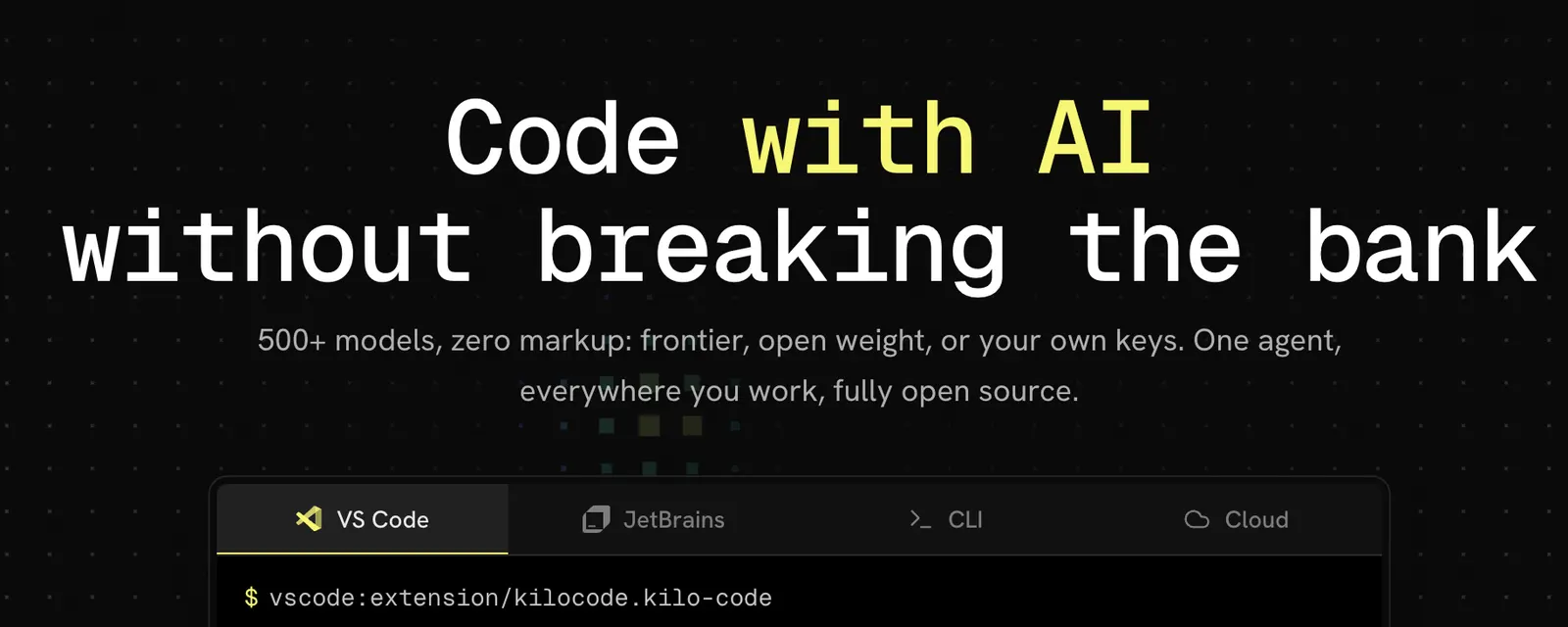
Kilo evolved from the open-source AI coding-agent ecosystem and has developed into a broader agentic coding platform. Its current product covers VS Code, JetBrains IDEs, CLI workflows, cloud agents, and related development tools. Kilo is also associated with the open-source community around agentic coding and MCP-based integrations.
The basic idea is straightforward: give developers an AI agent that can work on real software projects while allowing them to choose the models, tools, and development environment.
Unlike a normal chatbot, Kilo can interact with the project itself. It can inspect files, make changes, execute commands, run tests, investigate errors, and continue working through a task. That makes it more comparable to an AI software engineer than a conventional autocomplete tool.
⚙️ Core Features
1. Agentic Coding
Kilo can take a natural-language requirement and turn it into actual development work. It can inspect the existing project, determine which files are relevant, make changes, run commands, and iterate when something fails.
2. Support for Hundreds of AI Models
One of Kilo's main selling points is model flexibility. Developers can choose from a large selection of AI models instead of being locked into one provider. This makes it possible to select models based on reasoning quality, speed, price, privacy, or task requirements.
3. Multiple Agent Modes
Kilo supports different workflows for planning, coding, debugging, and other stages of software development. This is useful for larger projects where the developer wants to understand the approach before allowing the agent to modify the code.
4. Parallel Agents
Kilo can run multiple agents in isolated development environments. Developers can therefore delegate independent tasks simultaneously without forcing every agent to work in the same project state.
5. MCP Integration
Kilo supports the Model Context Protocol, allowing developers to connect external tools and services. Depending on the configuration, the agent can work with databases, APIs, GitHub, documentation, browsers, and other development resources.
6. Cloud Agents
Cloud-based agents allow some work to happen remotely rather than occupying the developer's local machine. This is useful for longer-running tasks, background development, and workflows where several tasks need to run simultaneously.
7. Auto Model Selection
Kilo can help select an appropriate model for a task rather than requiring developers to manually choose a model every time. This can be useful when balancing quality, speed, and AI usage costs.
8. Code Review and Development Automation
Kilo is moving beyond basic code generation into broader engineering workflows, including code review, GitHub-related tasks, browser interaction, Slack workflows, and agent management.
✨ What Makes Kilo Different?
Kilo's biggest difference is control. Many commercial AI coding products provide a carefully packaged experience built around their own models and infrastructure. Kilo gives developers more freedom to choose models, providers, tools, and development environments.
This model flexibility is particularly useful for developers who do not want to depend entirely on one AI provider. You can use a high-end model for difficult architecture or debugging work, switch to a cheaper model for routine tasks, or use a local model when privacy is more important.
Kilo is also designed to work with the development tools developers already use. Rather than forcing everyone into a completely new editor, it supports environments such as VS Code and JetBrains, alongside CLI and cloud workflows.
The result is a product that sits somewhere between an AI coding assistant, an autonomous software engineer, and an AI-agent platform.
💻 Real-World Use Cases
🧑💻 Software Development
This is Kilo's primary use case. Developers can use it to build features, modify existing applications, create APIs, implement frontend components, refactor projects, and update dependencies.
🐛 Debugging
Kilo can inspect error messages, trace the relevant code, identify possible causes, make a fix, and run tests or commands to verify the result.
🔄 Refactoring
Large refactoring tasks are well suited to an agent because they often involve changing several related files while maintaining consistency across the project.
🧪 Testing
You can ask Kilo to create tests, update existing tests, execute a test suite, investigate failures, and make additional changes when necessary.
📦 Code Migration
Kilo can assist with dependency updates, framework migrations, API changes, and other modernization tasks where many files need to be changed consistently.
🌐 Web Development
Frontend and full-stack developers can use Kilo to build interfaces, connect APIs, modify React or other JavaScript projects, and troubleshoot application behavior.
📊 Automation and Scripts
Because Kilo can interact with the terminal and external tools, it can help create Python scripts, automation utilities, data-processing workflows, and internal developer tools.
📝 Technical Documentation
Kilo can inspect an existing repository and create or update documentation based on the actual implementation rather than producing generic documentation from a short prompt.
🚀 How to Use Kilo
Step 1: Install Kilo
Choose the environment you already use. VS Code users can install the Kilo extension, while JetBrains developers can install the corresponding Kilo plugin. Developers who prefer terminal workflows can use the CLI.
Step 2: Create or Sign In to Your Account
Create a Kilo account if you want to use Kilo's gateway or cloud services. If you prefer to use your own AI provider, configure the appropriate API credentials.
Step 3: Choose an AI Model
Select a model appropriate for the task or use Kilo's automatic model selection. For serious development work, it is worth comparing different models instead of assuming that the most expensive option will always be the best.
Step 4: Choose a Mode
Use a planning-oriented workflow for complicated tasks, coding for implementation, and debugging when you are investigating an existing problem.
Step 5: Explain the Task
Tell Kilo what you want to accomplish, provide the relevant technical context, specify constraints, and explain how success should be measured.
Step 6: Review the Plan
For large changes, ask Kilo to inspect the project and explain its proposed approach before allowing it to make extensive modifications.
Step 7: Let Kilo Implement
Kilo can read project files, modify code, execute terminal commands, run tests, and iterate based on the results.
Step 8: Review the Result
Always inspect the final changes and test results. An AI agent can make incorrect assumptions even when the final output appears reasonable.
🧠 Tips for Getting Better Results
Give Kilo a Clear Outcome
Instead of saying “fix the login,” explain the expected behavior. For example: “When a user's session expires, redirect them to the login page instead of returning an HTTP 500 error.”
Provide Technical Constraints
Mention the framework, package versions, database, API requirements, compatibility requirements, and architectural limitations that matter to the task.
Define the Scope
Tell Kilo which modules or directories it can modify and which parts of the project should remain untouched. This is particularly useful in large repositories.
Ask for a Plan Before a Major Refactor
For complex changes, planning first gives you a chance to correct the agent's assumptions before it modifies dozens of files.
Require Testing
Ask Kilo to run unit tests, integration tests, linting, type checks, or build commands after making changes. This simple instruction can significantly improve the usefulness of an agentic coding session.
Match the Model to the Task
Use a powerful reasoning model for architecture and difficult debugging, and a faster or cheaper model for straightforward transformations. Kilo's multi-model approach makes this workflow practical.
Use Parallel Agents Selectively
Parallel agents are useful when tasks are independent. They can create unnecessary conflicts when several agents are modifying the same architecture at the same time.
🖥️ Installation and Supported Platforms
Kilo is primarily a developer tool rather than a conventional web-based AI application. Its main interfaces are integrated directly into development environments or the command line.
- VS Code: Full Kilo Code extension for agentic development.
- JetBrains: Support for JetBrains development environments such as IntelliJ IDEA, PyCharm, and WebStorm.
- CLI: Terminal-based Kilo workflows for developers who prefer command-line tools.
- Cloud: Remote agents for longer-running and asynchronous development tasks.
- Windows: Usable through supported development environments and CLI workflows.
- macOS: Supported through VS Code, JetBrains, and CLI environments.
- Linux: Supported through development environments and CLI workflows.
- iOS: Mobile access is not the primary Kilo development environment.
- Android: Not positioned as a primary Android development client.
- Browser extension: Kilo is primarily an IDE, CLI, and cloud-agent platform rather than a conventional browser extension.
This approach is useful for developers who do not want to abandon their existing tools. You can keep working in VS Code or JetBrains and add Kilo's agent capabilities to the workflow.
💰 Kilo Pricing
Kilo uses a usage-oriented pricing model rather than relying entirely on a traditional unlimited monthly subscription. The underlying Kilo software is available to use without a conventional mandatory subscription, while AI inference can be paid through your own provider or Kilo's services.
Free / Individual
The basic Kilo software is free. Developers can use their own API keys and pay the underlying AI provider directly. Kilo also provides access to selected free models.
Kilo Pass Starter — $19/month
The Starter plan is designed for developers with regular AI usage and provides a monthly credit allocation along with additional promotional credits.
Kilo Pass Pro — $49/month
The Pro tier provides a larger credit allocation for developers who run agentic coding tasks more frequently.
Kilo Pass Expert — $199/month
The Expert plan is aimed at heavy users who regularly run large coding and agent workloads.
Teams — $15/user/month
The Teams offering adds centralized billing and team-oriented management features for organizations using Kilo across multiple developers.
Enterprise
Enterprise customers can access additional organizational capabilities such as identity management, audit controls, model restrictions, support, and self-hosting options. Pricing is customized according to the organization's requirements.
The important point is that Kilo's subscription price should not be confused with unlimited AI usage. Your actual cost depends heavily on the models you select and how much inference your agents consume.
👥 Who Is Kilo For?
- Professional developers: A strong fit for developers working on real-world repositories and multi-step engineering tasks.
- Indie hackers: Useful for building and maintaining products with a small team.
- AI engineers: Particularly useful for experimenting with agents, models, MCP, and automated workflows.
- VS Code users: A natural choice for developers who want an autonomous coding agent without changing editors.
- JetBrains users: Useful for developers who prefer IntelliJ IDEA, PyCharm, WebStorm, or related IDEs.
- Engineering teams: Useful when multiple developers need shared AI workflows and centralized controls.
- Students: Helpful for learning programming and experimenting with AI coding agents, provided generated code is reviewed carefully.
- Non-technical users: Less suitable because Kilo assumes a basic understanding of software development.
🌎 Global Usage and Adoption
Kilo has reported more than 5 million Kilo Coders and more than 10 trillion tokens processed per month. These figures are company-reported metrics rather than independently audited user statistics, so they should be viewed as product-reported adoption data.
The open-source project also has a sizeable developer community on GitHub, with tens of thousands of stars and an active contributor ecosystem. This indicates substantial developer interest, although GitHub stars should not be treated as a direct count of active users.
Kilo does not currently publish a reliable country-by-country breakdown of active users. There is therefore no strong basis for claiming that a specific percentage of Kilo users come from the United States, Europe, Japan, China, or another individual market.
For an AI coding platform, model usage, token volume, active installations, GitHub activity, and agent sessions are more useful indicators than ordinary website traffic. Kilo's published usage numbers therefore provide a better picture of its developer adoption than a generic monthly visitor estimate.
🔐 Security and Privacy
Kilo's open-source architecture gives developers greater visibility into the software they are running. The ability to use different models, including compatible local models, can also give organizations more control over how sensitive code and information are processed.
However, Kilo is an agent rather than a passive code generator. If you give it access to a repository, terminal, API credentials, or cloud infrastructure, it can potentially perform actions with real consequences.
For professional environments, restrict permissions, protect credentials, avoid giving agents unnecessary production access, review code changes, and establish clear rules for which models and providers are permitted to process company information.
👍 Kilo Advantages
- Large model selection: Developers have access to hundreds of AI models rather than being locked into one model family.
- Open-source foundation: The software can be inspected, modified, and extended.
- Multiple development environments: VS Code, JetBrains, CLI, and cloud workflows are supported.
- Strong agent capabilities: Kilo can handle multi-file editing, terminal operations, debugging, testing, and longer development tasks.
- Flexible cost structure: BYOK and usage-based options give experienced developers more control over AI spending.
⚠️ Kilo Disadvantages
- Learning curve: Model selection, agent modes, permissions, credits, and integrations can be confusing at first.
- AI usage can become expensive: Long autonomous sessions can consume large amounts of model tokens.
- More technical than a standard coding assistant: Kilo is built for developers who are comfortable with their development environment.
- Rapid product evolution: Features and workflows can change quickly as the agent ecosystem develops.
⚖️ Kilo vs. Similar AI Coding Tools
| Tool | Main Focus | Model Choice | Pricing Model | Typical Use |
|---|---|---|---|---|
| Kilo | Open-source agentic coding platform | 500+ models | Free/BYOK, usage-based, optional paid plans | Agentic development and flexible AI workflows |
| Cline | Open-source AI coding agent | Broad model/provider support | Free software plus model costs | Developers wanting an open coding agent |
| Cursor | AI-native code editor | Multi-model | Subscription | Integrated AI-assisted development |
| Claude Code | Terminal-based coding agent | Claude ecosystem | Subscription/API-based | Terminal-first software development |
| GitHub Copilot | AI coding assistant and agent | Multi-model | Subscription | GitHub-centered development workflows |
| Windsurf | AI-native development environment | Curated multi-model ecosystem | Subscription | Integrated AI coding workflows |
Kilo's main distinction is the amount of control it gives the developer. Cursor and Windsurf emphasize a tightly integrated AI development experience. Claude Code focuses heavily on terminal-based agentic coding. GitHub Copilot is deeply connected to the GitHub ecosystem.
Kilo instead puts considerable emphasis on model choice, open-source development, agent customization, and interoperability. That makes it particularly interesting for developers who want to experiment with different models rather than committing to one AI provider.
🧪 A Practical Example
Imagine you have a React and Node.js application where checkout occasionally fails after a user's login session expires.
A weak prompt would be:
“Fix the checkout problem.”
A much better Kilo instruction would be:
“Investigate why checkout returns an HTTP 500 error when the authentication session expires. Trace the request from the React frontend to the Node.js API, identify the root cause, fix the issue without changing the authentication architecture, add a regression test, run the relevant test suite, and summarize all files changed.”
With this type of instruction, Kilo can inspect the repository, trace the relevant code, make the changes, run tests, and provide a summary. The developer still reviews the final implementation, but much of the investigation and repetitive coding work can be delegated to the agent.
💵 Is Kilo Worth Paying For?
For developers who use AI coding agents frequently, Kilo's pricing structure is worth considering because the software and model consumption are treated separately. Developers who already have API access can use BYOK, while heavier users can use Kilo's paid credit plans.
The $19 Starter tier is aimed at regular users, while the $49 Pro and $199 Expert plans are designed for progressively heavier AI workloads. The right option depends less on the number of features and more on how much model inference you actually use.
One important point: a monthly Kilo plan should not be interpreted as unlimited access to every AI model. Long-running agent sessions, large repositories, and expensive frontier models can consume significantly more resources than short coding requests.
🎯 Final Assessment
Kilo is worth trying for serious developers who want an open and model-flexible AI coding agent. Its strongest features are the combination of broad model support, agentic coding, multiple IDEs, MCP integrations, cloud agents, and parallel development workflows.
It is particularly attractive to developers who want to keep using VS Code or JetBrains while adding a powerful autonomous coding layer. It also makes sense for AI engineers and technical teams that want to compare models or build customized agent workflows.
Best suited for: professional developers, indie hackers, AI engineers, technical teams, and organizations that value model choice and customization.
Worth considering when: you regularly handle multi-file changes, debugging, refactoring, testing, migrations, or other tasks where an AI agent can take several actions on your behalf.
Less suitable when: you only want simple autocomplete, occasional code explanations, or a completely zero-configuration AI coding experience.
Overall, Kilo is more than another AI code generator. Its real value is the ability to combine AI models, development tools, autonomous agents, and existing coding environments into one workflow. For developers who want control rather than a completely closed AI coding product, that is what makes Kilo worth a serious look.
Comments