🎵 Loudly Review: A Practical AI Music Platform for Creators, Artists and Developers
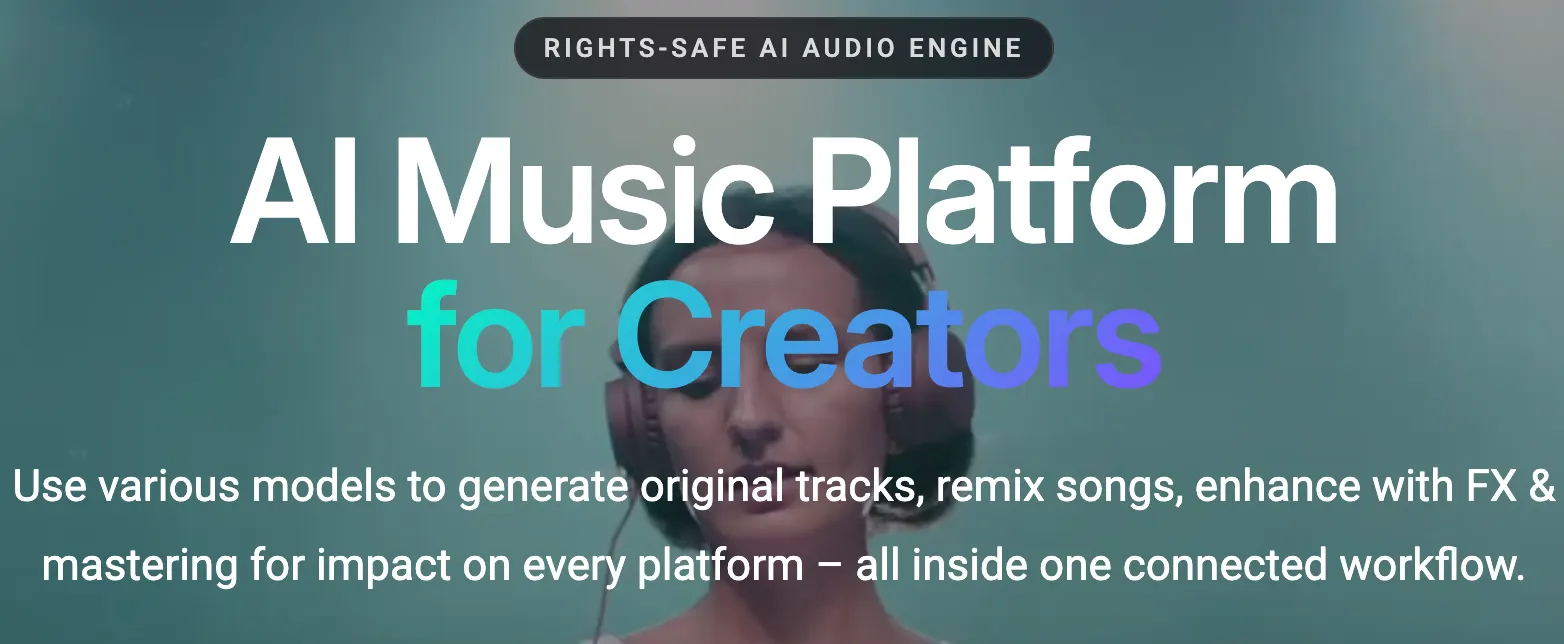
Loudly is an AI music platform built for people who need usable music quickly rather than another complicated music-production workstation. You can generate original tracks, customize them by genre and mood, remix existing music, split stems, create samples, master tracks and, through its API, bring AI music generation into your own product.
From a creator's perspective, that broader workflow is what makes Loudly worth paying attention to. It is not simply a “type a prompt and get a song” service. Loudly is gradually becoming a production layer around AI-generated music, covering creation, editing, remixing, mastering and distribution.Loudly
🔎 What Is Loudly?
Loudly is an AI-powered music creation platform designed for creators, musicians, brands, developers and other digital-content professionals. Its AI Music Generator can create tracks from musical parameters and text-based direction, while other tools handle remixing, stem separation, mastering and sound generation.
Loudly says its AI music system is trained using a catalog of around 8 million music tracks and a database of approximately 170,000 audio sounds. The company also emphasizes that many of those sounds were produced by professional music producers, rather than treating AI generation as a completely disconnected process from traditional music production.
That approach matters. In real projects, the question is rarely “Can AI make music?” The more useful question is “Can I get the right music, edit it, reuse it, and legally put it into my content without rebuilding my workflow?” Loudly is clearly trying to solve that second problem.
✨ Main Features
🎼 AI Music Generator: Generate original tracks based on genre, subgenre, mood, energy, tempo, instrumentation and structure. Loudly's current system supports a wide range of genres and lets users create variations instead of settling for a single output.
✍️ Text-to-Music: Describe the type of music you need and use that description as a creative starting point. This is particularly useful when you know the mood of a project but don't know exactly which genre or instruments will work.
🎛️ Customization: Loudly allows creators to adjust parameters such as genre, subgenre, tempo, energy, structure, instrumentation and key. The platform currently supports tempos from roughly 60 to 200 BPM.
🔀 AI Song Remixer: Upload your own music and generate alternative versions across different genres. Loudly says the current remixer supports more than 50 genres and can produce multiple variations from one track.
🎚️ Stem Splitter: Separate musical components such as vocals, drums, bass and instruments, giving producers more control over remixing and editing.
🎧 AI Mastering: Loudly can process finished mixes with AI-powered EQ, compression, limiting, stereo enhancement and genre-aware mastering. Reference tracks can also be used to guide the sonic direction.
🔊 AI Sample Generator: Generate loops, one-shots and sound effects from text prompts, with controls such as BPM, mood, instrument and key.
📦 Music Distribution: Loudly also offers music distribution for independent artists, allowing tracks to be delivered to major platforms such as Spotify, Apple Music and TikTok through its distribution service.
🔌 Music API: Developers and music companies can integrate text-to-music, remixing, stem extraction, playlists and catalog functionality into their own products.
🇺🇸 How a US Creator Would Actually Use Loudly
For an American creator, the strongest selling point is not novelty. It is speed. A YouTuber producing three videos a week does not want to spend an hour finding a track for every upload. A marketing team producing dozens of social clips has an even bigger problem.
A practical workflow might look like this: generate a few tracks for a product video, choose the one with the right energy, adjust the structure, download the version that fits the edit, and move on. If the same campaign later needs a different mood, the creator can generate variations instead of starting the music search from zero.
For independent musicians, the workflow is different. Loudly's remixing, stem separation and mastering tools can be used after the initial composition. That makes the platform more useful to someone who already has music than a pure text-to-music generator.
🚀 Your First Loudly Session: Step by Step
Step 1 — Create an account: Start from Loudly's web platform. The core creation workflow runs in the browser, so there is no traditional desktop installation requirement.
Step 2 — Define the job: Don't begin with “make something cool.” Decide what the track is supposed to do. A background track for a product demo needs a very different structure from a club track.
Step 3 — Choose your musical direction: Select a genre, subgenre, mood, energy level and other available parameters. If you are unsure, start broad and narrow the direction after hearing the first results.
Step 4 — Generate several candidates: AI music is much easier to evaluate comparatively. Create multiple versions instead of trying to make one prompt perfect.
Step 5 — Listen against the actual content: This is where many beginners make a mistake. A track can sound impressive by itself and still be terrible under a voice-over. Test it against your video, podcast or game scene.
Step 6 — Refine the result: Adjust tempo, energy, genre or instrumentation. If the track feels too crowded, move toward a simpler arrangement rather than simply lowering the volume.
Step 7 — Export: Choose the format appropriate for your workflow. MP3 is convenient for lightweight content; WAV is more suitable when the audio will continue into professional post-production.
Step 8 — Save your licensing information: For commercial work, keep the account, subscription and license information with the project files. It takes almost no time and makes future rights questions much easier to answer.
💡 Tips That Make a Noticeable Difference
🎯 Describe the function, not just the genre: “Modern electronic music” is vague. “Clean, optimistic electronic background for a SaaS product launch video” gives you a much more useful creative target.
🎬 Match music to editing rhythm: Fast cuts benefit from stronger rhythmic movement. Tutorials and interviews usually work better with restrained arrangements.
🎙️ Protect the voice: If the project contains narration, don't choose music simply because it sounds impressive in isolation. Midrange-heavy arrangements can compete with speech.
🔁 Use variations strategically: Generate a small batch, select the best two or three, then refine. This is faster than repeatedly rewriting prompts without listening critically.
🎚️ Use mastering at the end: Don't master a track before the arrangement and mix are basically finished. Loudly's AI Mastering is most useful as a final-stage processing tool.
🎵 Keep a human ear in the loop: AI can generate options quickly, but it does not know whether the music actually improves your story. Selection remains the creator's job.
💻 Do You Need to Install Loudly?
No traditional desktop installation is required for the main Loudly web experience. The platform is designed to run online.
For developers, Loudly works through its Music API rather than a desktop application. The API is intended for startups, SMEs and larger companies, with pricing based on business size, track volume and license type.
This makes Loudly interesting for two very different users: the individual creator who wants a browser-based music workflow and the software company that wants music generation to become a feature inside its own application.
💰 Is Loudly Free?
Loudly offers a Free plan as well as paid subscription tiers. The exact limits can change as the product evolves, so the current pricing page should be checked before purchasing.
🆓 Free: The free experience is designed to let users test the platform and access a substantial portion of its functionality. Current Loudly information describes roughly 90% feature access for the AI Song Remixer, while free usage has generation limits and preview restrictions. Full-length downloads and broader commercial functionality require a paid plan.
🎬 Personal: The Personal subscription is aimed at individual creators who need full-length music, more generation capacity and commercial licensing for their creative projects.
🚀 Pro: The Pro tier is designed for more intensive professional workflows, with higher usage allowances and features intended for creators and businesses producing music at greater volume.
🏢 Business / API: Larger organizations and platforms can use Loudly's API. API pricing is customized according to company size, monthly track volume and the type of license required. Loudly states that per-track pricing decreases with higher volume.
Because Loudly changes its subscription structure and limits, it is better to treat the current pricing page as the source of truth rather than publishing a fixed price that may become outdated.
⚖️ Commercial Use and Licensing
This is one area where Loudly is relatively straightforward. Loudly states that AI-generated music tracks are royalty-free and come with commercial licensing, with the exact rights depending on the product and subscription context.
For creators, that means the platform is designed around music that can accompany videos, social media content, websites, apps and other projects rather than music that exists only inside Loudly.
However, “commercially licensed” should not be interpreted as “there are no rules.” Distribution, remixing, client work, API usage and derivative workflows can involve different terms. If you are building a product around Loudly's music rather than simply using music in a video, read the relevant license and API agreement carefully.
Loudly's current AI Song Remixer also emphasizes rights-aware workflows, ownership retention for uploaded music and commercial-use-ready remix outputs. Users should still make sure they own or control the rights to music they upload for remixing.
🌎 Global Use and Product Positioning
Loudly's current product positioning goes well beyond individual music creators. Its platform targets artists, labels, brands, developers, gaming companies, content creators and digital platforms.
The company also presents its Music API as a solution for integrating AI-generated music into products at scale. That is a meaningful distinction: a creator might generate ten tracks manually, while a platform may need to generate or serve music for thousands of users.
The company's current remix product also reports usage across more than 75 countries and more than 100,000 remix generations. These are company-reported figures rather than independent market-share statistics, so they should be treated as an indication of product reach rather than proof that Loudly dominates the global AI music market.
👥 Who Should Use Loudly?
🎬 Video creators: A strong fit for YouTube, TikTok, Instagram and other video workflows that need frequent background music.
🎙️ Podcasters: Useful for intros, transitions and background sound.
🎧 Independent musicians: Particularly useful if you want to experiment with remixes, stems, alternate arrangements and mastering.
🎮 Game developers: Interesting because AI music can become part of a broader interactive workflow.
🏢 Brands and agencies: Useful for producing music for a high volume of digital campaigns.
💻 Developers: One of Loudly's strongest target groups if music needs to be integrated into a product through an API.
⚠️ Common Problems and Mistakes
“Royalty-free” doesn't mean every possible use is identical: Always check the license that applies to your plan and workflow.
Uploading music you don't own: AI remixing does not remove copyright responsibility. Only upload music that you have the legal right to process.
Expecting every generation to be release-ready: AI music can produce strong results quickly, but professional projects still benefit from selection, editing and quality control.
Ignoring the mix: A good composition can sound weak if the balance is wrong. Use stem editing or mastering when the project needs it.
Choosing music before editing: The best track is not necessarily the best standalone track. It is the track that works with the actual visual or narrative content.
Assuming API rights are the same as creator rights: Developers should read the API-specific license terms instead of applying a consumer subscription's assumptions to a commercial software product.
👍 Advantages
⚡ Fast: Music generation and remix workflows are designed around speed.
🎛️ Flexible: Genre, mood, tempo, energy, structure and instrumentation can be adjusted.
🔀 More than generation: Remixing, stem separation, samples and AI mastering make it more useful after the initial generation stage.
🔌 Developer-friendly: The API makes Loudly relevant to apps, platforms and other software products.
💼 Commercial focus: Loudly explicitly positions its generated music around royalty-free and commercial creator workflows.
🎚️ Production tools: The addition of mastering and stems means users do not necessarily have to leave the platform immediately after generating music.
👎 Disadvantages
🎵 Not a replacement for a full DAW: Producers who want deep manual control will still need tools such as Ableton Live, Logic Pro, FL Studio or Pro Tools.
🤖 AI quality is variable: Some generations will fit the project immediately; others will require multiple attempts.
📜 Licensing still requires attention: Commercial licensing is a strength, but professional users should still read the relevant terms instead of relying on the phrase “royalty-free.”
💳 Higher-volume users need paid plans: Free access is useful for testing, but serious production quickly moves into subscription territory.
🧠 Human judgment remains essential: AI can generate options faster than a person can compose them from scratch, but it cannot reliably decide which musical choice is best for your particular story.
🏁 Final Verdict
Loudly is more interesting than a basic AI song generator because it is building an entire workflow around AI music. Generation is only one part of the product. Remixing, stem separation, samples, mastering, distribution and API integration make the platform useful at different stages of the music-production process.
For a casual creator, the biggest benefit is speed: you can get usable background music without becoming a music producer. For an independent artist, the remixing, stems and mastering tools are more compelling. For a developer or digital platform, the API is arguably the most strategically interesting part of Loudly.
My main recommendation is simple: don't judge Loudly by listening to one generated track. Put it into your real workflow. Take an actual video, create several tracks, test them underneath narration, edit one, export it and check whether the licensing fits your project. That is a much better test than comparing AI music tools by demo clips alone.
Overall, Loudly is best viewed as an AI-assisted music production ecosystem rather than just another prompt-to-song generator. If your priority is fast, flexible and commercially usable music for digital content, it deserves a serious test.
Free & Pricing
Free plan· Unverified
Payment
Free + paid
Prices and free policies can change. Confirm on the official page before purchasing.


Comments