
🤖 Notion AI: The AI Assistant Built Into Your Workspace
📦 What Is Notion AI?
Notion AI is the artificial intelligence layer built directly into Notion. Instead of moving text between Notion and a separate chatbot, you can ask AI to work with the pages, documents, databases, projects, and knowledge already stored in your workspace.
That difference matters. Notion AI is not mainly about having another place to chat with an AI model. Its real value is helping you get work done where the work already lives. You can rewrite a rough draft, summarize a meeting, search your workspace, extract information from documents, create database content, or ask questions about your team's knowledge.
🎯 What Makes Notion AI Different?
The strongest part of Notion AI is context. A general-purpose chatbot may know a lot about the world, but it does not automatically know how your company organizes projects, what your team discussed last week, or where a particular piece of information lives. Notion AI is designed around that workspace context.
- ✍️ AI Writing: Rewrite, summarize, expand, shorten, translate, or improve text directly inside a Notion page.
- 🔍 Workspace Search: Find information across your Notion workspace and, on supported plans, connected services.
- 🧠 Notion Agent: Give AI larger tasks instead of asking it only one question at a time.
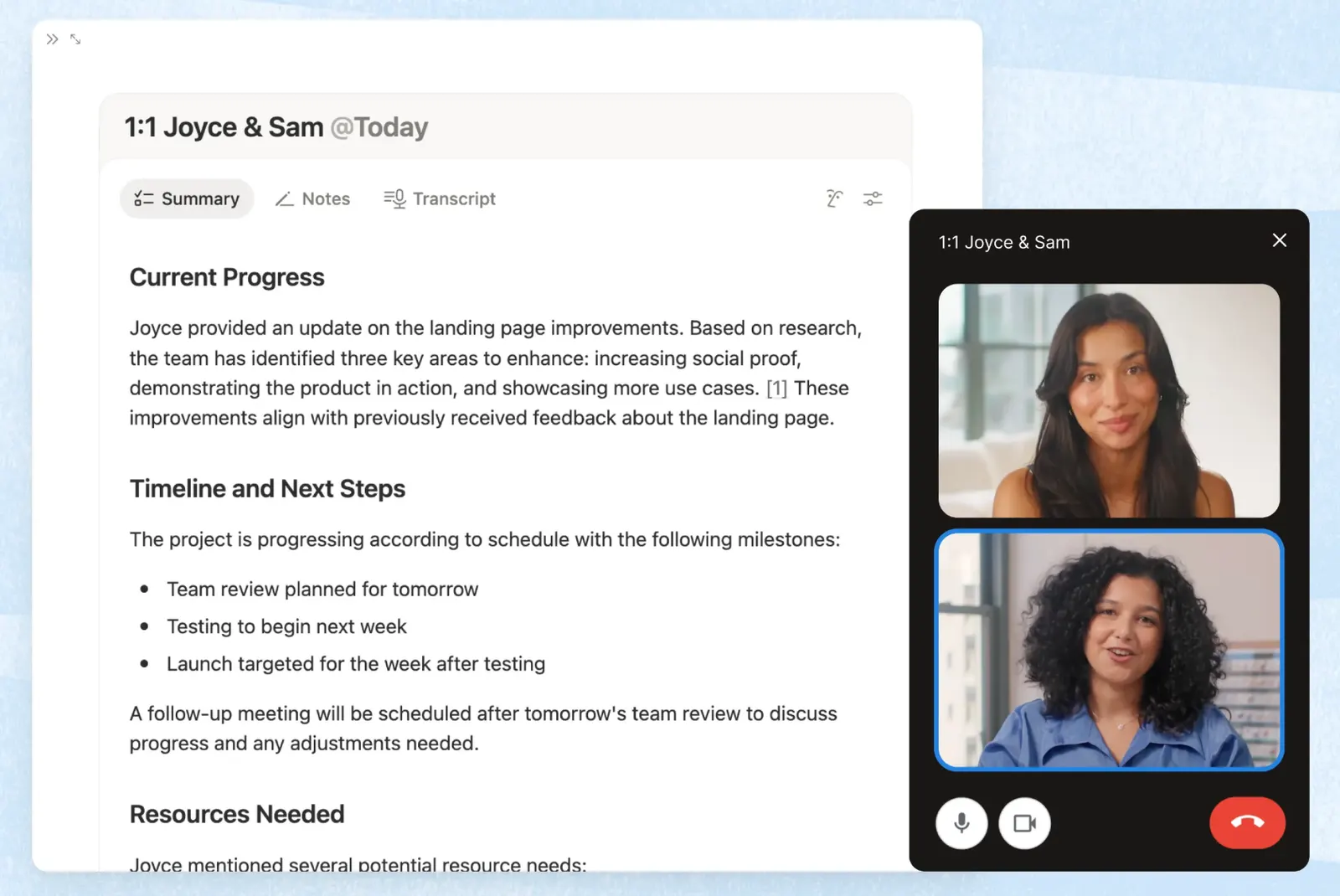
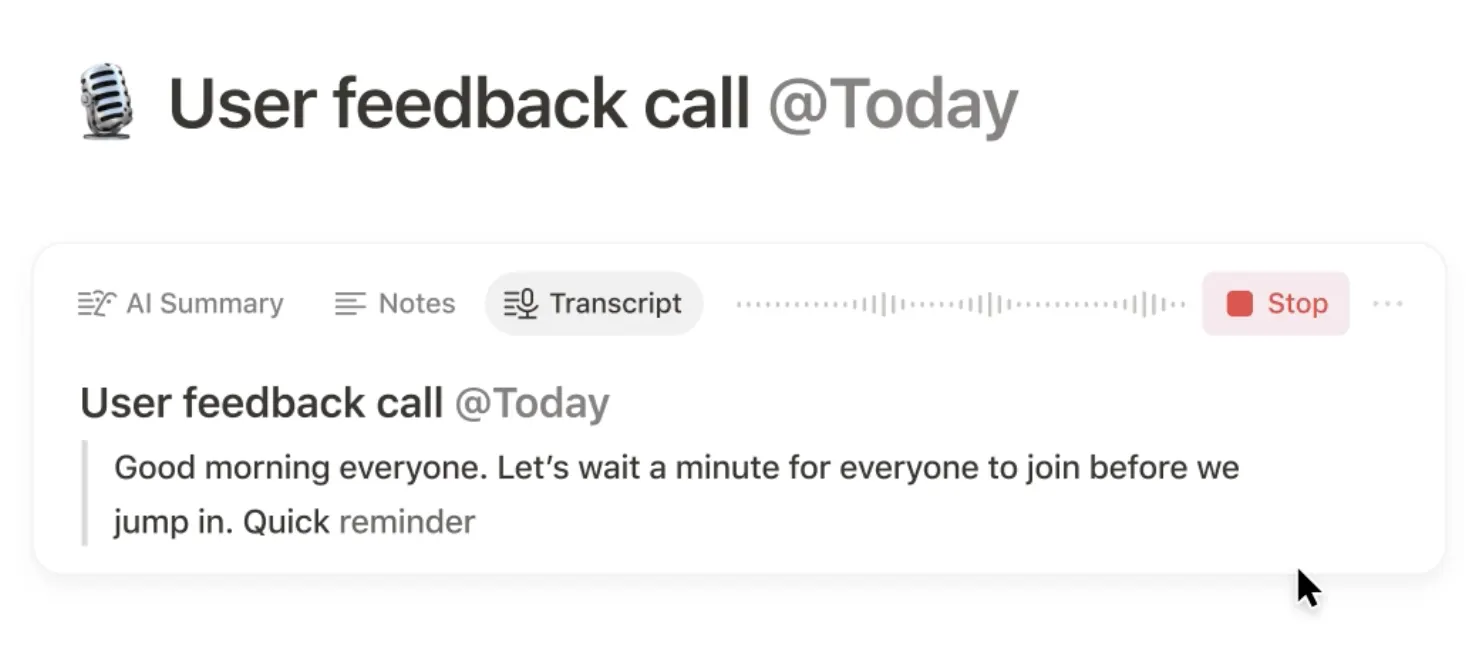
- 📋 AI Meeting Notes: Capture meetings, create transcripts, summarize discussions, and identify follow-up actions.
- 📊 Database Assistance: Use AI to generate or organize information inside databases.
- 🌐 Web Research: Research Mode can combine information from your workspace, connected tools, and current web information.
- 🔗 Connected Knowledge: Business and Enterprise features can connect information from services such as Slack, GitHub and other supported applications.
🌍 How Big Is Notion?
Notion is no longer just a productivity app used by a small group of tech enthusiasts. Notion says it has more than 100 million users worldwide across more than 50 countries. The company also reports that 62% of Fortune 100 companies use Notion and that more than half of Y Combinator companies use it.
That scale is important when looking at Notion AI. The product is being developed as part of a broader workplace platform rather than as a standalone AI chatbot. Notion is increasingly positioning AI around company knowledge, project management, meeting notes, search, and task execution.
⚡ The Features Worth Actually Using
✍️ AI Writing
This is still one of the easiest ways to get value from Notion AI. Highlight a paragraph and ask it to make the writing clearer, shorten it for an executive update, turn notes into a professional email, or translate it for an international team.
🧠 Notion Agent
Notion Agent is aimed at more than simple question-and-answer work. You can give it a multi-step task and let it work with information available in your Notion environment. This is where Notion AI starts to feel less like an AI text generator and more like a work assistant.
📋 AI Meeting Notes
If your workday is filled with meetings, this can be one of the most useful features. Instead of writing everything down manually, Notion can help capture the discussion, summarize the important points, and identify follow-up tasks.
🔍 Enterprise Search
For teams, searching the company knowledge base can be more valuable than generating another piece of content. Supported Business and Enterprise configurations can search across Notion and connected services, helping employees find information that would otherwise be buried in different applications.
📊 Research Mode
Research Mode is designed for questions that require more than a quick answer. It can use information from your workspace, connected services, and current web information to produce a more detailed report.
🛠️ How to Use Notion AI Well
1. Give it context. Don't simply write “rewrite this.” Tell it who the audience is, what the document is for, and what tone you want.
2. Work inside the original document. One advantage of Notion AI is that your content is already inside Notion. Use AI where the information lives instead of constantly copying text into another chatbot.
3. Ask for a specific output. “Turn these notes into five action items with an owner and deadline” is much more useful than “organize these notes.”
4. Use AI for the boring parts. Summaries, formatting, first drafts, extracting action items, translating and reorganizing information are good jobs for AI.
5. Keep humans responsible for important decisions. Notion AI can help organize information, but it should not be treated as the final authority for legal, financial, medical, HR, or other high-stakes decisions.
💡 A Practical Prompt Formula
A useful structure is Context + Task + Constraints + Output.
For example: “These are notes from our weekly sales meeting. Identify the three biggest problems, convert them into action items, assign a suggested owner based on the notes, and present the result as a simple table.”
This works better than asking AI to “summarize the meeting” because you are telling it what you actually need after the summary.
📥 How to Install Notion
You do not need to install Notion AI separately. Notion AI is integrated into the Notion workspace. You can use Notion through a web browser, the desktop application, or mobile apps.
For Mac, download the Notion desktop application from the official Notion website, install it, and sign in. Windows users can install the Windows application or the MSIX version. Notion also provides iOS and Android mobile applications.
The desktop application is particularly useful if Notion is part of your daily work because it provides a focused workspace and supports notifications and fast navigation. :contentReference[oaicite:1]{index=1}
💰 Is Notion AI Free?
Notion AI is no longer best understood as a simple standalone “AI subscription.” Notion currently bundles its AI capabilities into its workspace plans. Free and Plus users can try a limited amount of Notion AI, while the full AI experience is available on Business and Enterprise plans. :contentReference[oaicite:2]{index=2}
Free: $0 per member/month. Includes a limited trial of Notion AI.
Plus: $10 per member/month on the current U.S. monthly pricing page. Plus also includes a limited trial of Notion AI.
Business: $20 per member/month on the current U.S. monthly pricing page. This is the plan aimed at teams that want full Notion AI capabilities such as Notion Agent, AI Meeting Notes, Enterprise Search and Research Mode.
Enterprise: Custom pricing for organizations that need advanced security, administration, compliance and enterprise controls.
Notion also offers custom agents that can use Notion credits. The current pricing page lists Custom Agents as free to try and then $10 per 1,000 monthly Notion credits. Pricing and feature availability can change, so check the official pricing page before publishing a permanent price comparison. :contentReference[oaicite:3]{index=3}
👥 Who Should Use Notion AI?
- 👨💻 Knowledge workers: Reduce the time spent organizing information and writing documents.
- 👔 Managers: Turn meeting notes and project information into clear action items.
- 📈 Sales teams: Organize customer information, summarize notes, and maintain sales knowledge.
- 🎓 Students: Summarize notes, organize research, and build structured study materials.
- ✍️ Writers and creators: Develop drafts, rewrite content, and organize ideas.
- 🏢 Companies: Build a searchable internal knowledge base and connect information across work tools.
❓ Common Problems and Misunderstandings
“Why can't I use all Notion AI features on the Free plan?” Because the Free and Plus plans only provide limited AI usage intended for trying the feature. Full AI access is tied to higher plans. :contentReference[oaicite:4]{index=4}
“Why doesn't Notion AI know everything in my company?” AI can only work with information it is allowed and configured to access. Connected applications, permissions and workspace settings matter.
“Why does AI sometimes give a wrong answer?” Because AI can misunderstand context or produce an incorrect conclusion. Important information should still be checked against the original source.
“Is Notion AI the same as ChatGPT?” No. They overlap in writing and conversation, but Notion AI's advantage is its location inside a workspace containing your documents, databases, projects and team knowledge.
🔍 Notion AI vs. ChatGPT
If you want a general-purpose AI assistant for a wide range of tasks, ChatGPT may be the better starting point. If your work already lives in Notion, Notion AI has a different advantage: it can work closer to the information, documents and workflows you already use every day.
The choice is therefore less about which AI model is “smarter” and more about where your work happens. For a Notion-heavy team, that distinction can be significant.
🏁 Final Verdict
Notion AI makes the most sense when you already use Notion as your workspace. Its strongest feature is not simply generating text; it is the ability to connect AI with documents, databases, meetings, projects and organizational knowledge. If you only need an occasional AI writer, a standalone chatbot may be enough. If Notion is where your team actually works, Notion AI becomes much more interesting.
Comments