

🏢 Who's Behind Notta
Notta is built by Notta Inc., a Singapore-based company with a Japanese arm, Notta K.K., in Tokyo. Founder Zhang Yan runs it with R&D in Seattle. The product shipped in December 2019 and became a quiet hit in Japan. In December 2025 the company raised a ¥2.3 billion (about $15 million) Series B led by Granite-Integral. If you've never heard of it, that's because Notta's home turf is Japan, where it sits at the top of the meeting-notes category.
📅 Launch Date
December 2019. It took off in Japan first — a July 2020 TV segment sent downloads spiking — then expanded worldwide.
🧩 Core Features
- Meeting transcription: record or upload audio/video and get text, with speaker separation.
- Live captions: subtitles appear while the meeting runs.
- AI summaries: one click to turn a call into key points and action items.
- Speaker identification: labels who said what.
- Multilingual: transcribes 58 languages.
- Translation: Pro covers 42 languages.
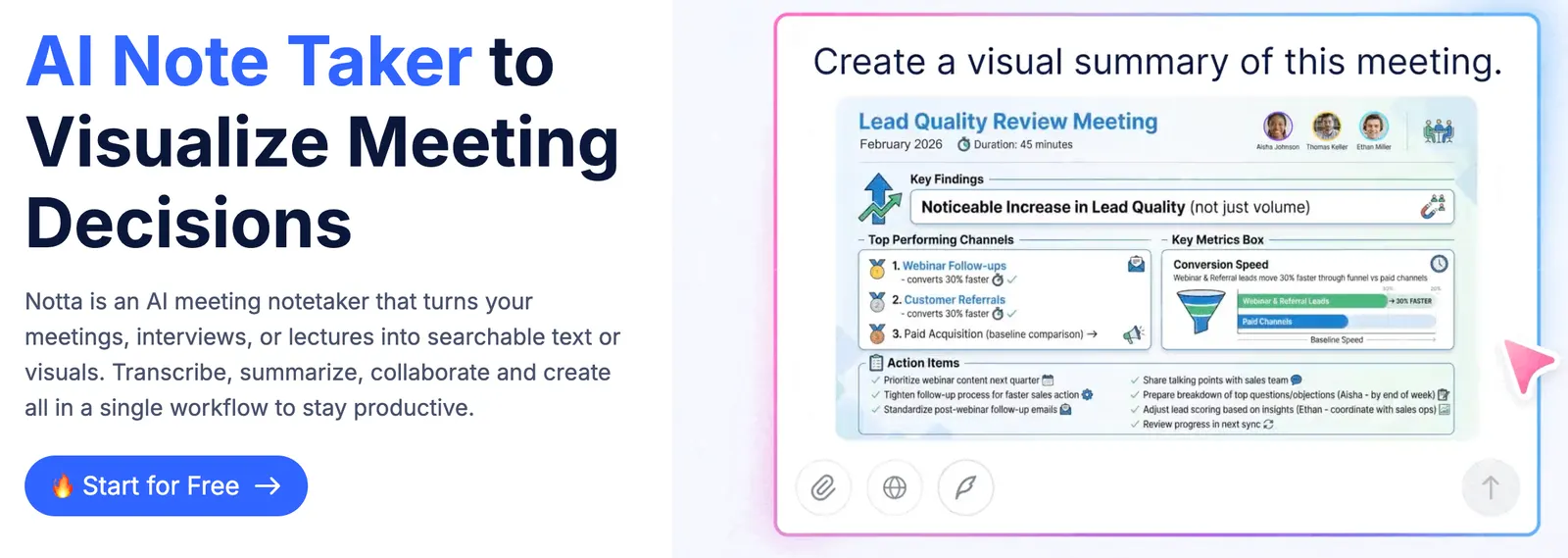
- Notta Brain: generates docs and slides from speech and your data.
- Integrations: CRM and Zapier hooks for sales and support.
- Everywhere: web, iOS, Android, Chrome extension.
✨ Highlights
- Speech-to-text in 58 languages — basically any major language you'd meet.
- Live transcription plus speaker labels while the call is happening.
- Notta Brain turns a meeting straight into a slide deck.
- Rock-solid Japanese recognition and a strong B2B reputation in Japan.
🤖 AI Tech Under the Hood
It runs speech recognition (ASR) with speaker diarization, then an LLM does the summarizing and action-item extraction. Notta Brain goes a step further and drafts reports, minutes, or slide outlines from voice and your stored data. Enterprise plans include a 'not used for AI training' toggle for teams that care about data.
🎯 Use Cases
- Standups and weekly syncs: transcribe live, share minutes right after.
- Interviews and podcasts: record, transcribe, then translate into other languages.
- Lectures and study: record classes and turn them into notes.
- Global teams: multilingual transcription plus translation cuts the language gap.
- Sales and support: pipe call notes into your CRM automatically.
🛠️ How to Use It
Sign up, then pick one of three routes: record directly, upload an audio/video file, or import a meeting from Zoom, Google Meet, or Microsoft Teams. Turn on live transcription during the call, clean up typos in the editor afterward, hit the AI summary button, then export to Notion, Word, or a share link. With the Chrome extension, you can start it from inside the browser.
💡 Tips
- Add proper nouns, product names, and people's names to the custom vocabulary — accuracy jumps.
- Name your speakers up front so the minutes read 'Sara said' instead of 'Speaker 1'.
- Need side-by-side text? The 'bilingual transcription + translation' add-on is $9/month.
- The free tier caps each meeting at 3 minutes, so don't rely on it for real work.
📈 Case Study
Koudensha, a Japanese construction firm, cut its meeting-record time to one-sixth after adopting Notta. Construction meetings are frequent and full of jargon; staff used to write minutes by hand. With Notta, transcription plus summary replaced most of the manual work.
📱 Platforms
Web, iOS, and Android are covered, plus a Chrome extension and a Zoom integration. There's no native Windows or Mac desktop app, but the web version does fine in a desktop browser.
🌐 Languages
Transcription works in 58 languages; Pro translation spans 42. Japanese, English, Chinese, Korean, and Spanish are all in the list.
💰 Pricing
US pricing comes in four tiers:
- Free: 120 min/month, 3 min per meeting, 50 uploads/month, 10 AI summaries/month.
- Pro: $13.49/month (or $8.17/month billed yearly), 1,800 min/month, 5-hour files, 100 uploads, 100 summaries, 42-language translation, custom vocabulary.
- Business: $27.99/month, unlimited transcription, 5-hour files, 200 uploads, 200 summaries, CRM/Zapier, video capture, team management.
- Enterprise: custom, with SSO/SAML, audit logs, and a 'not used for AI training' option.
In Japan: Premium ¥1,980/month, Business ¥4,180/month. Add-ons: real-time single-language translation $6/month, bilingual transcription + translation $9/month.
👥 Who It's For
- Product and project managers: minutes and to-dos in one pass.
- Journalists and researchers: turn interview audio into text.
- Students: record lectures and organize notes.
- Global teams: multilingual transcription and translation.
- Sales and support: CRM integration logs every customer conversation.
👍 Pros
- Wide language coverage, and Japanese recognition in particular is solid.
- Live transcription with speaker labels is genuinely useful.
- Notta Brain outputs slides, which saves a lot of cleanup time.
- The Pro tier's 1,800 minutes is plenty for individuals.
⚠️ Cons & Limits
- Pro users can't buy extra transcription minutes — running out means jumping to Business, a big price gap.
- The free tier is tight: 3 minutes per meeting and 120 minutes a month, basically a trial.
- Some features (translation, bilingual mode) cost extra on top.
❓ FAQ
Is the free tier enough?
No. Three minutes per meeting and 120 minutes a month only lets you test the flow; real use means Pro.
Does it work with Zoom, Meet, and Teams?
Yes — import meeting recordings directly or use the Chrome extension.
How many languages does it support?
58 for transcription, 42 for Pro translation.
Can I buy more minutes on Pro?
No. When you hit the cap, the only route is upgrading to Business.
Is my data used to train AI?
Enterprise plans offer a 'not used for AI training' option; check the terms on individual plans.
What is Notta Brain?
A feature that generates documents and slides from speech and your stored data.
🔄 vs. the Competition
Against Otter.ai, Notta is stronger in the Japanese market while Otter dominates English-speaking rooms in the US and Europe. Fireflies is built for sales calls and CRM, where Notta is a more general-purpose transcriber. If you work in English most of the time, Otter feels more polished; if you need Japanese or broad multilingual coverage, Notta is the better pick.
Comments