

🧭 What Is OpenCode?
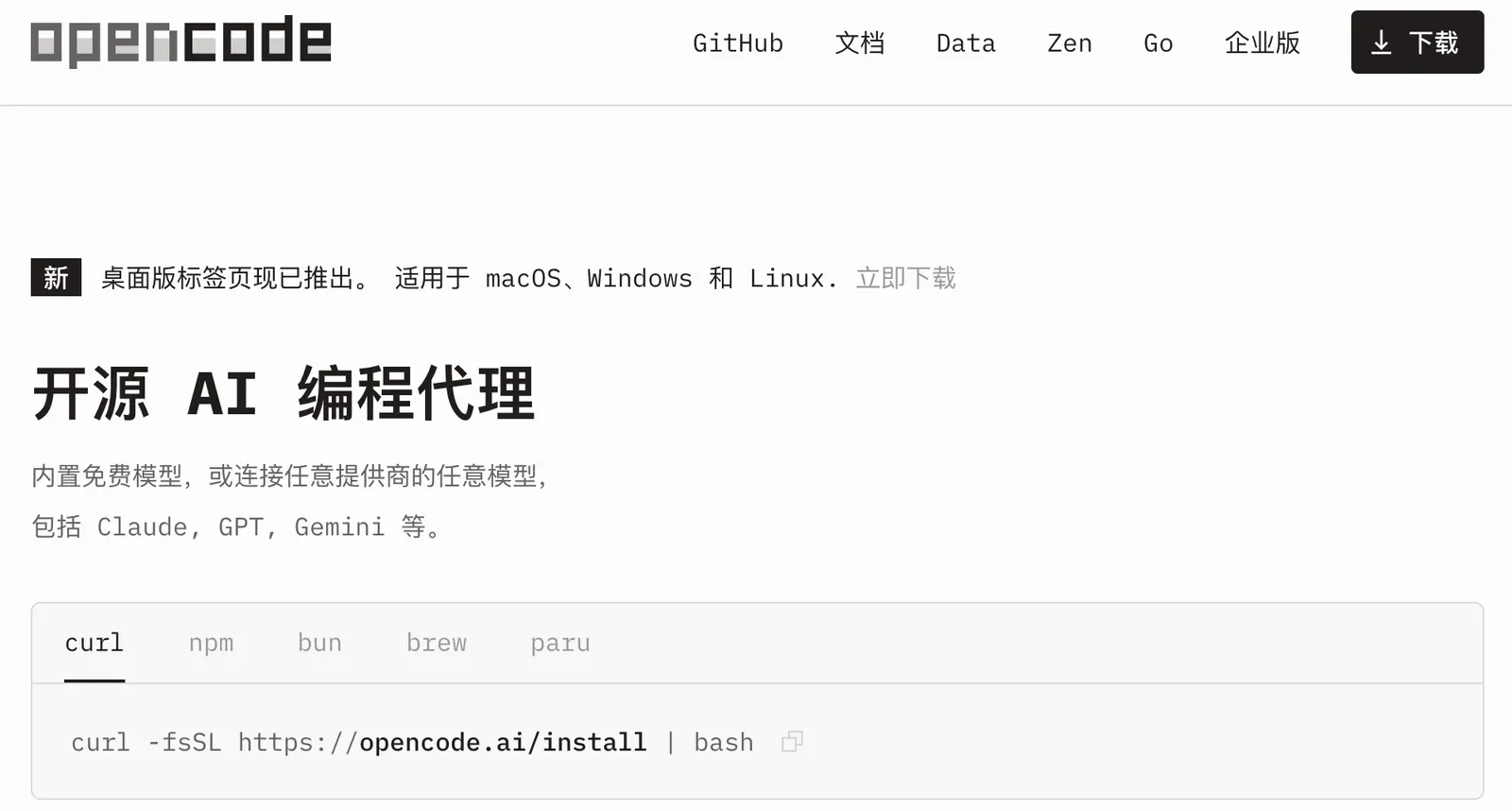
OpenCode is an open-source AI coding agent built for developers who want an AI assistant that can work directly with a real codebase, terminal, files, and development tools. Instead of only suggesting code inside a chat window, OpenCode can inspect a project, edit files, execute commands, investigate errors, and work through multi-step development tasks.
The project is maintained by the OpenCode community under the Anomaly organization and is distributed under the MIT license. Its development has moved quickly, with frequent releases and active community contributions. The project currently describes itself as an open-source coding agent rather than a general-purpose AI assistant.
OpenCode's main purpose is to give developers more control over AI-assisted programming. It can work with different model providers, including hosted and local models, so users are not necessarily locked into a single AI vendor.
⚙️ Core Features
- AI Coding Agent: OpenCode can inspect project files, understand the surrounding code, modify files, and work through coding tasks rather than simply returning code snippets.
- Terminal-Based Development: Developers can run OpenCode from the command line and let it interact with common development commands, scripts, package managers, and test tools.
- Multi-Model Support: OpenCode supports models from multiple providers, giving developers more freedom to choose the model that fits a particular task.
- Local Model Support: Developers can connect compatible local models when they want greater control over data, infrastructure, or AI costs.
- File and Shell Operations: The agent can read and modify project files and execute shell commands with permission controls.
- MCP and Tool Integration: OpenCode can connect to additional tools and services through MCP, extending what the coding agent can access.
- Multiple Sessions: Developers can maintain separate sessions for different tasks, projects, debugging jobs, or experiments.
- Desktop Application: OpenCode has expanded beyond its original terminal-oriented workflow and now provides desktop builds for major operating systems.
One important technical detail is that OpenCode does not completely sandbox the agent. Its security documentation explains that the permission system is primarily designed to keep users aware of actions such as running commands and modifying files. That means users should treat terminal access seriously, particularly when working with production repositories or sensitive data.
✨ Main Highlights and Advantages
1. Open-source rather than closed. The source code is publicly available and released under the MIT license. This gives developers more visibility into how the product works and makes customization easier.
2. Freedom to choose models. OpenCode separates the coding-agent layer from the underlying model provider. This is useful for developers who want to compare different models or use different models for different types of work.
3. Built around real development workflows. OpenCode is designed to work with repositories, terminals, files, tests, and command-line tools. It therefore feels closer to an AI development assistant than a conventional chatbot.
4. Strong extensibility. MCP and additional tools allow developers to connect the agent to external services and build more specialized workflows.
5. Rapid development. The project has an unusually active release cycle. The repository shows frequent releases and ongoing contributions, which is a sign of a project that is still evolving quickly.
💼 Practical Use Cases
Software development: OpenCode can help create features, modify existing applications, refactor code, generate components, and work through implementation tasks.
Debugging: Give OpenCode an error message, failing test, or unexpected behavior and ask it to inspect the relevant parts of the repository before proposing a fix.
Codebase exploration: When joining an unfamiliar project, OpenCode can help locate important files, explain dependencies, trace functionality, and summarize how different modules interact.
Testing: It can create tests, execute existing test suites, inspect failures, and make follow-up changes.
Refactoring: Developers can use it to reorganize code, simplify repetitive logic, rename components, update APIs, or migrate parts of an application.
Documentation: OpenCode can assist with README files, technical documentation, comments, migration notes, and explanations of complicated code.
Learning programming: Students can use it to explore real repositories, ask why a piece of code works, and experiment with alternative implementations.
Development automation: Because OpenCode works closely with the terminal, it can be useful for repetitive engineering tasks involving scripts, configuration files, package management, and project maintenance.
It is worth noting that OpenCode is primarily a software-development tool. It is not designed to compete directly with general AI assistants for graphic design, marketing copywriting, presentation creation, or everyday office work.
🚀 How to Use OpenCode
Step 1 — Install OpenCode. Choose the appropriate desktop or command-line version for your computer. Current releases provide builds for macOS, Windows, and Linux.
Step 2 — Open your project. Start OpenCode from the directory containing your application or Git repository. This allows the agent to work with the actual project instead of isolated code snippets.
Step 3 — Configure an AI provider. Connect a supported provider or model. Depending on the workflow, developers can use hosted models, their own API credentials, or compatible local models.
Step 4 — Describe the task. Start with a specific request. For example: “Inspect the authentication system and find where session expiration is handled. Do not change anything yet.”
Step 5 — Let OpenCode inspect the repository. For complicated tasks, it is usually better to have the agent understand the existing architecture before asking it to modify files.
Step 6 — Implement the change. Once the approach is clear, ask OpenCode to make the required modifications.
Step 7 — Test the result. Ask it to run the project's existing tests, linting tools, build process, or other verification commands.
Step 8 — Review the changes. Before committing anything, inspect the Git diff and confirm that the changes match the original requirement.
🧠 Practical Tips for Better Results
Start with the problem, not the solution. Instead of telling OpenCode exactly which files to change, explain the desired behavior and let it investigate the repository first.
Ask it to inspect before editing. For example: “Analyze the relevant files first, explain the current implementation, and propose a solution. Do not modify files yet.” This is especially useful for unfamiliar codebases.
Give clear boundaries. Tell the agent which files or modules can be changed and which parts of the application should remain untouched.
Break large projects into stages. A better workflow is architecture → implementation → testing → debugging → cleanup rather than asking an AI agent to build an entire application in one request.
Tell it how to verify the work. Include requirements such as “run the existing tests after making the change” or “run the project's lint command and fix any new errors.”
Use the right model for the job. A faster model can be enough for straightforward edits, while more capable reasoning models are generally more useful for complex debugging, architecture, and large refactoring tasks.
Keep an eye on terminal permissions. OpenCode can execute commands and modify files. Avoid giving an agent unrestricted access to production environments unless you understand exactly what it can do.
Always review the final diff. AI-generated code can compile and pass tests while still introducing unnecessary complexity or violating the project's conventions. The final review should remain a developer responsibility.
💻 Installation and Platform Support
macOS: OpenCode provides desktop builds for both Apple Silicon and Intel Macs.
Windows: A Windows desktop version is available, making OpenCode accessible without requiring a Linux-based development environment.
Linux: Linux users can install OpenCode through desktop packages and command-line installation methods.
Terminal / CLI: The command-line interface remains one of OpenCode's most important ways of working. It is particularly useful for developers who already spend much of their day in terminals.
IDE workflows: OpenCode can be integrated into development environments and coding workflows, allowing users to combine AI assistance with their existing editor setup.
iOS: OpenCode is not primarily offered as a native iPhone coding application.
Android: It is not positioned as a mainstream Android mobile coding application either. The core experience remains focused on desktop and development environments.
Browser extension: A traditional browser extension is not the main OpenCode product. Developers should think of OpenCode primarily as a coding agent rather than a browser-based AI assistant.
💰 Pricing and Costs
OpenCode is different from many commercial AI coding editors because the core software is open source and available under the MIT license. There is therefore no simple “free version versus Pro version” structure for the core application.
- OpenCode: The open-source coding agent itself is free to use.
- Bring Your Own Key: Users can connect supported AI providers and pay those providers directly according to their API pricing.
- OpenCode services: OpenCode also provides hosted model-related services, giving users an easier alternative to configuring multiple external providers.
- OpenCode Go: OpenCode has offered a low-cost subscription aimed at providing access to selected coding models.
- Enterprise: OpenCode does not follow the same standard per-seat enterprise pricing structure used by some commercial coding assistants. Organizations can instead build their own workflows around the open-source software and selected model providers.
The actual cost can therefore vary significantly. Someone using a local model may mainly pay for computing hardware, while a developer using premium API models can accumulate costs based on model usage.
For developers who already have AI API access, this structure can be attractive because they are not necessarily paying for a second full AI-editor subscription simply to access a different coding workflow.
👥 Who Is OpenCode For?
- Professional developers: Particularly suitable for people who regularly work with Git, terminals, repositories, tests, and package managers.
- Open-source developers: A natural fit for people who prefer transparent and customizable development tools.
- AI power users: Useful for developers who want to experiment with different models instead of depending on one provider.
- Students: Helpful for learning programming and understanding existing code, as long as generated code is reviewed rather than blindly copied.
- Development teams: Potentially useful for teams that want greater control over their AI coding infrastructure.
- DevOps and technical users: The terminal-oriented workflow can be particularly useful for automation, scripts, configuration, and infrastructure-related tasks.
- Non-technical users: Less suitable. The product assumes at least some understanding of software development and command-line workflows.
🌎 Global Usage and Community
OpenCode has developed a large international developer community. Its public GitHub repository currently shows roughly 27,000 forks and very high developer engagement, while the project's container registry reports more than 1 million total image downloads. These figures indicate significant developer adoption and experimentation, although neither GitHub stars nor container downloads should be interpreted as a precise number of active users.
The project is also being updated at a very fast pace. Its public release history shows frequent releases, including version 1.18.31 in September 2026, along with continuous bug fixes, provider integrations, and desktop improvements.
There is no reliable public dataset providing an audited breakdown of OpenCode's active users by country. Therefore, it would be misleading to claim an exact ranking of usage in the United States, Japan, Europe, or other markets. What can be said with confidence is that OpenCode has gained broad attention among international software developers, particularly people interested in open-source AI coding agents.
⚖️ Pros and Cons
Advantages
- Open source: The MIT-licensed project gives developers substantially more visibility and control than a completely closed coding assistant.
- Model flexibility: Users can work with multiple providers and models rather than being tied to one AI ecosystem.
- Excellent terminal workflow: It fits naturally into Git, testing, scripting, package management, and command-line development.
- Extensible architecture: MCP and tool integrations make it possible to build workflows beyond basic code generation.
- Low entry cost: The core software is free, and users can choose how they want to pay for AI inference.
Limitations
- Not beginner-focused: Developers unfamiliar with terminals and repositories may need some time to understand the workflow.
- Model quality still matters: OpenCode provides the agent environment, but the underlying model has a major effect on the quality of the result.
- More configuration: Provider settings, API keys, models, permissions, and tool integrations can create additional setup work.
- Fast-moving project: The frequent release cycle is good for development speed but can also mean that behavior, configuration, and workflows change relatively quickly.
🔍 OpenCode vs. Other AI Coding Tools
| Tool | Primary Approach | Model Flexibility | Typical Cost Structure | Best Suited For |
|---|---|---|---|---|
| OpenCode | Open-source coding agent with terminal and desktop workflows | High; multiple providers and local models | Free client plus optional model/provider costs | Developers who want control and flexibility |
| Claude Code | Terminal-focused AI coding agent | Primarily Anthropic's ecosystem | Subscription or usage-based depending on setup | Developers already using Claude |
| Codex | AI coding agent connected to OpenAI's ecosystem | Primarily OpenAI models | Plan and/or usage based | Developers already working with OpenAI tools |
| Cursor | AI-first code editor | Multiple models | Primarily subscription-based | Developers who want an integrated AI editor |
| GitHub Copilot | AI assistance integrated into popular IDEs and GitHub workflows | Multiple supported models | Primarily subscription-based | Individuals and teams already using GitHub heavily |
The biggest difference is the philosophy behind the products. Cursor focuses heavily on an AI-native editor experience. GitHub Copilot focuses on integrating AI into the existing GitHub and IDE ecosystem. Claude Code and Codex are closely connected to their respective AI model ecosystems. OpenCode takes a more open approach, putting the agent itself between the developer and the model provider.
For someone who wants the simplest possible setup, OpenCode may require more configuration than a commercial AI editor. For someone who wants to experiment with models, use local infrastructure, or maintain greater control over the coding stack, that additional flexibility can be useful.
📝 Final Verdict: Is OpenCode Worth Using?
OpenCode is worth trying if you are a developer who wants an AI coding agent without being locked into one model provider. Its combination of open-source code, terminal-based development, multi-model support, tool integration, and local-model compatibility gives it a clear identity in an increasingly crowded AI coding market.
The strongest reason to use OpenCode is not simply that it can write code. Many modern coding tools can do that. The more important advantage is the amount of control it gives technically experienced users over how the agent works, which model it uses, which tools it can access, and how it fits into an existing development workflow.
It makes the most sense for professional developers, open-source contributors, AI power users, students who already understand basic programming, and teams interested in experimenting with flexible AI coding infrastructure.
It is less suitable for someone who wants a completely managed, polished AI editor with minimal configuration, or for non-programmers who simply want to ask an AI general questions.
Overall, OpenCode is a serious AI coding tool rather than another code-generation chatbot. If you are comfortable with Git and the terminal and want more freedom over your AI development stack, it is a practical tool to test. If your priority is simplicity above everything else, a more tightly integrated commercial coding editor may be easier to get started with.
Comments