

What Is Pika?
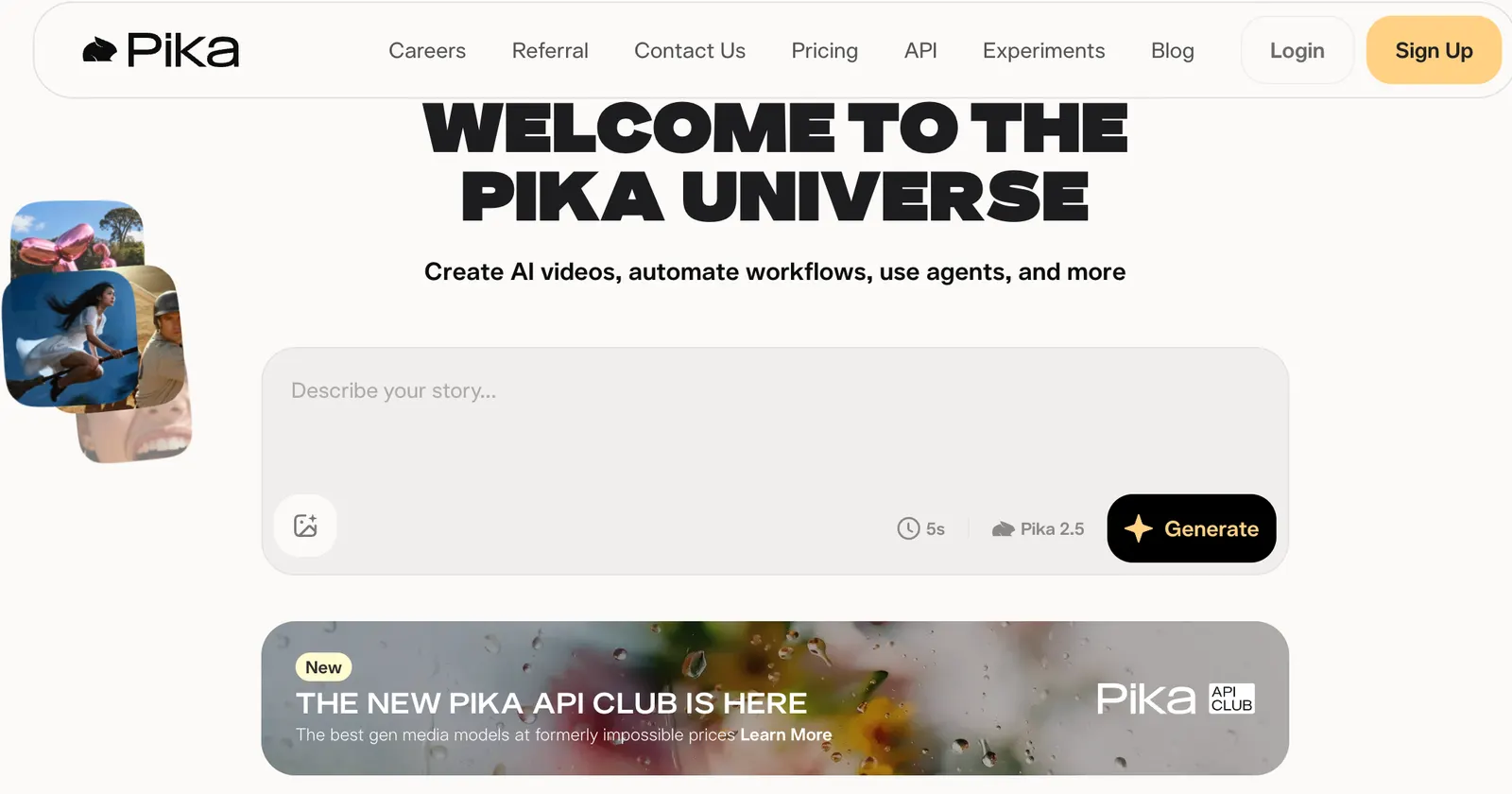
Pika is an AI-powered creative video platform developed by Pika. Instead of learning complicated video-editing software, users can describe an idea, upload an image or video, and let AI turn it into a short video or modify existing footage.What makes Pika interesting is that it doesn't try to replace a traditional video editor feature by feature. Its strength is creative transformation. You can make an object appear inside a scene, replace something in a video, animate a still image, apply unusual visual effects, or turn a simple concept into a short social-media clip.
That makes Pika particularly appealing to creators who want to experiment quickly rather than spend hours learning professional editing software.
Pika's current platform includes Pika 2.5 together with tools such as Pikaframes, Pikascenes, Pikadditions, Pikaswaps, Pikatwists and Pikaffects.
How Popular Is Pika?
Pika has built an international audience around AI-generated video and creative effects. The company has positioned the product toward everyday creators rather than only professional filmmakers, which is one reason its short-form, effect-driven videos have become closely associated with social media content.Publicly available third-party information has reported millions of registered users, but there is no reliable current official figure that should be presented as Pika's exact global active-user count. For an AI tool directory, it is better to say that Pika has developed a substantial international creator base than to publish an inflated user number.
Pika's current direction also extends beyond basic video generation. In 2026, the company introduced additional audio-generation capabilities covering soundtracks, music, sound effects and speech, showing that Pika is moving toward a broader generative-media platform rather than remaining only an AI video generator.
What Can Pika Do?
Text-to-video and image-to-video: Pika can generate short videos from text prompts or animate an existing image. This is useful for turning illustrations, product images, concept art and photographs into moving content.Pikaframes: Pikaframes allows users to work with multiple frames and create transitions between them. It is useful when you want more control over how a video moves from one visual state to another.
Pikascenes: This feature is designed for creating scenes from images and prompts. It can be useful for quickly turning a simple visual concept into a more complete video sequence.
Pikaswaps: Pikaswaps lets you replace elements in an existing video. For example, you can change an object, character or visual element without rebuilding the entire video from scratch. The iPhone version specifically highlights replacing elements in videos using images or text prompts.
Pikadditions: Instead of removing something from a video, Pikadditions focuses on adding new objects, people or visual elements into the scene.
Pikatwists: Pikatwists is aimed at more stylized transformations and creative video effects. It is one of the more credit-intensive features, so it is worth testing your prompt before spending credits on multiple generations.
Pikaffects: Pika also provides a collection of visual effects designed for fast, entertaining transformations. These are especially suitable for social-media videos where the visual effect itself is the main attraction.
AI audio: Pika has also introduced Pika Soundtrack, Pika Music, Pika SFX and Pika Speech, expanding the platform into AI-generated sound, music and speech.
How to Use Pika
Start by opening Pika in your browser and signing in. Choose the type of creation you want to make, upload an image if necessary, write your prompt, select the generation settings and start the process.The most important thing is not to write an extremely long prompt. For video generation, describe the subject + movement + camera + environment + visual style.
For example:
A golden retriever running through a beach at sunset, slow-motion movement, cinematic camera tracking, warm natural lighting, realistic water reflections.
This is generally more useful than simply writing:
A dog running on a beach.
If you're modifying an existing image, explain what should move and what should remain unchanged.
Pika Tips That Actually Help
Start with a strong image. For image-to-video generation, the quality and composition of the source image have a major influence on the result.
Describe movement, not just appearance. AI video needs to know what happens after the first frame. Words such as “walking toward the camera,” “camera slowly zooms in” and “hair moves naturally in the wind” give the model a clearer direction.
Don't change too many things at once. If you ask Pika to change the character, background, camera angle and lighting simultaneously, the result can become unpredictable.
Use short clips for social media. Pika is particularly useful for short visual sequences rather than trying to generate an entire five-minute commercial in one operation.
Treat credits as part of the workflow. Some advanced generations consume significantly more credits than basic generations. Pika's current pricing page shows different credit costs depending on the model, resolution and feature.
How to Install Pika
You don't need to install Pika to use it on a computer. The web version can be accessed directly through a browser.Pika also has an official iPhone app. The App Store currently lists Pika as a free download with in-app purchases and support for iOS 17 or later.
Visit the official Pika website
Is Pika Free?
Yes. Pika offers a free plan, but it comes with a limited number of video credits.
According to the current official pricing page, Pika's main plans are:
Free: $0
Basic: $8/month when billed annually
Standard: $28/month when billed annually
Pro: $76/month when billed annually
Fancy: $150/month when billed annually
The annual prices reflect the site's advertised 20% annual discount. The paid plans provide substantially larger monthly credit allowances, faster generations and access to higher-resolution generation and additional features.
The current annual billing page lists approximately 80 credits for Basic, 700 for Standard, 2,300 for Pro and 6,000 for Fancy. Credit consumption varies considerably depending on the feature and generation quality.
For example, Pika's current pricing shows that some basic generations can consume relatively few credits, while advanced features such as Pikatwists or longer/higher-resolution generations can consume substantially more.
Paid users can also purchase additional rollover credits, while unused monthly plan credits do not simply accumulate indefinitely.
Who Should Use Pika?
Pika is a good fit for:TikTok, Instagram and YouTube Shorts creators
Social media marketers
Small businesses
Product marketers
Graphic designers
Video editors
Photographers
AI content creators
People who want to animate photos
Beginners who don't want to learn complex video software
Pika is less suitable if your goal is professional long-form filmmaking with precise timeline editing, complex audio mixing and frame-by-frame control. In that situation, Pika works better as a creative generation tool alongside a traditional video editor.
Common Pika Problems
Why does my generated video look different from my prompt?AI video generation is probabilistic. Try simplifying the prompt and focus on one main movement instead of describing an entire scene in excessive detail.
Why does Pika consume so many credits?
Different models, resolutions, durations and effects have different credit costs. Advanced generations can consume considerably more credits.
Why is the generated video blurry?
Check the selected resolution and model. The free plan currently provides Pika 2.5 at 480p, while paid plans unlock higher resolutions.
Can I use Pika videos commercially?
The current paid plans list commercial use as included. Always check the current terms before using generated content in an important commercial campaign.
Why can't I find a particular feature?
Pika's features and models change frequently. Availability can depend on the plan, platform and current product version.
Comments