

✍️ QuillBot Review: More Than an AI Paraphrasing Tool
QuillBot built its reputation around one simple problem: you already know what you want to say, but the sentence in front of you doesn't sound right. That is still one of its strongest use cases, but the product has grown far beyond paraphrasing.
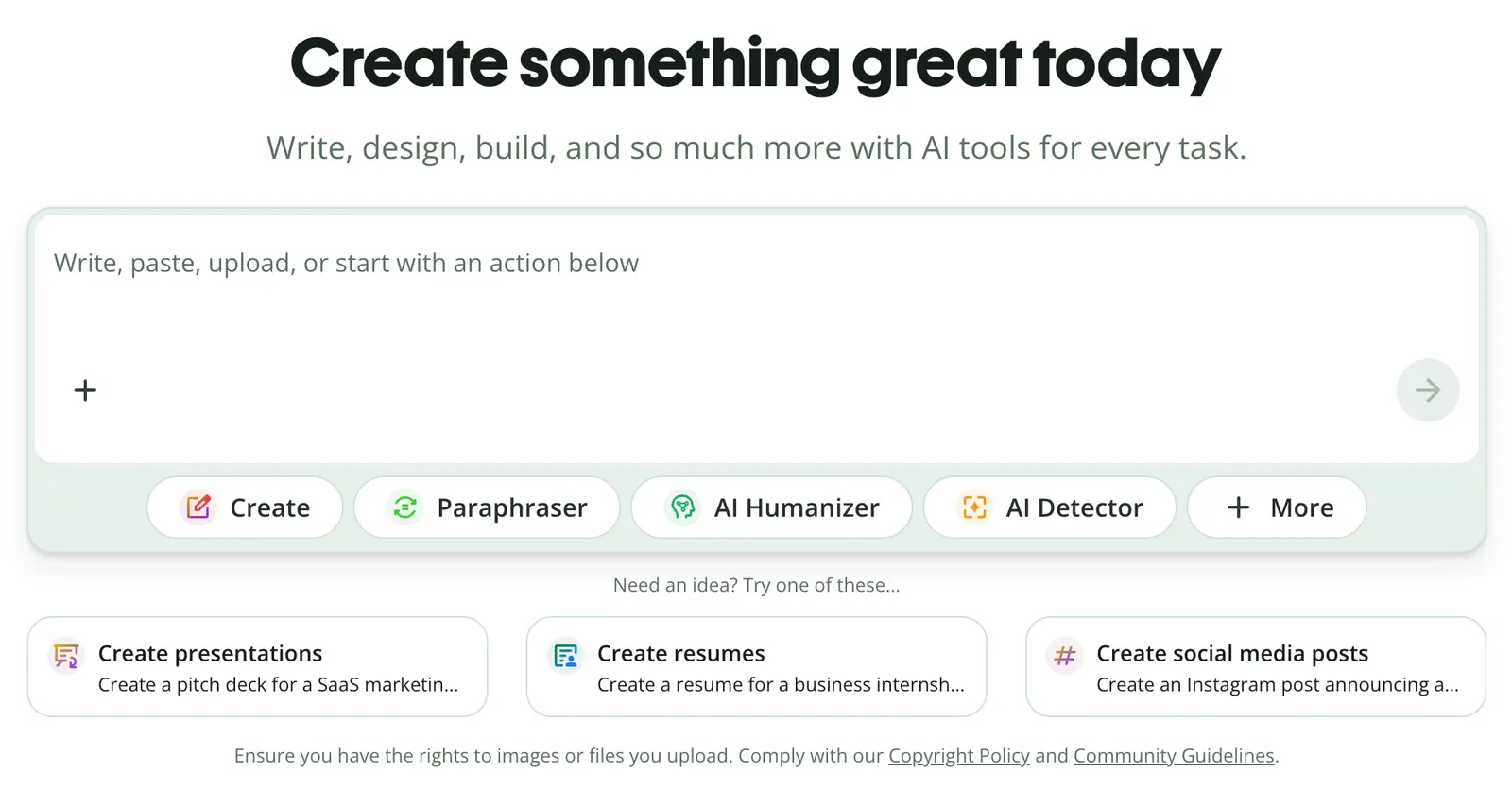
Today, QuillBot combines paraphrasing, grammar checking, translation, summarization, citation tools, AI detection, AI chat, and other writing features in one platform. For students, professionals, researchers, and content teams, the appeal is less about generating an entire document and more about making everyday writing work faster.
🔎 What Is QuillBot?
QuillBot is an AI-powered writing platform designed to help people improve, restructure, understand, and create text.
Its roots are in paraphrasing. You give it a sentence or paragraph, and it can rewrite the wording while attempting to preserve the original meaning. That simple workflow makes it useful for emails, essays, reports, articles, and other writing where clarity matters.
The bigger advantage today is that you can move from rewriting to grammar checking, summarizing, translating, or brainstorming without switching between several different websites.
🔄 Paraphraser: The Feature That Made QuillBot Popular
Paraphraser rewrites text while aiming to preserve its meaning. It is useful when a sentence is technically correct but sounds repetitive, awkward, or overly complicated.
The free version currently supports paraphrasing up to 125 words and includes Standard and Fluency modes. Premium removes the basic length restriction and unlocks additional modes.
The important part is knowing when not to use it. If your original sentence is already clear, rewriting it simply to make it look different doesn't improve the writing. Use paraphrasing to solve a real problem: clarity, tone, repetition, or flow.
📝 Grammar Checker: A Fast Second Pair of Eyes
Grammar Checker checks writing for common grammar, spelling, and language issues. It can be particularly useful for people writing professionally in English as a second language.
A practical workflow is to finish your email, report, or article first and run it through the checker afterward. That keeps the tool focused on editing instead of becoming a crutch for every sentence.
For legal, academic, or highly technical documents, human review is still important. A grammatically correct sentence can still be factually or contextually wrong.
🌍 Translator: Useful for Getting Across the Language Barrier
QuillBot also includes translation. It can be useful for quickly understanding foreign-language material or producing a first translation that you can edit afterward.
If you're publishing translated content, don't stop after the first translation. Read it as if you were a native speaker, then use the grammar and paraphrasing tools where necessary.
Translation limits vary between Free and Premium accounts, with Premium providing higher access.
📚 Summarizer: Make Long Documents Easier to Digest
Summarizer is useful when you need the main points from a paper, report, article, or other long piece of text without reading every sentence first.
Free accounts currently support summaries of up to 1,200 words, while Premium increases the limit and adds custom summaries. For important material, use the summary as a map, not as the final source. Go back to the original document before relying on numbers, qualifications, or major conclusions.
📖 Citation Generator: Handy for Academic Work
QuillBot's Citation Generator helps users create formatted citations. That can save time when you're working on research papers, essays, or reports.
It is still worth checking the source details manually. A citation generator can format information, but it cannot guarantee that the source itself is reliable or that every bibliographic detail is correct.
🤖 AI Detector and AI Humanizer
QuillBot also offers an AI Detector that analyzes text for signals associated with AI-generated writing. The detector itself is available for free, while Premium adds conveniences such as batch file uploads.
Its AI Humanizer is designed to adjust AI-generated text so it reads more naturally.
One important caveat: AI detection is not a definitive test of authorship. A detection score should be treated as an indication, not proof that a human or AI definitely wrote a piece of text.
💬 AI Chat: Writing Assistance Inside the Same Workspace
QuillBot now includes AI Chat for brainstorming, questions, and writing assistance. Free users can make up to 20 queries per day, while Premium provides higher access.
If you already use another chatbot for general conversations, this feature alone probably isn't a reason to switch. Its real advantage is convenience when you're already working on a document and want to move directly from writing to brainstorming or editing.
🌎 How Big Is QuillBot?
QuillBot currently says it has more than 35 million writers worldwide, is used in more than 180 countries, and has partnerships with more than 140 institutions.
Those are company-reported figures rather than an independent market-share study, but they do show that QuillBot has grown well beyond a niche paraphrasing website.
Its strongest audience remains people who work with written language regularly: students, professionals, researchers, educators, and content creators.
🛠️ How Do You Use QuillBot? Do You Need to Install It?
The easiest way to start is through the QuillBot website. The company also offers browser extensions for Chrome and Microsoft Edge, a macOS app, a Word add-in, and mobile products.
For a first test, take something you've actually written rather than copying a random paragraph from the internet. Try Paraphraser, Grammar Checker, and Summarizer and see which parts of your workflow genuinely improve.
🎯 Practical Tips That Actually Help
Write the first draft yourself, then use QuillBot to refine it. That keeps your ideas and voice in the driver's seat.
Don't automatically choose the most aggressive rewrite. A business email, academic paper, landing page, and casual message need very different language.
Use QuillBot near the end of your workflow. Get the argument and structure right first, then let AI handle repetitive language work.
Always read the final version yourself. Paraphrasing can change nuance, tone, or meaning even when the sentence looks perfectly polished.
💰 How Much Does QuillBot Cost?
QuillBot has both Free and Premium plans. The free tier is genuinely usable rather than just a demo: it includes limited paraphrasing, grammar checking, summarization, AI detection, and AI Chat.
QuillBot's current Premium page lists an annual equivalent of $8.33 per month, although promotional pricing can appear on the site. The company also states that pricing may vary by region and billing option, so the checkout page is the safest place to confirm the actual amount you'll pay.
Monthly, quarterly, and annual billing options are available, with longer commitments generally offering a lower effective monthly price.
👥 Who Should Use QuillBot?
Students, researchers, ESL writers, professionals, editors, bloggers, SEO writers, and anyone who works with English text regularly can get value from QuillBot.
Its biggest advantage is not that it writes better than every other AI. It's that many small writing jobs live in one place: rewrite this sentence, fix this grammar, summarize this paper, translate this paragraph, check this text.
If you rarely work with written content, the free tier may be more than enough.
⚠️ Common QuillBot Questions
❓ Is the free version enough?
For occasional rewriting, grammar checking, and short summaries, yes. The current free plan allows up to 125 words for paraphrasing and has limits across several other tools.
❓ Can QuillBot replace a human editor?
No. It is useful as a first editing pass, but important academic, legal, business, and published content still deserves human review.
❓ Does QuillBot use my text to train its AI?
This deserves attention. QuillBot says inputs and usage data may be used to improve its services and personalize the experience. For supported browser extensions, users can opt out of text storage and, for account holders, opt out of using text inputs to train the models. Team Plan users' text is not used for model training.
❓ Can I share one Premium account with coworkers?
No. QuillBot says a Premium account is intended for one person. Teams should use the Team Plan instead.
❓ Is QuillBot good for academic writing?
It can help with grammar, wording, summaries, and citations, but it should not replace the writer's responsibility for research, evidence, citations, and conclusions.
🏁 Is QuillBot Worth Paying For?
If you work with English writing every day, QuillBot is worth trying. Its strength isn't one magical AI feature; it's the convenience of having several useful writing tools in one workflow.
If you only rewrite a few sentences every week, the free version is probably enough. Premium becomes more interesting when you're using the paraphraser, grammar tools, summarizer, and other features regularly.
The real test is simple: does QuillBot save you time every week? If it does, the subscription can make sense. If you barely touch it, don't pay for features you aren't using.
📌 Final Verdict
QuillBot has evolved from a paraphrasing tool into a broader AI writing platform. Paraphraser and Grammar Checker remain its most practical everyday tools, while Summarizer, Translator, Citation Generator, AI Detector, AI Chat, and Humanizer expand its usefulness across different writing workflows.
It isn't a magic “write everything for me” button. That's actually a good thing. QuillBot works best when the human still owns the ideas and uses AI to remove the repetitive parts of writing.
Comments