

Runway AI: What It Is, Features, Pricing, and How to Use It
🤖 What Is Runway AI?
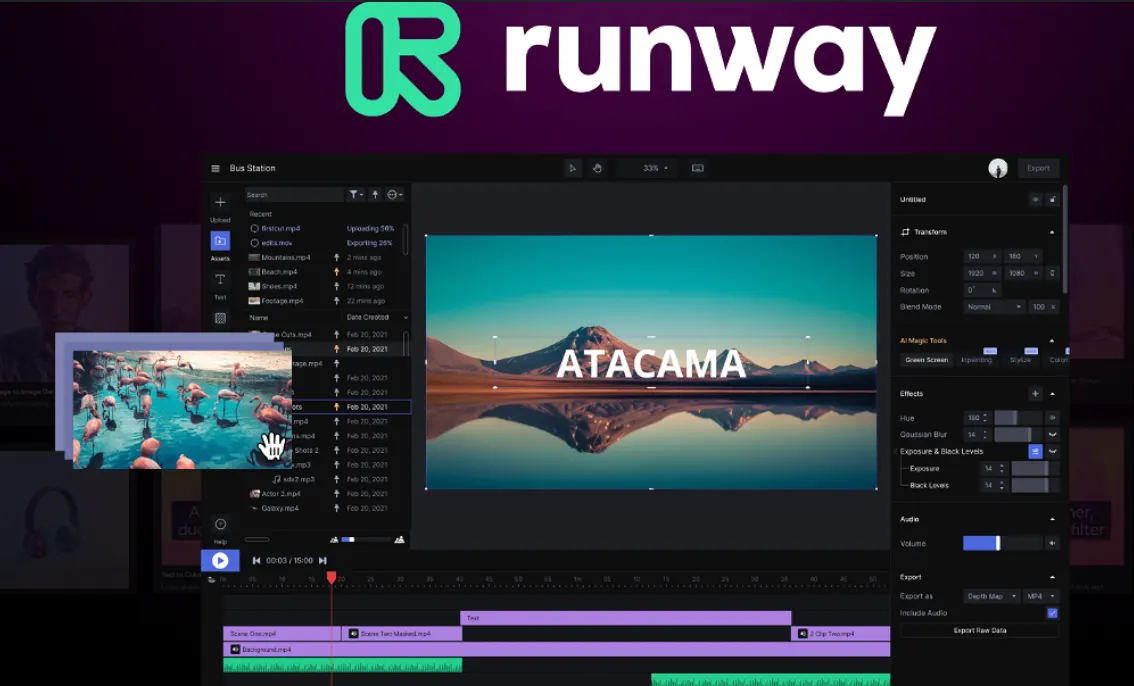
Runway is an AI-powered creative platform focused on video, image, and multimedia production. It is best known for generative video, but the platform has grown into a broader creative workspace that combines video generation, image generation, video editing, character animation, audio tools, and AI-powered creative workflows.
For creators, the important difference is that Runway is not simply a text-to-video website. You can start with a written idea, an image, an existing video, or a character and then use different AI tools to develop the scene further.
Runway's current flagship video model is Gen-4.5. It supports both Text to Video and Image to Video and is designed to handle complex instructions involving camera movement, scene composition, timing, and motion. Gen-4.5 currently supports 2 to 10 second generations and uses 12 credits per second. :contentReference[oaicite:1]{index=1}
🌍 How Is Runway Used Around the World?
Runway has become one of the better-known AI video platforms among filmmakers, advertising teams, creative agencies, independent creators, and technology companies. Runway currently says that more than 60 million creators use its platform and that it works with leading enterprises.
In the United States, Runway is particularly interesting for people who need cinematic visual content but cannot afford to produce every shot with a traditional film crew. A creative team can use AI to test a concept before spending money on filming, visual effects, locations, or actors.
That makes Runway useful not only for finished content but also for pre-production. A director can test camera movements, a marketing team can explore different advertising concepts, and a creator can experiment with visual ideas before deciding which ones are worth producing professionally.
🎬 What Can Runway AI Do?
🚀 Gen-4.5 Text to Video
Gen-4.5 can turn a written description into a video. The model is designed to understand both visual details and motion, making it possible to describe a scene together with camera movement, subject behavior, lighting, timing, and atmosphere.
For example, instead of simply writing “a woman walking through a city,” you can describe the environment, camera movement, lighting, time of day, pace, and action.
🖼️ Image to Video
Image to Video is one of Runway's most practical workflows. You provide an image and describe how you want the scene to move.
This approach is often easier to control than generating an entire scene from text because the starting image already establishes the character, composition, colors, and visual style.
🎨 Gen-4 Image
Runway also provides AI image generation and image editing. Gen-4 Image supports Text to Image and Image to Image workflows, allowing creators to generate visual assets before turning them into video.
This makes Runway useful for a complete concept workflow: create a character or environment, refine the image, and then animate it.
🧩 Aleph Video Editing
Aleph is designed for video-to-video editing and stylization. Instead of generating an entirely new video, you can use an existing video as the foundation and apply changes to its visual content.
This is useful when you already have footage but want to experiment with different visual treatments, objects, environments, or styles.
👨💻 Act-Two Character Animation
Act-Two allows you to animate a character using a performance video. You provide a driving performance and a character image or video, and Runway transfers movement, expressions, speech, and performance into the character.
Act-Two supports character images, non-human characters, different visual styles, and gesture control when using character images. It is particularly useful for digital characters, animated presenters, virtual performers, and creative storytelling. :contentReference[oaicite:2]{index=2}
🧠 Runway Agent
Runway's Agent is designed to work as an AI creative partner. Instead of operating one generation tool at a time, users can interact with the system conversationally to work toward a more complete video project.
This is an important direction for Runway because the platform is moving from individual AI generation tools toward an environment where multiple creative steps can be connected.
🔧 Workflows
Workflows provide a node-based environment for building repeatable creative processes. This is more useful for advanced creators and teams than for someone who only wants to generate a single video.
A team can build a repeatable pipeline that combines generation, processing, editing, audio, and other steps instead of manually repeating the same process every time.
📖 How to Use Runway AI
The easiest way to start is to choose the type of content you want to create. If you already have an image, Image to Video is a good starting point. If you only have an idea, try Text to Video with Gen-4.5.
For Text to Video, describe both what the scene looks like and what happens in the scene. For Image to Video, focus more heavily on movement because the uploaded image already provides the visual foundation.
A useful prompt might look like this:
“A cinematic nighttime street in Manhattan after heavy rain. A yellow taxi slowly passes through the frame while reflections shimmer on the wet pavement. The camera performs a slow forward tracking movement. Soft neon lighting, realistic reflections, subtle atmospheric fog, natural motion, cinematic photography.”
Runway recommends describing the desired motion when working with Image to Video. For Text to Video, the prompt should normally describe both visual elements and motion. :contentReference[oaicite:3]{index=3}
💡 Tips for Better Runway Results
🎯 Describe motion, not just appearance
One of the biggest mistakes beginners make is writing a detailed description of a still image while barely describing movement. AI video needs information about what changes over time.
📷 Start with a strong image
For Image to Video, the quality and composition of the starting image have a major influence on the final result. A clear subject, strong composition, and consistent visual style generally make the animation easier to control.
🎥 Think like a filmmaker
Terms such as slow dolly in, tracking shot, handheld camera, crane shot, close-up, wide shot, shallow depth of field, and locked camera can help communicate the intended camera behavior.
🔄 Generate short tests first
Do not immediately spend credits generating a long sequence. Test the concept with a short clip first. Once the motion and composition are working, increase the duration or move to a higher-quality model.
⚡ Use Turbo for experimentation
Gen-4 Turbo costs fewer credits than Gen-4 and is useful for quickly testing ideas. Runway itself recommends using Turbo for iteration and switching to Gen-4 when higher quality is needed. :contentReference[oaicite:4]{index=4}
📥 How to Install Runway
🌐 Web
Runway is primarily a cloud-based service. Most users can access the platform through a web browser without installing complicated software.
📱 Mobile
Runway also provides mobile access, including an iOS app. The web platform remains the main environment for many professional creative workflows.
🖥️ Do You Need a Powerful Computer?
No. The heavy AI generation is handled in the cloud. A reasonably modern computer with a stable internet connection is enough for most users. A powerful local GPU is not required to generate Runway videos.
💰 Is Runway AI Free?
Runway offers a Free plan, but it is intended mainly for testing the platform. The current Free plan includes 125 one-time credits and 5GB of asset storage. The credits do not expire. :contentReference[oaicite:5]{index=5}
| Plan | Price | Credits | Best For |
|---|---|---|---|
| Free | US$0 | 125 one-time credits | Trying Runway |
| Standard | US$15/month or US$12/month when billed annually | 625/month | Casual creators and experimentation |
| Pro | US$35/month or US$28/month when billed annually | 2,250/month | Professional creators |
| Max | US$95/month or US$76/month when billed annually | 9,500/month | Heavy AI video production |
| Enterprise | Custom | Custom | Large teams and organizations |
Runway's current pricing page lists Standard at 625 credits per month, Pro at 2,250 credits, and Max at 9,500 credits. Annual billing reduces the effective monthly price to US$12, US$28, and US$76 respectively. :contentReference[oaicite:6]{index=6}
💳 How Much Does Runway Video Generation Cost?
Runway uses a credit system rather than charging a separate fixed price for every video. Different models consume different numbers of credits.
Gen-4.5 currently costs 12 credits per second. A 5-second generation therefore uses 60 credits, while a 10-second generation uses 120 credits. Gen-4 Turbo uses 5 credits per second, making it much cheaper for experimentation. :contentReference[oaicite:7]{index=7}
For example, the Standard plan's 625 credits can theoretically produce around 52 seconds of Gen-4.5 video if all credits are used only for that model. In real projects, the total output will vary because users normally combine different tools and generations.
Unused monthly credits on Standard and Pro do not roll over. Max allows up to one month of unused credits to roll over. :contentReference[oaicite:8]{index=8}
👥 Who Should Use Runway?
🎬 Filmmakers: Useful for pre-visualization, concept development, experimental scenes, visual effects, and story development.
📺 Advertising agencies: Useful for quickly testing multiple creative directions before committing to expensive production.
📱 Content creators: Useful for short videos, social media visuals, characters, transitions, and cinematic effects.
🎨 Designers: Useful for turning static artwork into motion and developing visual concepts.
🏢 Marketing teams: Useful for product demonstrations, advertising concepts, social campaigns, and branded video content.
👨💻 AI creators: Useful for people experimenting with generative video and building automated creative workflows.
❓ Common Runway Problems
Why does the generated video not follow my prompt?
AI video models do not interpret every instruction with perfect precision. Extremely long prompts containing too many unrelated actions can reduce consistency. Start with the main subject and motion, then add important details.
Why does the character change between generations?
Consistency remains one of the difficult parts of generative video. Using a strong reference image and keeping the character description stable can help, but you should still expect some variation.
Why does the video look good at first but break during movement?
Complex motion is harder to generate than a static frame. Try simplifying the movement, reducing the number of simultaneous actions, and using a stronger starting image.
Why did my credits disappear so quickly?
Video generation can consume credits rapidly. Gen-4.5 costs 12 credits per second, so repeated 10-second generations can use a large portion of a monthly allocation. Testing with lower-cost models before using the premium model is a practical way to control spending.
Can Runway replace professional video software?
Not entirely. Runway is excellent for generative content and rapid experimentation, but traditional editing software remains useful for long-form editing, detailed sound mixing, color grading, complex timelines, and final production.
Can Runway be used for commercial work?
Runway is used by professional creators and businesses, but commercial users should still review the platform's current terms, licensing rules, and the rights associated with uploaded or generated material before using content in commercial campaigns.
🏆 Is Runway AI Worth Using?
Runway is most valuable when you need to turn an idea into moving images quickly. It is not simply an AI video generator; it is becoming a broader creative environment that connects generation, editing, characters, audio, workflows, and AI-assisted production.
For beginners, the Free plan is enough to understand how the platform works. Standard makes more sense for occasional production, Pro is a better fit for creators producing content regularly, and Max is designed for users who generate large volumes of content.
The biggest mistake is treating Runway as a magic button that creates a finished movie from one sentence. The better approach is to use it like a creative production tool: generate a concept, test the motion, refine the prompt, select the strongest result, and then build the final sequence around it.
Comments