🎵 SOUNDRAW: AI Music Generator for Creators and Producers
SOUNDRAW is an AI-powered music platform designed around a simple problem: creators often need background music that fits a specific video, mood, or project, but searching through stock-music libraries can take longer than making the content itself.
Instead of giving you one fixed song, SOUNDRAW lets you choose factors such as genre, mood, theme, tempo, length, and instruments, then generates music that can be adjusted before you download it. That makes it particularly useful for YouTubers, video editors, podcasters, game developers, agencies, and independent creators.SOUNDRAW
🔎 What Is SOUNDRAW?
SOUNDRAW is a browser-based AI music generator focused heavily on background music and customizable beats. The platform is designed so that users can generate multiple musical ideas, listen to them, adjust the structure and characteristics, and then export the version that fits their project.
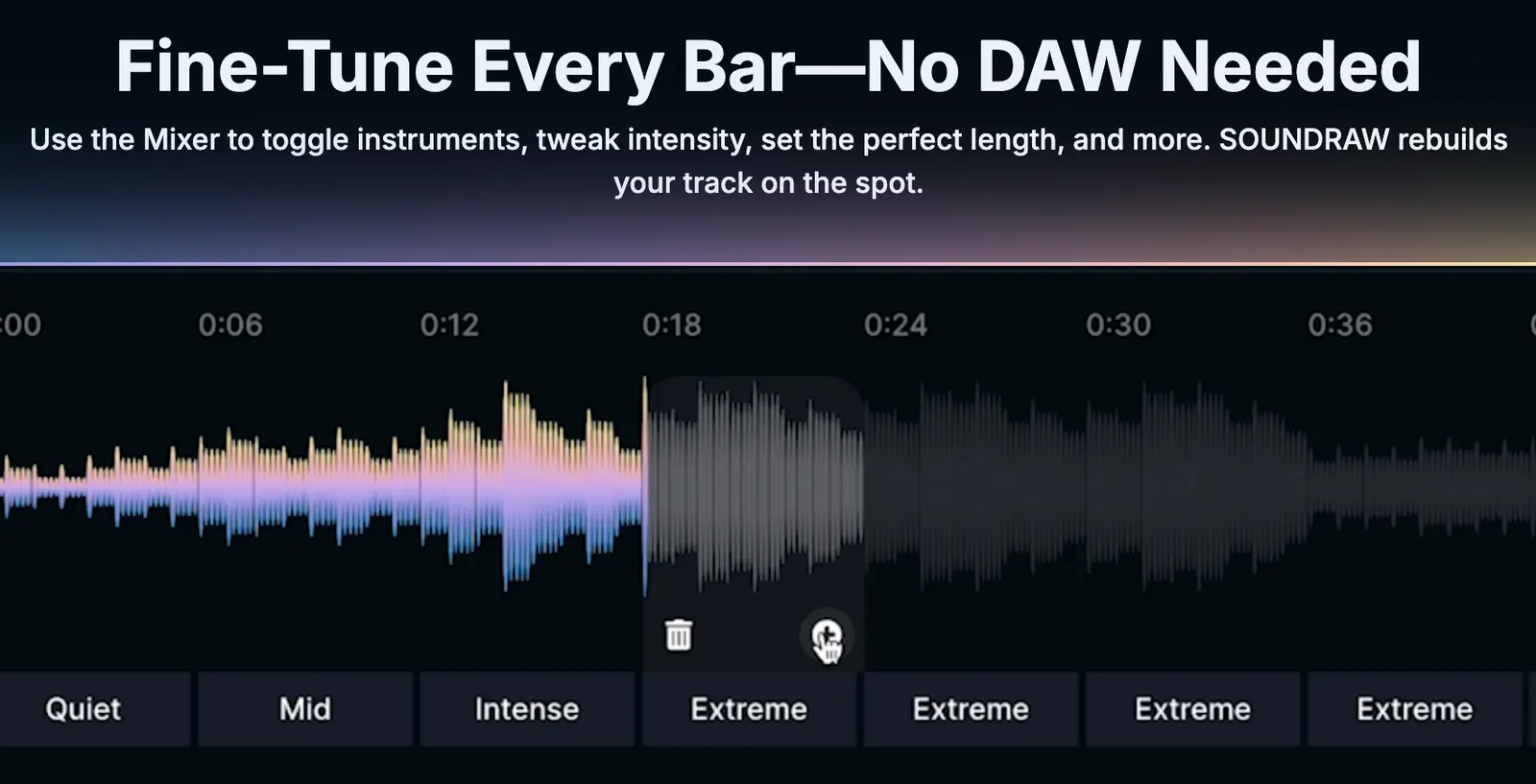
One of the biggest differences from a basic AI song generator is the editing workflow. You are not simply typing a prompt and receiving a finished song. SOUNDRAW gives you controls for things such as mood, genre, instruments, length, and musical sections.
For creators who work with video, this matters. A soundtrack that sounds good by itself can still be wrong for a 45-second product video or a five-minute YouTube tutorial. SOUNDRAW's customization workflow is built around solving that practical problem.
✨ Main Features and Highlights
🎼 AI Music Generation: Generate original background tracks by selecting musical characteristics instead of relying entirely on text prompts.
🎚️ Music Customization: Adjust mood, genre, theme, instruments, length, and other musical parameters before downloading a track.
🎬 Video Preview: You can upload a video and adjust the timing and beats of the generated music to better match the visual content.
🥁 Beat Creation: SOUNDRAW also has an Artist-focused workflow for creators who want beats they can build their own songs around.
🎛️ Stems: Supported Artist plans allow users to download separate audio stems, making it possible to continue editing the track in Ableton Live, Logic Pro, FL Studio, or another DAW.
♾️ Unlimited Downloads: The current Creator plan provides unlimited monthly track downloads, while Artist plans vary by plan and may include 10, 20, or unlimited downloads.
🔊 Multiple Formats: Depending on the plan, downloads can include MP3, WAV, and stems.
🌎 How SOUNDRAW Is Being Used
SOUNDRAW positions itself strongly toward content creators and says thousands of creators use the platform. Its current use cases include videos, podcasts, social media, games, livestreams, client work, product videos, tutorials, and other commercial projects.
That focus makes SOUNDRAW different from tools aimed primarily at generating complete pop songs. Its strongest use case is often music that supports another piece of content rather than becoming the content itself.
For a YouTube creator, for example, the goal may not be to make a song people listen to separately. The goal is to find a track that keeps the pacing of the video moving without distracting from the narration.
🚀 How to Use SOUNDRAW for the First Time
Step 1 — Create an account: Open SOUNDRAW in your browser and create an account. You can explore the service before deciding which paid plan fits your needs.
Step 2 — Decide what you are making: Before generating anything, identify the project. A podcast intro, travel vlog, gaming video, advertisement, corporate presentation, and documentary will require very different music.
Step 3 — Choose a genre and mood: Start with broad choices rather than trying to control every detail. Pick the musical direction that matches your content.
Step 4 — Set the length: Choose a duration that is reasonably close to your final video. This gives the generated track a more useful starting structure.
Step 5 — Generate several options: Do not automatically choose the first track. Generate multiple ideas and compare their energy, instrumentation, and structure.
Step 6 — Customize the track: Adjust sections, instruments, intensity, and other available controls until the music fits your project.
Step 7 — Preview it against your video: If you already have the video, upload it and check whether important musical changes happen at useful moments.
Step 8 — Download: Choose MP3 for straightforward content production, or WAV/stems when you plan to continue mixing or editing the music in a DAW.SOUNDRAW
💡 Practical SOUNDRAW Tips
🎯 Start from the video, not the music: Decide what the audience should feel during the scene. The music should support the content rather than compete with it.
🎬 Match musical changes to visual changes: If your video has a product reveal, transition, action sequence, or emotional turning point, use the track's structure to reinforce that moment.
🎚️ Don't over-edit: The goal is not to make every track complicated. A simple background track can work better when the video contains narration.
🎧 Use stems when mixing matters: If vocals, narration, sound effects, or dialogue are important, separate stems give you much more control over the final mix.
📁 Keep your downloaded files organized: Save the original download together with information about the SOUNDRAW account and plan used to create it. This can be useful if a platform later asks about music licensing.
💻 Does SOUNDRAW Need to Be Installed?
The main SOUNDRAW music generator works through a web browser, so there is no traditional installation required for the core service.
This is convenient for creators who work across different computers. You can access the service from a compatible browser instead of installing a large music-production application.
SOUNDRAW also has a separate product called SOUNDRAW Grid, designed as a companion music-production environment for shaping generated ideas. The main AI music generator itself, however, is primarily a web-based workflow.
💰 Is SOUNDRAW Free? Pricing and Plans
SOUNDRAW is primarily a paid service. The company lets users try the platform before subscribing, but downloading and commercially using music is tied to the applicable paid license.
🎬 Creator: The current pricing page lists Creator at $16.99 per month on monthly billing and $11.04 per month on the displayed annual option. It is aimed at content creators and small companies, with commercial and personal use, unlimited monthly downloads, and MP3 downloads. The Creator license covers use as background music in projects such as videos, podcasts, games, and social media content.
🎤 Artist Starter: The current pricing page lists Artist Starter at $29.99 per month or $19.49 per month on the displayed annual option. It is designed for musicians and producers who want to create beats and distribute songs after modifying them.
🎧 Artist Pro: The current pricing page lists Artist Pro at $35.99 per month or $23.39 per month on the displayed annual option. It expands the Artist workflow and includes WAV and stem downloads.
🚀 Artist Unlimited: The current pricing page lists Artist Unlimited at $50 per month or $32.50 per month on the displayed annual option, with unlimited downloads and the broader Artist feature set.
Enterprise pricing is handled separately. Prices and plan details can change, so commercial users should always check the current official pricing and license pages before subscribing.
⚖️ Commercial Use and Licensing: The Important Part
SOUNDRAW's licensing structure is one of its biggest selling points, but it is also where users can make expensive mistakes if they misunderstand the difference between background music and standalone music distribution.
Creator Plan: You can use downloaded SOUNDRAW music as background music in personal and commercial projects such as YouTube videos, podcasts, games, social media content, livestreams, product videos, tutorials, and client work. SOUNDRAW says downloaded songs can continue to be used after the subscription ends.
Artist Plan: This is intended for musicians who want to build songs around SOUNDRAW beats and distribute the modified result through services such as Spotify and Apple Music. The downloaded SOUNDRAW beat itself should not simply be uploaded to a streaming service unchanged.
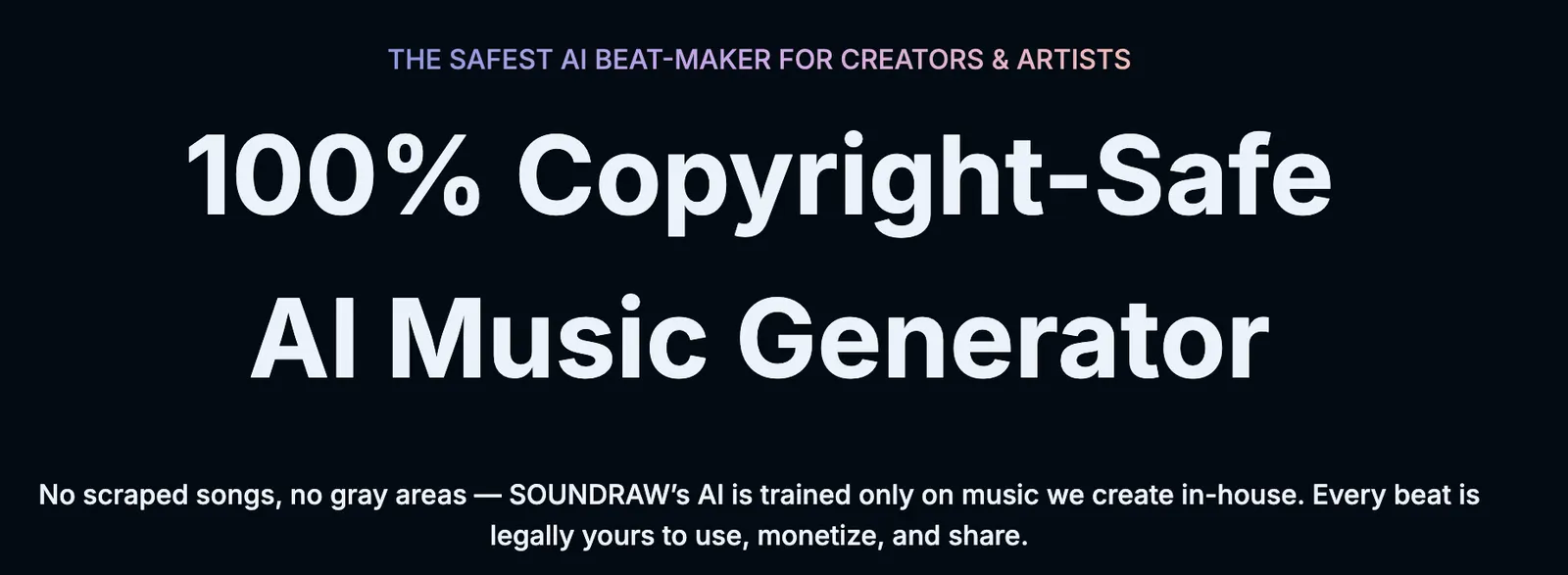
Important restriction: SOUNDRAW states that users cannot register its music with Content ID systems and cannot simply resell or redistribute the downloaded track in substantially the same form.
If you are producing music for a film, television production, advertisement, or other content that you do not own or control, additional clearance may be required. Do not assume that a normal Creator subscription automatically covers every synchronization use case.
👥 Who Is SOUNDRAW Best For?
🎬 YouTubers: Great for creators who regularly need new background tracks instead of repeatedly searching stock libraries.
📹 Video editors: Useful when music needs to match the length and pacing of a specific video.
🎙️ Podcasters: Suitable for intros, transitions, background music, and other supporting audio.
🎮 Game developers: Useful for prototypes, background environments, menus, and other game-content concepts.
🎤 Musicians: Artist plans are more appropriate when you want to build vocals or your own instrumentation on top of AI-generated beats.
🏢 Agencies: Commercial licensing makes SOUNDRAW useful when an agency needs music for multiple client projects, provided the particular project falls within the license terms.
⚠️ Common Problems and Mistakes
“Royalty-free” does not mean “do anything you want”: You receive a license to use the music. That does not mean you automatically own every copyright interest in the underlying SOUNDRAW composition.
Don't upload the raw track to Spotify: Creator music is intended as background music. If you want to distribute a song through DSPs, use the Artist workflow and modify the beat as required.
Content ID can cause confusion: SOUNDRAW music can be identified by Content ID. If you receive a claim, SOUNDRAW says Creator users can dispute the claim by providing subscription information. However, you should not register SOUNDRAW music as your own Content ID asset.
Client projects need attention: If you are an agency or freelancer, check that your intended client use is covered. SOUNDRAW's standard license distinguishes ordinary creator projects from certain third-party audiovisual productions.
Subscription cancellation: SOUNDRAW's terms state that paid plans automatically renew unless the user cancels through the appropriate procedure. Paid fees are generally non-refundable, so check the renewal date before starting a long-term plan.
👍 Advantages and 👎 Disadvantages
Advantages: Fast music generation, practical editing controls, video preview, customizable mood and instrumentation, commercial-use options, unlimited downloads on Creator, Artist plans for musicians, WAV and stem export on supported plans, and a workflow that is easier for non-musicians than traditional composition software.
Disadvantages: It is primarily a paid service, the licensing rules require careful reading, Creator music cannot simply be distributed as standalone music, Content ID can confuse inexperienced creators, and the generated music may still need human editing when a project requires a distinctive musical identity.
🏁 Final Verdict
SOUNDRAW makes the most sense when music is part of a larger piece of content. If you are making videos, podcasts, games, advertisements, or social content, its biggest advantage is not simply that AI can create music quickly. The real advantage is being able to shape the music around the project.
For most content creators, the Creator plan is the logical starting point. If your goal is to make songs with vocals, add your own instruments, and distribute the finished music on streaming platforms, look at the Artist plans instead.
In short, SOUNDRAW is less about replacing a professional composer and more about giving creators a faster way to get usable, customizable music without spending hours searching through stock libraries.
Free & Pricing
Free plan· Unverified
Payment
Free + paid
Prices and free policies can change. Confirm on the official page before purchasing.


Comments