🎵 Stable Audio: A Practical Guide to AI Music and Sound Generation
Stable Audio is Stability AI's dedicated generative audio platform for creating music, sound effects, audio textures, and other production material from natural-language instructions. Instead of building every sound manually inside a DAW, you can describe what you need and let the model produce a starting point.
The important distinction is that Stable Audio is not limited to generating a finished music track. Its newer workflow is built around iteration: generate an idea, listen to it, modify a section, add another layer, extend the composition, or work with separate tracks. That makes it more interesting for actual production work than a simple “type a prompt, download a song” tool.Stable Audio
🔎 What Is Stable Audio?
Stable Audio is a generative audio platform developed by Stability AI. The current Stable Audio 3.0 family is designed for music and sound generation and supports text-to-audio as well as workflows that start from existing audio. The latest model can generate stereo audio up to six minutes long, depending on the product and generation workflow.
For creators, the basic idea is straightforward: describe the sound you want in natural language, choose the appropriate generation mode, and refine the result. A prompt can include genre, tempo, instruments, mood, production style, and the role the sound should play in a project.
Stable Audio is especially interesting when the goal is not simply to make a song, but to create usable production material: background music, cinematic textures, ambient beds, sound effects, instrumental layers, or ideas that can later be developed inside a DAW.
✨ Main Features and Highlights
🎼 Text-to-Audio: Describe a musical idea, sound effect, ambience, or production texture and generate audio from the prompt.
🎚️ Full Mix Generation: Generate a combined audio result when you want a ready-to-listen composition rather than separate production layers.
🎛️ Multi-Track / Stems Workflow: Depending on the current workspace and model, Stable Audio can generate or work with individual tracks so creators have more control over the arrangement.
🔁 Extend: Continue an existing piece instead of starting over. This is useful when the original generation has a strong idea but is too short.
🖌️ Replace Section: Regenerate a selected section while keeping the rest of the track intact. This is much more practical than throwing away an otherwise good generation.
🎧 Audio-to-Audio: Use existing audio as a starting point and transform its genre, mood, instrumentation, or overall character.
🧩 Audio Inpaint: Work on a specific part of an existing audio composition rather than regenerating everything.
📤 DAW Integration: Stable Audio also offers a DAW plugin workflow, allowing creators to bring AI generation into music-production software. The current plugin documentation lists macOS VST and AU support, with additional platform and format support planned.
🌎 How Stable Audio Is Being Used
In the US creator market, the practical value of AI audio is increasingly tied to production speed. A video editor may need a 30-second atmospheric background. A game developer may need a strange mechanical texture. A producer may want five different versions of a percussion idea before deciding which direction works.
Stable Audio fits those situations because the output does not have to be treated as the final product. It can be a rough idea, a background layer, a sound-design element, or a starting point for a larger production.
Stability AI also positions Stable Audio for professional and enterprise use, with API access, open-weight model options, and enterprise deployment available alongside the consumer-facing web experience. The company states that its Stable Audio models are trained on licensed datasets, which is an important consideration for professional users evaluating AI-generated audio.
🚀 How to Make Your First Audio Generation
Step 1 — Create an account: Open Stable Audio and sign in. The web application is the easiest place for a first experiment because you do not need to configure a local AI environment.
Step 2 — Decide what you actually need: Don't start by writing “make a cool song.” Decide whether you need background music, an instrumental track, a sound effect, an ambient texture, or a specific musical section.
Step 3 — Write a structured prompt: Include genre, tempo, instruments, mood, and production characteristics. For example: “dark cinematic ambient, 90 BPM, deep sub bass, distant piano, granular textures, slow tension build, minimal percussion, wide stereo atmosphere.”
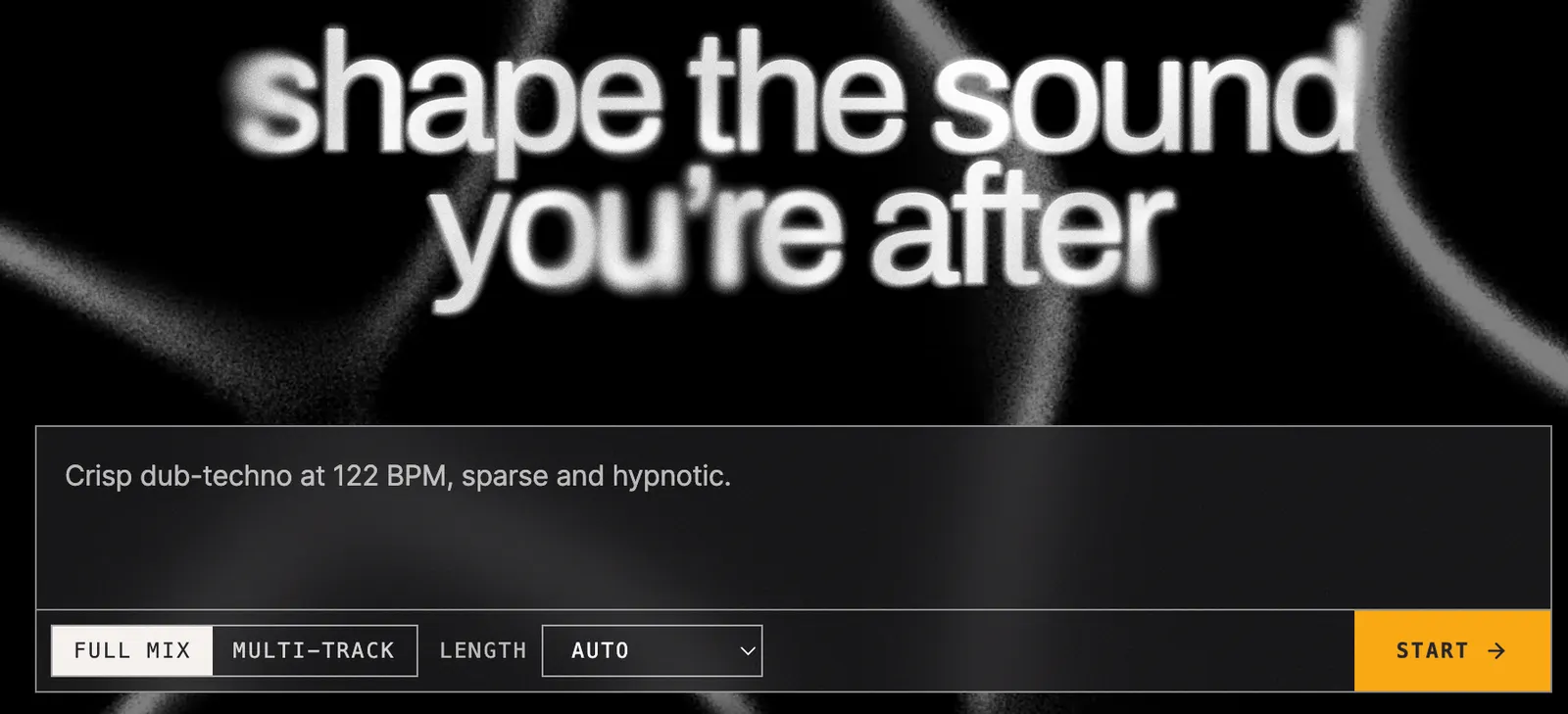
Step 4 — Choose the output type: Use a full mix when you want a combined result. Use a multi-track workflow when you want more control over individual parts.
Step 5 — Select the duration: Use a short generation when testing an idea. Generate a longer version only after you know the musical direction is useful.
Step 6 — Generate: Start the generation and listen carefully to the result rather than judging it only from the first few seconds.
Step 7 — Fix the weak part: If the drums are good but the melody is wrong, don't throw away the entire track. Regenerate or replace the relevant section when the available workflow supports it.
Step 8 — Extend and arrange: Once you have a strong section, extend it or add additional tracks to build a more complete arrangement.
Step 9 — Export: When the mix is ready, export the complete mix or individual stems depending on your production needs.
💡 How to Write Better Stable Audio Prompts
Start with the musical identity: Instead of “electronic music,” try “minimal deep house with warm analog synthesizers and restrained percussion.”
Add tempo when rhythm matters: Including a BPM target can give the model a clearer production direction.
Describe instruments: Mention the instruments that should dominate the arrangement rather than relying only on a genre label.
Describe the production: Words such as dry drums, wide stereo field, distorted bass, warm tape texture, sparse arrangement, or cinematic ambience can help communicate the intended sound.
Think about the use case: “Background music for a technology documentary” gives a different creative target from simply saying “ambient music.”
Don't overload the prompt: More words do not automatically produce a better result. Start with the core idea and add details only when they solve a specific problem.
💻 How to Install Stable Audio
For most users, there is nothing to install. The Stable Audio web application runs in the browser, making it the simplest option for getting started.
For music producers, Stability AI also provides a Stable Audio DAW plugin. The current documentation lists macOS VST support for applications such as Cubase, Reaper, and Ableton, as well as macOS AU support for Logic Pro. The plugin includes local processing for certain Stable Audio models and can also connect to cloud generation through a Stable Audio account.
Windows support and additional plugin formats have been listed as future additions in the current documentation, so producers should check the latest compatibility information before changing their setup.
💰 Is Stable Audio Free?
Stable Audio has multiple ways to access its technology, and this is where users should avoid confusing the consumer product with the developer API.
Web App: The browser-based Stable Audio experience provides access to the current generation workflow, with usage governed by the account's available credits and plan conditions.
API: Stability AI's developer platform uses a credit-based system. The current API pricing lists 1 credit at $0.01. Stable Audio 3.0 is listed at 26 credits per successful generation, while Stable Audio 2.5 is listed at 20 credits. That means a Stable Audio 3.0 API generation is currently equivalent to $0.26 before considering other account or platform conditions.
Commercial and enterprise use: Stability AI also offers licensing options for organizations that need deployment, customization, support, or enterprise terms. The company's licensing page lists Stable Audio 3.0 among its Community license models and provides separate enterprise licensing for larger organizations.
Pricing and credit policies can change, so users should verify the current official pricing page before purchasing credits or designing a commercial workflow around a specific price.
👥 Who Should Use Stable Audio?
🎬 Video creators: Useful for background music, transitions, atmosphere, and sound-design experiments.
🎮 Game developers: Useful for prototyping environmental sounds, loops, effects, and musical concepts.
🎧 Music producers: Useful for generating ideas, textures, samples, and alternative arrangements.
🎹 Songwriters: Useful when you want to hear a musical direction before spending time producing it manually.
🎙️ Podcasters: Useful for intros, background textures, transitions, and atmospheric elements.
🏢 Businesses: Potentially useful for branded audiovisual content, product demos, presentations, and other projects where licensing requirements need to be evaluated carefully.
⚠️ Common Problems and Limitations
Audio may not follow every instruction: A detailed prompt does not guarantee that every instrument or structural detail will appear exactly as requested.
Complex arrangements can be inconsistent: If you ask for too many musical events at once, some parts may be weaker than expected. Simplifying the prompt can sometimes produce a cleaner result.
AI-generated audio still needs editing: A generation that sounds good by itself may not sit correctly under dialogue or inside a larger mix. Producers should still use EQ, compression, volume automation, effects, and other traditional tools when necessary.
Credits can disappear quickly: Repeated experimentation can consume generation credits. Short tests are usually more economical than immediately generating long pieces.
Rights still matter: Even when the model itself is trained on licensed data, users remain responsible for how generated or uploaded material is used in their own projects and for following the applicable terms.
👍 Advantages and 👎 Disadvantages
Advantages: Fast audio generation, strong sound-design potential, text-to-audio and audio transformation workflows, longer-form generation, section-level editing, multi-track workflows, DAW integration, and multiple deployment options.
Disadvantages: Results can still vary from generation to generation, precise control is not comparable to manually producing every track, complex musical arrangements can require several attempts, generation credits can become expensive for heavy experimentation, and some advanced features depend on the current product or account level.
🏁 Final Verdict
Stable Audio is most useful when you treat AI as part of the production process rather than as a replacement for the producer. The strongest workflow is usually simple: generate a concept, identify what works, fix the weak section, add layers, extend the arrangement, and finish the mix with conventional audio tools when necessary.
For creators who regularly need music, sound effects, ambience, or experimental audio, Stable Audio is worth trying. Its biggest advantage is not simply that it can create sound quickly, but that the current workflow gives creators more ways to continue working with the generated material.
Free & Pricing
Free plan· Unverified
Payment
Free + paid
Prices and free policies can change. Confirm on the official page before purchasing.


Comments