
🤖 Botsonic: A Practical AI Chatbot Builder for Customer Support and Business Automation
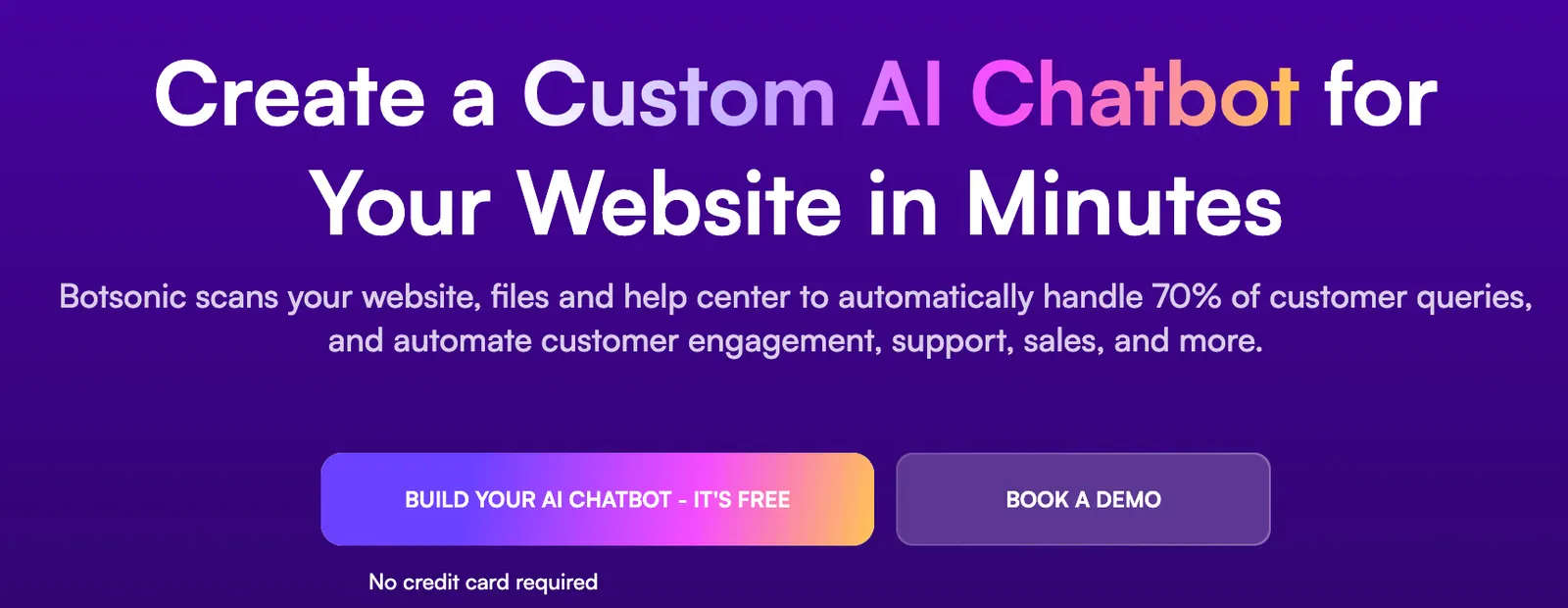
Botsonic is an AI chatbot and AI agent platform from Writesonic, designed for businesses that want to create a customized conversational assistant without building an entire AI infrastructure from scratch.
The basic idea is simple: give Botsonic your website content, documents, FAQs, product information, or other business knowledge, configure how the assistant should behave, and then deploy it where customers or employees can interact with it.
That makes Botsonic different from a general-purpose AI assistant such as ChatGPT. You are not primarily using it for private conversations. Instead, you are building an AI system that can become part of a company's website, support operation, lead-generation process, or internal knowledge workflow.
Botsonic first appeared publicly in 2023, with its early launch focused on creating custom AI chatbots trained on a company's own information. Since then, the platform has expanded into AI agents, integrations, lead capture, APIs, automated workflows, and other business-oriented capabilities.
🏢 1. What Is Botsonic?
Botsonic is developed by Writesonic, the company behind the Writesonic AI content platform and Chatsonic. The product was created around a practical business problem: general AI models can answer broad questions, but companies need assistants that understand their own products, services, policies, documentation, and internal information.
Instead of training a language model from scratch, businesses can provide Botsonic with their own knowledge sources and configure an AI assistant around them. This allows a company without a dedicated machine-learning team to build a customer-facing chatbot using existing business information.
Botsonic has evolved beyond the basic website chatbot concept. Current functionality includes AI agents, agentic actions, website crawling, knowledge-base management, lead capture, integrations, API access, and automated workflows.
In practical terms, Botsonic is designed to solve several common business problems:
- Customers repeatedly asking the same questions.
- Support teams spending too much time on basic requests.
- Company information being difficult for customers to find.
- Businesses wanting 24/7 conversational support.
- Companies looking to introduce AI automation without developing a complete chatbot system internally.
The platform can use information from websites, documents, FAQs, and other supported sources to create a knowledge base that the chatbot can use when answering questions.
⚙️ 2. Core Features of Botsonic
📚 AI Trained on Your Business Information
This is the foundation of Botsonic. Instead of relying entirely on general AI knowledge, businesses can provide their own information, including website content, documents, PDFs, FAQs, and product documentation.
This is particularly useful when customers ask questions where the correct answer depends on information specific to the company.
🌐 Website and Sitemap Knowledge
Botsonic can use website information as part of its knowledge base. This means a company can turn existing documentation, help articles, product pages, and other online content into a conversational knowledge source.
For a business with hundreds or thousands of documentation pages, this can be much easier than manually entering every question and answer.
🎨 Customizable Chatbot Widget
The chatbot can be customized to better match a company's website and brand. Businesses can configure elements such as the chatbot's appearance, welcome message, behavior, and conversational style.
This matters because visitors are more likely to trust a support assistant that feels like part of the website rather than an unrelated third-party widget.
🔌 Business Integrations
Botsonic can connect with a range of business platforms and communication channels. Depending on the subscription plan, integrations can include WhatsApp, Facebook Messenger, Telegram, Zapier, WordPress, Google Tag Manager, and other services.
This allows the chatbot to participate in an existing business workflow instead of being limited to a single website page.
📝 Lead Capture
Botsonic can collect visitor information rather than simply answering questions.
For example, a visitor could ask about a service, receive product information, provide their contact details, and then enter a sales workflow without waiting for a salesperson to respond manually.
🤝 Human Handoff
AI should not be expected to solve every customer problem. Botsonic supports workflows that can direct more complicated conversations toward human support systems.
This is particularly important for refund requests, account-specific issues, complaints, technical problems, and situations where customers explicitly want to speak with a person.
🧠 AI Agents and Agentic Actions
Higher-tier plans extend Botsonic beyond traditional question answering. AI agents can be configured to reason through tasks and perform specific actions using connected systems and workflows.
This can make the platform useful for more complicated customer-service and internal business processes.
🔗 API Access
Businesses that need more control can use API capabilities on qualifying plans. This allows developers to connect Botsonic with custom websites, applications, internal systems, or other software.
✨ 3. What Makes Botsonic Different?
🧩 It Is Built Around Company Knowledge
The main difference between Botsonic and a general AI assistant is its focus.
ChatGPT is designed to be useful across many different tasks. Botsonic is designed around a more specific business requirement: turning a company's information into an AI assistant that other people can interact with.
🚫 No Traditional Chatbot Development Required
Businesses do not have to build a complete retrieval system, chatbot interface, knowledge-management layer, and AI orchestration system from scratch.
For smaller companies without a dedicated AI engineering team, this can reduce the amount of technical work required to launch a useful chatbot.
🌎 More Flexible Than a Traditional FAQ Bot
Traditional business chatbots often rely on fixed decision trees:
Question A → Button B → Question C → Answer D.
Botsonic uses conversational AI instead, allowing customers to ask questions in more natural language.
This does not eliminate the need for carefully prepared information, but it makes the interaction much less rigid.
⚡ Moving From Chatbots Toward AI Agents
One of the more important developments in Botsonic is its move toward agentic workflows.
A basic chatbot might answer, “What are your business hours?” An AI agent can potentially interpret a more complicated request, collect information, perform a configured action, and pass the result into another business system.
That changes the product from a simple information tool into something closer to an automation layer.
🔧 Designed to Fit Existing Business Tools
Most companies do not want to replace their CRM, website, messaging platform, helpdesk, or automation tools just because they are adding AI.
Botsonic's integration approach reflects that reality. The goal is generally to add AI to an existing workflow rather than rebuild the workflow from scratch.
💼 4. Real-World Use Cases
🎧 Customer Support
This is one of Botsonic's most obvious applications.
A company can train the assistant on support documentation, product information, policies, and frequently asked questions. Customers can then get answers at any time without waiting for a support representative.
🛒 E-commerce
Online stores can use Botsonic to help shoppers understand products, compare options, find shipping information, understand return policies, and navigate purchasing questions.
For example, instead of simply asking, “What laptops do you sell?”, a customer might ask, “I need a laptop for video editing under $1,500. Which models should I look at?”
📣 Lead Generation
Marketing teams can use conversational AI to qualify website visitors. The chatbot can answer initial questions, understand what the visitor is looking for, collect contact information, and direct qualified leads toward a sales process.
🏠 Real Estate
Real-estate businesses can use AI assistants to answer questions about services, property information, buying or selling processes, and appointment requests while collecting information from potential clients.
🎓 Education
Schools, training companies, and online education businesses can build assistants around course information, enrollment policies, schedules, programs, and frequently asked questions.
👨💼 Internal Employee Support
Botsonic can also be used privately inside a company. An internal assistant can be trained on HR policies, onboarding documents, IT procedures, company guidelines, and other internal knowledge.
📝 Documentation Search
Companies with large documentation libraries can use conversational search instead of forcing customers or employees to manually browse hundreds of pages.
📅 Service and Appointment Workflows
Businesses where customers regularly ask about services, availability, scheduling, or requirements can use Botsonic to automate parts of those conversations.
💻 SaaS Product Support
SaaS companies can use Botsonic to help users understand product features, onboarding, troubleshooting, integrations, pricing, and documentation.
🛠️ 5. How to Use Botsonic
Step 1: Create an Account
Start by creating a Botsonic account and entering the dashboard. The platform offers trial access so businesses can test the product before committing to a longer subscription.
Step 2: Create a Chatbot
Create a chatbot around a specific business purpose.
Instead of creating something vague such as “Company AI,” define a clear role:
“You are the customer support assistant for a SaaS company. Help users understand billing, account settings, integrations, and common troubleshooting procedures. Never invent product features or policies.”
Step 3: Add Your Knowledge
Add the information that the assistant should know. Depending on your workflow, this can include website pages, PDFs, documents, FAQs, product information, and other supported sources.
This stage deserves more attention than many first-time users expect. If the source material is outdated or contradictory, the AI will have difficulty providing consistent answers.
Step 4: Configure the Assistant
Define the chatbot's name, appearance, welcome message, behavior, tone, and other instructions.
For customer support, it is usually better to make the bot sound like the company rather than like a generic AI assistant.
Step 5: Test Real Customer Questions
Do not test only easy questions such as “What does your company do?”
Try questions with incomplete information, spelling mistakes, multiple topics, contradictory assumptions, and requests that the bot should refuse to answer.
Step 6: Fix the Knowledge Base
If the chatbot consistently gives a wrong answer, check the source material first. The problem may be missing or conflicting information rather than the AI model itself.
Step 7: Deploy the Chatbot
Once the assistant performs well, add it to the website or connect it to the business channels and applications required for your workflow.
Step 8: Monitor Conversations
The first version should not be treated as the final version. Review real conversations, identify unanswered questions, update the knowledge base, and improve the chatbot's instructions over time.
🧠 6. Tips for Getting Better Results
🎯 Give the Bot a Specific Role
A chatbot that is responsible for everything is difficult to control.
A customer-support assistant, sales assistant, internal HR assistant, and product-information assistant should each have a clearly defined purpose.
📖 Keep the Knowledge Base Clean
This may be the single most important factor affecting response quality.
Remove outdated documentation, duplicate pages, old prices, discontinued products, and contradictory policies.
If your website contains two different prices for the same product, changing the AI model will not solve the underlying problem.
🚫 Tell the AI What It Must Not Do
Useful instructions can include:
- Do not invent prices or product features.
- Do not make promises about refunds.
- Do not provide information that is unavailable in the approved knowledge base.
- Ask for clarification when the customer's question is unclear.
- Escalate account-specific issues to human support.
🧪 Test Difficult Questions
Simple questions do not tell you much about a chatbot's real performance.
Try a realistic question such as:
“I purchased the annual plan three months ago, changed my email yesterday, and now I cannot find my invoice. Does changing the email affect my billing history?”
This type of question tests whether the assistant can understand context rather than simply locate a keyword.
📊 Study Failed Conversations
Every unanswered question can reveal something useful. It may point to missing documentation, confusing product instructions, or a new customer need that the business had not previously considered.
👤 Always Provide a Human Option
Customers should not be trapped in an AI conversation when they need a person.
Refund disputes, account-specific issues, complaints, sensitive cases, and complicated technical problems often require human involvement.
🔄 Keep the Information Updated
Product launches, pricing changes, new policies, and new features can quickly make an old knowledge base inaccurate. Botsonic works best when it is treated as an ongoing business system rather than a one-time chatbot installation.
💻 7. Installation and Access
Botsonic is primarily a web-based SaaS platform. The main dashboard is accessed through a browser, while the chatbot itself can be embedded into a company's website or connected to supported services.
| Platform | Availability | Typical Use |
|---|---|---|
| Web Browser | Yes | Main dashboard and chatbot management |
| Windows | Web-based | Use through a supported desktop browser |
| macOS | Web-based | Use through a supported desktop browser |
| iOS | Browser access | Manage or access the service through the web |
| Android | Browser access | Manage or access the service through the web |
| Browser Extension | Not the primary product | Botsonic is mainly delivered through its web dashboard and embedded chatbot |
| Website Widget | Yes | Embed the AI chatbot directly on a website |
| API | Available on qualifying plans | Connect Botsonic to custom applications and workflows |
In other words, Botsonic is not designed like a desktop AI coding assistant. Its core purpose is to create and deploy an AI chatbot or agent that customers or employees can interact with.
💰 8. Botsonic Pricing
Botsonic uses a subscription model where the available message volume, chatbot count, knowledge capacity, integrations, team members, and agentic capabilities vary by plan.
🆓 Starter — $16/Month
The Starter plan is listed at $16 per month when billed annually, with monthly billing priced higher.
- 1 team member
- 1 chatbot
- 1,000 messages per month
- 10 million uploaded characters
- 3 agentic actions
- GPT-4o mini
- Lead capture forms
- Sitemap support
- Selected integrations
🚀 Professional — $41/Month
The Professional plan is listed at approximately $41 per month with annual billing.
- 2 team members
- 2 chatbots
- 3,000 messages per month
- 50 million uploaded characters
- 5 agentic actions
- Access to more advanced models
- Additional integrations
- Lead capture
- Expanded website and sitemap capabilities
⚡ Advanced — $249/Month
The Advanced plan is listed at approximately $249 per month with annual billing.
- 5 team members
- 12,000 messages per month
- 100 million uploaded characters
- AI agent functionality
- Agentic actions
- Automated workflows
- API access
- Expanded sitemap capabilities
- More advanced integrations
🏢 Enterprise — Custom Pricing
Enterprise pricing is customized according to the organization's requirements, including chatbot volume, message usage, team size, workflows, integrations, and support requirements.
🧾 Additional Usage
Botsonic also offers paid add-ons for additional messages, team members, knowledge capacity, chatbot requirements, and other features. This means the advertised subscription price should not be considered the complete cost for a high-volume deployment.
For a small company, the lower plans can be relatively easy to test. For a high-traffic website, however, message volume should be calculated before making a purchasing decision.
👥 9. Who Is Botsonic For?
🏪 Small Businesses
Small businesses can use Botsonic to provide round-the-clock answers without requiring employees to handle every basic question manually.
💻 SaaS Companies
SaaS companies with large documentation libraries are a natural fit. The chatbot can help users navigate product features, onboarding, troubleshooting, integrations, and pricing information.
📣 Marketing Teams
Marketing teams can use Botsonic for conversational lead generation, product discovery, campaign landing pages, and visitor qualification.
🎧 Customer Support Teams
Support departments can use AI to absorb repetitive questions and leave human agents available for cases that actually require human judgment.
🏢 Enterprises
Large organizations can use AI assistants for customer support, employee knowledge management, internal documentation, and business workflows.
👨💻 Developers
Developers become particularly important when a business wants to connect Botsonic to custom applications, APIs, databases, automation systems, or more complicated workflows.
For students and casual users, Botsonic is generally less compelling because its main value comes from deploying AI as part of a business operation rather than using AI for personal questions.
🌎 10. Global Usage and Adoption
Botsonic does not publish a continuously updated public dashboard showing exact monthly active users, traffic by country, or global download numbers. Because of that, precise current figures should be treated carefully.
The company has positioned Botsonic as a global business product, with applications across industries such as retail, travel, real estate, education, SaaS, and professional services.
Botsonic's current pricing and marketing materials indicate that the platform is used by thousands of teams worldwide. This is company-reported information rather than an independently audited monthly-active-user figure.
The product's international positioning is also visible through its support for multilingual conversations, website deployment, messaging integrations, and a range of third-party business platforms.
Unlike consumer AI applications, Botsonic is primarily a B2B SaaS product. Its success is therefore better measured by the businesses deploying it and the number of customer conversations it can handle than by app-store downloads.
For companies evaluating Botsonic, actual traffic requirements, message volume, language requirements, and integration needs are more useful metrics than a headline user number.
⚖️ 11. Botsonic Pros and Cons
✅ Pros
- Easy deployment: Businesses can build and launch a customized AI chatbot without developing the complete infrastructure internally.
- Company-specific knowledge: The ability to use business documentation makes it practical for customer support and knowledge management.
- Multiple integrations: Botsonic can connect with websites, messaging services, automation platforms, and other business tools.
- AI agent capabilities: Higher-tier plans extend beyond simple question answering into configured workflows and actions.
- Useful for both external and internal applications: Companies can use the technology for customer support or employee assistance.
❌ Cons
- Message limits matter: High-volume websites may need additional message capacity.
- Advanced features are expensive: The cost increases considerably when moving into agentic workflows and larger business deployments.
- Knowledge-base maintenance is necessary: Businesses still need to keep their documentation accurate and current.
- Not a general AI assistant: People looking for writing, coding, research, image generation, or personal productivity may find other AI tools more suitable.
🔍 12. Botsonic vs Similar AI Tools
Botsonic operates in a crowded market that includes AI chatbot builders, customer-service platforms, conversational AI systems, and general-purpose AI assistants.
| Tool | Main Focus | Best Use Case | Pricing Approach |
|---|---|---|---|
| Botsonic | Custom AI chatbots and agents | Website support, lead generation, knowledge management and automation | Subscription with usage and feature limits |
| Chatbase | AI agents trained on business data | Website knowledge assistants and support automation | Subscription and usage based |
| Intercom Fin | AI customer service | Companies already using Intercom for support | Based around Intercom's support platform and AI usage |
| Tidio | Live chat and AI customer support | Small businesses and e-commerce | Subscription with AI usage considerations |
| Botpress | Conversational AI development | More technical custom AI workflows | Usage and plan based |
| Voiceflow | Conversational experience design | Complex AI conversation and workflow design | Workspace and usage based |
| ChatGPT | General-purpose AI assistant | Writing, research, coding and personal productivity | General AI subscription model |
Botsonic vs ChatGPT
These products are aimed at different users. ChatGPT is a general AI assistant, while Botsonic is designed to deploy an AI assistant as part of a business website or operational workflow.
Botsonic vs Chatbase
Both platforms are relevant for businesses that want AI assistants trained on their own content. The decision usually comes down to pricing, integrations, chatbot volume, workflow requirements, and which deployment experience fits the company better.
Botsonic vs Intercom Fin
Intercom Fin is particularly relevant to companies already using Intercom as their customer-service platform. Botsonic is more independent and can make sense for companies that want an AI chatbot layer without rebuilding their entire support system around Intercom.
Botsonic vs Botpress
Botpress is more appealing when developers need extensive control over conversational applications. Botsonic is generally easier for business teams that want to get a company-trained chatbot online without a large development project.
The right choice depends on the actual business problem. A company should compare message volume, integrations, deployment requirements, knowledge-base size, automation needs, and total cost rather than choosing solely based on which platform has the most AI features.
🧪 A Practical Example: Botsonic for a SaaS Support Website
Imagine a SaaS company with several hundred documentation pages and a support team receiving hundreds of repetitive questions every week.
The company could connect its documentation and website content to Botsonic and create an assistant with a narrowly defined role:
“You are the product support assistant. Answer questions using the company's approved documentation. If the answer is unavailable, say so instead of guessing. For account-specific issues, direct the customer to human support.”
The company could then test questions such as:
- “How do I connect Slack?”
- “Can I cancel my subscription?”
- “Why isn't my integration working?”
- “Does the Pro plan include API access?”
- “I changed my email and cannot access my account. What should I do?”
After launch, the support team could examine questions the bot failed to answer and use those conversations to improve the documentation.
This creates a useful feedback loop:
Customer question → AI response → failed conversation → documentation update → better future response.
That is where Botsonic becomes much more valuable than a simple chatbot widget. It can become part of an ongoing customer-support system.
🎯 13. Final Verdict: Is Botsonic Worth Using?
Botsonic is worth considering if your business has a real customer-support, knowledge-management, or lead-generation problem that AI could help automate.
Its strongest use case is straightforward: your customers repeatedly ask questions, you already have useful business information, and you want an AI assistant that can provide answers around the clock.
The platform becomes more interesting when you move beyond basic FAQs. Lead capture, integrations, APIs, human handoff, and agentic workflows allow Botsonic to participate in actual business processes.
👍 Botsonic is a good fit when:
- You operate a SaaS, e-commerce, education, real-estate, or service business.
- Your website receives a large number of repetitive customer questions.
- You already have substantial documentation or a knowledge base.
- You want a no-code or low-code way to launch an AI chatbot.
- You need website chat, lead capture, integrations, or automated support.
- You want to experiment with AI agents without building the entire infrastructure yourself.
🤔 Another tool may make more sense when:
- You only want a personal AI assistant.
- Your main goal is AI writing, coding, research, or image generation.
- Your company already has a mature customer-support platform with a suitable built-in AI solution.
- You need extremely deep developer-level control over the conversational system.
- Your website has very high chat volume and usage-based pricing makes the economics unattractive.
The simplest way to describe Botsonic is this: it is not really trying to replace ChatGPT for individual users; it is trying to put AI inside a company's customer-service and automation workflow.
For a small business that wants a professional AI support assistant without hiring a full AI engineering team, that can be a very practical proposition. For larger organizations, the decision becomes more about integrations, security, workflow complexity, message volume, and total operating cost.
There is also one point worth keeping in mind before purchasing: the quality of your knowledge base matters almost as much as the AI model. If your documentation is accurate, current, and well organized, Botsonic has a much better foundation. If the underlying information is outdated or contradictory, no chatbot platform can completely solve that problem.
Overall, Botsonic makes the most sense when there is a specific business process to automate. If you have a real support or knowledge problem, it is worth testing. If you simply want to talk to an AI, a general-purpose assistant will usually be simpler and less expensive.
Comments