

🦁 What Is Brave Leo?
Brave Leo is the built-in AI assistant inside the Brave browser. Instead of working as a separate chatbot that you have to open in another tab, Leo can understand the webpage, document, video, or other content you are currently viewing and help you summarize, analyze, rewrite, translate, or discuss it.
That browser-native design is the main reason to use Leo. You can read a long article and ask for the key points, open a technical document and ask questions about it, or select text and have Leo rewrite or explain it without constantly switching between your browser and an external AI service.
Brave positions Leo as a privacy-focused AI assistant. According to Brave, Leo does not retain or share your chats and does not use conversations for model training. Free users can use Leo without creating a Brave account or logging in.
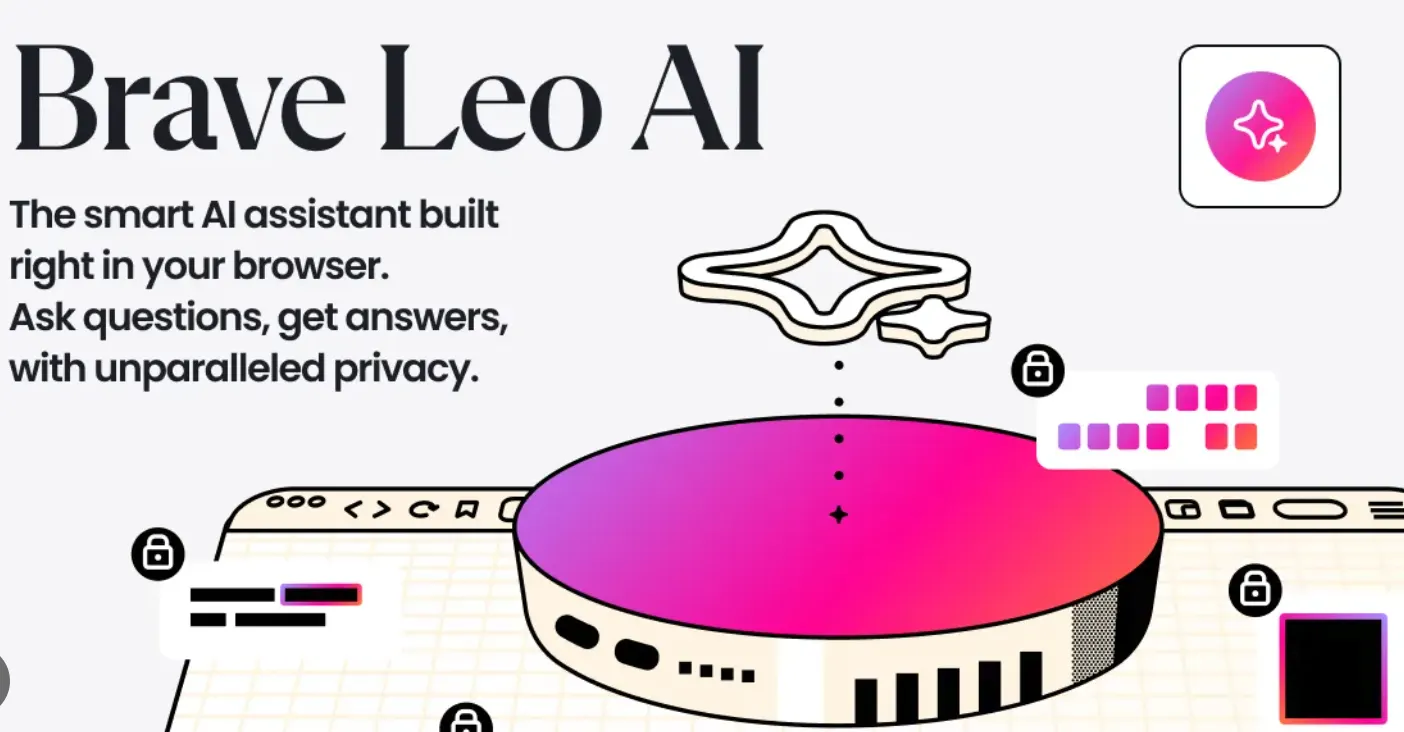
🌐 How Brave Leo Fits Into the Brave Browser
Brave Leo is not simply another AI chatbot embedded into a browser sidebar. Its biggest advantage is its connection to the browsing context.
For example, when you are reading an article, Leo can work with the content you are already viewing. This makes it particularly useful for research-heavy browsing, where the main problem is often not generating text but understanding a large amount of information quickly.
Leo can also work with documents and other content, including PDFs, Google Docs, Google Sheets, webpages, and videos, depending on the platform and current feature availability.
🔍 Brave Leo vs. a Standalone AI Chatbot
The biggest difference is context.
With a conventional chatbot, you typically copy information from a webpage and paste it into the chatbot. With Leo, the browser can provide the surrounding context directly, so the workflow is much closer to “read something and ask AI about it.”
This is particularly convenient for:
- Researching unfamiliar topics
- Summarizing long webpages
- Understanding technical documentation
- Reviewing PDFs and business documents
- Translating online content
- Rewriting text while browsing
- Comparing information from multiple pages
- Getting quick explanations while researching
✨ Main Features of Brave Leo
📄 1. Webpage Summarization
One of Leo's most practical features is webpage summarization. When you encounter a long article, report, tutorial, or documentation page, you can ask Leo to identify the important information instead of reading every paragraph.
Useful prompts include:
- “Summarize this page in five bullet points.”
- “What are the three most important conclusions?”
- “Explain this article for someone with no technical background.”
- “What evidence does the author use to support this argument?”
🎥 2. Video Summarization
Leo can also help summarize video content when the relevant content is accessible to the assistant. This can be useful for tutorials, interviews, educational videos, product demonstrations, and other information-heavy content.
The practical benefit is straightforward: instead of watching an hour-long video simply to determine whether it contains useful information, you can use AI to identify the important sections first.
📑 3. PDF and Document Analysis
Leo can work with supported documents such as PDFs and other online documents. This makes it useful for reviewing reports, research papers, specifications, manuals, and business material.
Rather than asking only for a summary, try asking specific questions about the document. For example:
- “What are the main conclusions of this report?”
- “Find the assumptions used in this analysis.”
- “List all numerical figures mentioned in the document.”
- “Explain this section in plain English.”
🌍 4. Translation
Leo can translate and explain online content. This is useful when you are researching websites, documentation, news, or product information published in another language.
It can also be more useful than simple machine translation when you want both the translation and an explanation of technical terminology or context.
✍️ 5. Writing and Rewriting
Leo can help rewrite, edit, simplify, summarize, and generate text.
For example, you can ask it to make a paragraph shorter, turn technical language into plain English, improve the structure of an explanation, or create an outline based on the content you are reading.
🧠 6. Content Analysis
Leo is useful when the goal is understanding rather than simply generating content.
You can ask it to identify the main argument of an article, compare two viewpoints, extract important facts, identify potential weaknesses, or explain unfamiliar concepts.
💻 7. Coding and Technical Research
Leo can also assist with programming questions, technical explanations, debugging ideas, and documentation research.
It is particularly convenient when you are already reading documentation in Brave and want an explanation of a specific API, framework, error message, or code example.
However, developers should not assume that Leo will outperform specialized coding agents on large software-engineering projects. For complex repositories, autonomous coding, and long-running development tasks, dedicated coding tools can still be a better fit.
🔎 8. Brave Search Integration
Brave combines Leo with its broader search ecosystem. When current information is needed, Brave Search can provide web information that can then be used alongside AI assistance.
This makes the combination useful for research workflows where you need both search and synthesis rather than a chatbot operating entirely from its internal knowledge.
🗂️ 9. Browser and Tab Assistance
Leo can also assist with browser-related workflows, including understanding and organizing information across tabs. Brave has been expanding Leo toward more agentic browsing capabilities, although some newer capabilities may still depend on platform, browser version, or rollout status.
⚙️ 10. Personalization
Leo supports personalization preferences that can influence how it responds. This is useful if you consistently prefer concise answers, detailed explanations, technical language, or a particular response style.
🔐 Privacy and Data Handling
Privacy is one of Brave Leo's strongest selling points.
Brave says Leo is designed so that conversations are not retained or shared and are not used to train AI models. Free Leo access also does not require users to create an account or log in.
Brave also uses privacy-preserving infrastructure for Leo's remote AI capabilities. The company has emphasized that requests can be processed without directly exposing the user's browsing identity to the underlying model provider.
There is an important practical distinction, though: privacy protections do not mean AI responses are automatically accurate or that users should paste extremely sensitive information into any AI service. For confidential business, legal, financial, or personal information, users should still follow their organization's data-handling policies.
🤖 AI Models and Model Choice
Leo can provide access to different AI models depending on the current Brave offering and subscription level. Brave has designed Leo so that users can benefit from multiple models rather than being permanently tied to a single underlying model.
The exact model lineup can change over time as Brave adds, removes, or updates models. For that reason, it is better to evaluate Leo as a multi-model AI assistant rather than relying on an old list of model names found in older reviews.
Premium users receive access to more model options and higher usage limits.
📱 Supported Devices and Platforms
Leo is integrated into Brave across major platforms rather than requiring a separate standalone Leo application.
- Windows
- macOS
- Linux
- Android
- iPhone and iPad
The exact interface can differ between desktop and mobile versions. Brave has progressively expanded Leo from its original desktop implementation to mobile platforms.
🌎 Global Reach and Brave's User Base
Brave Leo benefits from the global reach of the Brave browser. Brave reports more than 120 million monthly active users globally, while its latest transparency statistics reported approximately 126.3 million monthly active users and 53 million daily active users as of August 31, 2026.
These numbers should not be interpreted as Leo-specific user numbers. Brave does not publicly provide an equivalent current figure for Leo's individual active-user base.
Still, Leo has an important distribution advantage: users do not need to discover and install a separate AI application. Anyone already using Brave can access the assistant directly inside the browser.
🛠️ How to Install and Access Brave Leo
1. Install Brave Browser
Install the latest version of the Brave browser for your operating system.
2. Update Brave
If Brave is already installed, update it to a current version so that you have the latest Leo capabilities and interface.
3. Open Leo
Depending on your platform and Brave version, Leo can be accessed through the browser interface, including the Leo icon, sidebar, menu, or address bar.
4. Start a Conversation
Ask a normal question or ask Leo to work with the page you are currently viewing.
There is normally no separate Leo application to install. Leo is part of Brave itself.
🎯 How to Use Brave Leo Effectively
The easiest way to get better results is to stop treating Leo like a generic search box. Give it a task, context, and desired output format.
Example 1: Research
Instead of asking:
“What is this?”
Try:
“Summarize this page, identify the author's main argument, list the strongest supporting evidence, and point out any claims that should be independently verified.”
Example 2: Technical Documentation
Instead of:
“Explain this API.”
Try:
“Explain this API to a developer who knows JavaScript but has never used this framework. Give me one simple example and explain the most common implementation mistake.”
Example 3: Long Report
Ask Leo to create a structured summary:
- Executive summary
- Key findings
- Important numbers
- Risks
- Recommendations
- Questions that remain unanswered
💡 Practical Prompt Tips
Specify the audience. Tell Leo whether the answer is for a beginner, developer, executive, student, researcher, or general reader.
Specify the format. Ask for bullet points, a table, checklist, timeline, short summary, or step-by-step explanation.
Set the level of detail. “Give me a 100-word summary” produces a very different result from “Analyze this in detail.”
Ask follow-up questions. You do not need to create one perfect prompt. Start with a summary and then ask Leo to investigate the parts that matter.
Verify important facts. AI can produce incorrect information even when the answer sounds confident. For financial, legal, medical, security, or business-critical information, verify important claims against primary sources.
📄 Using Leo With PDFs, Documents, and Web Pages
Leo becomes particularly useful when you are working with information that is too long to process manually.
A good workflow is:
- Open the document or webpage in Brave.
- Ask Leo for a short overview.
- Identify the sections that matter to you.
- Ask targeted questions about those sections.
- Ask Leo to turn the findings into a checklist, table, or action plan.
- Verify important information against the original document.
This workflow is often more productive than asking AI to generate a completely new answer without providing the original source material.
💻 Using Leo for Coding and Technical Research
For developers, Leo's browser integration is more important than its chatbot interface.
You can open documentation, error messages, GitHub pages, tutorials, or technical specifications and ask questions while staying in the same browser environment.
Good examples include:
- “Explain why this error is occurring.”
- “Compare these two API approaches.”
- “Summarize the breaking changes in this documentation.”
- “Explain this code line by line.”
- “What security risks should I look for in this implementation?”
For larger programming projects, Leo is better viewed as a research and explanation assistant than a complete autonomous software-engineering environment.
💰 Is Brave Leo Free?
Yes. Brave Leo has a free tier.
Free users can access Leo directly through Brave without creating a separate account. However, free usage is subject to limits, and availability can depend on current traffic, usage, platform, and Brave's service configuration.
Brave also offers Leo Premium for users who need higher limits and additional model options.
💳 Brave Leo Premium Pricing
| Plan | Price | Main Features |
|---|---|---|
| Leo Free | $0 | Basic Leo access with usage limits |
| Leo Premium Monthly | $14.99/month | More models, higher rate limits, premium features |
| Leo Premium Annual | $149.99/year | Premium access with annual billing |
Brave currently advertises a 7-day free trial for Leo Premium. Premium also includes access to additional AI models, higher rate limits, and early access to new features.
The annual plan works out to roughly $12.50 per month when averaged across 12 months, making it cheaper than paying the monthly price for a full year.
👥 Who Should Use Brave Leo?
🔒 Privacy-conscious users
Leo is particularly attractive if you want AI assistance but are uncomfortable with the data practices of some mainstream AI platforms.
📚 Researchers and students
If most of your AI workflow starts with web research, Leo's browser integration can save a significant amount of copy-and-paste work.
✍️ Writers and content professionals
Leo can help summarize research, rewrite text, translate material, develop outlines, and analyze source content.
💻 Developers
Developers who frequently browse documentation and technical resources can benefit from having an AI assistant available in the same environment.
🌐 Existing Brave users
This is arguably Leo's most obvious audience. If Brave is already your primary browser, Leo requires very little workflow adjustment.
⚠️ Common Problems and Limitations
1. Free usage limits
Free Leo access is not unlimited. Heavy users may encounter usage restrictions and may need to wait or consider Premium.
2. AI hallucinations
Leo can generate incorrect information. A fluent answer should never be treated as proof that the underlying information is correct.
3. Model availability changes
AI models and availability can change. A model mentioned in an older Leo review may no longer be available or may have been replaced.
4. Not every webpage is equally accessible
Dynamic websites, login-protected content, paywalls, multimedia, and other technical restrictions can affect what Leo can understand.
5. Not a complete coding agent
Leo is capable of technical assistance, but developers looking for autonomous repository editing, large-scale refactoring, terminal execution, or long-running coding workflows may prefer specialized coding agents.
6. Brave dependency
Leo's biggest advantage is also a limitation: its strongest experience is inside the Brave browser. If you primarily use another browser, adopting Leo means changing part of your browsing workflow.
⚖️ Brave Leo Pros and Cons
| Pros | Cons |
|---|---|
| Built directly into Brave | Free usage has limits |
| Strong privacy positioning | Not the best choice for every advanced AI task |
| No separate Leo app required | Advanced features can vary by platform |
| Useful for webpage and document analysis | AI responses can still contain errors |
| Multiple AI model options | Model lineup can change over time |
| Works across desktop and mobile Brave | Best experience requires using Brave |
| Free tier available | Premium costs $14.99/month or $149.99/year |
❓ Frequently Asked Questions
Is Brave Leo completely free?
Leo has a free tier, but free usage is subject to limits. Premium provides additional models and higher usage limits.
Do I need a Brave account to use Leo?
Free Leo access does not require an account or login. Premium access requires account-based subscription verification.
Does Brave Leo save my conversations?
Brave states that Leo is designed not to retain or share chats and that conversations are not used for model training.
Can Brave Leo summarize webpages?
Yes. Webpage summarization is one of Leo's core browser-integrated use cases.
Can Leo analyze PDFs?
Yes, Leo supports analysis of PDFs and other supported documents.
Can I use Leo on my phone?
Yes. Brave has made Leo available on Android and iOS in addition to desktop platforms.
Is Brave Leo better than ChatGPT?
There is no universal winner. ChatGPT is generally a stronger choice when you want a standalone AI workspace with a broad ecosystem of advanced features. Leo is particularly compelling when your work begins inside the browser and you want AI to understand and interact with the content you are already viewing.
Is Brave Leo good for developers?
Yes, especially for researching documentation, understanding code, explaining errors, and analyzing technical webpages. For autonomous coding and large software projects, specialized coding tools can be more capable.
📋 Brave Leo at a Glance
| Tool | Brave Leo |
|---|---|
| Company | Brave Software |
| Category | AI Assistant / AI Browser Assistant |
| Main Strength | AI assistance directly inside the browser |
| Webpage Analysis | Yes |
| Document Analysis | Yes |
| Video Assistance | Supported for compatible content |
| Translation | Yes |
| Writing Assistance | Yes |
| Mobile | Android and iOS |
| Free Plan | Yes |
| Premium | $14.99/month or $149.99/year |
| Privacy Positioning | Privacy-focused |
🏁 Final Review: Is Brave Leo Worth Using?
Brave Leo is one of the more interesting AI assistants for people who spend most of their time researching information on the web. Its biggest advantage is not simply that it can answer questions. The real advantage is that the AI is positioned directly inside the browser where the information already exists.
For everyday users, the free version is worth trying because there is little friction involved. You can use Leo to summarize articles, explain technical material, translate content, analyze documents, and help with writing without maintaining a separate AI workflow.
For privacy-conscious users, Leo is even more compelling because privacy is part of the product's core positioning rather than an afterthought. Brave says Leo conversations are not retained or shared and are not used to train AI models.
Premium becomes more difficult to justify for casual users because the monthly price is comparable to several mainstream AI subscriptions. It makes more sense for people who use Leo heavily, want additional model choices, or frequently hit the free usage limits.
Our take: Brave Leo is not necessarily the best standalone AI chatbot on the market, but it is one of the more practical AI assistants for browser-based work. If your typical workflow is “search → read → understand → summarize → write,” Leo fits naturally into that process. If you already use Brave as your main browser, it is one of the easiest AI assistants to add to your daily workflow.
Comments