

Chatbase Review: Build AI Agents for Customer Support
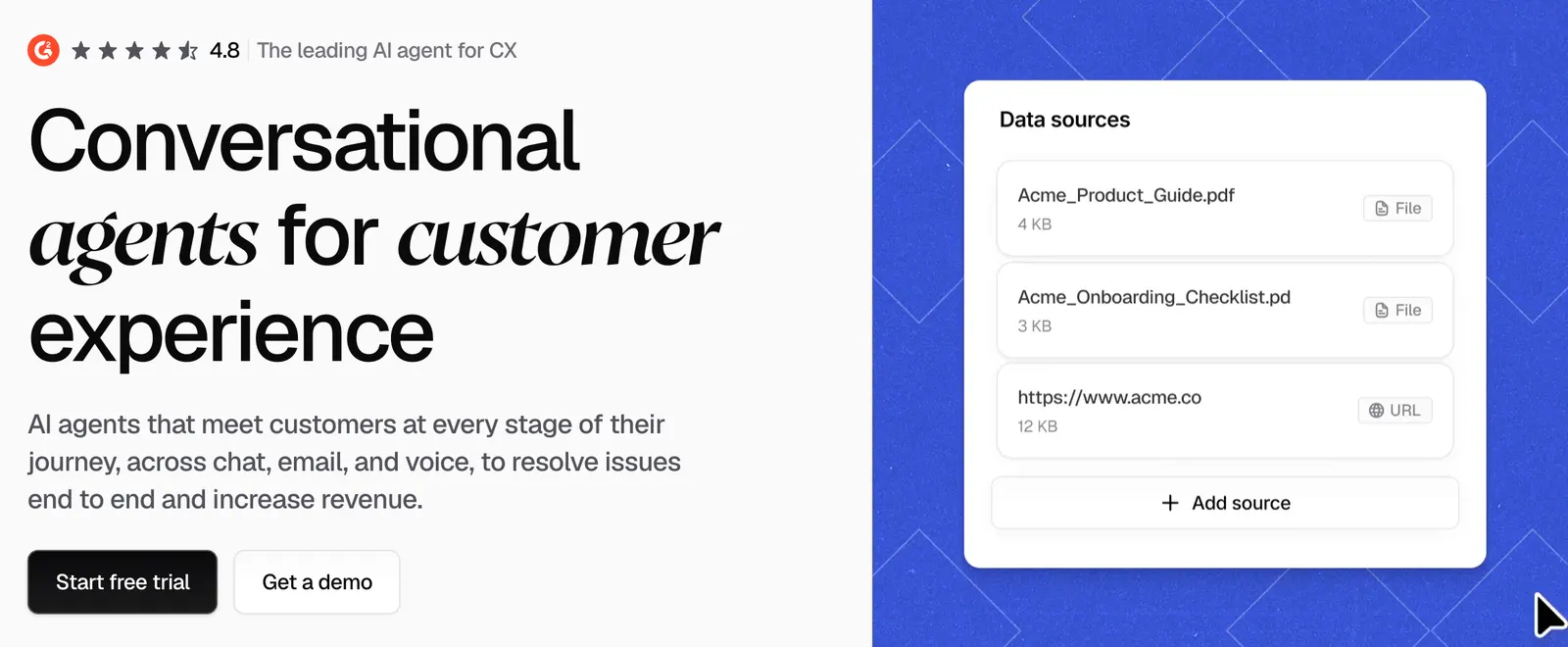
Chatbase is an AI platform designed to help businesses build customer-facing AI agents without developing an entire AI support system from scratch. Instead of creating a chatbot from the ground up, businesses can connect their own knowledge, define how the AI should respond, add actions and integrations, and deploy the agent to customer-facing channels.
The platform started with a relatively simple idea: let businesses create an AI chatbot based on their own data. Since then, Chatbase has expanded into a broader AI agent platform that focuses on customer support, sales conversations, lead qualification, knowledge retrieval, and automated business workflows.
That change is important. Chatbase is no longer just about putting an AI chat box on a website. The bigger idea is to create an AI agent that can understand company information, follow business rules, use connected tools, and hand a conversation to a human when necessary.
🧭 What Is Chatbase?
Chatbase is a web-based AI agent platform for businesses that want to automate customer conversations. It is mainly used for customer support, product assistance, lead generation, sales conversations, and knowledge-based interactions.
Chatbase was launched in 2023 and originally became known as a way to build a custom AI chatbot using a company's own information. Users could provide websites, documents, FAQs, and other content, and then allow an AI chatbot to answer questions using that information.
The product has since developed into a much broader system. Businesses can now build AI agents that combine knowledge with instructions, procedures, actions, integrations, analytics, and human handoff.
Developer: Chatbase
Launch: 2023
Category: AI Agents, Customer Support, AI Chatbots
Platform: Web-based SaaS
Main Focus: Customer-facing AI agents and support automation
In simple terms, Chatbase is designed for companies that want to give customers an AI assistant that knows the company's products, policies, documentation, and processes instead of relying only on the general knowledge of a large language model.
✨ Chatbase Core Features
1. Build AI Agents from Your Own Knowledge
The foundation of Chatbase is the ability to create an AI agent around business-specific information. A company can provide its website content, documents, FAQs, product information, policies, and other supported knowledge sources.
This makes the platform particularly useful for businesses where customers repeatedly ask questions about the same products or services. Instead of answering every question manually, the AI can provide an initial response based on the company's information.
2. Knowledge Base Management
Chatbase can work with different types of business information, including website pages, documents, text, question-and-answer content, and connected knowledge sources.
The quality of this information matters a lot. If the source material is accurate and well organized, the AI has a much better foundation. If the company's documentation contains outdated or contradictory information, the agent can struggle just like any other AI system.
3. AI Actions
This is one of the more important differences between a traditional chatbot and an AI agent. Chatbase allows agents to work with actions and external systems instead of only generating text.
For example, an online store could potentially allow an agent to retrieve order information. A SaaS company could connect account-related workflows. A support team could allow the AI to collect information before creating or escalating a support request.
The exact capabilities depend on the integrations and configuration, but the overall idea is simple: the AI should be able to do something useful rather than only talk.
4. Multiple AI Models
Chatbase supports multiple large language model providers rather than building the entire product around a single model. Depending on the available configuration and plan, businesses can work with models from providers such as OpenAI, Anthropic, Google, Meta, DeepSeek, Mistral, and others.
This gives businesses more flexibility when balancing response quality, speed, cost, and model capabilities.
5. Human Handoff
No matter how good an AI agent becomes, there will always be conversations that should be handled by a person. Chatbase includes human handoff and support workflows so businesses do not have to force every conversation through AI.
This is particularly important for complaints, unusual requests, account problems, sensitive situations, or questions that the AI cannot confidently resolve.
6. Conversation Analytics
Chatbase provides analytics that help businesses understand what customers are asking and how the AI is handling those conversations.
Looking at conversations can reveal repeated product questions, common support problems, unresolved requests, and areas where the knowledge base needs improvement.
This turns the chatbot into more than a support tool. Customer conversations can also become a source of product and customer-service insights.
7. Multi-Channel Support
Chatbase is not limited to a website chat widget. Depending on the configuration, businesses can use AI agents across different customer communication channels, including website chat, email, WhatsApp, and other supported integrations.
This is useful for businesses that want to keep the same AI knowledge and support logic across multiple channels.
8. Testing and Optimization
Building an AI agent is only half the job. The other half is testing it. Chatbase provides tools that allow teams to test conversations, inspect agent behavior, and identify problems before or after deployment.
Businesses can use real customer questions to check whether the agent provides the correct information and follows the intended workflow.
💡 What Makes Chatbase Different?
Chatbase's biggest difference is the direction the product has taken. A few years ago, the typical AI chatbot workflow looked something like this:
Upload information → train chatbot → put chatbot on website → answer questions
Chatbase's current approach is closer to:
Connect knowledge → define behavior → add procedures → connect tools → test → deploy → analyze → improve
That difference becomes obvious when you look at real customer support.
A simple chatbot might answer: “What is your return policy?”
An AI agent can potentially handle a longer process: identify the customer, understand the request, retrieve relevant information, follow a business procedure, collect additional details, perform an action, and escalate the conversation if required.
Chatbase is aimed more at the second type of workflow.
🎯 Real-World Use Cases
Customer Support
This is probably the most obvious use case. Businesses can use Chatbase to answer questions about products, subscriptions, shipping, refunds, returns, account settings, policies, and other frequently requested information.
E-commerce
Online stores can use AI agents to answer product questions before customers buy. The agent can explain product specifications, compare options, answer shipping questions, and potentially work with order-related systems.
Lead Generation
Instead of using a website chatbot only for support, companies can use Chatbase to qualify potential customers. The AI can ask questions, collect basic information, explain products, and direct qualified leads to a sales team.
SaaS Product Support
Software companies often have large documentation libraries. Customers may ask the same questions repeatedly even when the answer already exists in the help center.
An AI agent can provide a conversational layer over that documentation and make it easier for users to find answers.
Internal Knowledge Assistant
Chatbase can also be used for internal knowledge. Employees can ask questions about company procedures, documentation, products, or internal information without manually searching through multiple pages.
Product Recommendation
A business can build an agent that asks customers about their requirements and then recommends suitable products based on the company's own information.
Appointment and Service Workflows
When connected to appropriate systems, AI agents can also help with structured service workflows such as collecting appointment information, answering service questions, or routing requests to the correct team.
🚀 How to Use Chatbase
Creating a basic Chatbase agent does not require building an AI system from scratch. The general workflow is fairly straightforward.
Step 1 — Create an Account
Sign up for Chatbase and enter the workspace where you want to create your AI agent.
Step 2 — Create an AI Agent
Start a new agent and define its general purpose. For example, you could create a customer support agent for an online store.
Step 3 — Add Knowledge
Add relevant websites, documents, FAQs, product information, policies, and other supported sources.
Step 4 — Define Agent Behavior
Tell the AI what its role is, how it should communicate, what information it should use, and what situations require human intervention.
Step 5 — Add Actions
If the AI needs to interact with another system, configure the appropriate actions or integrations.
Step 6 — Test the Agent
Ask common customer questions and deliberately test difficult cases. Check whether the AI gives accurate information and follows the intended rules.
Step 7 — Deploy
Publish the agent through the website or another supported customer communication channel.
Step 8 — Monitor and Improve
Review real conversations and improve the knowledge base, instructions, and workflows based on what customers actually ask.
🛠️ How to Get Better Results from Chatbase
One mistake businesses make with AI agents is assuming that the AI model is the most important part. In practice, the information and workflow around the model can be just as important.
Keep Your Knowledge Base Clean
Do not simply upload every document your company has. Remove old information, duplicate content, outdated pricing, and conflicting policies.
If three documents give three different answers, the AI has a difficult problem to solve.
Give the Agent a Clear Role
Explain exactly what the AI is responsible for. A useful instruction might define the agent as a customer support assistant for a specific product, rather than simply saying “You are a helpful AI assistant.”
Define Boundaries
Tell the agent what it should not do. For example, it should not invent prices, promise refunds without authorization, or make claims that are not supported by the company's information.
Use Real Customer Questions
Testing with realistic questions is much more useful than asking generic questions such as “What can you do?”
Take questions from actual customer conversations and use them as test cases. Include misspellings, incomplete questions, angry customers, unusual requests, and questions that combine multiple issues.
Know When to Escalate
A good AI agent should not try to answer everything. Sometimes the correct behavior is to say that a human needs to take over.
💻 Installation and Platform Availability
Chatbase is primarily a cloud-based SaaS product. Users do not need to install a traditional desktop application to build and manage an AI agent.
| Platform | Availability | Typical Use |
|---|---|---|
| Web | Yes | Build and manage AI agents |
| Website | Yes | Deploy customer-facing chat agents |
| Supported | Automated customer conversations | |
| Supported | Customer communication | |
| API | Yes | Connect AI agents with applications and workflows |
| Windows / macOS App | No traditional desktop app required | Use the browser-based platform |
For most businesses, the browser is where the agent is created, configured, tested, and monitored. Customers interact with the resulting agent through whichever channels the business has configured.
💰 Chatbase Pricing
Chatbase uses a subscription-based pricing model. The main plans are differentiated by message credits, agents, integrations, analytics, and business features.
| Plan | Monthly Price | Message Credits | Positioning |
|---|---|---|---|
| Free | $0 | 50/month | Basic testing and small projects |
| Hobby | $40/month | 700/month | Small businesses and growing projects |
| Standard | $150/month | 4,000/month | More advanced business use |
| Pro | $500/month | 15,000/month | Higher-volume business operations |
| Enterprise | Custom | Custom | Large organizations and advanced requirements |
Paid plans can include features such as advanced AI models, integrations, analytics, API access, helpdesk functionality, voice capabilities, personalization, and additional administration features.
Additional usage and add-ons may also affect the final cost. Because SaaS pricing can change, businesses should verify the current plan details before purchasing.
👥 Who Is Chatbase For?
Small Businesses
Small businesses that receive many repetitive customer questions can use Chatbase to provide automated first-line support without building their own AI infrastructure.
SaaS Companies
SaaS companies with extensive documentation can use AI agents to help customers find answers and understand product features.
E-commerce Companies
Online stores can use AI agents to answer product questions, help customers choose products, and support post-purchase conversations.
Marketing and Sales Teams
AI agents can be used to interact with website visitors, collect lead information, qualify prospects, and direct customers toward appropriate products or services.
Customer Support Teams
Support departments can use Chatbase as an additional layer between customers and human support agents. The AI can handle repetitive questions while more complicated requests are passed to people.
Enterprise Organizations
Larger organizations may be interested in features related to security, administration, permissions, SSO, auditability, white-labeling, and custom business workflows.
🌎 Global Usage and Market Presence
Chatbase has grown from an early-stage custom chatbot product into a business-oriented AI agent platform. The company states that more than 10,000 businesses use Chatbase.
The platform is aimed at an international business audience rather than a single local market. Its use cases cover SaaS, e-commerce, customer service, sales, marketing, and internal business operations.
However, exact independent statistics for monthly active users, country-by-country usage, or global traffic are not consistently published in a way that allows precise comparisons.
Therefore, business counts published by Chatbase are useful for understanding the company's stated scale, but they should not automatically be treated as independently audited user statistics.
⚖️ Chatbase Pros and Cons
Pros
- Relatively easy way to build business-specific AI agents
- Can use company websites, documents, FAQs, and other knowledge sources
- Supports actions and integrations rather than only text generation
- Human handoff is available for conversations AI should not handle alone
- Supports multiple AI model providers
- Strong focus on customer support and business use cases
- Conversation analytics can help identify recurring customer problems
- API and integration options allow more advanced workflows
- Enterprise features are available for larger organizations
Cons
- Serious usage can become expensive as conversation volume grows
- The Free plan has a limited message allowance
- Advanced features are mainly aimed at paying customers
- Complex integrations may still require developers
- AI quality depends heavily on the quality of the company's source data
- Agents require ongoing testing and maintenance
- A simple FAQ chatbot may not need this many features
🔍 Chatbase vs. Other AI Agent and Chatbot Tools
| Tool | Main Focus | Typical Strength | Technical Flexibility |
|---|---|---|---|
| Chatbase | Customer-facing AI agents | Knowledge + support automation + actions | Medium to High |
| Botpress | AI agent development | Visual workflows and developer control | High |
| Voiceflow | Conversational AI | Conversation design and prototyping | High |
| Tidio | Customer service | Live chat + automated support | Medium |
| Traditional FAQ Chatbot | Knowledge retrieval | Simple automated answers | Low |
These products overlap, but they are not identical. Chatbase is particularly focused on businesses that want an AI agent to work with their own knowledge and customer-service workflows.
A developer-heavy team may want more control over the underlying architecture. A company that only needs a simple FAQ assistant may not need an advanced AI agent platform.
🤖 How Good Is Chatbase's AI?
The interesting question is not simply whether Chatbase can generate natural-sounding answers. Most modern AI models can already do that.
For customer support, the more important questions are: Does the agent use the correct information? Does it follow the company's rules? Does it know when it should not answer? Can it complete a task? And can it transfer the conversation to a human when needed?
Chatbase's current product direction is built around those questions. It combines the language model with company knowledge, instructions, procedures, actions, integrations, and support workflows.
That can make an important difference in real business situations.
A customer asks: “Can I return this product after 30 days?”
A generic AI model might provide a general answer about return policies.
A properly configured Chatbase agent can instead use the company's actual return policy and respond according to that information.
Of course, the result is only as reliable as the system behind it. Chatbase cannot magically turn poor or outdated company documentation into accurate information.
🧪 Example: Building an E-commerce Support Agent
Imagine an online store receives hundreds of customer questions every day. Many of them are repetitive:
- Where is my order?
- How long does shipping take?
- Can I return this product?
- Does this product come in another size?
- How does the warranty work?
- Can I change my delivery address?
A Chatbase workflow could look like this:
Step 1: Add product information and help-center content.
Step 2: Add shipping, refund, return, and warranty policies.
Step 3: Define the AI agent's role and communication style.
Step 4: Connect an order-related action if the business system supports it.
Step 5: Test common customer questions.
Step 6: Test unusual requests and unsupported questions.
Step 7: Configure human escalation.
Step 8: Deploy the agent to the website.
Step 9: Review real conversations.
Step 10: Update the knowledge base and workflows based on recurring problems.
The important part is that the AI becomes part of the support process rather than simply being another chat window.
📌 What Can Chatbase Be Used For?
Chatbase can be used to build AI customer support agents, website chatbots, product assistants, lead qualification agents, internal knowledge assistants, and automated customer-service workflows.
Businesses can connect their own information and documentation, define the agent's behavior, connect external tools, and deploy the resulting AI assistant through supported channels.
Common use cases include:
- AI customer support
- Website AI chatbots
- Product recommendation
- Lead qualification
- Sales assistance
- SaaS product support
- Internal knowledge search
- Automated support workflows
- AI-powered FAQ systems
- Human and AI customer-service collaboration
The platform is especially useful when a business wants to move beyond a basic question-and-answer chatbot and start connecting AI with actual customer-service processes.
🏁 Chatbase Review: What Do We Think?
Chatbase is an interesting example of how the AI chatbot market is changing. The basic chatbot itself is no longer particularly difficult to build. The harder problem is making AI useful inside an actual business.
Chatbase's answer is to combine company knowledge with AI agents, actions, integrations, analytics, and human support.
For a small website that only needs to answer a few frequently asked questions, this may be more functionality than necessary. A simpler chatbot can often do the job.
But if the goal is to build a customer-facing AI system that can handle support conversations, work with company data, connect to external services, and escalate complicated cases, Chatbase offers a much broader toolkit.
The biggest thing to keep in mind is that installing an AI agent is not the end of the project. Businesses still need to maintain their knowledge base, test the agent, monitor conversations, and decide exactly which tasks should remain with human employees.
In that sense, Chatbase is better understood as an AI customer-service platform than simply an AI chatbot generator.
❓ Frequently Asked Questions
What is Chatbase?
Chatbase is an AI platform for building customer-facing AI agents using business knowledge, instructions, actions, integrations, and customer-service workflows.
Is Chatbase an AI chatbot?
Yes, but the current product is broader than a traditional chatbot. Chatbase focuses on AI agents that can use business knowledge, perform actions, and work alongside human support teams.
Does Chatbase require coding?
Basic AI agent creation does not require traditional programming. However, advanced API integrations, custom actions, and complicated workflows may require technical knowledge.
Can Chatbase use company data?
Yes. Businesses can provide supported sources such as websites, documents, text, FAQs, and other knowledge sources to build a company-specific AI agent.
Does Chatbase have a free plan?
Yes. Chatbase offers a Free plan with limited usage and features. It is primarily useful for testing the platform or running a very small project.
How much does Chatbase cost?
Chatbase offers several subscription plans. The Free plan starts at $0 per month, followed by paid plans such as Hobby, Standard, and Pro. Enterprise pricing is customized.
Can Chatbase connect to other software?
Yes. Chatbase supports integrations and API-based workflows that can allow AI agents to interact with external applications and business systems.
Can Chatbase replace human customer support?
Chatbase can automate many repetitive customer conversations, but businesses can also configure human handoff for cases that require human involvement. In practice, it is better treated as an additional support layer rather than assuming every customer conversation should be fully automated.
Is Chatbase suitable for e-commerce?
Yes. E-commerce businesses can use it for product questions, pre-sale assistance, support conversations, order-related workflows, and other customer-service tasks.
Is Chatbase suitable for SaaS companies?
Yes. SaaS companies with large documentation libraries can use Chatbase to provide conversational product support and help customers find information more quickly.
Comments