
🎨 What Is Kittl AI?
Kittl AI is not just another text-to-image generator. It is an AI-first design platform that combines image generation, vector creation, background removal, image editing, templates, typography, mockups and traditional graphic design tools in one browser-based workspace.That distinction matters. If you're running a small brand, an Etsy shop, a print-on-demand business, or creating social media assets, you usually don't need another isolated AI image generator. You need the image, typography, layout and final export in the same place. Kittl is built around that workflow.
Kittl says its platform is trusted by more than 10 million creatives, while its current product lineup includes AI image generation, AI vector tools, AI-powered workflows and a large library of templates and creative assets.
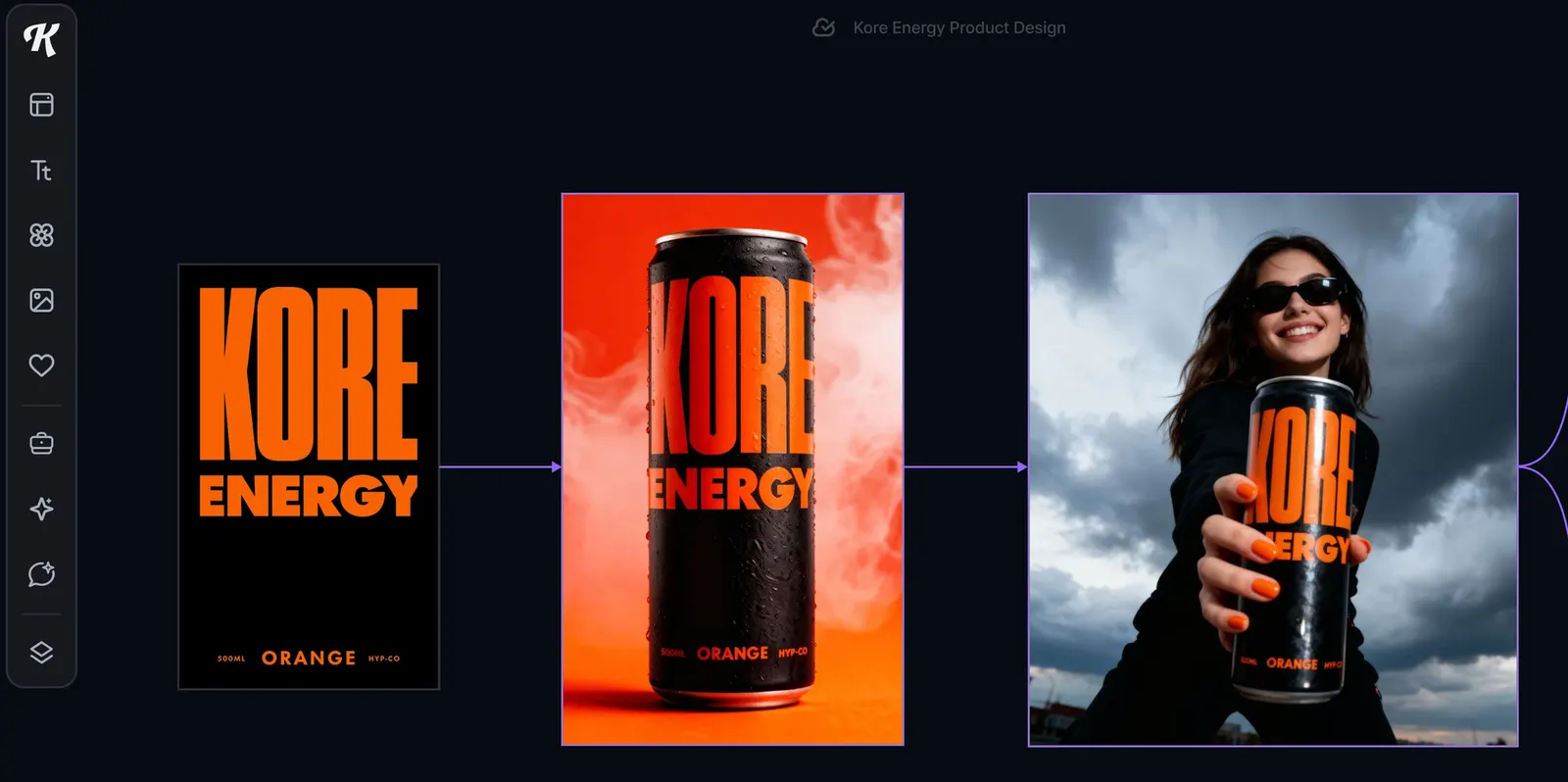
✨ What Can Kittl AI Do?
AI Image Generator: Enter a text prompt, select an available AI model and style, then generate artwork directly on the Kittl canvas. The result can immediately become part of a poster, product design, social post or marketing graphic.AI Vector Generator: Turn a text description into editable vector artwork for logos, icons, stickers, labels, packaging and merchandise. Unlike a normal raster image, Kittl says its vector generator creates editable vector output that can be exported as SVG.
AI Vectorizer: If you already have a PNG or JPG, Kittl can convert the existing image into scalable vector paths. This is different from the AI Vector Generator, which creates new vector artwork from a prompt.
Background Removal: Remove backgrounds from images without leaving the editor, which is particularly useful for product photography and ecommerce graphics.
Image Restyle: Apply a visual direction to an existing image and create variations that follow a reference style. This is useful when building a collection of visuals that needs to look consistent rather than like unrelated AI generations.
AI Chat: Kittl's Chat feature can help brainstorm design ideas, generate images and make changes through conversational instructions directly inside the editor.
Templates and Mockups: Kittl also has a large library of professionally designed templates and mockups, allowing an AI-generated asset to move quickly from an idea into a realistic product presentation.
🔥 The Real Advantage: AI + Design in One Place
The strongest part of Kittl is not necessarily that it generates an image better than every dedicated image model. That's the wrong comparison.The more useful question is what happens after the image is generated. With Kittl, you can put the result onto a shirt mockup, add typography, adjust the composition, remove the background, vectorize an asset, combine it with other graphics and export the finished design without constantly moving between different applications.
For creators who produce a large number of commercial graphics, reducing this app-switching can be more valuable than getting a slightly better image from one particular AI model.
🌎 Global Use and Target Users
Kittl has developed a strong presence among designers, creators, ecommerce sellers, print-on-demand businesses, marketers and small brands. The company currently states that more than 10 million creatives use the platform, and its website highlights use by organizations and creative professionals including Netflix, Uber, Ogilvy, Harley-Davidson and others.The platform is particularly relevant to the creator economy because many users don't need a complete branding agency or a large design department. They need a product thumbnail, T-shirt design, poster, packaging concept, logo direction or social media graphic by the end of the day.
That is where Kittl makes practical sense: it sits between a traditional design application and a collection of separate generative AI tools.
🚀 Your First Kittl AI Project
Step 1 — Create an account: Kittl runs in the browser, so you don't need to install a desktop design application. You can start with the Free plan without entering a credit card.Step 2 — Start a project: Choose a blank canvas, template or an AI-powered workflow depending on what you're trying to create.
Step 3 — Decide what you actually need: Don't start by writing "make me a cool logo." Decide whether you need a logo concept, merchandise graphic, social post, product label, poster or advertising image.
Step 4 — Open the AI tools: Use AI Image for generated artwork, AI Vector Generator for editable vector graphics, or AI Chat when you want to work through ideas conversationally.
Step 5 — Write a specific prompt: Include the subject, style, composition, color direction and intended use. For example: "minimal vintage mountain badge, bold cream lettering, dark green and orange palette, clean vector style, suitable for a hiking T-shirt."
Step 6 — Generate and compare: Don't immediately accept the first result. Generate several directions and choose based on how well the asset fits the final design rather than how impressive the standalone image looks.
Step 7 — Finish inside Kittl: Adjust typography, spacing, colors and composition. Remove the background or vectorize the artwork if necessary.
Step 8 — Test the final design: Put it on a mockup before exporting. A graphic that looks good on a square canvas can look completely different on a T-shirt, mug or packaging.
🧠 Prompt Tips That Actually Help
The biggest beginner mistake is treating Kittl like a simple "make me an image" button. Give it a design brief instead.A useful prompt can contain five elements: subject, visual style, composition, color direction and intended application. For merchandise, also describe the printing style. For a poster, specify hierarchy and typography. For a product image, explain the camera angle, lighting and background.
Another useful habit is to separate creation from refinement. First get the general concept right. Then use editing, restyling, background removal and vector tools to clean it up. Trying to solve everything in one prompt usually creates unnecessary iterations.
🧩 Kittl AI Workflows
Kittl has introduced AI-powered Workflows designed around repeatable creative tasks rather than completely open-ended prompting. Instead of starting from a blank prompt every time, you can choose a workflow, provide an image or idea, and receive a result shaped around that particular design objective.This is especially useful for creators producing content repeatedly. If you're making dozens of product graphics, for example, a repeatable workflow can be more valuable than experimenting with a different prompt from scratch every time.
💻 Does Kittl Need to Be Installed?
No traditional installation is required. Kittl is browser-based and can be used from a computer or tablet with an internet connection. This makes it easier to switch between devices and share projects with collaborators.For a user who already has Photoshop, Illustrator or another professional application, Kittl doesn't necessarily replace those tools. Its advantage is the speed of combining AI generation with ready-made design assets and a simpler editing workflow.
💰 Is Kittl AI Free?
Yes. Kittl currently offers a Free plan, but the free version is designed more for exploration and personal projects than serious commercial production. Kittl's current pricing page lists Free at $0 per month, with five projects and a one-time AI token allowance.The Pro plan is currently listed at $19 per month when billed monthly, while annual billing is shown at $14 per month. Pro includes unlimited projects, up to 2,000 AI tokens per month, premium templates and mockups, vector and high-resolution exports, storage and commercial licensing.
The Expert plan is currently listed at $49 per month with monthly billing, while the annual price is shown at $39 per month. It provides substantially more AI tokens and additional creative assets and storage.
Kittl uses a token system for AI functions. Current documentation lists 200 one-time tokens for the Free plan, 2,000 monthly tokens for Pro, 6,000 monthly plus daily tokens for Expert, and higher allocations on Max. Token costs vary according to the AI function and model being used, so users should check the displayed token cost before generating.
Unused subscription tokens do not roll over. Purchased extra tokens have different rules and can be used beyond the regular monthly allocation.
🛒 Can You Use Kittl Designs Commercially?
This is an important question for anyone selling products. Kittl states that commercial licensing depends on the plan. The Free plan is intended for personal use, while paid plans provide commercial rights under their respective license terms.The current Pro and Expert information describes commercial use for up to 500,000 copies across packaging, marketing, digital media and print. Business-level licensing is intended for broader commercial requirements.
This does not mean every generated design is automatically safe from intellectual-property problems. Avoid asking AI to reproduce recognizable trademarks, copyrighted characters or other protected material that you don't have permission to use.
👥 Who Is Kittl Best For?
Print-on-demand sellers: One of the clearest use cases. Generate graphics, add typography, place the design on merchandise mockups and prepare marketplace visuals in the same workflow.Ecommerce brands: Useful for product graphics, promotional images, packaging concepts and social content.
Freelancers: Helpful when producing many visual concepts for different clients without opening several separate applications.
Social media creators: Useful for quickly producing branded posts, thumbnails, promotional graphics and visual variations.
Small businesses: A practical option for teams that need professional-looking marketing materials but don't have a full-time designer.
⚠️ Common Problems and Mistakes
Running out of AI tokens: AI generations consume tokens, and the amount varies by model and feature. Check the cost before generating, especially when experimenting repeatedly.Expecting perfect typography: AI-generated graphics can still produce lettering or layout problems. If text accuracy matters, build the visual asset first and add important copy using Kittl's design tools.
Using the Free plan for commercial work: Check the current license before selling products. The free and paid plans do not provide identical commercial rights.
Generating too many variations: More generations do not automatically mean a better result. Define the design direction first, then iterate deliberately.
Confusing Vector Generator with Vectorizer: The AI Vector Generator creates new vector artwork from text, while Vectorizer converts an existing raster image into vector paths.
⚖️ Advantages and Disadvantages
Advantages: AI image generation, editable vector generation, background removal, image restyling, templates, typography tools, mockups and export capabilities are integrated into one workspace. The browser-based workflow is approachable for non-designers, while the commercial features make it useful for professional creators.Disadvantages: AI usage is tied to tokens, serious commercial work generally requires a paid plan, generated designs still require human editing, and Kittl is not intended to replace every feature of advanced applications such as Photoshop or Illustrator.
Another limitation is that a visually impressive AI result can still be commercially weak. A design needs to work on the actual product, communicate clearly and remain consistent with the brand.
🎯 Final Verdict
Kittl AI is strongest when you don't just want to generate an image—you want to turn that image into something you can actually use. The combination of AI generation, vector tools, templates, typography, mockups and editing makes it particularly practical for ecommerce, merchandise, branding and marketing work.If you're only looking for the absolute best AI image generator, there are more specialized tools worth comparing. But if the goal is to go from "I have an idea" to "I have a finished graphic ready for a product page, campaign or print project," Kittl's all-in-one approach is much more compelling.
For professional users, the key is not to let the AI make every decision. Use Kittl to accelerate the first 70–80% of the work, then take control of typography, composition, brand consistency and commercial requirements yourself. That's where the platform becomes genuinely useful rather than just another AI toy.
Comments