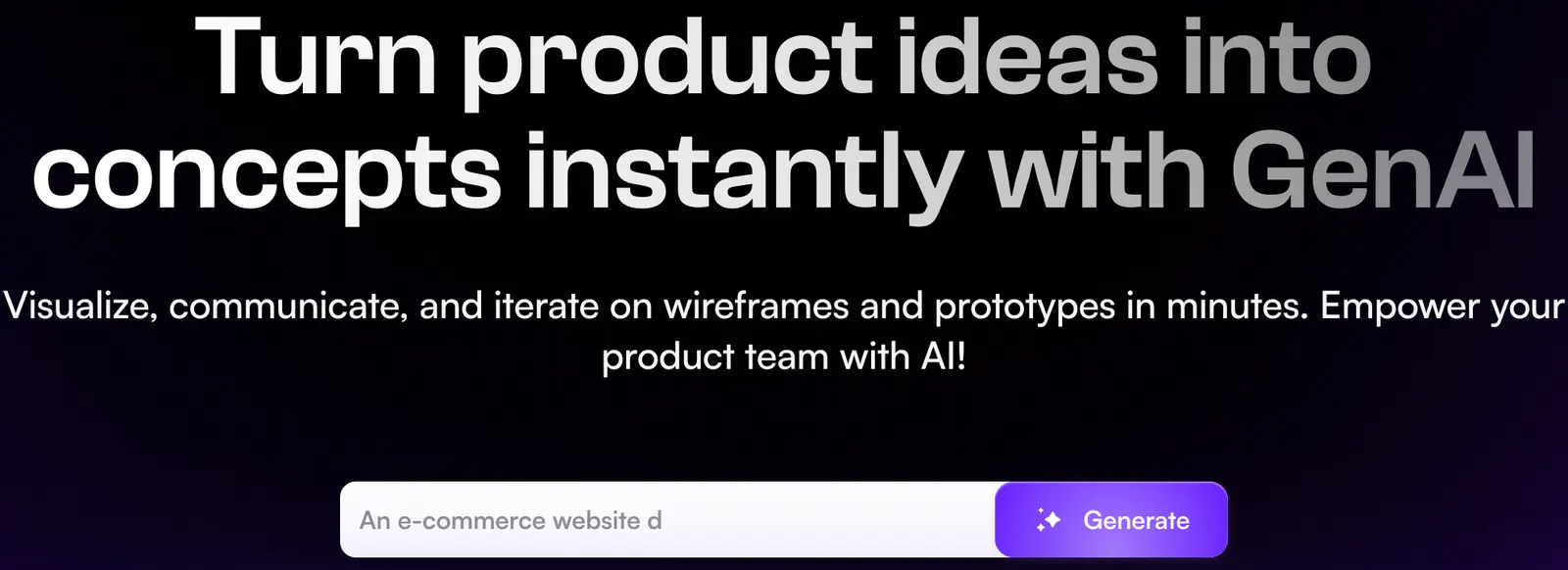
🎨 What Is Uizard?
Uizard is an AI-powered UI and UX design platform designed to help people turn product ideas into visual prototypes without starting from a blank design canvas. Instead of spending hours manually building wireframes, users can describe an idea, upload a screenshot, or even photograph a hand-drawn sketch and use AI to create a starting point.What makes Uizard practical is that the generated result is not simply an image. The interface can be edited inside the platform, allowing users to change layouts, text, components, colors, and other design elements. For startups and product teams, this makes Uizard more useful as a rapid prototyping environment than as a simple AI image generator.

✨ Main Features
Autodesigner: Describe an application or website in natural language and generate a multi-screen prototype. You can explain the target audience, core functions, required screens, and preferred visual style to give the AI more useful direction.Screenshot Scanner: Upload a screenshot of an interface and turn it into an editable design. This is useful when you want to use an existing interface as a structural reference rather than rebuilding every element manually.
Wireframe Scanner: Draw a rough interface on paper, take a photo, upload it, and convert the sketch into a digital design. It is particularly useful during product workshops and early brainstorming sessions.
Screen Generator: Create additional screens from text instructions or visual references and add them to an existing project.
Theme Generator: Generate a visual design direction from a prompt, image, or other reference and use it to establish a more consistent look across a project.
AI Design Assistance: Uizard also provides AI-powered assistance for text, imagery, design exploration, and reviewing visual layouts.
🌎 How Uizard Is Used Around the World
Uizard is particularly useful during the stage between an initial product idea and actual development. A founder can create a concept for an investor presentation, a product manager can visualize a new feature, and a marketing team can prepare a landing-page concept before involving a full design and development team.Uizard has positioned itself strongly toward non-designers as well as professional product teams. The company has previously reported millions of users and significant adoption of its AI design features. These figures are company-reported and should not be treated as an independent measurement of global market share.
From a practical perspective, the strongest reason to use Uizard is speed. It allows a team to discuss something visual much earlier instead of spending days debating an idea that exists only in a document or presentation.
🚀 How to Use Uizard for the First Time
Step 1 — Create an account: Sign up for Uizard and start with the free option if you want to test the platform before paying.Step 2 — Start a project: Choose whether you want to create a project from scratch, use a template, or begin with AI generation.
Step 3 — Explain your product: Avoid prompts such as "make a modern shopping app." Tell Uizard who the users are, what they need to accomplish, and what the product should contain.
Step 4 — Define the screens: Mention important screens such as onboarding, homepage, search, product details, checkout, account settings, or dashboard.
Step 5 — Describe the visual direction: Specify whether you want a minimalist, corporate, premium, playful, technical, or mobile-first interface.
Step 6 — Generate the prototype: Let the AI create the initial interface and review the resulting screens.
Step 7 — Edit manually: Replace generic copy, fix layouts, adjust navigation, and remove elements that do not make sense for your actual product.
Step 8 — Share it: Send the prototype to colleagues, customers, or clients and collect feedback before development begins.
🧠 Tips for Getting Better AI Results
The quality of the input has a noticeable effect on the usefulness of the generated design. A short prompt may produce something visually attractive but too generic to be useful.For example, instead of writing "create a fitness app," explain that the app is designed for busy professionals, should include workout tracking, progress statistics, personalized plans, and a simple bottom navigation system. Then describe the visual personality you want.
A good workflow is to solve structure first and aesthetics second. Make sure the navigation and user journey make sense before spending time adjusting colors, fonts, images, and visual details.
✏️ Using Hand-Drawn Wireframes
Wireframe Scanner is one of the more interesting features for people who naturally brainstorm with pen and paper. You can sketch a rough interface, take a photo, upload it, and let Uizard turn the drawing into a digital design that can be edited.This can work particularly well in workshops. Several people can draw different solutions on paper, discuss them together, and then digitize the strongest ideas instead of spending the entire meeting inside a design application.
📷 Turning Screenshots Into Editable Designs
Screenshot Scanner is useful when you already have a visual reference. Instead of recreating the structure of a page manually, you can provide a screenshot and use it as a starting point for an editable design.For professional projects, it is better to treat this as a research and prototyping feature rather than a copying mechanism. Study the layout, interaction patterns, and visual hierarchy, then adapt the idea to your own product and brand.
💻 Does Uizard Need to Be Installed?
Uizard is primarily a browser-based platform, so there is no need to install a traditional UI design development environment before getting started. You can access the platform through a compatible web browser and begin creating projects online.This is one of the reasons Uizard is accessible to founders, marketers, product managers, and developers who do not want to spend time learning a complicated professional design application before creating their first prototype.
💰 Is Uizard Free?
Uizard provides Free, Pro, and Business subscription options. The Free plan is intended for basic experimentation, while paid plans provide higher project limits, additional collaboration capabilities, and greater access to AI-powered features.According to Uizard's published subscription information, the Free plan supports up to 2 projects and 5 screens per project. Pro supports up to 100 projects with unlimited screens, while Business provides unlimited projects and screens.
The published Pro pricing has been listed at $19 per Creator per month with monthly billing, or $12 per Creator per month when billed annually. Business has been listed at $39 per Creator per month with annual billing. Team costs can therefore vary depending on the number of Creator seats required.
AI features also have usage limits that vary by subscription. For example, Uizard's documentation has listed different monthly scan allowances for features such as Screenshot Scanner and Wireframe Scanner depending on the plan.
👥 Who Should Use Uizard?
Startup founders: Useful for turning an idea into something tangible before spending money on development.Product managers: Helpful for quickly exploring new features and user flows.
Marketing teams: Useful for producing early landing-page and campaign concepts.
Developers: Helpful when a developer has a product concept but wants a visual reference before writing production code.
UX/UI designers: Useful for rapid concept exploration and early-stage prototyping.
⚠️ Common Problems
The design looks good but the UX is weak: AI can produce attractive interfaces that do not necessarily represent a logical user journey. Always test the flow yourself.The prompt is too vague: Include the audience, business purpose, key functions, required screens, and design direction.
The text sounds generic: Replace automatically generated copy with real product information and language used by your customers.
Scanned designs need corrections: A screenshot or hand-drawn sketch is only a starting point. Expect to adjust the resulting components and layout.
Non-English prompts: Results can vary when working outside English, so users should check generated layouts carefully rather than assuming the output will be equally accurate in every language.
⚖️ Advantages and Disadvantages
Advantages: Very fast prototyping, AI-powered interface generation, screenshot conversion, hand-drawn wireframe conversion, editable designs, templates, collaboration features, and a relatively low learning barrier for non-designers.Disadvantages: AI-generated interfaces still require human UX review, vague prompts often produce generic results, AI usage is subject to plan limitations, team pricing depends on Creator seats, and Uizard is not a replacement for a full production development workflow.
🎯 Final Verdict
Uizard is most valuable when a team needs to answer one question quickly: "What could this product actually look and feel like before we build it?"That makes it more than an AI screen generator. Its real advantage is shortening the distance between an idea and a prototype that people can discuss, test, and improve.
For startups, product teams, agencies, and non-designers, Uizard is worth considering when speed matters more than pixel-perfect production design. Use the AI to get the first version quickly, but keep human judgment in charge of the user experience.

Comments