

🧭 What Is Pi AI?
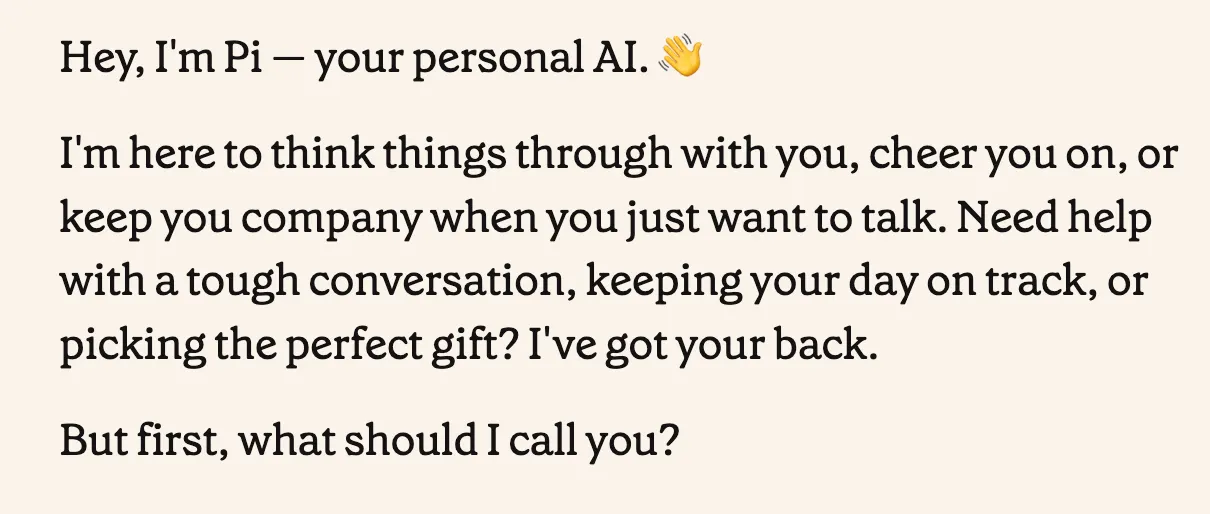
Pi is a conversational AI assistant developed by Inflection AI. It was built around a simple idea: instead of treating AI purely as a tool for generating content or completing tasks, make it useful as someone you can actually talk things through with.
That difference is important. Pi is aimed at everyday conversations, decision-making, learning, brainstorming, planning, and preparing for difficult situations. Its product positioning focuses on being a personal intelligence partner, with features centered on conversation, voice interaction, learning, recommendations, and turning discussions into practical action plans.
Pi is therefore not best understood as another generic chatbot trying to compete on every possible AI task. Its strongest identity is as a personal conversational assistant that you can return to repeatedly.
💬 What Makes Pi Different From Other AI Assistants?
The most noticeable difference is the way Pi handles conversation. Many AI assistants are designed around a request-and-answer workflow: you provide an instruction, the AI produces an output, and you move on.
Pi is more comfortable with situations where the final answer is not obvious. You can explain a problem gradually, change your mind halfway through the conversation, add new information, or ask Pi to challenge your thinking.
For example, if you are deciding whether to accept a new job, you do not necessarily need Pi to calculate which salary is higher. A more useful conversation might involve discussing your career goals, working hours, financial priorities, and concerns about the move.
That makes Pi particularly interesting for users who often think out loud. The product is less about producing a perfect answer immediately and more about helping you make sense of the situation.
✨ Pi AI's Main Features
💭 Conversational AI for Everyday Problems
Conversation is the center of the Pi experience. You can ask questions, explain situations, brainstorm ideas, or simply start talking without constructing a highly technical prompt.
This makes Pi approachable for people who are not experienced with prompt engineering. Instead of thinking about the exact instruction the model needs, you can describe what is happening and let the conversation develop from there.
🎙️ Voice Conversations
Voice interaction is one of Pi's most recognizable features. Rather than typing every question, users can talk with Pi directly.
This is particularly useful when you are walking, commuting, practicing a language, or trying to organize your thoughts. Speaking naturally can also make brainstorming feel less formal than typing a carefully constructed prompt.
Inflection has continued updating Pi's voice experience, with recent app updates focused on improving voice performance and the overall conversation experience.
🧠 Decision-Making Support
Pi can help you work through choices rather than simply giving you a recommendation.
A useful approach is to tell Pi what you are deciding, what options you have, what constraints matter, and what you are worried about. You can then ask it to identify trade-offs or challenge your assumptions.
This is a much better use of Pi than simply asking, “What should I do?” The goal should be to improve your reasoning, not outsource the decision entirely.
📚 Learning and Language Practice
Pi can explain unfamiliar subjects through a back-and-forth conversation. You can ask a basic question, request a simpler explanation, challenge an answer, and continue until the subject becomes clearer.
It can also be useful for language practice because conversation gives you a more natural way to practice vocabulary, phrasing, and comprehension than studying isolated examples.
💡 Brainstorming and Idea Development
Pi is well suited to early-stage ideas. You do not have to arrive with a finished concept. You can start with something vague and use the conversation to explore different directions.
For example, a founder could explain a rough business idea and ask Pi to identify weaknesses. A marketer could discuss a campaign concept and ask for alternative angles. A student could explain a project idea and ask questions that expose gaps in the plan.
📝 Turning Conversations Into Action
Pi can also help move from discussion to execution. After exploring a problem, ask it to summarize the key decision, identify the next steps, or turn the discussion into a short checklist.
This is where a conversational assistant becomes more practical. The conversation should eventually lead somewhere rather than becoming an endless exchange of opinions.
🌎 Pi's Position in the Global AI Market
Pi entered the consumer AI market with a noticeably different positioning from products focused primarily on productivity, coding, research, or content generation. Inflection AI built the product around human-centered and conversational AI.
The product is available internationally through mobile applications and browser access. Pi has developed a recognizable niche among users who value conversational interaction and voice experiences.
It is important, however, not to confuse historical user statistics with current adoption. Older articles often repeat user numbers from earlier stages of Pi's growth, while Inflection does not currently provide a directly comparable, independently verifiable global active-user figure.
For that reason, Pi is better described as an established consumer AI assistant with an international user base than by quoting an outdated user-count figure as if it represented today's audience.
🚀 How to Start Using Pi
Step 1: Create an Account
Start by accessing Pi through a supported platform and creating or signing into your account. The mobile application is available for iPhone, iPad, and Android devices, while Pi can also be accessed through the web.
Step 2: Start With a Real Problem
Do not begin by trying to find the “perfect prompt.” Pi works well when you simply explain what you are dealing with.
For example:
“I have too many things to finish this week, and I keep switching between them. Help me figure out what I should actually focus on.”
This gives Pi something concrete to work with and leaves room for follow-up questions.
Step 3: Give More Context
If the first answer feels generic, the problem is often insufficient context rather than a lack of intelligence.
Tell Pi what you have already tried, what constraints you face, what matters most to you, and what outcome you want.
Step 4: Challenge the First Answer
Do not automatically accept the first response. Ask questions such as:
- “What assumption are you making?”
- “What could make this recommendation wrong?”
- “Give me the strongest argument against this.”
- “What am I overlooking?”
- “If you had to criticize my plan, what would you change?”
This usually produces a much more useful conversation than repeatedly asking Pi to generate more ideas.
🎯 Practical Ways to Use Pi
💼 For Work
Use Pi to prepare for meetings, organize priorities, think through workplace problems, rehearse difficult conversations, or turn an unstructured list of responsibilities into a manageable plan.
For example, instead of asking for a generic productivity plan, explain what you actually have on your plate and ask Pi to identify what can realistically be postponed.
🗣️ For Difficult Conversations
This is one of the more natural applications for a conversational AI. Explain what happened, what you want to say, and what you are worried the other person might say.
You can then role-play the conversation with Pi and practice several possible responses before the real discussion.
📖 For Learning
Ask Pi to teach you a subject progressively rather than dumping a long explanation on you.
A useful instruction is: “Teach me this step by step. Ask me questions along the way and don't move on until the basic idea is clear.”
💡 For Business Ideas
Pi can be useful during the messy stage of an idea, before you have a formal business plan.
Explain the problem you want to solve and ask Pi to challenge the idea rather than praise it. This can reveal weak assumptions earlier.
🧘 For Personal Reflection
Pi's conversational design makes it suitable for reflecting on goals, habits, priorities, and everyday frustrations.
However, conversational support is not the same thing as professional medical, psychological, legal, or financial advice.
🧩 Prompt Techniques That Work Particularly Well With Pi
Pi does not require complicated prompt engineering, but the way you frame a conversation still matters.
Use Context Instead of Commands
Instead of:
“Give me career advice.”
Try:
“I've been in my current role for four years. The pay is stable, but I'm no longer learning much. I have another opportunity that would be more demanding but could give me better long-term growth. Help me work through the decision.”
The second version gives Pi something meaningful to reason about.
Ask for Questions Before Answers
If you are dealing with a complicated problem, tell Pi to interview you first.
“Before giving me advice, ask me the five questions you think are most important.”
This is especially useful when you are not sure what information actually matters.
Ask It to Challenge You
One weakness of conversational AI is that a pleasant tone can sometimes feel like agreement. Counter that deliberately.
“Don't try to make me feel better. Tell me where my reasoning is weak.”
This produces a more useful test of your idea.
Finish With an Action Plan
Once the conversation has produced a useful conclusion, stop talking and turn it into action.
“Based on everything we discussed, give me the three most important things I should do tomorrow.”
📱 How to Install Pi on Your Devices
iPhone and iPad
Pi is available through Apple's App Store for iPhone and iPad. Installation is straightforward: download the application, sign in or create an account, and begin a conversation.
Android
Pi is also available for Android devices through Google Play. Availability and supported features can vary by region and device.
Web Browser
If you prefer using a computer, Pi can also be accessed through the web. This is useful for longer conversations because typing and reviewing larger amounts of text is generally easier on a desktop keyboard.
There is no complicated installation process. For most users, the mobile route is simply a matter of installing the application, signing in, and starting a conversation.
💰 Is Pi AI Free? Pricing Explained
As of September 2026, Pi's consumer application is available as a free product for users. Unlike some competing AI assistants, Pi does not currently present a widely promoted consumer subscription structure with multiple paid tiers.
This is an area where older articles can easily become outdated. AI companies frequently change pricing, usage limits, and feature availability, so users should check the current application information before assuming that a particular pricing arrangement will remain unchanged.
There is also a difference between Pi as a consumer product and Inflection AI's broader commercial AI business. They should not be treated as the same pricing model.
For a normal consumer deciding whether to try Pi, the practical answer is straightforward: Pi is currently available as a free consumer AI assistant.
👥 Who Is Pi Best Suited For?
👍 Strong Fit
- People who prefer conversational AI
- Users who like talking through decisions before acting
- People who want a lightweight everyday AI companion
- Students who prefer interactive explanations
- English learners who want conversational practice
- Professionals preparing for difficult discussions
- Founders and creators who need a brainstorming partner
- People who prefer voice interaction
👎 Less Suitable
- Developers looking primarily for an advanced coding environment
- Researchers who need citation-heavy research workflows
- Users who work extensively with spreadsheets and structured datasets
- People looking for advanced image or video generation
- Businesses that need a large enterprise automation platform
- Users who want one AI application to replace an entire productivity stack
Pi makes the most sense when the problem involves thinking, conversation, planning, or exploration. It becomes less compelling when the task requires specialized professional tooling.
⚠️ Common Problems You May Encounter
Voice Recognition and Connection Issues
Voice interaction is one of Pi's selling points, but it is also an area where users have reported problems. Some users have experienced interruptions, connection instability, or situations where voice conversations do not behave as expected.
Network quality can make a noticeable difference. If a voice conversation suddenly becomes unreliable, switching to text or checking the network connection is often more practical than repeatedly restarting the conversation.
Responses May Stop Too Early
Some users have reported situations where Pi's response feels incomplete and requires a follow-up such as “go on.” This can be frustrating during longer conversations, especially when using voice.
If you regularly need long technical explanations, Pi may not be the most efficient choice.
Pi Can Still Be Wrong
A natural conversational style can make an answer sound more convincing than it deserves to be. Pi should not be treated as an authority simply because it communicates confidently.
For medical, legal, financial, business-critical, or other high-stakes information, verify important claims using reliable primary sources or qualified professionals.
Language Support May Not Be Equal Across Languages
Pi's strongest conversational experience has historically been centered on English. If your main requirement is high-quality interaction in another language, test the actual conversations you care about before deciding that Pi is suitable for regular use.
🔐 Privacy and Personal Information
Privacy deserves particular attention with Pi because the product encourages personal conversations. People naturally tend to disclose more information when talking to an assistant that feels conversational.
As with other cloud-based AI assistants, users should assume that conversations and product interactions are processed by the service according to its privacy policies and settings.
The practical rule is simple: do not give Pi passwords, private credentials, confidential business documents, sensitive customer information, or other information that does not need to be processed by a cloud AI service.
Personalization can make an AI assistant more useful, but convenience should not override basic data discipline.
📊 Pi AI Strengths and Weaknesses
| Category | Assessment |
|---|---|
| Conversational experience | One of Pi's strongest areas |
| Voice interaction | Distinctive and useful, although reliability can vary |
| Brainstorming | Well suited to open-ended conversations |
| Decision support | Good for exploring trade-offs and assumptions |
| Learning | Useful for conversational explanations |
| Language practice | A practical use case, particularly for conversational English |
| Coding | Not its primary strength |
| Research | Not the strongest choice for source-heavy research |
| Advanced content creation | Not the main focus of the product |
| Price | Currently available as a free consumer AI assistant |
| Ease of use | High; users can communicate naturally without complex prompts |
⚖️ Pi vs. General-Purpose AI Assistants
It is tempting to ask whether Pi is better than ChatGPT, Claude, or Gemini. That is not a particularly useful way to evaluate it.
The better question is: what do you actually want your AI assistant to do?
If you want an AI workbench for coding, research, document creation, data analysis, image generation, and complex professional workflows, Pi is unlikely to be the obvious first choice.
If you want something you can open and simply start talking to, especially when the problem is personal, ambiguous, or difficult to articulate, Pi becomes much more interesting.
Pi's competitive advantage is therefore not “more features than everyone else.” It is the attempt to make conversation itself the primary product.
🧪 A Practical Way to Test Pi
A good way to evaluate Pi is to give it problems that require several rounds of thinking rather than questions with obvious factual answers.
Try this sequence:
- Explain a real problem without asking for a solution.
- Ask Pi what information it still needs.
- Answer its questions honestly.
- Ask it to identify your assumptions.
- Ask for the strongest argument against its own recommendation.
- Ask what information would change the conclusion.
- Turn the final conclusion into three concrete actions.
This gives you a much better picture of Pi's actual value than asking it to write a generic article or answer a simple trivia question.
🏁 Final Verdict: Is Pi AI Worth Trying?
Yes, but for a specific reason.
Pi is worth trying if you want an AI that feels comfortable in an ongoing conversation. Its strongest territory is not advanced coding, research automation, image creation, or enterprise productivity. It is the space between having a problem and knowing exactly what you want to do about it.
That makes Pi particularly useful for brainstorming, decision-making, learning, preparing for difficult conversations, practicing a language, and organizing vague thoughts into something more concrete.
The biggest mistake would be to judge Pi solely by how many features it has compared with larger AI platforms. That misses the point of the product. Pi is deliberately more focused.
At the same time, users should not confuse a friendly conversational style with guaranteed accuracy. Pi can make mistakes, voice conversations can occasionally be unreliable, and it is not a replacement for professional expertise when the stakes are high.
Bottom line: Pi is one of the more distinctive consumer AI assistants for people who want to talk through ideas, decisions, and everyday problems rather than simply issue commands and collect answers.
❓ Frequently Asked Questions About Pi AI
Is Pi AI free?
Yes. Pi is currently available as a free consumer AI assistant.
Does Pi have a mobile app?
Yes. Pi is available for iPhone and iPad, and an Android version is also available.
Can I talk to Pi using my voice?
Yes. Voice conversation is one of Pi's core features and one of the main reasons to try the product.
Is Pi good for brainstorming?
Yes. Brainstorming is one of its strongest practical use cases because you can develop an idea through multiple rounds of conversation instead of requesting a finished answer immediately.
Can Pi help me make decisions?
Yes. It can help identify trade-offs, assumptions, risks, and alternative perspectives. You should still make the final decision yourself.
Can Pi help with learning English?
Yes. Conversational practice is a natural use case for Pi, particularly if you want to practice speaking rather than only studying grammar rules.
Is Pi good for coding?
It can discuss programming topics, but coding is not the reason most people should choose Pi. Dedicated coding assistants are generally better suited to serious software-development workflows.
Can Pi replace a therapist or professional advisor?
No. Pi can help you organize thoughts and have a supportive conversation, but it should not replace qualified professional advice for serious mental-health, medical, legal, or financial matters.
Does Pi always provide accurate information?
No. Pi is a generative AI system and can produce incorrect or incomplete information. Important claims should be independently verified.
Comments