

🤖 What Is Qwen?
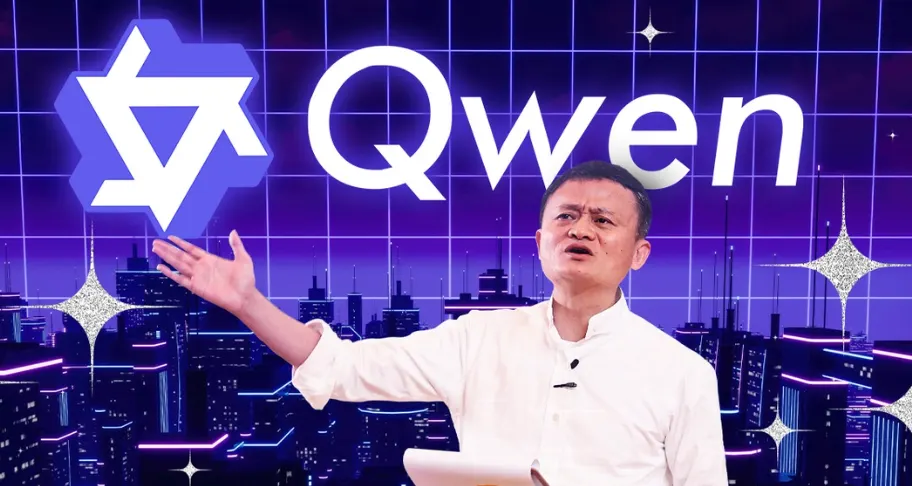
Qwen is Alibaba’s family of AI models and applications, built to handle far more than ordinary chatbot conversations. The consumer-facing Qwen Studio combines conversational AI with web search, research, document processing, coding, image generation, and multimodal understanding. The official product currently presents Qwen Studio as an AI assistant available to everyone, with a free entry point.For a U.S. technology audience, the more interesting part of Qwen is its two-sided strategy. Alibaba offers an easy-to-use online assistant while also releasing models and developer tools that can be accessed through model platforms and APIs. That makes Qwen relevant to casual users, developers, startups, and enterprises rather than only people looking for a chatbot.
✨ Key Features
💬 AI Chat: Qwen handles everyday questions, writing, rewriting, summarization, brainstorming, explanations, and general knowledge tasks. Its Chinese-language performance is one of the reasons it has gained particular attention outside the English-first AI market.🔎 Web Search and Research: Qwen can combine AI generation with online information retrieval, making it more useful for market research, product comparisons, current topics, and information-heavy work.
📄 Document Analysis: Users can provide documents and ask Qwen to summarize them, extract key information, compare sections, reorganize material, or answer questions based on the supplied content.
💻 Coding: Qwen models can generate, explain, debug, refactor, and reason about code. Developers can also choose from different model sizes and deployment options depending on their hardware and application requirements.
🖼️ Vision and Image Generation: Qwen has expanded beyond text into visual understanding and image creation. It can analyze images, read visual information, and generate visual content from prompts.
🎬 Video Understanding: Newer Qwen capabilities extend into video understanding, opening use cases for content teams, education, media analysis, and video workflows.
🧠 Agents and Tool Calling: Qwen3 places significant emphasis on tool use and agentic workflows. Developers can use Qwen-Agent and MCP-based integrations to let the model perform actions instead of simply returning text.
🌎 Qwen's Position in the Global AI Market
Qwen should not be viewed simply as another ChatGPT alternative. Alibaba brings cloud infrastructure, model services, developer platforms, and a large technology ecosystem behind the project. At the same time, Qwen’s open-model releases have created a presence across developer communities such as Hugging Face and ModelScope.This open-model strategy is one of Qwen’s biggest differentiators. Developers can use hosted APIs or work with models that are available for their own deployment, depending on licensing, hardware, and technical requirements. Qwen3-Next, for example, focuses heavily on sparse MoE architecture, inference efficiency, and long-context processing, with official documentation describing context lengths up to 256K tokens for supported configurations.
One warning for publishers: avoid describing Qwen as simply “the world's best AI.” Model rankings change quickly, and benchmark results depend heavily on the model version and evaluation methodology. A more accurate description is that Qwen has become one of the major model families worth watching in the global open-model ecosystem.
🚀 How to Try Qwen for the First Time
The easiest starting point is Qwen Studio. Open the official web experience, create or sign into an account, and start with a real task rather than a generic greeting.For example, upload a product document and ask: “Extract the core selling points from this document and create three versions: a landing-page introduction, a short social post, and a sales pitch for a customer call.” That immediately tests writing, document understanding, and audience adaptation.
For research, ask Qwen to investigate a current market and clearly separate verified information from assumptions. For coding, give it a small real project or file and ask it to identify bugs or performance problems. Real work is a much better test than asking an AI what it can do.
🛠️ Practical Qwen Tutorial
Step 1 — Define the job: Tell Qwen what the finished result should look like.Step 2 — Provide context: Upload documents, data, images, or other information the task depends on.
Step 3 — Set constraints: Specify the audience, tone, length, language, format, and things that must not be changed.
Step 4 — Break complex work into stages: Ask Qwen to research first, analyze second, and produce the final deliverable last.
Step 5 — Review: Verify facts, prices, technical specifications, business data, and other high-impact claims before publishing or acting on them.
💡 Tips for Better Results
The biggest mistake is treating Qwen like a search box. Give it a job description. Instead of saying “Analyze this sales data,” tell it what perspective to use, what patterns to find, what decisions you need, and what evidence it should rely on.For long documents, ask Qwen to build a structure before diving into individual sections. For coding, specify which files may be changed, what behavior must remain untouched, and how the result should be tested.
For research, ask the model to create a separate section for facts, interpretations, and claims that require verification. This makes the output considerably easier to review before publication.
📱 How to Install Qwen
Most users do not need to install anything complicated. Qwen Studio can be accessed through the web, and official mobile access is also available.Developers have a different path. Qwen’s open models can be accessed through platforms such as Hugging Face and ModelScope and can be deployed with frameworks including Transformers, vLLM, and SGLang. Hardware requirements vary dramatically depending on model size, quantization, context length, and inference framework.
If your goal is simply chat, research, writing, or document analysis, Qwen Studio is the practical choice. Local deployment makes more sense when you need control over infrastructure, privacy, latency, or customization.
💰 Is Qwen Free?
Qwen Studio currently provides a free entry point, allowing users to try the core assistant experience without immediately paying for a subscription. However, individual models, features, and services may have different limits.API usage is a separate matter. Developers using Qwen through an API should check the pricing for the specific model and service they select. “Free access to the website” should not be interpreted as “all API usage is permanently free.”
Open models also introduce a different cost structure. The model may be available under its applicable license, but running it yourself still requires compute, storage, networking, and maintenance. For businesses, those infrastructure costs can matter more than the model price itself.
👥 Who Should Use Qwen?
💼 Professionals: Reports, research, document analysis, presentations, writing, and everyday knowledge work.👨💻 Developers: Coding, debugging, code explanation, application development, and model deployment.
📊 Researchers: Web research, information synthesis, long-document analysis, and structured investigation.
🎓 Students: Explanations, summaries, study assistance, research preparation, and programming practice.
🎨 Creators: Image understanding, content development, visual analysis, and multimodal workflows.
🏢 Enterprises: Organizations that want API access, customizable AI workflows, or greater control over model deployment.
⚠️ Common Issues
“Why do I see different models on different Qwen pages?” Qwen is evolving quickly, and Qwen Studio, API services, and model repositories do not always expose exactly the same models at the same time.“Why is an answer incorrect?” Qwen is still generative AI. Strong reasoning does not eliminate hallucinations, factual mistakes, or incorrect interpretations. Important information should be independently verified.
“Why is local deployment slow?” Performance depends on GPU memory, model size, quantization, inference framework, and context length. A larger model is not automatically practical on a normal desktop computer.
“Why does the free version have limits?” Hosted AI services consume substantial computing resources, so free access normally comes with usage limits that can change over time.
⚖️ Pros and Cons
Pros: Strong multilingual and Chinese-language capabilities, rapidly expanding multimodal features, search, document processing, coding, image and video understanding, plus a substantial open-model ecosystem.Cons: The product changes quickly, different platforms may expose different models and capabilities, and advanced local deployment requires technical knowledge and suitable hardware.
Final Verdict: Qwen is more interesting than a simple chatbot comparison suggests. Its real strength is the combination of an accessible AI assistant, a broad model family, APIs, multimodal capabilities, and an open developer ecosystem. For users who only need casual conversation, it is simply another capable AI assistant. For developers and organizations, however, the model ecosystem and agent-oriented capabilities are where Qwen becomes much more compelling.
Comments