

BrandCrowd Review: AI Logo Maker and Branding Platform
BrandCrowd is an AI-assisted logo and branding platform designed for people who want to create a professional visual identity without hiring a designer or learning complicated design software. Its main focus is logo creation, but the platform has expanded into business cards, social media graphics, email signatures, websites, presentations, flyers, posters, digital business cards, and other branded assets.
What makes BrandCrowd different from a typical AI image generator is its combination of AI-assisted logo generation, professionally designed templates, an online editor, and a broader branding toolkit. Instead of starting with a completely blank canvas, users can generate ideas quickly and then refine them into something they can actually use.
🧭 What Is BrandCrowd?
BrandCrowd is an online logo maker and branding platform operated by DesignCrowd. The service traces its origins back to the late 2000s, when its predecessor was launched as Incspring before becoming Brandstack and later being acquired by DesignCrowd. Today, BrandCrowd operates as part of the broader DesignCrowd business.
The product is primarily aimed at startups, small businesses, entrepreneurs, creators, freelancers, and anyone who needs a usable brand identity without going through a traditional design agency.
Its core problem is straightforward: professional branding can be expensive and time-consuming, while completely automated logo generators often produce designs that feel generic. BrandCrowd tries to sit between those two extremes by combining AI assistance with a large collection of professionally created design templates.
Primary use: Logo design and business branding
Best suited for: Small businesses, startups, entrepreneurs, creators and marketers
Platform: Web-based
✨ Core Features
1. AI Logo Generator
BrandCrowd can generate logo concepts based on a business name, industry and visual preferences. Instead of manually searching through every design, users can start with AI-assisted suggestions and quickly explore different directions.
2. Large Professional Logo Library
One of BrandCrowd's biggest strengths is its extensive collection of professionally designed logo templates. The library covers industries ranging from technology and finance to restaurants, fashion, real estate, fitness and professional services.
3. Logo Customization
Generated designs are not locked into their original form. Users can modify colors, fonts, layouts, icons and other visual elements using the built-in editor.
4. Brand Identity Tools
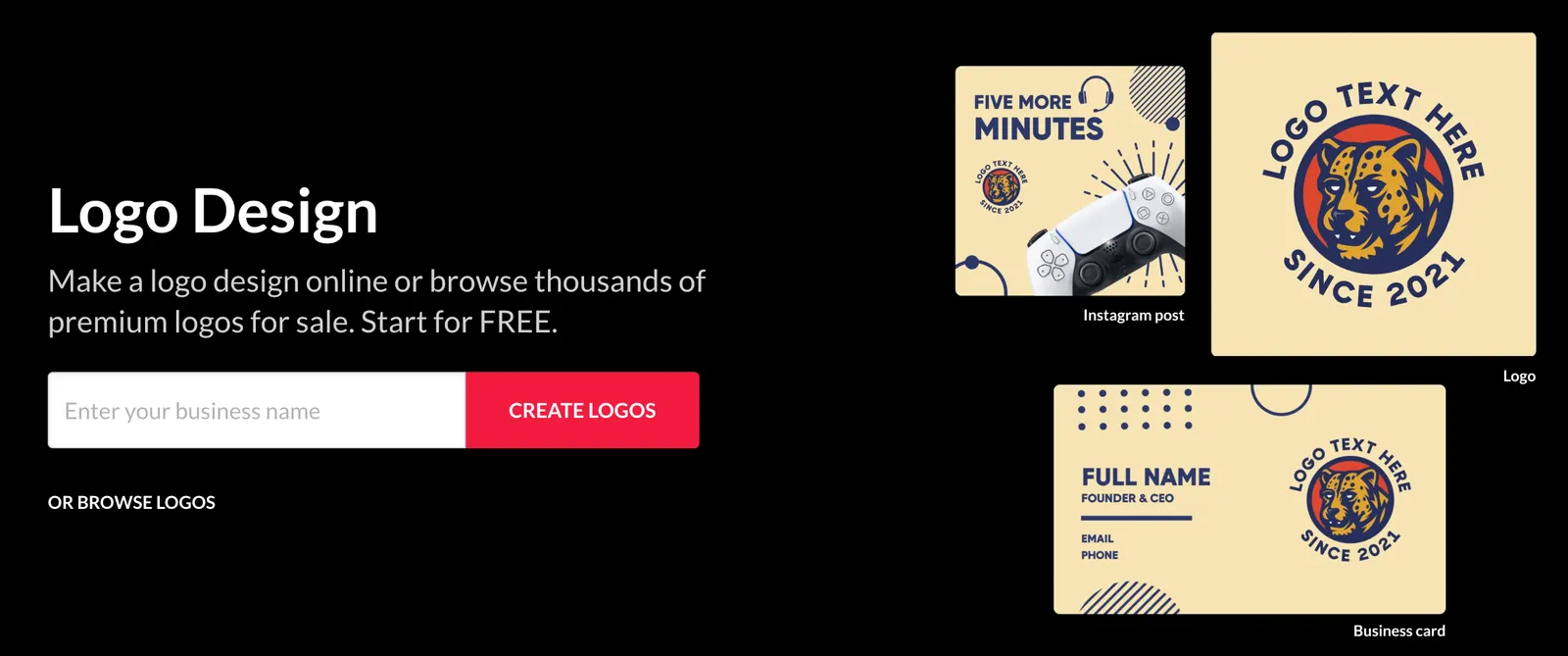
BrandCrowd goes beyond the logo itself. Once a logo has been selected, users can apply its visual style to supporting materials such as business cards, letterheads, email signatures and social media graphics.
5. Social Media Design
The platform provides templates for social platforms and allows users to create branded posts, profile graphics and other marketing materials without designing every asset from scratch.
6. Website Creation
BrandCrowd also offers website creation tools. Its website workflow can use an existing logo and visual style to create a consistent starting point for a small business website.
7. Business Card and Marketing Materials
Users can create business cards, flyers, posters, presentations and other marketing materials while keeping the visual identity consistent with their logo.
8. Multiple Export Formats
Depending on the design and plan, BrandCrowd supports common formats such as PNG, JPG, SVG, EPS and PDF. Vector formats are particularly useful when a logo needs to be printed at larger sizes.
💡 What Makes BrandCrowd Different?
The biggest difference is that BrandCrowd does not rely entirely on generative AI to invent a logo from nothing. Its workflow combines AI-assisted discovery with a large library of designer-created templates and a conventional editing system.
AI + Human-Designed Templates
Users get the speed of AI-assisted discovery while still starting from designs created within a structured professional template library.
Fast Exploration
Instead of spending hours sketching concepts, users can quickly generate and compare a large number of possible directions.
Branding Beyond the Logo
A logo can be carried into business cards, social graphics, email signatures, websites and other marketing assets.
Beginner-Friendly Editing
The interface is designed for people who may have little or no professional graphic design experience.
This makes BrandCrowd particularly interesting for a new business that needs more than a single logo but does not want to build an entire visual identity manually.
🎯 Real-World Use Cases
Startups and Small Businesses
A new company can use BrandCrowd to create its initial logo and then produce matching business cards, social media graphics and other brand assets.
Marketing Teams
Marketing teams can use the platform to create campaign graphics and social content while keeping colors, typography and visual elements consistent.
Freelancers
Freelancers can create a personal brand, portfolio identity, social media graphics and business materials without outsourcing every design task.
Content Creators
YouTubers, bloggers, podcasters and social media creators can use BrandCrowd for channel branding, profile images, thumbnails, social graphics and merchandise concepts.
Restaurants and Local Businesses
Restaurants, cafés, salons, gyms and local service businesses can create a logo and then reuse the same visual identity across menus, social posts, business cards and promotional materials.
E-commerce Businesses
Online stores can create a recognizable visual identity for packaging, websites, social media and promotional materials without hiring a full-time designer.
🚀 How to Use BrandCrowd
Step 1: Create an Account
Visit BrandCrowd and create an account using an email address and password. Users can explore many designs before deciding whether they want to create an account or purchase additional services.
Step 2: Enter Your Business Name
Start with the name of your company, project, personal brand or organization. Adding a clear business category or keyword can help narrow the visual direction.
Step 3: Explore Logo Concepts
BrandCrowd generates or recommends logo concepts based on the information you provide. Do not immediately choose the first design that looks attractive. Open several variations and compare them.
Step 4: Customize the Design
Adjust the typography, colors, layout and visual elements. At this stage, the goal is to turn a template or AI-assisted concept into something that fits the actual business.
Step 5: Preview the Logo
Check the design in different contexts. A logo that looks good on a desktop screen may not work well as a small social media avatar or printed business card.
Step 6: Download the Final Files
Select the appropriate export format based on your intended use. PNG or JPG is usually sufficient for websites and social media, while SVG, EPS or PDF is more useful for professional printing and scalable applications.
🛠️ Tips for Getting Better Results
Be Specific About the Business
Instead of entering only a company name, think about the industry, audience and personality of the brand. For example, a cybersecurity company and a children's clothing brand should not be visually approached in the same way.
Use Visual Keywords
Keywords such as minimalist, geometric, luxury, playful, modern, elegant, bold, professional or retro can help narrow the creative direction.
Do Not Overdesign the Logo
More elements do not necessarily create a better logo. A design should remain recognizable when it is reduced to a small size.
Test the Logo in Black and White
A useful practical test is to remove the color temporarily. If the design loses all of its identity without color, the underlying logo structure may need more work.
Check Typography Carefully
Fonts communicate a lot about a business. A playful typeface may work for a children's brand but look out of place for a law firm or financial company.
Compare Several Versions
Do not judge a logo only by how attractive it looks in the editor. Compare readability, scalability, uniqueness and how well it works across different marketing materials.
💻 Installation and Platform Availability
BrandCrowd is primarily a web-based service. There is no traditional desktop installation process comparable to Photoshop, Illustrator or other professional design applications.
| Platform | Availability | Notes |
|---|---|---|
| Web | Yes | Primary way to use BrandCrowd |
| Windows | Web browser | No traditional Windows desktop application required |
| Mac | Web browser | Works through a modern browser |
| iOS | Browser access | Designed primarily as a web service |
| Android | Browser access | Designed primarily as a web service |
| Browser Extension | No major extension required | The service can be accessed directly through the browser |
💰 BrandCrowd Pricing
BrandCrowd uses a free-plus-subscription model. Pricing can change over time and may vary depending on billing frequency, promotions and the specific products included, so users should check the checkout page before subscribing.
| Plan | Approx. Price | Typical Use |
|---|---|---|
| Free | $0 | Logo creation, selected free designs and basic customization |
| Starter | From about $3/month annually | More logo editing and branding assets |
| Value | From about $4/month annually | Branding tools plus website features |
| Premium | From about $5/month annually | Broader branding tools, digital business cards and additional features |
Monthly billing is generally more expensive than annual billing. Current published pricing has listed monthly rates around $9 for Starter, $14 for Value and $19 for Premium, although promotional pricing and plan structures can change.
One important point is that BrandCrowd does not simply lock the entire logo-making process behind a subscription. Free users can create and customize designs, and selected free logos can be downloaded. Paid plans become more relevant when users need premium designs, expanded branding tools, unlimited edits or additional business assets.
👥 Who Should Use BrandCrowd?
| User | Suitability | Why |
|---|---|---|
| Small Businesses | High | Fast way to create a complete starting identity |
| Startups | High | Useful when speed and low initial cost matter |
| Entrepreneurs | High | Can create a logo without hiring a designer |
| Marketing Professionals | High | Useful for producing consistent branded assets |
| Content Creators | High | Useful for personal branding and social content |
| Students | Medium to High | Useful for clubs, projects, portfolios and small ventures |
| Professional Designers | Medium | Useful for inspiration and fast concepts, but not a replacement for professional design software |
| Large Enterprises | Medium | Useful for quick projects, but complex brand governance may require specialized systems |
🌎 Global Usage and Reach
BrandCrowd has a significant international web presence. Third-party traffic estimates for August 2026 put BrandCrowd at roughly 943,500 visits for the month, although other traffic measurement services report different numbers. These figures should be treated as estimates rather than official user statistics.
Third-party traffic data shows that the United States is one of BrandCrowd's largest markets, followed by countries including India, Bangladesh, the United Kingdom and Canada. This distribution reflects the platform's international audience rather than a single-country customer base.
BrandCrowd does not publicly provide a consistently verifiable global figure for total registered users, active users or cumulative downloads. For that reason, claims such as "millions of users" should not automatically be treated as an official current user count.
⚖️ Pros and Cons
What We Like
- Very fast way to explore professional-looking logo concepts.
- Large collection of professionally designed templates.
- More customization control than many simple logo generators.
- Useful branding tools beyond logo creation.
- Supports common high-resolution and vector export formats.
What Could Be Better
- Template-based designs can still feel less distinctive than a custom identity created by a professional designer.
- The number of choices can become overwhelming when users do not have a clear visual direction.
- Some of the more useful branding features are tied to paid plans.
- It is not intended to replace advanced professional design applications such as Adobe Illustrator.
🔍 BrandCrowd vs. Other Logo and Design Tools
| Tool | Main Strength | AI | Logo Focus | Branding Tools | Typical User |
|---|---|---|---|---|---|
| BrandCrowd | Logo creation and branded assets | Yes | Strong | Strong | Small businesses and entrepreneurs |
| Canva | General-purpose visual design | Yes | Medium | Very strong | Creators, marketers and teams |
| Adobe Express | Marketing and content creation | Yes | Medium | Strong | Marketers and creators |
| Wix Logo Maker | Logo plus website workflow | Yes | Strong | Medium | Website owners and beginners |
| Shopify Logo Maker | Simple logo creation | AI-assisted | Strong | Limited | E-commerce beginners |
BrandCrowd vs. Canva
Canva is the broader design platform. It makes more sense when the logo is only one part of a much larger content workflow. BrandCrowd is more focused on logos and maintaining a consistent small-business identity around them.
BrandCrowd vs. Adobe Express
Adobe Express is more useful when users regularly create marketing graphics, social posts and other content. BrandCrowd has a more specialized approach to logo discovery and small-business branding.
BrandCrowd vs. Wix Logo Maker
Wix is attractive when the logo and website are being built together. BrandCrowd makes more sense when the logo and broader visual identity are the immediate priority.
BrandCrowd vs. Shopify Logo Maker
Shopify's logo maker is better suited to someone who simply needs a basic logo for an online store. BrandCrowd offers a much broader design and branding workflow.
📌 Is BrandCrowd Actually an AI Tool?
Yes, but it is better described as an AI-assisted design platform rather than a pure generative AI tool.
This distinction matters. A service such as a text-to-image generator creates an image from a prompt, while BrandCrowd combines AI-assisted recommendations with structured logo templates, professional design assets and a manual editor.
For users who want a logo they can actually edit, export and reuse across business materials, this hybrid approach can be more practical than generating random logo images with a general-purpose AI image generator.
🏁 Final Verdict: Is BrandCrowd Worth Using?
BrandCrowd is worth considering if your main goal is to get a professional-looking logo and a basic visual identity quickly. Its strongest point is not simply that it uses AI. The real advantage is the combination of AI-assisted discovery, a large professional template library and practical branding tools.
It is particularly useful for startups, small businesses, freelancers, creators and entrepreneurs who need to move quickly and do not want to spend a large amount of money on a custom branding project at the beginning.
It is less suitable when the logo is expected to become a highly distinctive corporate identity with extensive brand guidelines, original illustration work or complex trademark considerations. In those situations, working with a professional designer can provide much more control over originality and brand strategy.
BrandCrowd is a good fit when:
- You need a logo quickly.
- You are launching a small business or startup.
- You want to create your own branding without design expertise.
- You need matching business and social media assets.
- You want to keep initial branding costs low.
Consider another approach when:
- Your brand requires a highly original visual identity.
- You need advanced vector illustration or professional art direction.
- You are building a large corporate brand system.
- Trademark uniqueness and brand differentiation are critical.
Overall, BrandCrowd is best understood as a practical shortcut for getting from a business idea to a usable visual identity. It does not eliminate the need for design thinking, but it can remove much of the tedious work involved in getting started.
❓ Frequently Asked Questions
Is BrandCrowd free?
Yes. BrandCrowd offers free logo creation and selected free designs. Additional branding features, premium designs and certain export or business tools may require a paid plan.
Can BrandCrowd create logos with AI?
Yes. BrandCrowd uses AI-assisted technology as part of its logo creation workflow, while also relying heavily on its professionally designed template library.
Can I customize a BrandCrowd logo?
Yes. Users can adjust elements such as colors, fonts, layout and other design components.
Can I use BrandCrowd logos commercially?
BrandCrowd provides commercial usage rights for its logo designs under its licensing terms. Users should review the specific license attached to the design they intend to use, particularly when exclusivity or trademark registration matters.
Does BrandCrowd have a Windows or Mac application?
BrandCrowd is primarily a browser-based platform, so users generally access it through a web browser rather than installing a traditional desktop application.
Is BrandCrowd suitable for professional designers?
It can be useful for concept exploration and fast branding projects, but professional designers who require advanced vector editing, detailed illustration control or complex brand systems will likely still need dedicated design software.
Comments