
Designs.ai Review: Features, Pricing, Use Cases, and Alternatives
Designs.ai is an AI-powered creative platform designed to help businesses and individuals produce marketing content, branded visuals, videos, presentations, and other digital assets. Instead of relying on a separate application for every task, users can access multiple creative tools within one workspace. This makes Designs.ai particularly interesting for small businesses, marketers, freelancers, and content teams that need to publish regularly without maintaining a large creative department. Its biggest selling point is convenience, although users should still compare output quality, credit limits, and editing flexibility before committing to a subscription.
🌐 1. What Is Designs.ai?
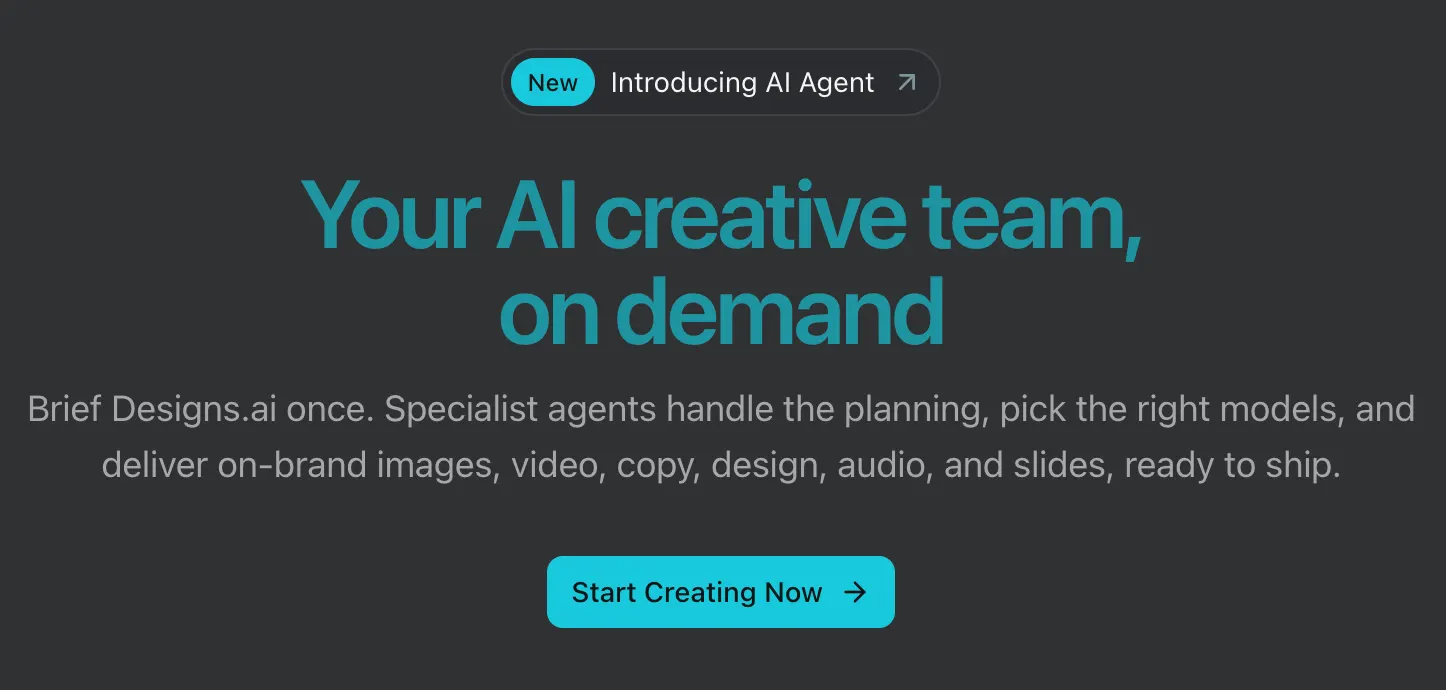
Designs.ai is an AI creative platform operated under the Designs.ai brand by Pixlr Pte. Ltd. It originally gained attention by combining several online creative tools, including logo creation, image generation, video production, speech generation, and AI writing. The platform has since expanded its focus toward an integrated AI workspace with specialized creative agents and access to multiple AI models.
The central idea is straightforward: users describe what they want to create, and AI helps them move from an initial brief to usable content. Depending on the workflow, that content may include promotional graphics, marketing copy, video concepts, audio assets, presentations, or brand-related materials.
Designs.ai is intended to solve a common problem in digital marketing. Producing one asset is relatively easy, but a real campaign often requires several related pieces of content. A business might need a social media image, a promotional video, a headline, a product description, and a presentation that all share the same visual identity. Designs.ai aims to bring more of that work into one environment.
The platform is best understood as an AI-assisted creative production workspace rather than a single-purpose logo maker. Its usefulness depends on how often you create content, which formats you need, and how much manual editing the generated results require.
🧰 2. Key Features of Designs.ai
1. AI Creative Agents
Designs.ai offers specialized AI-assisted workflows for different creative tasks. Depending on the available product configuration, these can help with branding, image generation, storyboards, video, presentations, and audio. The goal is to let users describe the desired result instead of manually coordinating every step across separate applications.
For example, a business preparing a holiday promotion could begin with a campaign brief and develop several related creative assets. The exact level of automation depends on the chosen workflow, but the overall approach is designed to reduce repetitive setup.
2. AI Image Generation
The image generation features help users turn written descriptions into visual concepts. These images may be useful for social media campaigns, promotional artwork, creative brainstorming, and other business content.
Generated visuals should always be reviewed before publication. AI can produce inaccurate product details, distorted lettering, inconsistent logos, or visual elements that do not match a company's brand. For product advertising, accuracy matters more than simply producing an attractive image.
3. AI Video and Storyboard Tools
Designs.ai includes video-related workflows that help users plan and produce short-form creative content. Storyboard creation can be useful when a marketer needs to turn a rough idea into a sequence of scenes before producing a finished video.
These tools can speed up early production for promotional clips, social media videos, and advertising concepts. They may be less suitable for projects that require precise timeline editing, complex motion graphics, consistent characters across many scenes, or exact product demonstrations.
4. AI Writing and Marketing Copy
AI writing tools can help users draft promotional copy, headlines, product descriptions, scripts, and other supporting text. This is especially useful when written content needs to accompany graphics or videos produced in the same workspace.
The first draft should not automatically become the final version. AI-generated marketing copy can sound generic, repeat familiar phrases, or make claims that have not been verified. Editing the language to reflect the actual product, audience, and brand voice usually produces a better result.
5. Brand Identity and Brand Kits
Designs.ai emphasizes brand consistency. Its brand-related features can help users establish reusable visual information, such as logos, colors, fonts, and style preferences. The platform also describes brand extraction capabilities that can identify visual elements from a company's website.
A reusable brand kit can make recurring work easier. Instead of re-entering the same design instructions for every campaign, users can work from a shared set of brand references. However, extracted information should be checked carefully, especially when a business follows strict brand guidelines.
6. AI Audio and Voice Generation
Audio-related capabilities support creative workflows that require voice or other audio assets. These can be useful for narration, short promotional videos, and digital content that needs an audio component.
Before publishing generated audio, listen for unnatural pronunciation, awkward pauses, incorrect emphasis, and mistakes with product names. AI voices can save recording time, but they do not always deliver the tone or emotional range required for professional advertising.
7. AI Presentation Creation
Presentation workflows can help users turn a topic or brief into a structured slide deck. Potential applications include sales proposals, internal business updates, training materials, and marketing presentations.
The generated deck is best treated as a starting point. Check the order of ideas, factual claims, charts, numerical data, and slide readability before presenting it to a client or team.
8. Multi-Model AI Access and Designs Claw
Designs.ai presents itself as a multi-model AI workspace, bringing different models and creative workflows together. The platform describes access to models such as ChatGPT, Claude, Gemini, and Grok, although available models and functions may vary by product configuration and subscription.
Designs Claw is presented as an AI assistant that can operate within supported chat environments and help coordinate tasks such as note-taking and content creation. Users should confirm which integrations, models, and automation features are actually included in their account rather than assuming every capability is available without limits.
✨ 3. What Makes Designs.ai Different?
Designs.ai's main selling point is the combination of several creative workflows in one platform. Many AI products concentrate on one job, such as image generation, video production, or writing. Designs.ai aims to connect those jobs so users can create related assets without repeatedly switching tools.
One Workspace for Multiple Content Formats
A marketing campaign rarely consists of a single image. It may need copy, social graphics, a short video, a presentation, and other supporting material. Designs.ai's integrated approach is intended to make it easier to move between these formats while keeping the original campaign brief in mind.
A Stronger Focus on Brand Consistency
Businesses need more than attractive visuals. Their content must also follow recognizable brand colors, typography, messaging, and tone. Designs.ai's brand-related features are designed to make those requirements easier to reuse across different projects.
Access to Multiple AI Models
Designs.ai promotes a workspace that connects users with different AI models and creative tools. This can be convenient for people who want a range of capabilities without managing several separate interfaces. However, access through a third-party platform may not provide exactly the same features, limits, or controls as using each model directly.
Built Around Repeated Business Work
The platform is particularly relevant to teams that produce marketing material on a regular schedule. Shared brand information, team access, and reusable workflows can reduce repeated setup and help maintain a more consistent style across projects.
Where It Has an Advantage
Designs.ai makes the most sense when a project involves several types of content and the user values speed and coordination. If the task is limited to creating one highly polished logo or editing a complex video, a dedicated specialist tool may offer more precise controls.
💼 4. Practical Use Cases
Marketing Campaigns
Marketing teams can use Designs.ai to develop campaign ideas, headlines, promotional graphics, video concepts, and presentation materials. A business launching a seasonal offer could create an initial collection of assets from one brief, then review each item for accuracy and brand consistency.
Social Media Content
Businesses and creators who publish regularly can use the platform to develop post concepts, captions, and supporting visuals. It can help reduce the time spent starting each post from scratch. Check the available integrations separately if you need publishing schedules, analytics, or direct posting to social platforms.
Branding for Small Businesses
New businesses can use AI-assisted branding tools to explore logo directions, color combinations, and visual styles before investing in a full identity project. This is a useful way to develop early concepts, but generated logos should not be assumed to be unique or legally available for exclusive use.
E-Commerce and Product Marketing
Online sellers can create promotional copy, campaign concepts, and social media visuals. Care is needed when generating product imagery: the output must not misrepresent the product's actual shape, color, packaging, size, or features.
Video Advertising
Freelancers and marketing teams can use video and storyboard workflows to develop short advertisements, promotional clips, and campaign drafts. These tools are useful for moving quickly from an idea to a first version, but projects that require detailed editing may still need professional video software.
Business Presentations
Sales teams can use presentation generation to prepare proposals, pitch decks, and internal reports. Reusable brand information can help different team members produce slides that look more consistent. Figures, product claims, pricing, and contractual statements should always be checked before a presentation is shared externally.
Education and Training
Teachers, students, and trainers can use Designs.ai to prepare presentation drafts, visual explanations, and creative project materials. Users should verify factual content and follow any rules governing AI assistance in their educational or professional environment.
Freelancers and Creative Agencies
Freelancers and agencies handling many small projects may benefit from using AI to develop early concepts and routine marketing assets. Designs.ai can help speed up initial production, although clients may still expect manual refinement and specialist-level creative control.
Writing and Coding
The writing capabilities can support scripts, marketing copy, and text connected to creative work. General-purpose AI models may also assist with everyday text tasks, depending on the available interface. Developers who primarily need debugging, code completion, testing, or repository-level assistance will generally find dedicated coding tools more appropriate.
🪜 5. How to Use Designs.ai
Step 1: Create an Account
Open the Designs.ai platform in a supported browser and register using one of the available account options. Before selecting a paid plan, review the included tools, credit allowances, and licensing conditions.
Step 2: Choose the Right Subscription
Start with a plan that matches your expected workload. Check how credits are consumed, whether they reset monthly, and which features require additional usage. Teams should also consider the number of user seats and collaboration features included.
Step 3: Set Up Your Brand
If you are creating content for a business, prepare your logo, brand colors, preferred fonts, target audience, and writing style. Where supported, create a reusable brand kit and verify that its details match your actual brand guidelines.
Step 4: Write a Clear Brief
Explain what you want to produce, who it is for, where it will appear, and what the content needs to communicate. Include relevant constraints such as dimensions, tone, brand colors, required wording, and prohibited elements.
Step 5: Choose the Relevant Creative Tool
Select the appropriate workflow for branding, images, video, audio, writing, or presentations. If the selected agent asks follow-up questions, answer them before generating the final result. More context usually makes the task easier to evaluate and refine.
Step 6: Generate and Refine
Review the first result for accuracy, layout, readability, and brand consistency. Make targeted changes instead of restarting unnecessarily. For example, ask for a shorter headline, more negative space, stronger contrast, or a more natural tone.
Step 7: Export and Review
Export the finished assets in the formats suitable for their intended use. Check dimensions, spelling, resolution, audio quality, and platform requirements. For commercial work, review the applicable license and confirm that all included materials can be used for the intended purpose.
Example: Building a Social Media Campaign
- Define the campaign goal, audience, offer, and deadline.
- Provide the brand logo, colors, tone, and visual references.
- Generate several creative directions before choosing one.
- Create supporting copy, graphics, and a short video concept.
- Check that product details and promotional terms remain consistent across all assets.
- Export the final materials in the correct dimensions and review them before publishing.
This is where an integrated platform can save time: it reduces repeated setup across related tasks. It does not remove the need for human review or creative decisions.
🧠 6. Tips for Getting Better Results
Be Specific About the Intended Result
A prompt such as “make a professional advertisement” is too vague to produce predictable results. Describe the product, audience, main message, distribution channel, and desired action. These details give the AI a clearer target.
Use a Simple Prompt Formula
A practical structure is: Task + Audience + Message + Style + Format + Constraints.
For example: “Create a square social media promotion for a neighborhood coffee shop. The audience is office workers aged 25–40. Promote a weekday morning coffee deal. Use a warm, modern visual style with dark green and cream. Keep the headline short, leave space for the logo, and make the offer easy to read on a phone.”
Provide Concrete Brand Rules
Words such as “premium,” “modern,” and “professional” can mean different things to different people. Add practical details such as approved colors, font preferences, logo placement, photography style, and examples of previous campaigns.
Explore Several Directions First
For an important campaign, request a few distinct concepts before polishing one. Compare them based on clarity, audience fit, visual hierarchy, and originality. Once a direction works, refine it rather than generating unrelated versions repeatedly.
Make Revisions Specific
Instead of asking the AI to “make it better,” identify the problem. Try instructions such as “reduce the text,” “make the product the main focus,” or “increase contrast so the headline is readable on a mobile screen.”
Inspect Text and Product Details
AI-generated graphics can contain misspelled text, distorted lettering, and inaccurate product details. Prices, dates, disclaimers, and important product claims should be checked carefully before publication.
Choose the Correct Format Early
Tell the platform whether the content is for a square social post, vertical video, presentation slide, web banner, or print advertisement. Each format needs a different layout, and content designed for a desktop may not be readable on a phone.
Save a Reusable Brief
If you produce content every week, maintain a standard brief with your audience, tone, brand rules, preferred formats, and recurring requirements. Reusing this information can save time and improve consistency across campaigns.
💻 7. Installation and Supported Platforms
Designs.ai is primarily a web-based service. Users can access its main creative workspace through a supported browser, so a traditional desktop installation is generally unnecessary for the core experience.
- Web: The main way to access Designs.ai's creative tools, account settings, and supported AI workflows.
- Windows: The web platform can be used through a supported browser on Windows. Confirm current product listings before assuming a native Windows app is available.
- Mac: Users can access the service through a supported browser on macOS.
- iOS: Browser access may be possible on iPhone and iPad. Check separately whether a dedicated app is currently available.
- Android: The platform may be accessible through a mobile browser, although complex creative tasks are generally easier on a desktop screen.
- Browser extensions: Do not assume that a dedicated Chrome, Firefox, or Edge extension is available. Verify current listings if extension-based access is important.
- Chat integrations: Designs Claw is described as working within supported chat environments. Available integrations may change.
- API and automation: Availability depends on the specific product and integration. Confirm API access before building a workflow around it.
For most people, the browser version is the simplest place to start. If you expect to work mainly on a phone or tablet, test the interface before subscribing. Browser access does not guarantee that every feature will be comfortable to use on a small screen.
💳 8. Designs.ai Pricing and Plans
Designs.ai offers subscription plans with monthly credit allowances. Prices, promotional offers, and included features may change, so users should confirm the current checkout terms before paying.
Go Plan
The Go plan is listed at $9.90 per month in the displayed pricing offer. The listing includes one user, 1,000 monthly credits during the promotion, one Designs Claw, email and chat support, and a standard license. Promotional bonus credits may differ from the standard allowance.
This tier is intended for individuals who need regular access to AI creative tools without the capacity of a larger team plan.
Plus Plan
The Plus plan is displayed at a promotional price of $19.50 per month, reduced from a listed regular price of $39 per month. The listed package includes 2,500 monthly credits, two users, two Designs Claw instances, email and chat support, a standard license, and a stated $5,000 indemnity benefit subject to the applicable terms.
It may suit freelancers or small teams that need more capacity than the entry-level plan.
Pro Plan
The Pro plan is listed at $79 per month. The displayed package includes 10,000 monthly credits, five users, five Designs Claw instances, priority email and chat support, a standard license, and a stated $5,000 indemnity benefit subject to the plan terms.
This option is aimed at businesses and teams that create content regularly across several projects.
Enterprise Plan
The Enterprise plan is listed at $639 per month. The displayed package includes 100,000 monthly credits, 30 users, 30 Designs Claw instances, dedicated 24/7 support, an account manager, onboarding, an enterprise license, and a stated $25,000 indemnity benefit subject to the relevant terms.
Larger organizations should evaluate the plan based on seats, usage, licensing, support, governance, and security requirements rather than credits alone.
Additional Credits
- Starter Top-Up: 2,500 credits for $30.
- Growth Top-Up: 5,000 credits for $50.
- Power Top-Up: 10,000 credits for $80.
The displayed terms describe these credit top-ups as available to active subscribers and valid for one year from purchase. They are also described as non-refundable. Check the current terms before buying additional credits.
Is There a Free Plan?
The listed pricing structure includes Go, Plus, Pro, and Enterprise paid plans. A permanent free tier is not clearly presented alongside these subscriptions. Trial access or promotional credits may vary, so check the current signup process rather than assuming unlimited free access.
Why Do Older Articles Show Different Prices?
Older reviews may refer to Basic, Pro, and Enterprise plans with different features and allowances. Designs.ai has evolved its product positioning and pricing, so older pricing tables may no longer describe the current offering.
Pricing note: The prices above reflect the pricing information available when this review was prepared. Promotions, billing periods, taxes, credit allowances, licensing terms, and features can change. Confirm the final price and subscription conditions before paying.
👥 9. Who Should Use Designs.ai?
Small Business Owners
Small businesses that need promotional graphics, marketing copy, short videos, and presentations may benefit from having several creative workflows in one place. The platform can help produce an initial draft without requiring a dedicated creative department.
Marketing Professionals
Marketing teams that create content for several channels may find the combination of writing, visuals, video, and brand management useful. It is particularly relevant when producing many coordinated assets is more important than perfecting one individual design.
Freelancers and Agencies
Freelancers can use Designs.ai to speed up brainstorming and initial client concepts. Agencies may find it helpful for repeatable production work, provided they review the relevant licenses, client requirements, and rights associated with the assets.
Graphic Designers
Designers may use the platform for ideation, visual exploration, and routine marketing materials. Those who need precise vector editing, advanced compositing, detailed typography, or highly controlled art direction may still prefer specialist design software.
Content Creators
Creators who need social graphics, video concepts, scripts, and supporting copy can benefit from access to several content formats in one workspace. The value depends on whether the output quality and editing controls meet their publishing standards.
Students and Educators
Students and teachers can use Designs.ai to prepare presentation drafts, visual explanations, and educational content. They should still verify facts and follow any rules regarding AI-generated work.
Enterprise Teams
Organizations producing content across departments or regions may benefit from shared brand information, team access, and administrative features. Before adopting the platform, enterprise buyers should verify the precise security controls, contractual terms, and governance features available to their account.
Who May Not Need It?
People who only create an occasional image or need one specialized tool may not get enough value from a multi-tool subscription. Professional editors who already have a reliable workflow may also prefer dedicated tools that provide more detailed creative control.
🌍 10. Global Usage and Website Traffic
Designs.ai targets an international audience of individuals, businesses, marketers, and creative teams. Its range of use cases includes branding, marketing, video, presentations, and other digital content. However, current public information about active users and paid subscribers is limited.
Website Traffic
Third-party analytics can provide an estimate of website activity, but visits are not the same as registered users or paying customers. Semrush reported approximately 931,520 monthly visits for Designs.ai in May 2025. This is a historical estimate, not a current October 2026 traffic figure, and should not be presented as a precise measure of present-day adoption.
Major Countries and Regions
Older third-party traffic estimates have included visitors from markets such as the United States, India, Indonesia, Turkey, and Brazil. Geographic rankings change over time, and without a fresh, reliable country breakdown, those markets should not be treated as a definitive ranking of current users.
User Numbers and Downloads
There is no single independently verified public figure available here that combines active users, paying subscribers, and downloads across all platforms. Since Designs.ai is primarily web-based, app-store downloads would not fully measure adoption anyway.
The reasonable conclusion is that Designs.ai has an international web presence and serves a range of creative and business use cases. Its exact current user count, download volume, and geographic distribution remain unconfirmed unless newer company disclosures or reliable analytics estimates become available.
⚖️ 11. Pros and Cons of Designs.ai
Pros
- Multiple creative formats in one place: Users can work across writing, images, video, audio, branding, and presentations without managing every task in a separate application.
- Brand consistency features: Reusable brand information can help teams maintain a more consistent look and tone across recurring content.
- AI-assisted workflows: Specialized agents can help users move from a brief to a set of related creative assets.
- Useful for small teams: The integrated workflow can reduce repeated setup for routine marketing and business communication tasks.
- Different capacity levels: Paid plans provide different credit allowances and team sizes for individuals, growing teams, and larger organizations.
Cons
- Credits require planning: Heavy users need to understand how each task consumes credits and whether the included allowance will cover their workload.
- Not every feature is best in class: Specialist image, video, audio, or design software may provide more detailed controls for demanding projects.
- Human editing remains necessary: AI can make mistakes with text, facts, branding, and product details.
- Plans and features can change: Older tutorials and reviews may describe subscriptions or tools that no longer match the current platform.
The main trade-off is convenience versus control. Designs.ai can simplify a multi-format content workflow, but it should not be assumed to outperform every specialist application at every task.
🔍 12. Designs.ai Compared with Other AI Creative Tools
Designs.ai overlaps with several creative platforms, but they do not all solve the same problem. The right choice depends on whether you need a broad AI content workflow, a template-based design editor, a professional creative ecosystem, or specialized video generation.
| Tool | Main Strength | Best Use Cases | Pricing Approach | Main Limitation |
|---|---|---|---|---|
| Designs.ai | Integrated AI workflows for branding, writing, images, video, audio, and presentations | Multi-format marketing campaigns and repeatable creative production | Paid plans with credit allowances and team options | Some tasks may require more specialized editing controls |
| Canva | Templates, visual editing, and collaboration | Social posts, presentations, marketing materials, and everyday design | Free and paid plans, with features depending on the subscription | Advanced production workflows may require additional tools |
| Adobe Express | Accessible design tools connected to the Adobe ecosystem | Brand assets, promotional graphics, and quick visual editing | Free and paid plans, with some features tied to subscriptions | Does not replace the full control of specialist Adobe applications |
| Runway | AI video generation and video-focused creative workflows | Video concepts, generated footage, and experimental visual production | Plan-based access with usage limits that depend on the current offer | Not designed as a complete multi-format marketing workspace |
| ChatGPT | Writing, brainstorming, analysis, and conversational assistance | Campaign planning, copywriting, research, and creative briefs | Free access and paid plans with different limits and capabilities | Asset production may require additional tools or integrations |
Designs.ai vs. Canva
Canva is a strong choice for users who want templates, direct visual editing, and control over the placement of design elements. Designs.ai is more appealing when the goal is to coordinate AI-generated content across several formats. Choose Canva if hands-on layout work is central to your process; consider Designs.ai if reducing tool switching is more important.
Designs.ai vs. Adobe Express
Adobe Express suits users who want accessible design tools within the Adobe ecosystem. Designs.ai focuses more on bringing AI models and creative agents together. The better choice depends on how much editing control you need and which applications you already use.
Designs.ai vs. Runway
Runway is the more focused option when AI video generation is the main goal. Designs.ai offers a broader mix of creative workflows. If video is only one part of a larger marketing campaign, Designs.ai may be more convenient; if video quality and specialized controls are the priority, test a dedicated video platform.
Designs.ai vs. ChatGPT
ChatGPT is useful for writing, brainstorming, research, and planning. Designs.ai focuses more directly on creative asset production and coordination. The two can complement each other: use a language model to refine the brief and message, then use a creative platform to develop the associated visuals and other content.
Which Tool Should You Choose?
- Choose Designs.ai for connected AI workflows across multiple creative formats.
- Choose Canva for template-based design and hands-on visual editing.
- Choose Adobe Express for accessible design tools within the Adobe ecosystem.
- Choose Runway when AI video production is the main requirement.
- Choose ChatGPT for writing, planning, research, and conversational problem-solving.
🔐 13. Commercial Use, Licensing, and Privacy
Anyone using Designs.ai for business or client projects should review the license that applies to their subscription. The platform offers different licensing arrangements, and standard and enterprise terms may differ. Paying for a subscription should not be treated as blanket permission to use every asset in every possible context.
Check the restrictions that apply to stock elements, fonts, audio, and other included resources. Some assets may have conditions that affect redistribution, resale, or use as standalone files. If a project has significant commercial value, confirm the relevant rights before delivering the final work.
AI-generated logos also require trademark consideration. A generated logo is not automatically unique or legally clear. Before using one as a long-term brand identity, search for similar marks and obtain professional advice if necessary.
Businesses should review the current privacy policy, data-handling terms, and enterprise controls before uploading confidential client files, unreleased campaigns, customer information, or internal documents. General product descriptions are not a substitute for confirming the terms that apply to a specific account.
🏁 14. Final Verdict: Is Designs.ai Worth It?
Designs.ai is worth considering if you regularly create several types of content and want more of that work handled in one place. Its strongest use case is helping a person or team move from a brief to a collection of related marketing assets while reducing repetitive setup and keeping brand information close at hand.
Small businesses, solo marketers, freelancers, and content teams may find this approach useful. When the same campaign needs copy, visuals, video, and presentations, a connected workflow can save time compared with starting from scratch in several different tools.
There are limits. An all-in-one platform will not necessarily match specialist software for detailed vector editing, advanced video production, complex audio work, or highly customized design. Credit allowances also matter if you expect to generate content at high volume.
Before subscribing, test Designs.ai with a real project. Create a campaign brief, generate several related assets, and measure how much manual correction is required. Check the quality, credits consumed, export options, and license terms. If the workflow saves time across several tasks, a paid plan may be worthwhile. If you only need an occasional graphic or already have a reliable specialist workflow, a simpler or more focused tool may offer better value.
Overall, Designs.ai is best viewed as an AI-assisted creative production workspace, not a universal replacement for professional design software. It is most useful when speed, coordination, and consistent branding matter more than complete manual control over every detail.
❓ Frequently Asked Questions About Designs.ai
What is Designs.ai used for?
Designs.ai helps users create and coordinate creative content such as branding, images, video, audio, marketing copy, and presentations. Its platform also emphasizes AI agents and access to multiple AI models.
Is Designs.ai free?
The listed pricing structure includes Go, Plus, Pro, and Enterprise paid plans. Trial access or promotional credits may be available, but users should check the current signup process rather than assume a permanent free plan is included.
How much does Designs.ai cost?
The displayed pricing lists Go at $9.90 per month, Plus at a promotional $19.50 per month, Pro at $79 per month, and Enterprise at $639 per month. Prices and promotional terms can change, so confirm the current amount before subscribing.
Can Designs.ai create videos?
Yes. Designs.ai offers video-related workflows, including storyboard and video production capabilities. The available controls and output options depend on the selected feature and subscription.
Can Designs.ai help with logo design?
Its creative offering includes branding and brand identity workflows. Generated logos should still be reviewed for distinctiveness, and trademark checks should be completed before adopting a design commercially.
Does Designs.ai have a Windows or Mac app?
The platform is primarily web-based and can be accessed through a supported desktop browser. Confirm the current product listings before assuming a native Windows or macOS application is available.
Can Designs.ai be used for commercial projects?
Commercial use depends on the applicable plan, license, and restrictions on included assets. Review the current terms before publishing business content or delivering work to a client.
Is Designs.ai better than Canva?
The tools serve overlapping but different needs. Canva is particularly useful for template-based design and hands-on layout editing, while Designs.ai emphasizes coordinated AI content generation across multiple formats. The better choice depends on your workflow.
Who should use Designs.ai?
Small businesses, marketing teams, freelancers, agencies, and content creators who regularly need several types of branded assets are likely to benefit most. Users who need only one specialized tool may prefer a more focused alternative.
Comments